Free SNMP MIB Browser Android App - Features
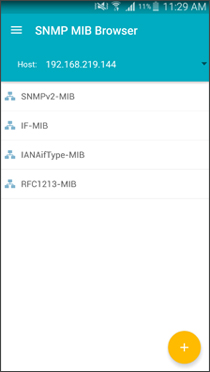
Home View
Home view will lists all the loaded MIBs. Device menu will have two options, one is to load user MIBs from MIBS directory and the other is to load the default RFC1213-MIB. After loading the required MIBs and configuring the agent parameters, you can fetch the MIB data for both scalar groups and tables by traversing through them.
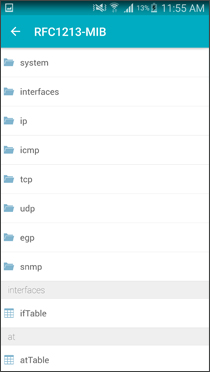
MIB View
On touching any of the loaded MIBs in the Home view, MIB view will display all the scalar groups and tables of that particular MIB. In this view, you can traverse through each and every scalar groups and tables by touching them to view the MIB data of the individual groups or tables.
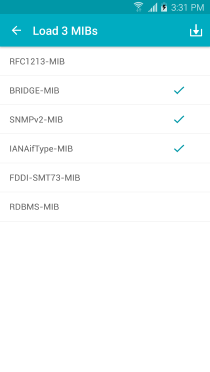
Load External Mibs
On touching the Load External button, the list all available MIBs in the device are shown in a pop-up. From the list view, you can select the required MIBs and press OK to come back to Home. All the selected MIBs will be listed in the Home view, which will help in traversing through the individual MIBs.
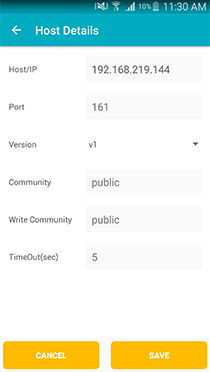
Host Settings View
Hostname/IP Address, port in which the SNMP agent is listening and other details to communicate the agent can be configured using in this view. For v1/v2c version of SNMP, user have to configure the Hostname/IP Address, Port, Version (v1/v2c), Community and Timeout details to communicate with the agent. For SNMPv3, in addition to the above said details, user have to configure the v3 user credentials as appropriate. After configuring all the details, the same must be persisted/saved(using Save button) for this to take effect or can cancel it(using Cancel button).
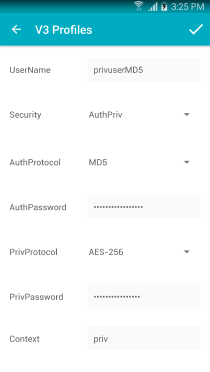
V3 User Details View
Use this view to configure the v3 user credentials like username, auth/priv protocols, auth/priv passwords and contextname as appropriate to the security level of that particular v3 user.
| User Security Level | Credentials need to be configured |
| no_auth_no_priv | username, contextname |
| auth_no_priv | username, auth protocol, auth password, contextname |
| auth_priv | username, auth protocol, auth password, priv protocol, priv password, contextname |
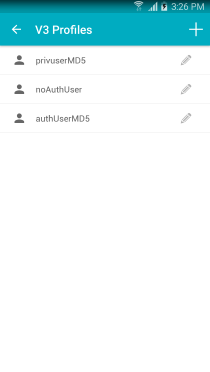
V3 Profiles View
This view lists all the v3 users configured and allows to Select/Edit/Delete a particular user. Touching on any v3 users in the list, will pop-up a menu with possible operations.
| Select | To select an user to be used to communicate with SNMP agent |
| Edit | To edit the credentials of a respective user. |
| Delete | To delete unwanted user. Deletion will ask for confirmation. |