Free iPhone Ping Tool — Features
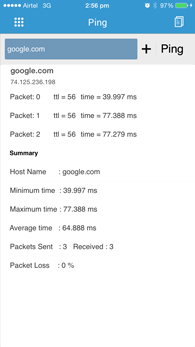
Ping Host View
This view shows the time to live and trip time of each packet received from the host. It also gives the Minimum/Maximum/ Average trip time of ping packets.
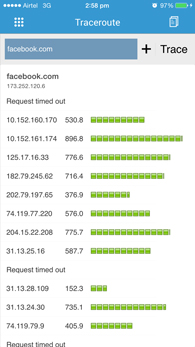
Trace Host View
Use this view to traceroute the servers and websites by entering either host name or IP address. It shows number of hops taken by the packet to reach destination server and its Round trip time in a elegant graphical view. Add the host to host list from this view.
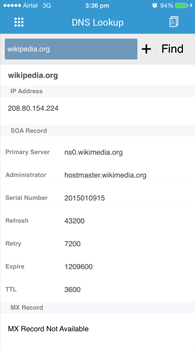
DNS Lookup View
DNS Lookup gives the details of IP Address, MX Records, SOA record, NS Records and TXT Record of the websites.
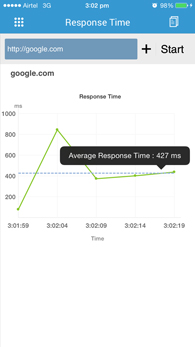
Response Time View
Use this view to find the response time of websites in an elegant graphical view. It also gives the average response time for the last five responses.
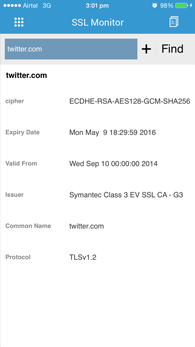
SSL Monitor View
SSL Monitor View gives the SSL certificate details.
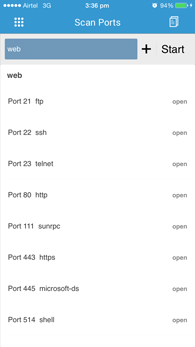
Port Scan View
Port Scan view get the details of open ports of a server. The ports to be scanned can be configured from the scan port setting tab.
Host List View
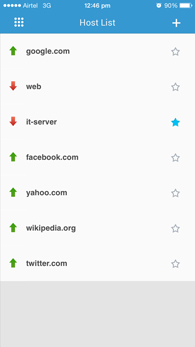
Use this view to get the host list information and availability status of all the hosts. You can also delete hosts from host list and ping all the server by pulling down the view. All host names will be remembered even after closing the Ping App. Important servers can be selected as favourites and will get collected in the favourite tab.
Action Popup View
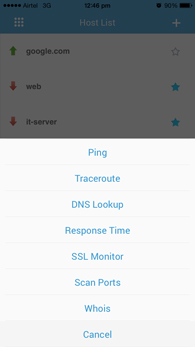
Action sheet gets popped up when you select a particular host in the host list. You can Ping ,Traceroute,find the DNS records,Response time of the selected server. Ping the servers continuously from this view.
Whois Details
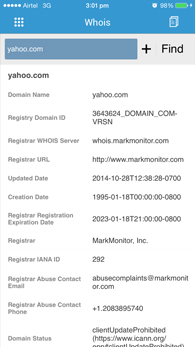
Use this view to get registered details of the given domain name. The details include name of the registrant, date of registration, registry domain ID, address of the registrant, registrar details, and more.
Favourite servers
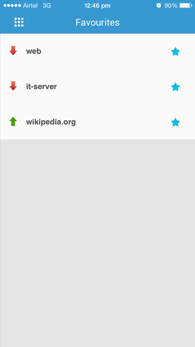
Use this view to get to get all your important servers seperately collected for quick and easy view. The server can be unselected from the favourite tab to remove it from this list.
Share reports
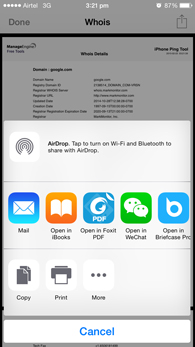
The app lets you share the reports in PDF format via mail and other sharing applications installed in your device. Every tab in the app carries the share reports option which enables sharing of reports of all the views displayed in this app.