Network Configuration Management
Network configurations are in a constant flux and any wrong or unauthorized configuration change on live equipment can have profound effects on network security, reliability and the service provided.
Take control of your network configurations and simplify change management.
OpManager's Network Configuration Management helps you automate policy–based change, configuration and compliance on your network devices, making manual configuration errors a thing of the past. The NCM add-on, with support for over 30 different vendor devices, helps you to:
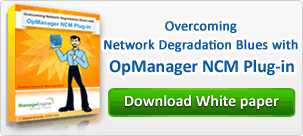
- Schedule configuration backups, restore trusted configuration versions in a single click
- Detect changes in real–time and know the ‘who’, ‘what’ and ‘when’ of configuration changes
- Save time by automating repetitive, labor–intensive tasks through templates and scripts
- Stop unauthorized configuration changes with approval workflows
- Assure complete security and compliance for every configuration change
- Analyze and troubleshoot network problems with exhaustive reports
Note: NCM Add-on has to be installed over OpManager's 8000 build or later (separate downloads for Windows 32-bit and 64-bit)
Bradley Company
Network Configuration Management with OpManager
Schedule configuration backups and restore trusted configuration versions
With the NCM add-on, you can either schedule or initiate configuration backups on demand. An automatic versioning of backed up configurations are taken and stored securely in an encrypted format in the database. You can thus carry out side–by–side comparisons between versions, baseline a particular version and when required, roll back to a trusted version in a single click.
Detect network changes in real-time and audit trails
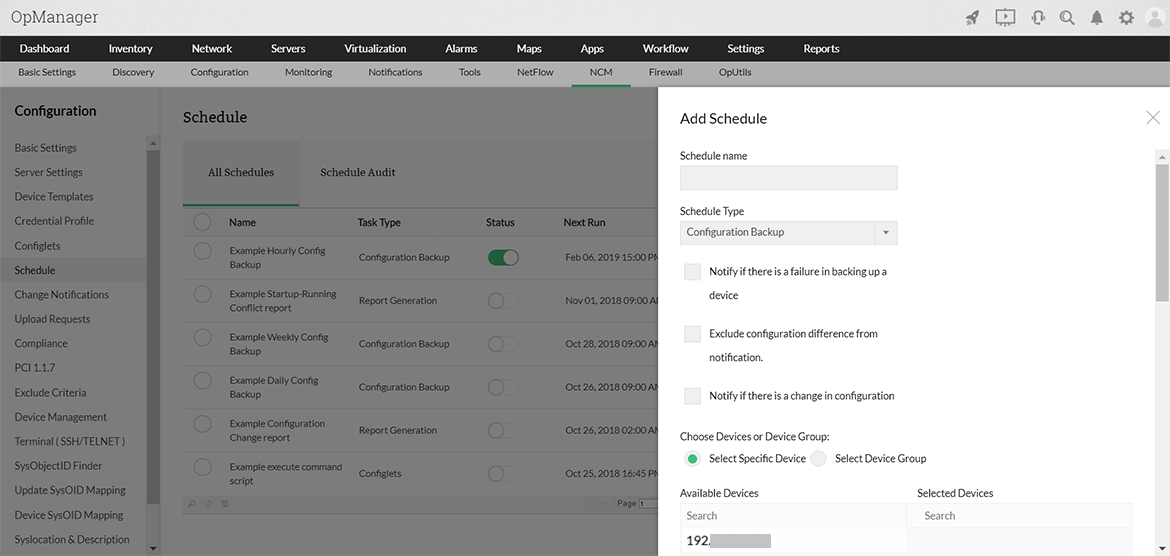
The NCM add-on alerts you whenever a start–up or running configuration change is done on your network devices. The e–mail alerts come with configuration differences appended allowing you to immediately decide authenticity and effects of the configuration change. On logging into the NCM dashboard you get to see ‘who did the change’, ‘when the change was done’ and ‘what was it’ in a see–quick screen. Other alerts include ‘failure on backing up a device’ and ‘policy violation’ on a scheduled compliance check.
Would you like to learn how Network Configuration Manager can help you with configuration backup, change management, compliance and configlets execution? Our experts can show you how.
Automate repetitive, labor–intensive tasks
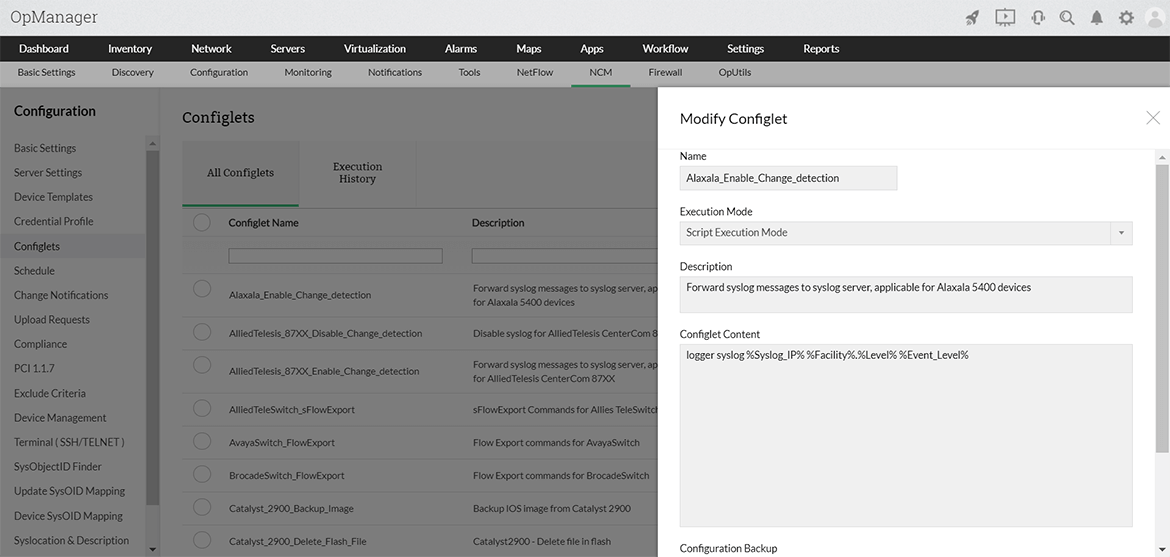
Often administrators enforce configuration changes on their network devices to be in sync with the changing company IT policy. These could vary from a simple port blocking or applying a critical security patch across devices. These critical, repetitive tasks may lead to human errors and impact the network performance. The ‘Configuration Template’ and ‘Script’ execution tools provide automation to these tasks, preventing chances of error.
What’s more?
Stop unauthorized configuration changes with approval workflows
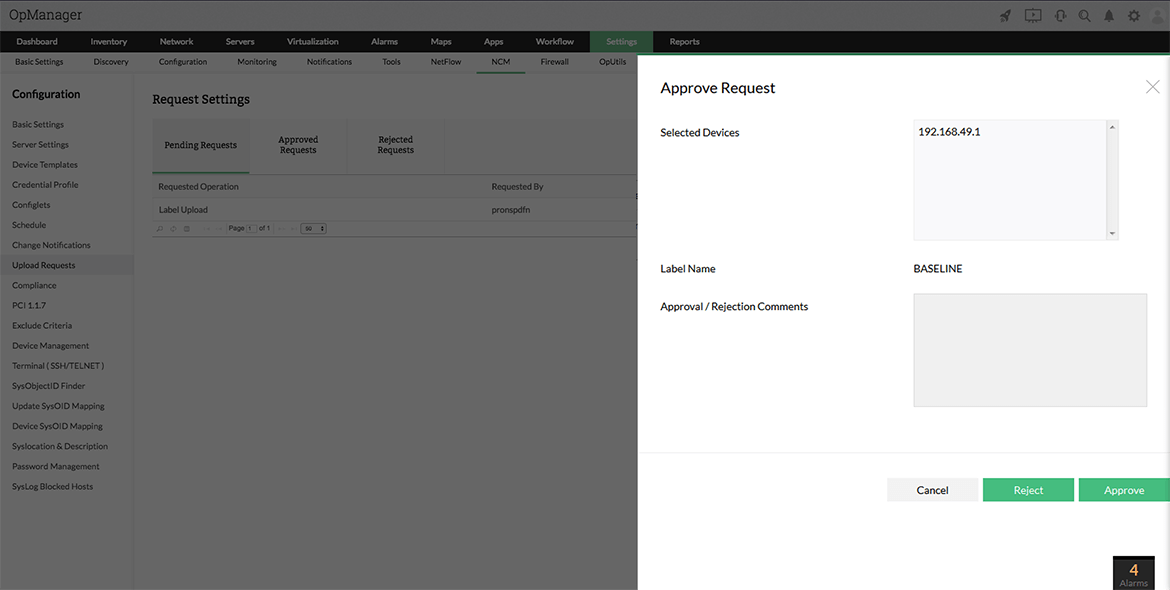
OpManager’s NCM add-on helps you to restrict direct configuration access to your critical network devices. You can implement approval workflows for network configuration changes where a senior administrator reviews and accepts a configuration change before these are pushed to the critical network devices.
Assure complete security and compliance for every configuration change
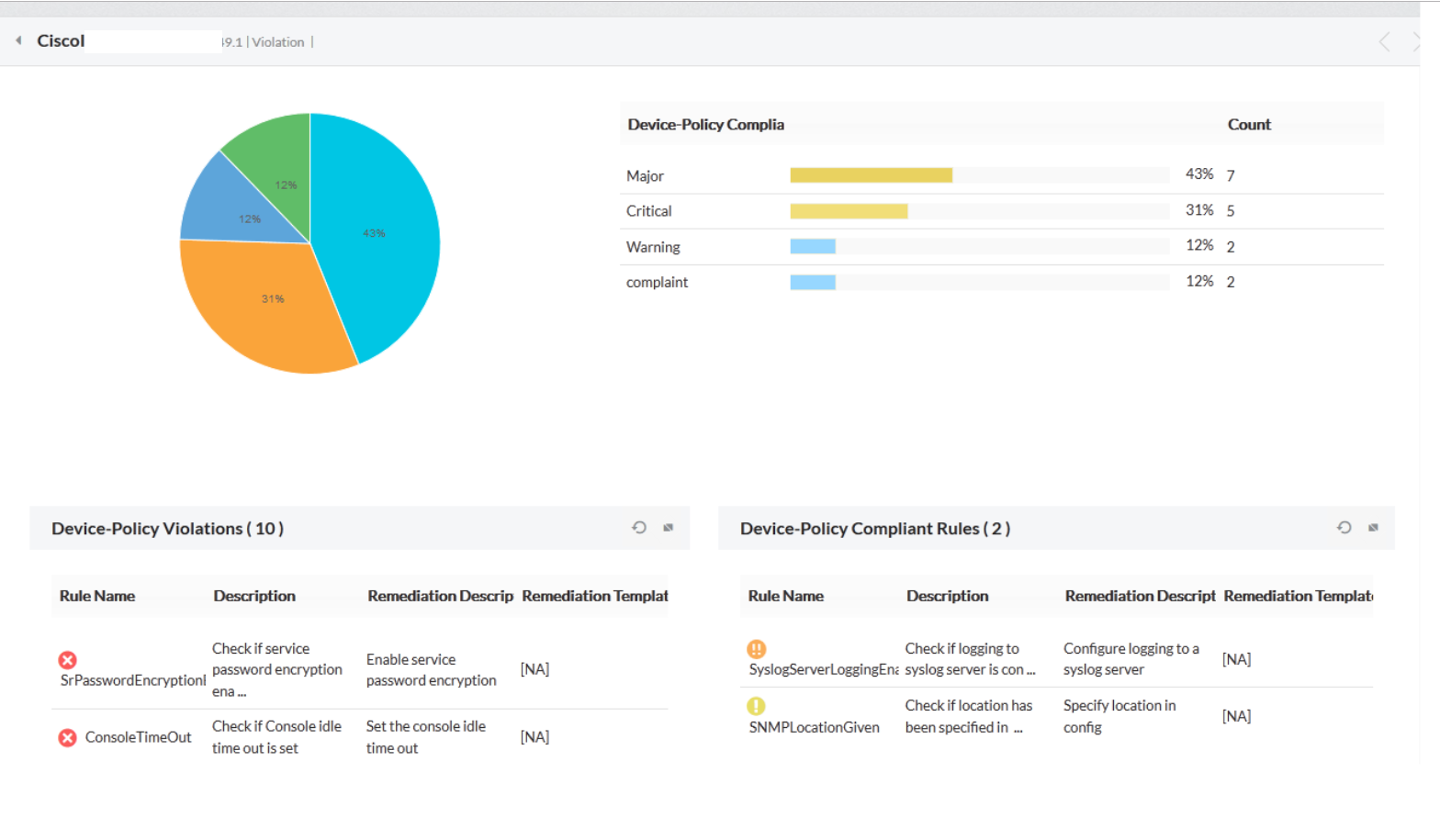
Enterprises are required to not just follow standard practices, internal security policies, stringent government regulations and industrial guidelines, but also demonstrate that the policies are enforced and network devices remain compliant to the policies defined. The NCM add-on scans the devices for compliance to the rules⁄ policies defined to provide an overview of the conflicts and compliance status of the device configurations. "Security audit reports" list out findings with their impact and even provide recommendations for better security.
Analyze and troubleshoot network problems with exhaustive reports
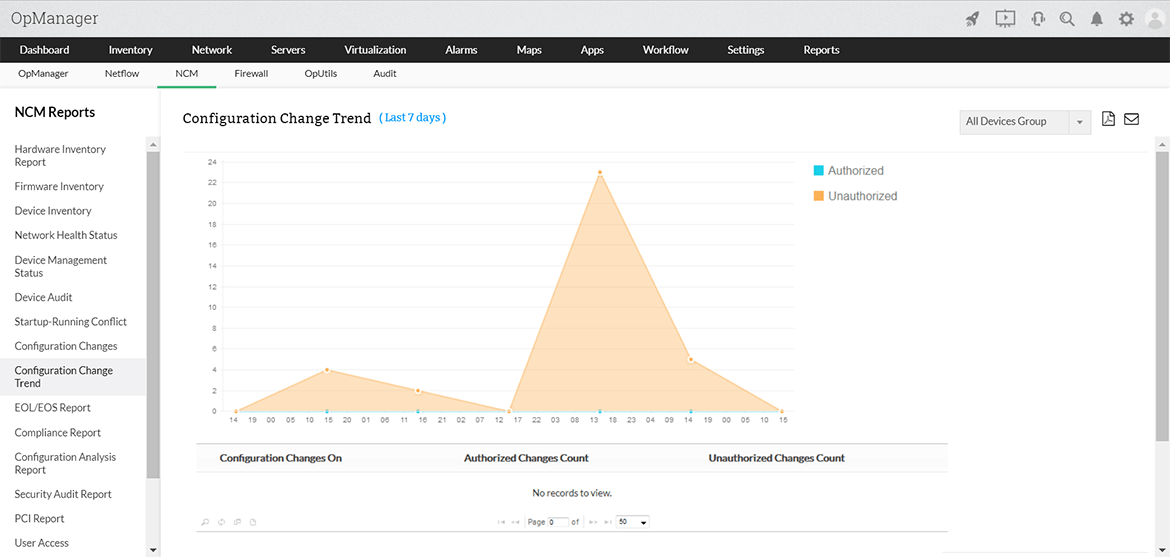
OpManager’s NCM reports contain details on network status, changes done, conflicts found, compliance status, user activity etc. to give you a sound troubleshooting platform for network problems arising out of wrong configuration changes or non–alignment to company IT and security policies. Reports include: hardware, firmware and device inventory reports, device audit reports, configuration change reports, security audit reports, user access reports, compliance reports etc...