 Viewing Highly Vulnerable Systems
Highly Vulnerable systems are those that do not have one or more Critical/Important rated patches installed.
To view the details on Highly Vulnerable Systems, follow the steps mentioned below:
- Click the Patch Mgmt tab.
- Select Systems.
- Click Highly Vulnerable Systems under Health Summary.
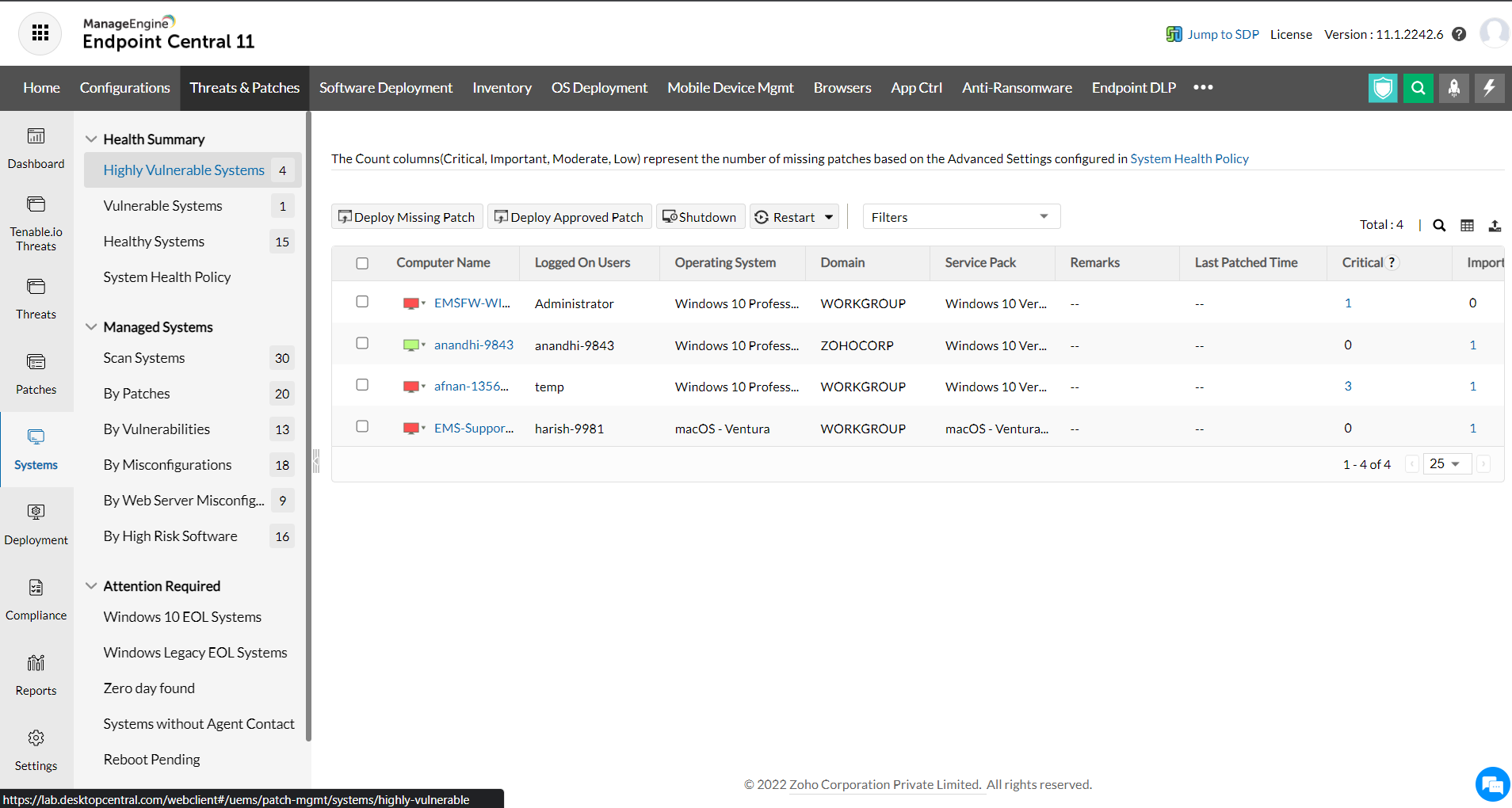
This view helps in providing the following functions:
- You can view the details of all the highly vulnerable systems in your network.
- You can also see the patches that are missing on those systems and deploy them.
- You can also choose to deploy only the Approved Patches in the systems.
- You can invoke to restart or shutdown the system from the same view.
- You can also generate reports by selecting specific options from the pre-defined filters provided.
- You can filter the system details based on computer name, domain name, remote office, custom group, OS, Service Pack, last scan time, last boot time etc,.
The following details about the highly vulnerable systems are shown here:
Computer Name: The name of the system.
OS Name: The operating system of the computer.
Total Patches: Total count of the patches applicable to this system. Click this link to view the details of the patches.
Installed Patches: Total count of the patches that are installed. Click this link to view the details of the patches.
Missing Patches: Count of the patches that are missing in the system. Click this link to view the details of the patches.
Informational Patches: Total count of informational patches. Click this link to view the details of the patches.
Obsolete Patches: Total count of obsolete patches. Click this link to view the details of the patches.
Health: The health of the system.
Windows EOL Systems
Windows EOL(End of Life) means that Microsoft will no longer provide security updates or technical support for that particular version.
Endpoint Central discovers such devices which are on running on the expired and outdated versions. It prompts you to update the application from its outdated version to stay on top of the game! It is highly recommended to deploy the related updates to keep devices up to date.




