Windows Security Policies are a set of configurations that can be applied on desktops to enhance security. Security policies determine the various security restrictions that can be imposed on the users in a network. The security settings for Active Desktop, Computer, Control Panel, Explorer, Internet Explorer, Network, and System categories can be defined using Security Policies Configuration.
Windows security policies are very effective in protecting the windows machines by providing restricted access to the users.If the Windows security policies are not properly configured, users can easily tamper the registry, control panel applets, and other critical system settings, which can lead to systemcrash. Hence suitably configuring Windows security policies in each windows machine in the network is very important.
ManageEngine Endpoint Central helps administrators to easily configure and deploy Windows security policies throughout the network using its Web user Interface. These security policies configuration can be applied to users or computers or mass installation can be done to OUs, Domains or Sites.
Endpoint Central supports configuring Windows security policies under various categories as explained below. Refer to Securing Windows Desktops for ways in which you can enhance desktop security using Endpoint Central.
Active Desktop Security Policies
Desktop security policies include, restricting users from changing the wallpaper, adding any desktop items, and deleting any desktop items.
Control Panel Security Policies
Control Panel security policies include, Hide add/remove hardware applet, Hide add/remove programs applet, Hide games controller applet.
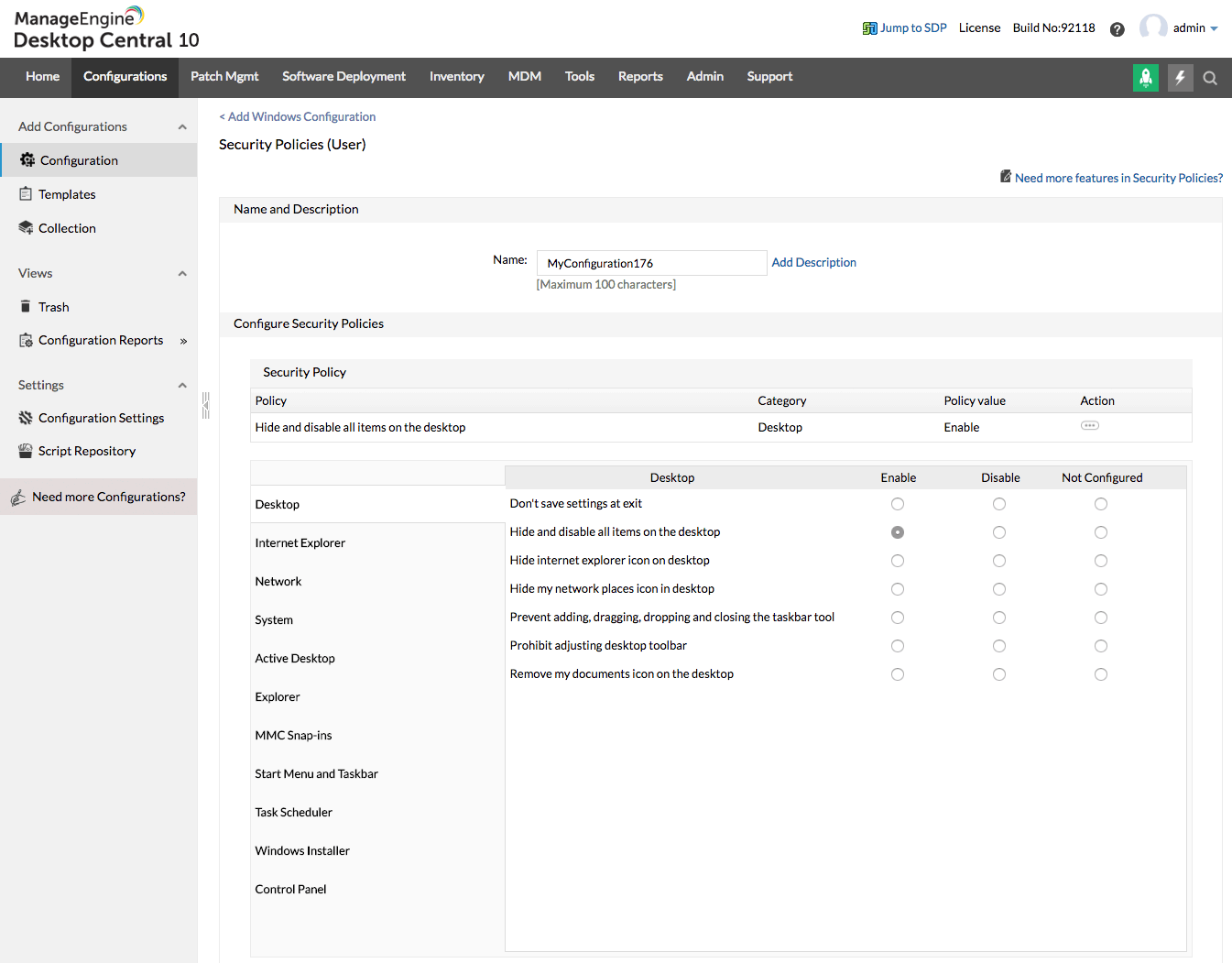
Desktop Security Policies
Desktop security policies include, Hide and disable all items on the desktop, Prevent adding, dragging, dropping and closing the taskbar tool, and Hide Internet Explorer icon on desktop.
Explorer Security Policies
Explorer security policies include, Remove 'Map network drive' and 'Disconnect network drive', Remove folder options menu item from the tools menu,and Remove search button from Windows explorer.
Internet Explorer Security Policies
Internet Explorer security policies include, Restrict changing proxy settings, Restrict changing history settings, and Hide security option screen.
Microsoft Management Console Security Policies
Microsoft Management Console security policies include, Restrict/permit computer management snap-in, Restrict/permit event viewer snap-in, and Restrict user from entering author mode.
Network Security Policies
Network security policies include, Ability to rename LAN, Ability to enable/disable LAN connections, and Alphanumeric password.
Start Menu and Taskbar Security Policies
Start Menu and Taskbar security policies include, Prevent changes to taskbar and start menu settings, Remove run from start menu, and Remove and prevent access to the shutdown command.
System Security Policies
System security policies include, Restrict using registry editing tools, Restrict using change passwords page, and Hide device manager page.
Task Scheduler Security Policies
Task Scheduler security policies include, Prevent task run or end, Prohibit task deletion, and Prohibit browse.
Windows Installer Security Policies
Windows Installer security policies include, Always install with elevated privileges, Prohibit rollback, and Disable media source for any install.
Computer Security Policies
Computer security policies include, Disable Ctrl+Alt+Del requirement for logon, Restrict CD-ROM access to locally logged-on user only, Prevent user from changing file type association, etc.
Refer to the online help documentation of Windows Security Policiesfor more details.
For details on various out-of-the-box Windows Configurations supported by Endpoint Central, refer to Windows Configurations.




