Web-based Facilities Management CAFM/CMMS Software
Product End of Life Announcement
Currently we have changed the product strategy of FacilitiesDesk and have announced Product End of Life Cycle. Learn more Z?
Most of the features are also available in ManageEngine ServiceDesk Plus. Take a look at some of them given below,
Thank you for your support.
FacilitiesDesk Overview
Take control of your facility, asset and maintenance operations in one easy-to-use web-based software.
FacilitiesDesk provides Web-Based Facilities, Asset and Maintenance Management Software (CAFM & CMMS) for organizations in need of Space Maintenance Software, Asset Maintenance Software, Equipment Maintenance software, Building Maintenance Software, Work Order Software, Facility Management Software, Facility Maintenance Software, Manufacturing Maintenance Software, Hospital Maintenance Software, School Maintenance Software.
Web Based CAFM / CMMS Software
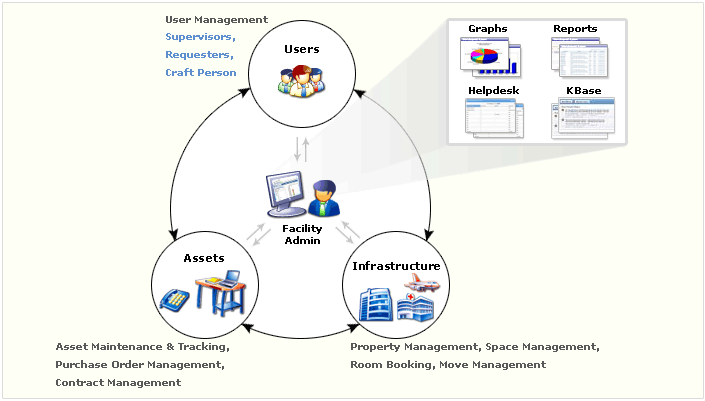
Web-Based FacilitiesDesk CAFM / CMMS Software helps organizations to increase asset life, track maintenance costs, track maintenance history, prevent and predict equipment failures, improve productivity, reduce downtimes and lower the cost of maintenance.
Using Web-Based FacilitiesDesk CAFM / CMMS Software Preventive maintenance module, develop a preventive maintenance program in addition to tracking asset work order history and transform your maintenance department from reactive mode to planned / preventive mode.