
In today's Internet economy, you cannot leave your website availability to chance, when your company is spending its marketing dollars on attracting prospective customers to your website. 24/7 monitoring of your website for availability and performance is critical to identify website problems proactively before they escalate into substantial downtime and lost revenue.
URL monitoring: Challenges
- Monitor both external & intranet applications.
- Get notified when websites are compromised by hackers.
- Ensure each server in a web farm is up and serving pages.
- Monitor web pages that require an authenticated login.
- Monitor all parts of a web application.
OpManager's URL monitoring: Features
URL monitoring: Monitor URLs, Virtual Hosts, and Intranet
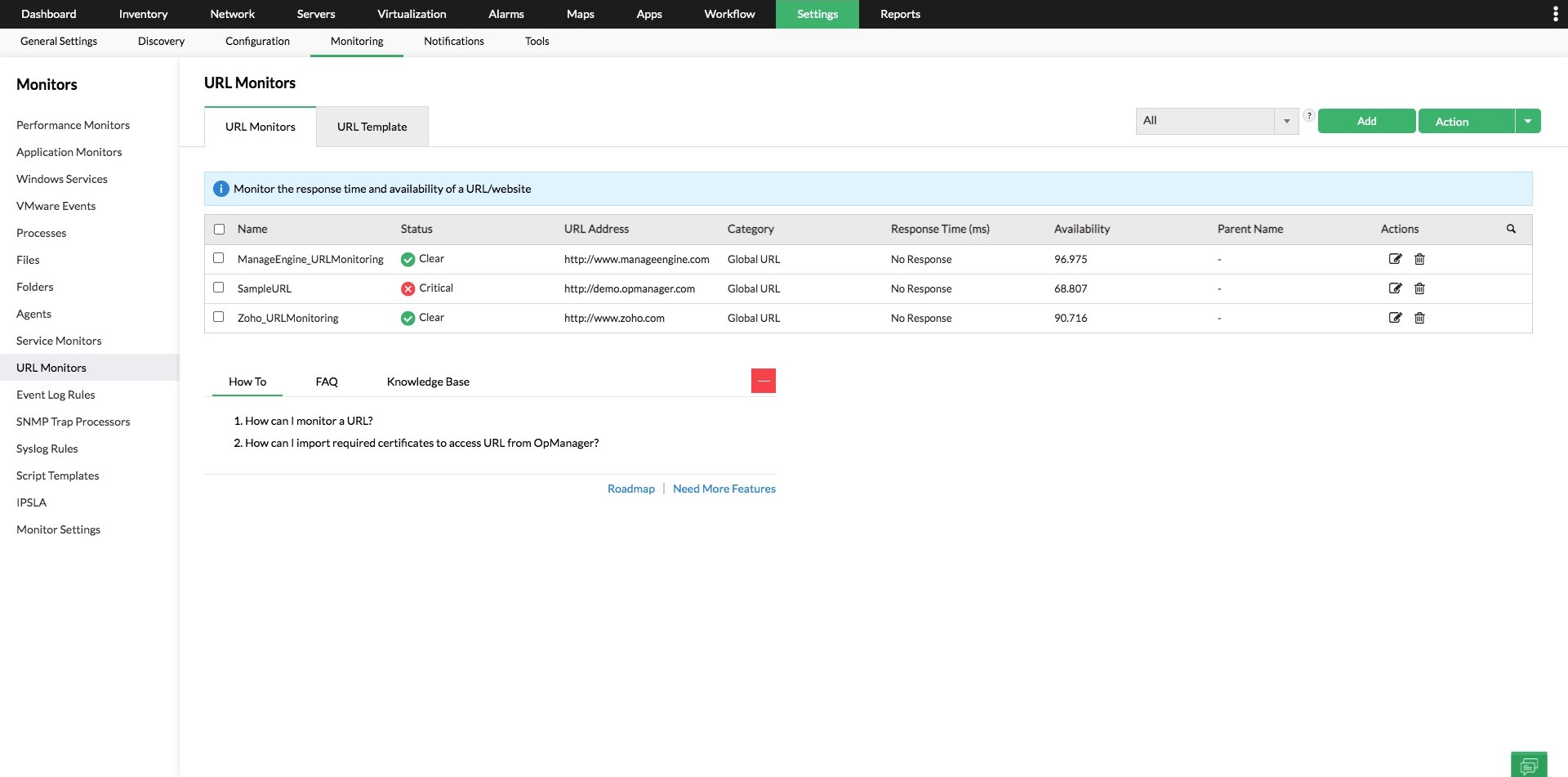
OpManager checks URLs to ensure that they are reachable and serving pages which is a more reliable way of monitoring websites, instead of depending on ICMP pings or TCP port checks on port 80. You can monitor the availability and health of all your public websites as well as your web-based applications running in your Intranet.
URL monitoring: Content Match - Restore compromised websites immediately
Your website is always prone to attack from hackers and when it is compromised, simply relying on availability checks won't help you. OpManager allows you to monitor a URL and search for a specific text on the page. When the text is missing you can be immediately alerted and you will get to know in real time that your website has been compromised.
URL monitoring - Monitoring a Web Server Farm
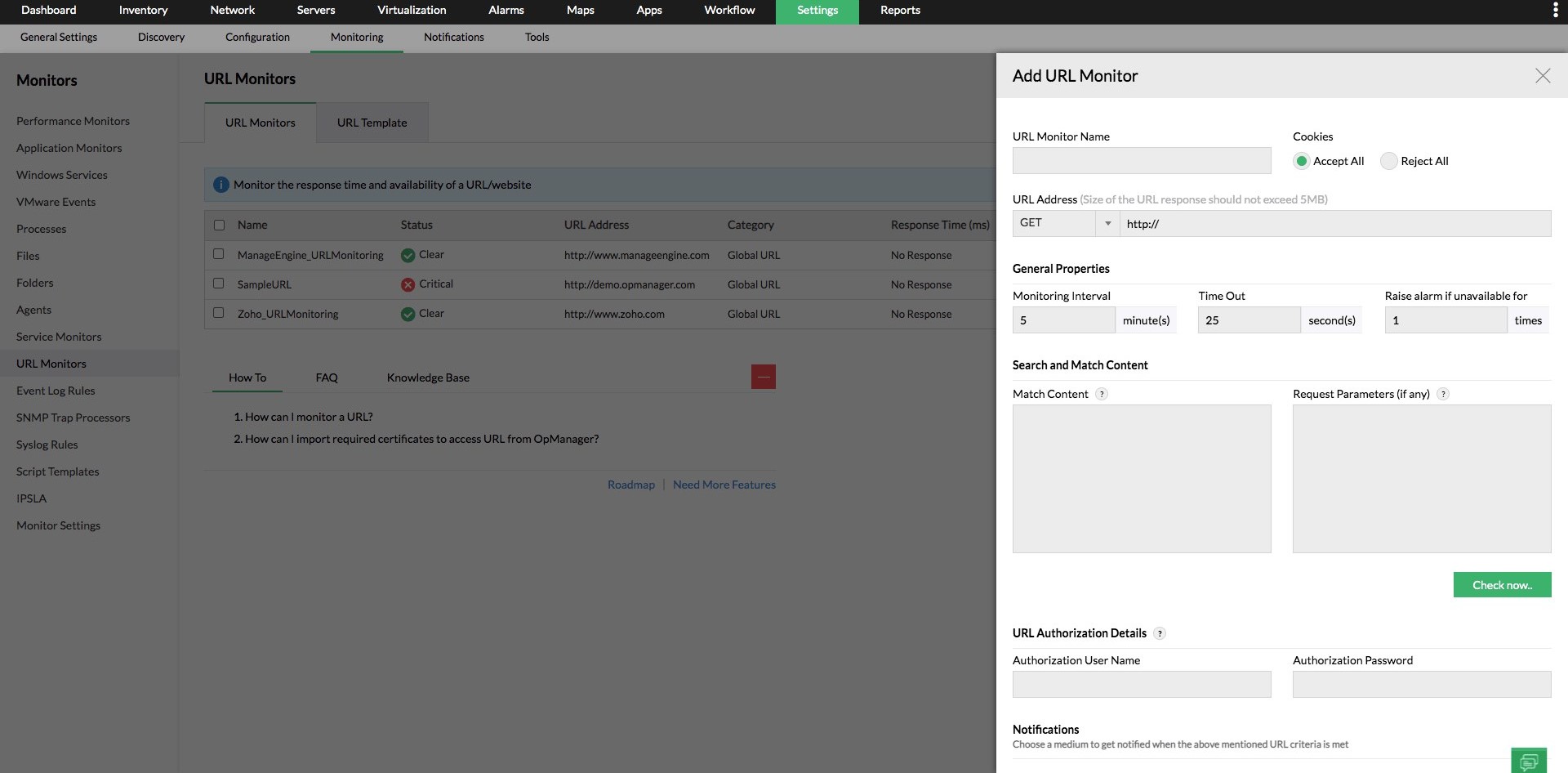
When you are running a web server farm, you know that a global URL being available to end customers is not a real indicator of your website's health and availability. If a few servers in your web farm are down, customers may start to experience slower website response due to increased load on the remaining servers. OpManager gives you the ability to monitor the same website on several machines so that you can track and fix failures on individual servers even though the website itself is available to end-customers.
URL monitoring: Monitoring web applications with parameters
Some of your Web applications may require a login ID, Password, or some other type of form submission to access a webpage. OpManager allows you to specify the request parameters of the form (like login and password) and then check if the page login was successful. This helps you to monitor web applications that require authentication.
URL monitoring: Know if parts of your web application are down
A database failure on your public website can be quite an embarrassing failure. You can't have your users fill up a lot of details and click on "submit" only to receive a database error or exception. With OpManager's URL monitoring, you have to create a dynamic page that makes a database query and then prints a success message. By having OpManager monitor this page and do a content match for the success string, you can rest assured that your database is up and running along with your webpage.
Integtrate with Applications Manager to get the URL performance breakup
By integrating OpManager to the Applications Manage's URL monitoring, you can track the internet and intranet URL performance and ensure the site uptime. The URL monitoring capabilities of Applications Manager help you track the availability, health, page size, load speed, and response time of all the URLs within the sequence. You can also gain insights on the detailed performance breakup of each element in the page, thereby easily understanding which part of the page has latency issues and needs to be fixed in the event of downtime. This helps you provide a rich, uninterrupted user experience to the end-users and gain their trust.
Keep the website uptime in check with OpManager's URL monitoring.
Customer reviews
OpManager

OpManager
OpManager
OpManager
OpManager
Case Studies - OpManager
Awards & Honors
- Recognized as a May 2019 Gartner Peer Insights Customers' Choice for Network Performance Monitoring and Diagnostics Software
- Recognised as an April 2019 Gartner Peer Insights Customers' Choice for IT Infrastructure Monitoring Tools.
- Network Management and Monitor Vendor of the Year 2018, 2019
- Entered the 2019 Gartner NPMD Magic Quadrant.
- Ranked #2 in the Infotech Research Software Reviews Data Quadrant 2018.