Want to know more about how you can detect and prevent rogue devices from your network
Read our e-book, Rogues on the rise - Is your network secure enough?

OpUtils periodically scans the routers and subnets to detect any new systems/devices found in the network. Initially it lists all the systems/devices discovered in the network. The Administrator has to verify and mark all the valid systems/devices in the network. During subsequent scans, if any new device/system is detected in the network, it get listed. This includes all types of devices like desktops/laptops (wired), mobile users (wireless), routers, switches, etc.
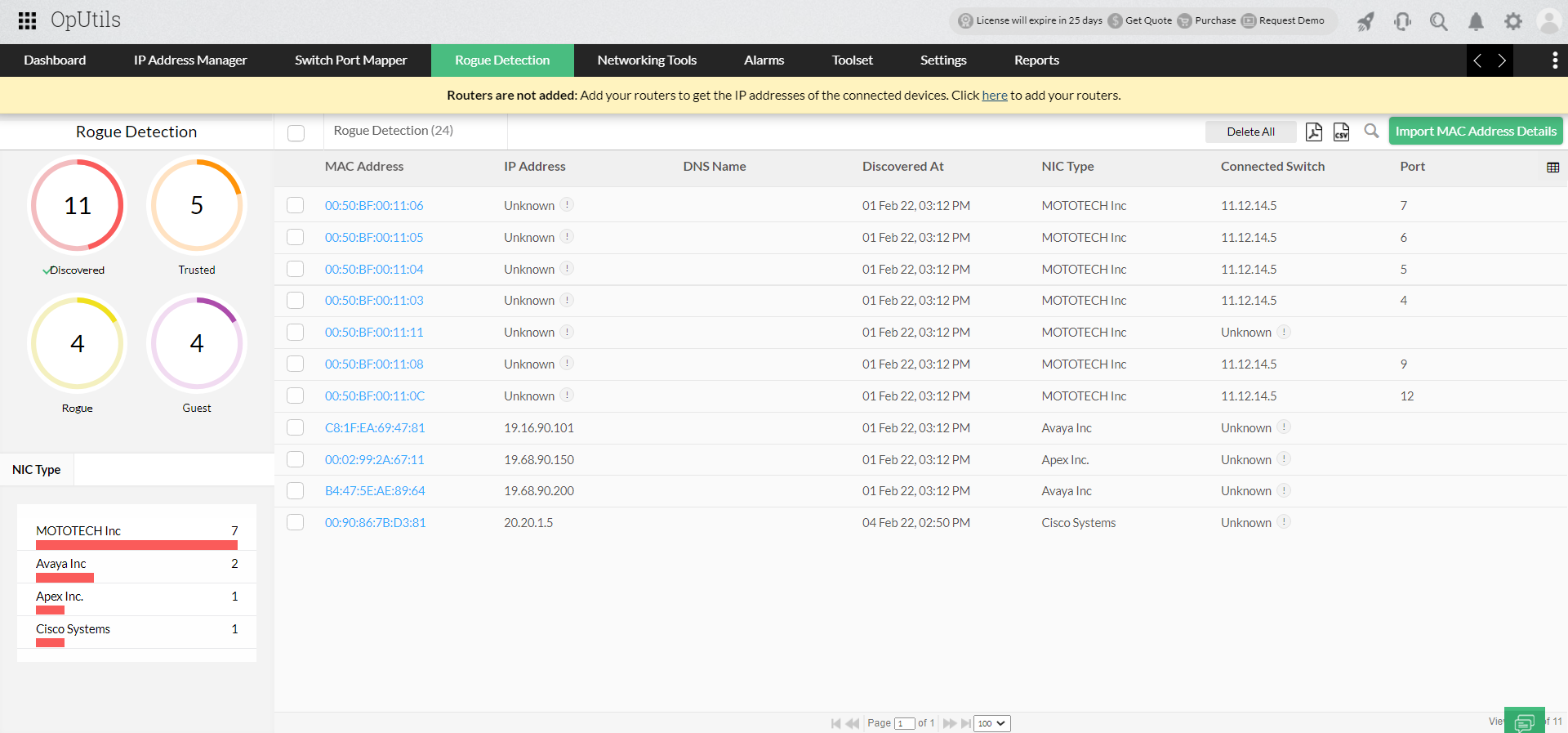
Initially, OpUtils will list all the discovered systems by scanning your network with advanced IP scanner and port scanner functionalities. The administrator has to verify and mark all the valid network systems/devices as Trusted. The systems/devices that are marked as trusted will not be shown as rogue again.
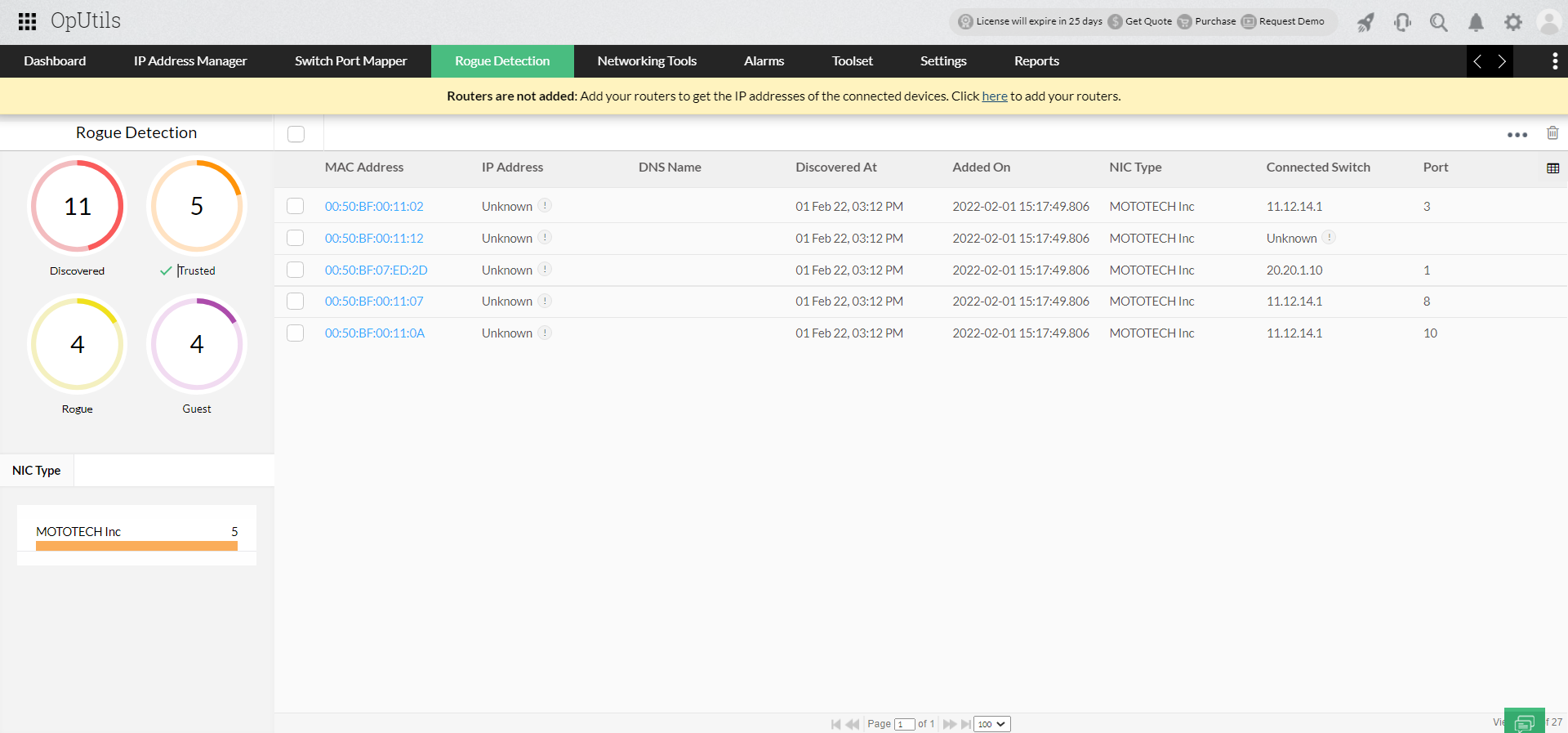
In this rogue device detection tool, when an unauthorized rogue system is found in the network, the administrator can mark them as a Rogue Device and take appropriate action.
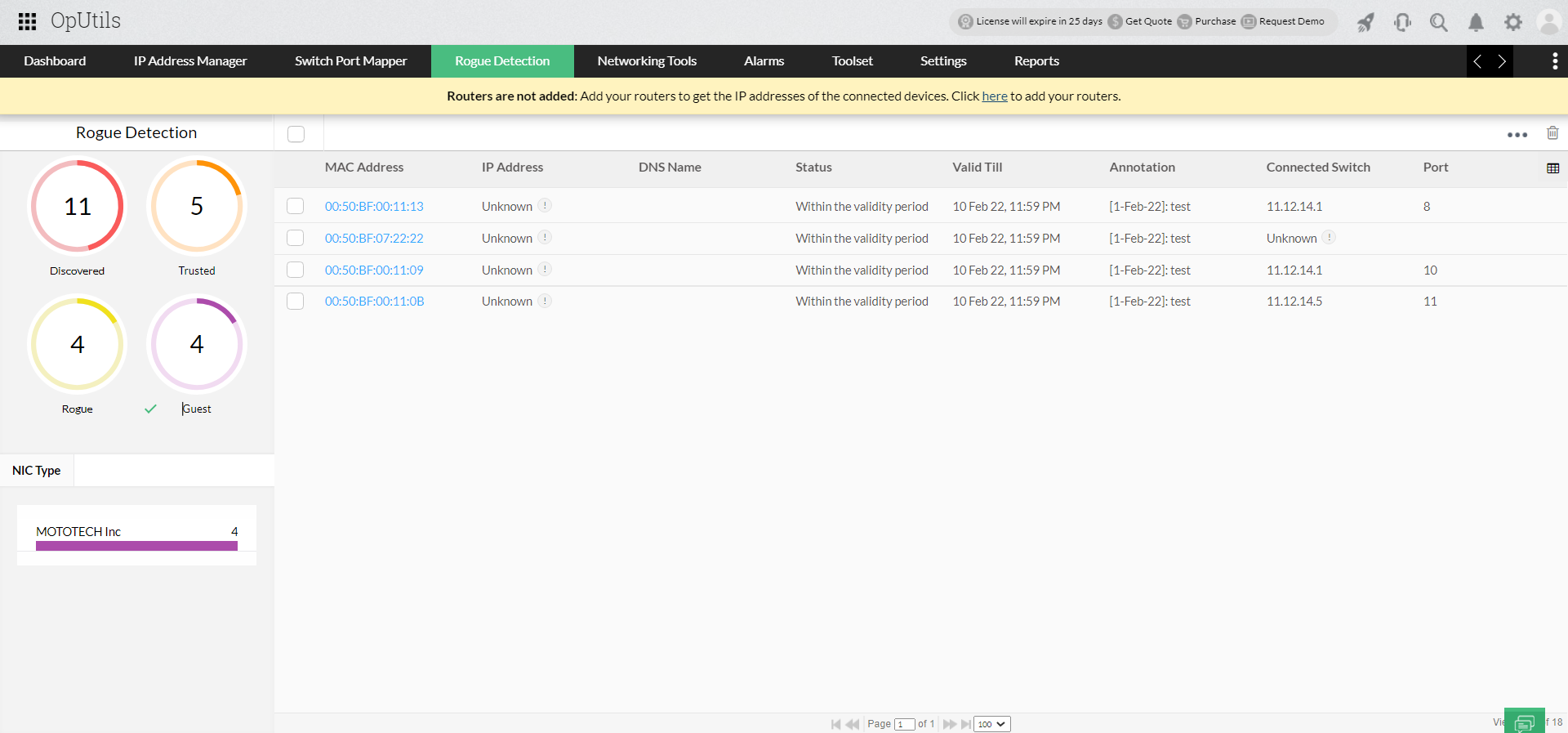
In rogue wirelesss device detection, there might be situations where there is a need to allow certain systems to access the network resources for a temporary period. For example, a personnel from a different branch visits your office for a month or a student enrolled for a semester need to be given access till he/she completes the semester. In such cases, the administrators can specify a period till which a particular system need to be considered as valid. Devices that are allowed guest access by the rogue detection system can any time be moved into allowed or rogue list. The administrators will also be notified when the allowed period expires by the rogue detection system.
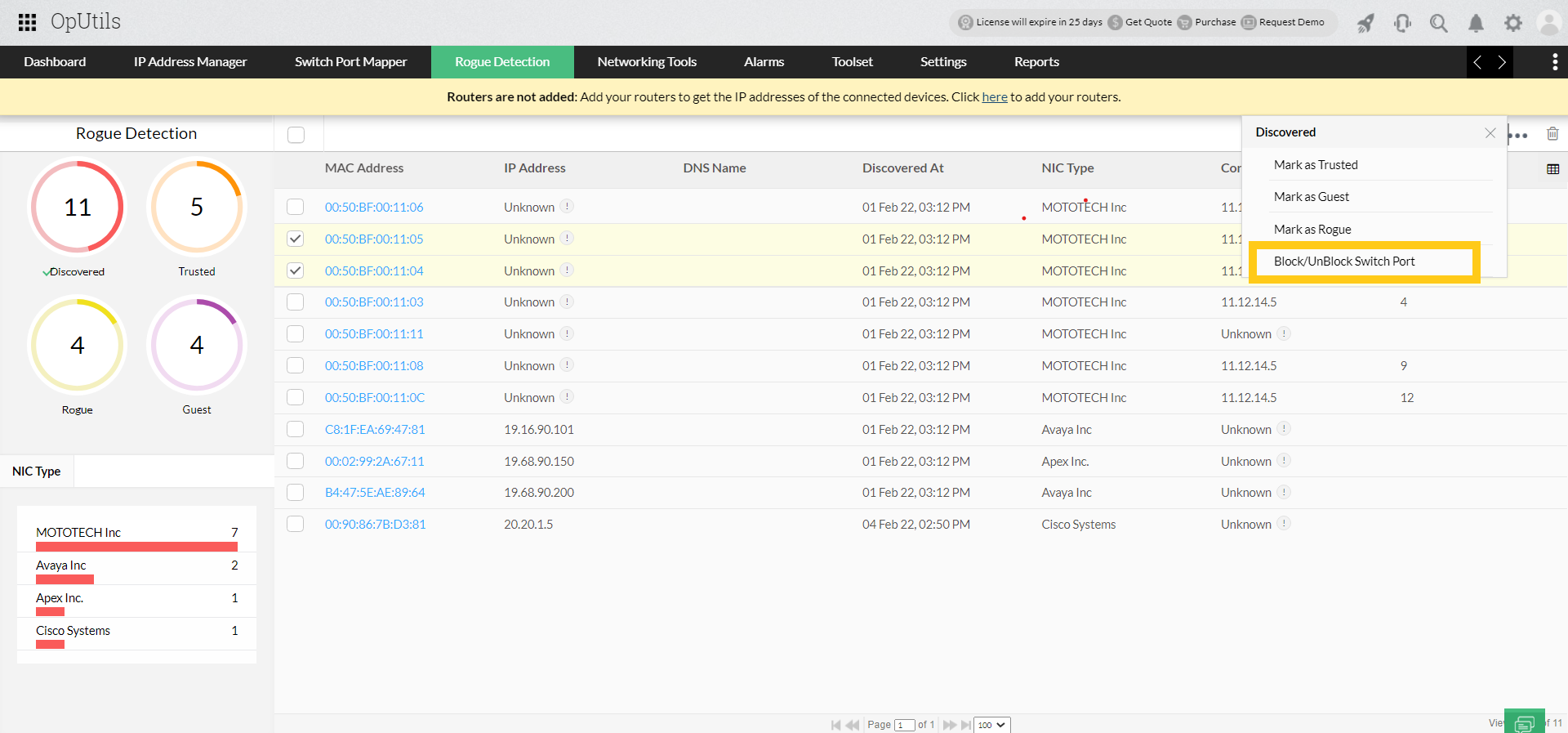
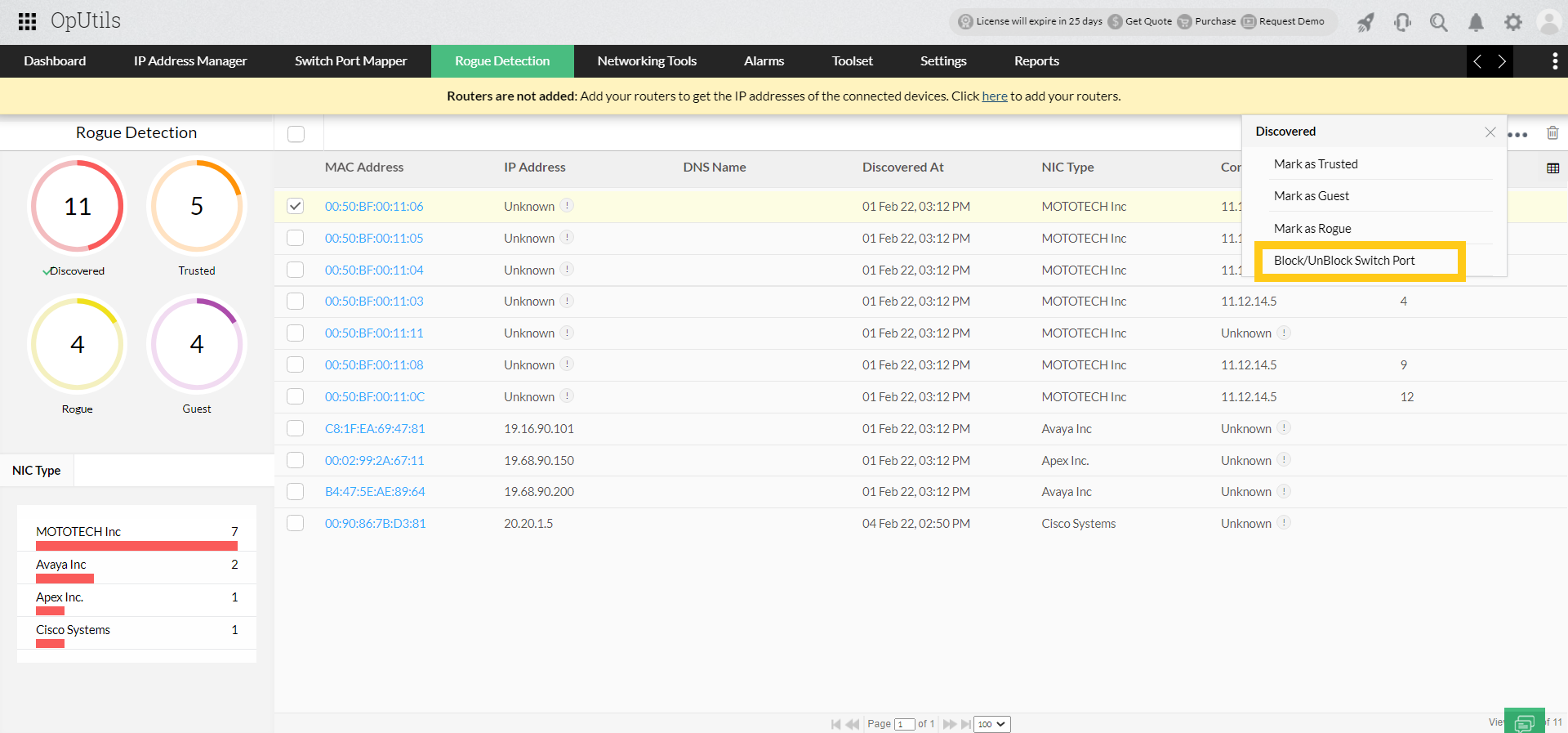
In rogue wireless device detection, the administrators are notified about unauthorized access as soon as it is detected. When combined with Switch Port Mapping, the rogue device detection network also provides the details of the switch and port through which the rogue system is accessing the network. The switch port can be blocked or unblocked from within OpUtils. This enables them to act quickly in blocking the access.
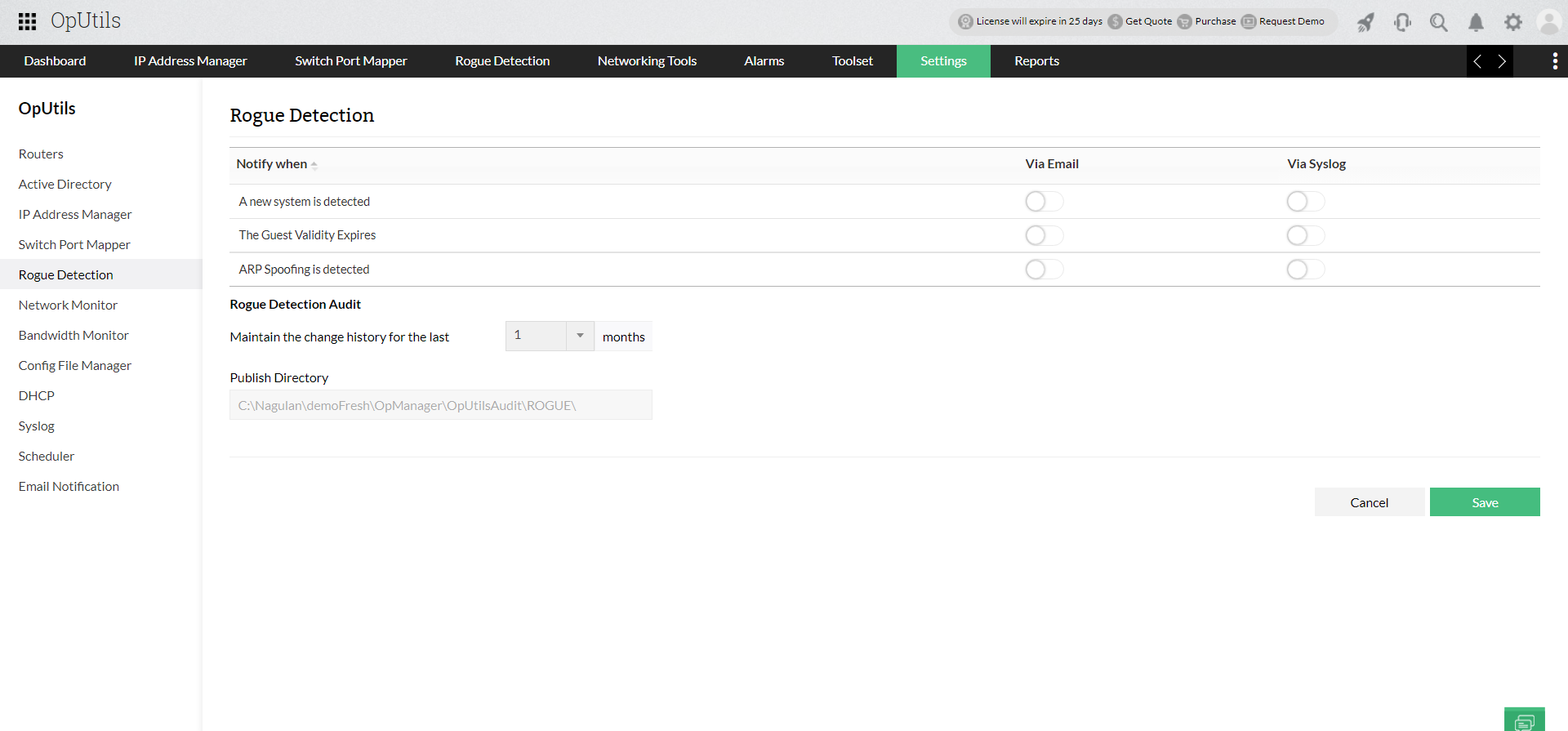
OpUtils' rogue detection system notifies the administrators about the detection of any unauthorized network access instantly. The notification can be through email and or by playing a sound. Email notifications can be effected to multiple persons. These notifications are triggered whenever the network scanner identifies an intruder in your network.
For more details on rogue detection, refer to the Rogue Detection Tool topic in the online help. Refer to Rogue Detection Knowledge Base for troubleshooting tips.
OpUtils offers features like switch port management, IP address tracker, IP scanning, and 30+ network tools such as IP tools ,along with Rogue Detection tool. These help you to effectivly monitor, scan, track, and troubleshoot your network environment.
If you are new to OpUtils, schedule a live demo with a product expert or download a 30-day free trial and get started with OpUtils in as little as an hour! OpUtils seamlessly integrates in to your existing network environment without you having to make many changes to your exisitng network infrastructure. Have a price range in mind? Let us know!
Read our e-book, Rogues on the rise - Is your network secure enough?