Copying Resources
If you have many resources with identical properties, you can add one resource and make multiple copies of the it in Password Manager Pro. This simplifies the bulk resource addition process. You can copy a single resource or multiple resources and duplicate them as separate resources in Password Manager Pro. The attributes of the duplicated resources can be edited to suit your requirements.
Steps Required
- Navigate to the Resources tab and select the specific resource(s) to be copied.
- Go to Resource Actions >> Manage >> Copy.
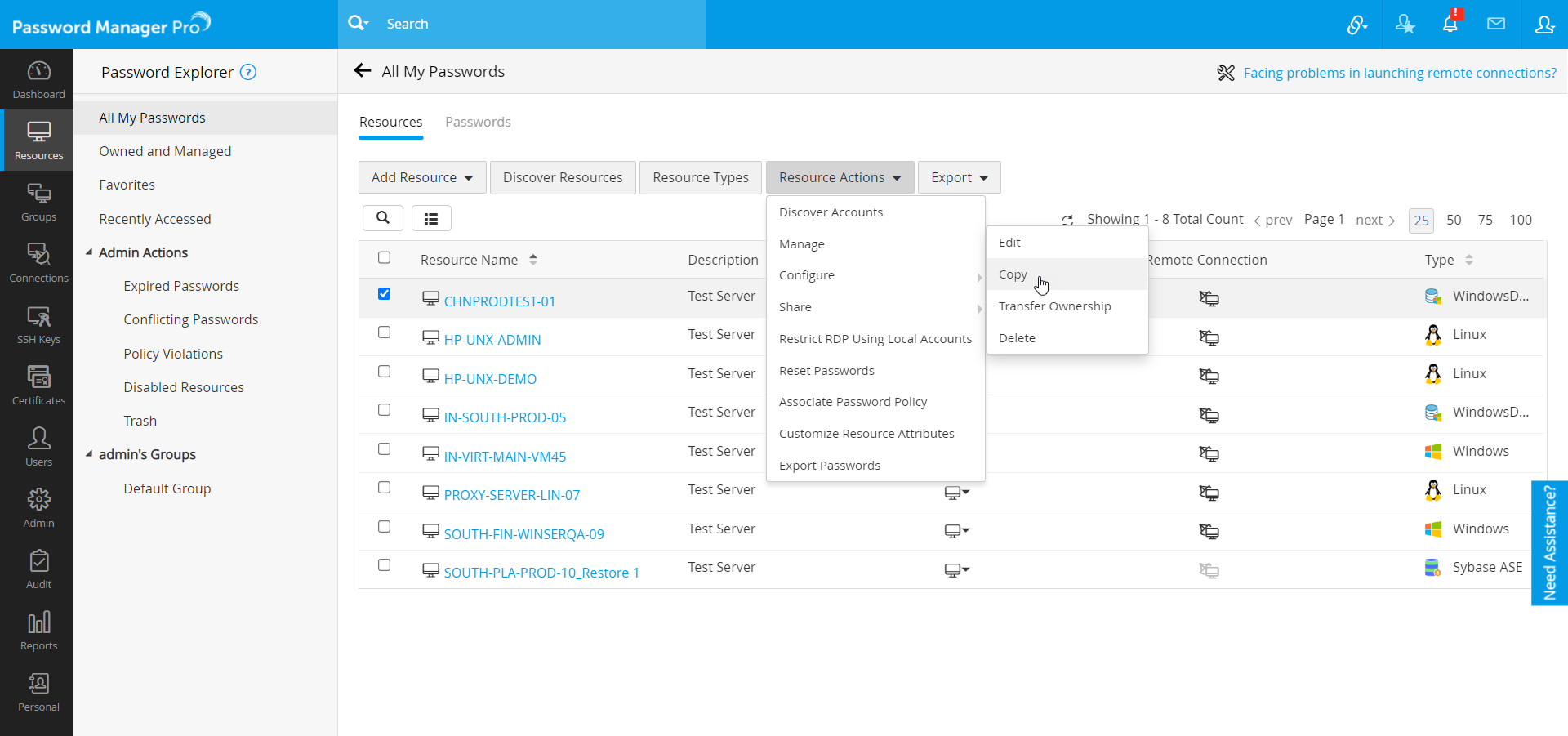
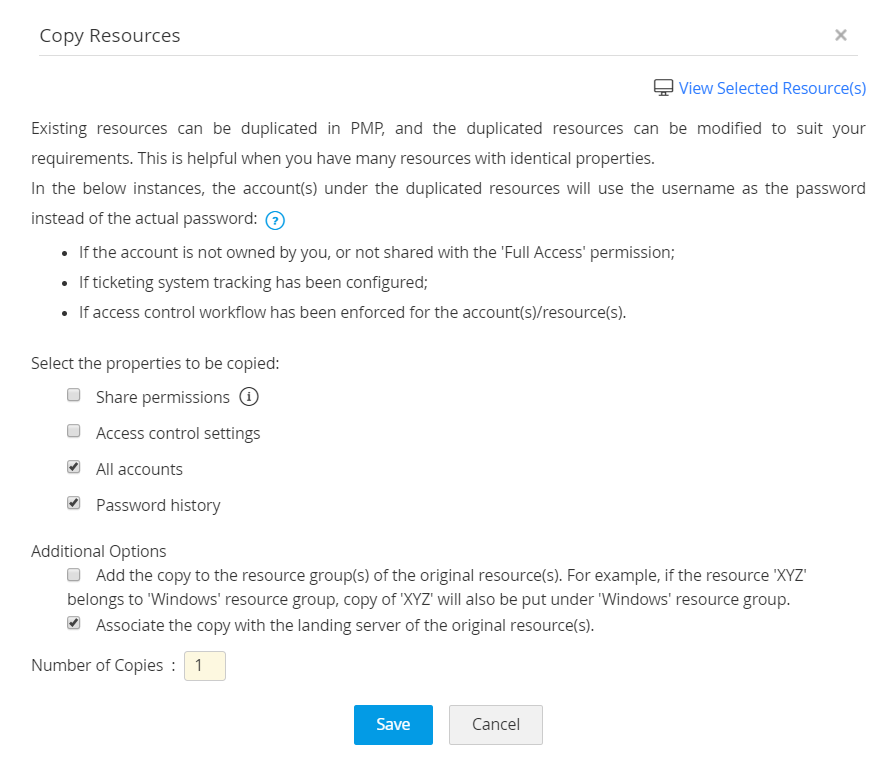
- In the pop-up that opens, you need to select the specific properties which you want the copied resources to inherit.
- Select Properties:
- Sharing permissions - Resource(s) level and account(s) level sharing can be inherited. When you select this, all the sharing permissions of the original resource will be inherited by the copy or copies.
- Access control settings - If you select this option, the access control setting configured for the original resource, will be inherited by the copy or copies.
- All accounts - This will copy all the accounts that are part of the resource(s) being copied.
- Password history - Password history of account(s) that are part of the resource(s) being copied.
- Additional Options:
- You also have the option to add the resultant copy resource to all the resource group(s) to which the original resource(s) belong(s).
- You can also associate this copy automatically with the landing server of the original resource. This option is applicable only to the resources that can be connected over SSH/Telnet.
- Specify the number of copies you want.
- Click Save.
- Select Properties:
- You will now see the required copy or copies in the Resources tab.
Note: The copying operation does not affect the original resource in any way.