Database Backup (MS SQL Server)
(Applicable for build 6400 and later)
Data stored in Password Manager Pro database is of critical importance. In any production environment, there would be constant requirements for backing up the data, for either reference purpose or disaster recovery. You can schedule tasks to back up the database contents periodically. The backup will be stored as a .zip file by default in the host, where the SQL server is running. All the sensitive data will remain encrypted in that file.
The rest of the document allows you to understand two types of Database Backup in detail:
1. Scheduled Backup
This type of backup allows you to schedule the database backup to be executed at any specific point of time.
Steps to Schedule a Database Backup
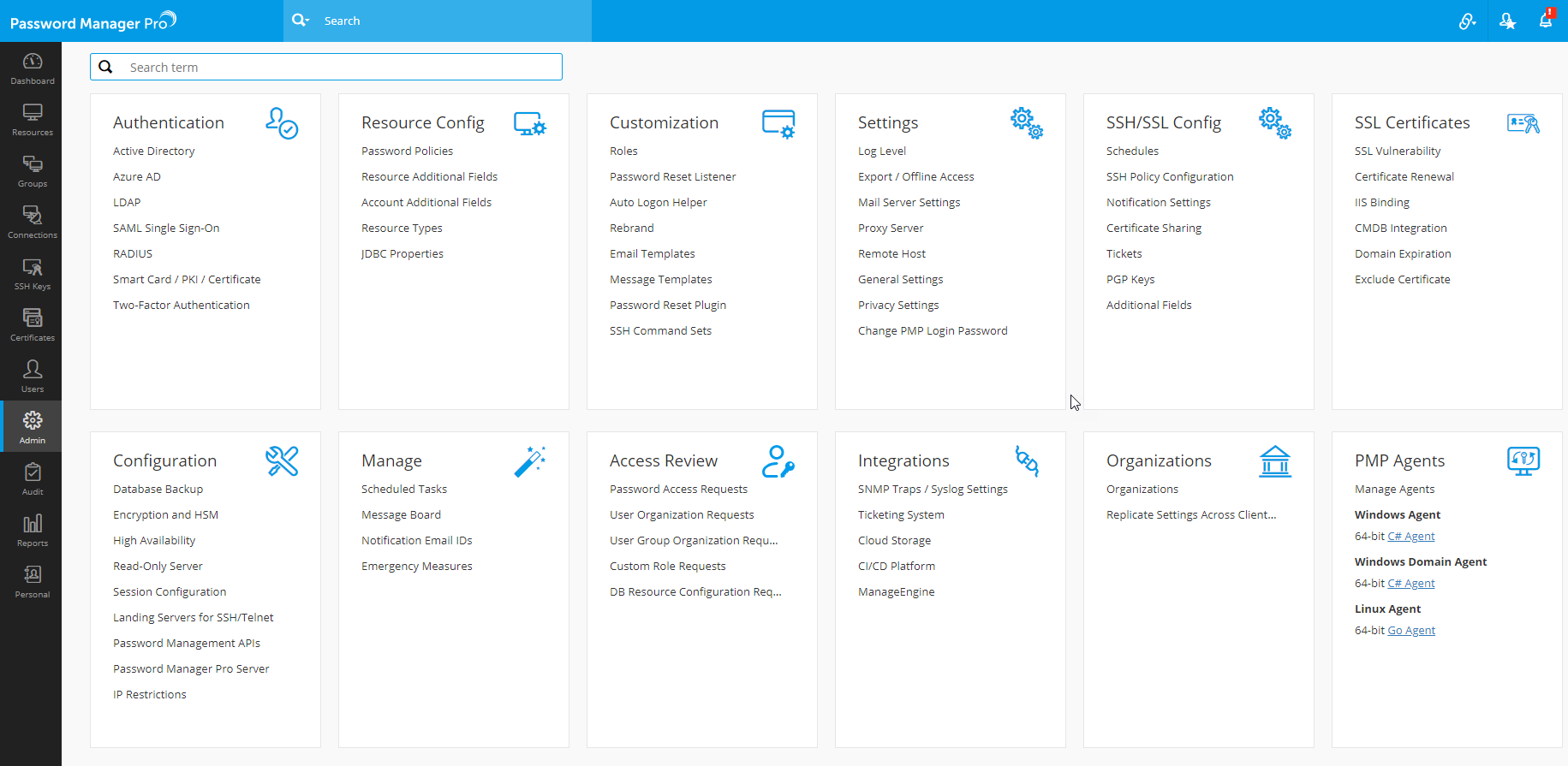
- Navigate to Admin >> Configuration >> Database Backup.
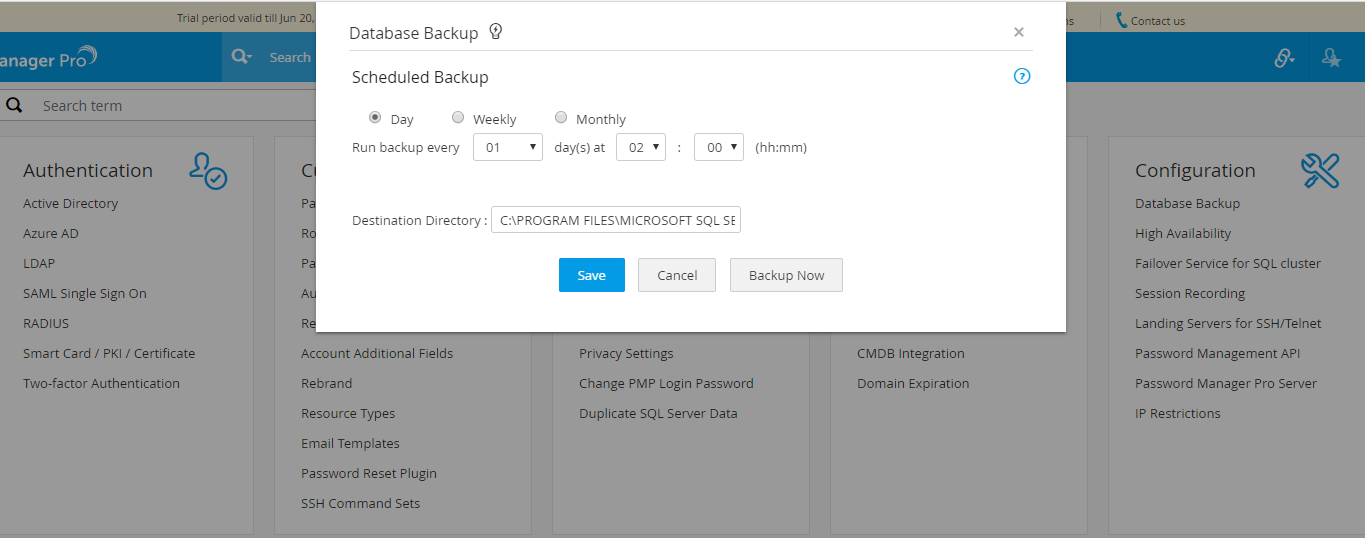
- In the window that pops up, select a schedule option - day, weekly or monthly.
- Select the time frequency (dd:hh:mm) at which the backup has to occur.
- The Destination Directory field shows the directory path (<MSSQL_installation_folder>\Backup) in the host where the SQL server is running. The backup will be stored as a .bak file which holds all the encrypted sensitive data. It is recommended that you backup this file to a secure, secondary storage. The backup file will have the file name structure as pmpbackup_pmpversion_YYMMDD-time.bak.
- Click Save. The required backup schedule is created.
2. Instant Backup
You can take one-time backup anytime on-demand by clicking the button Backup Now available in the GUI explained above.
3. Offline Backup
Follow the steps below to take an offline backup of your Password Manager Pro data:
- Stop the Password Manager Pro service.
- Open the command prompt and navigate to the <PMP_Installation_Folder>/bin directory.
- Execute the command BackupDB.bat.
A .bak file is created with the file name structure as: OfflineBackup_backupdate-time.