Creating your Access Key and Secret Access Key in Storj
- Log in to your Storj account.
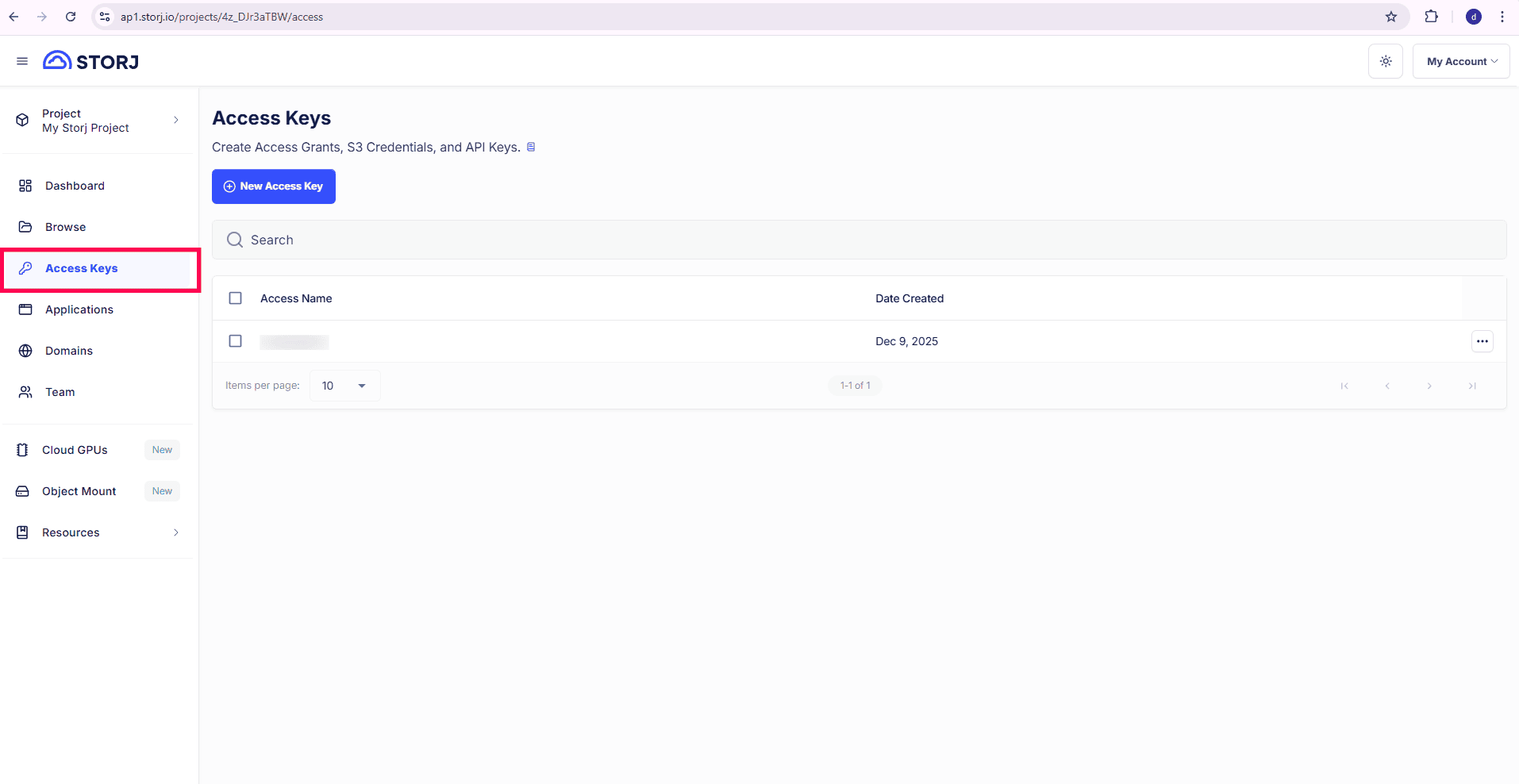
- From the left pane, select Access Keys and click New Access Key.
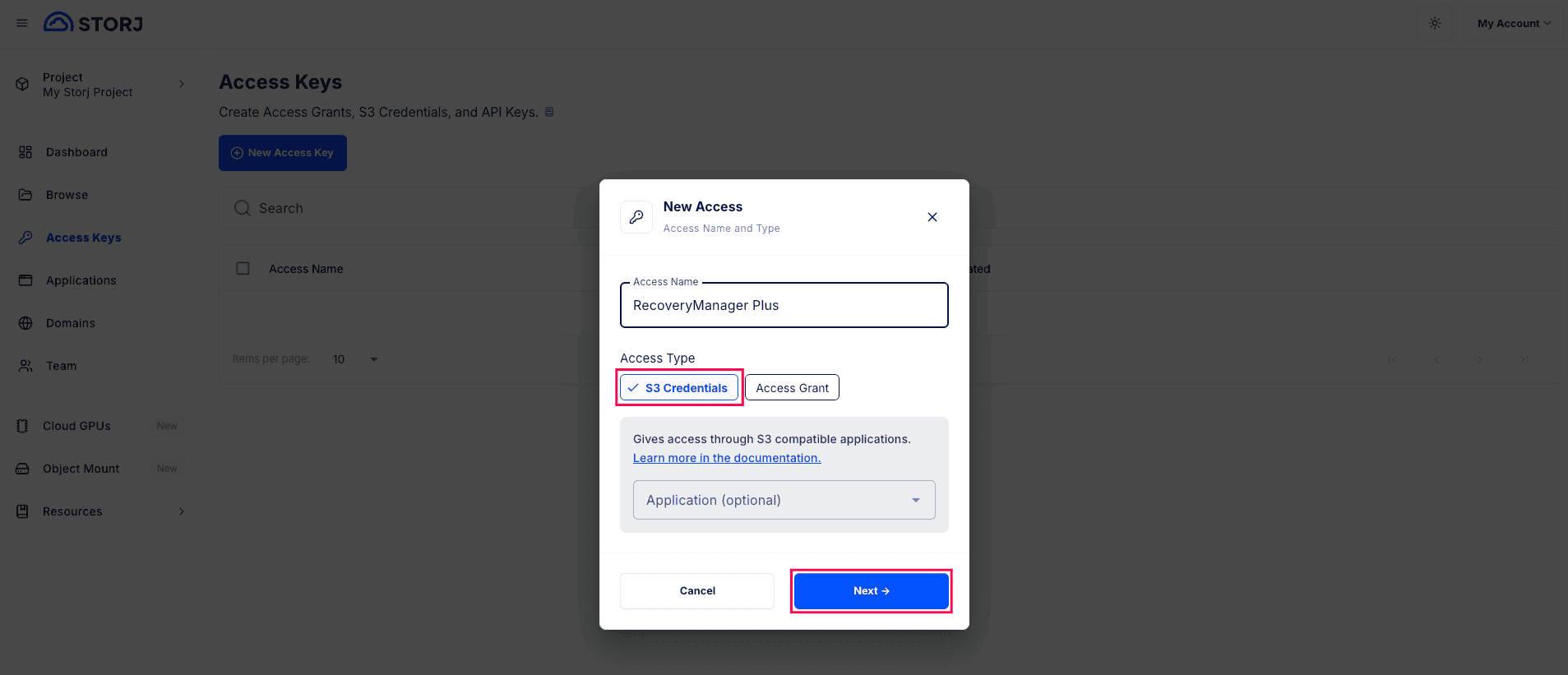
- In the pop-up that appears:
- Enter a name for the access key in the Access Name field.
- Select S3 Credentials as the Access Type and click Next.
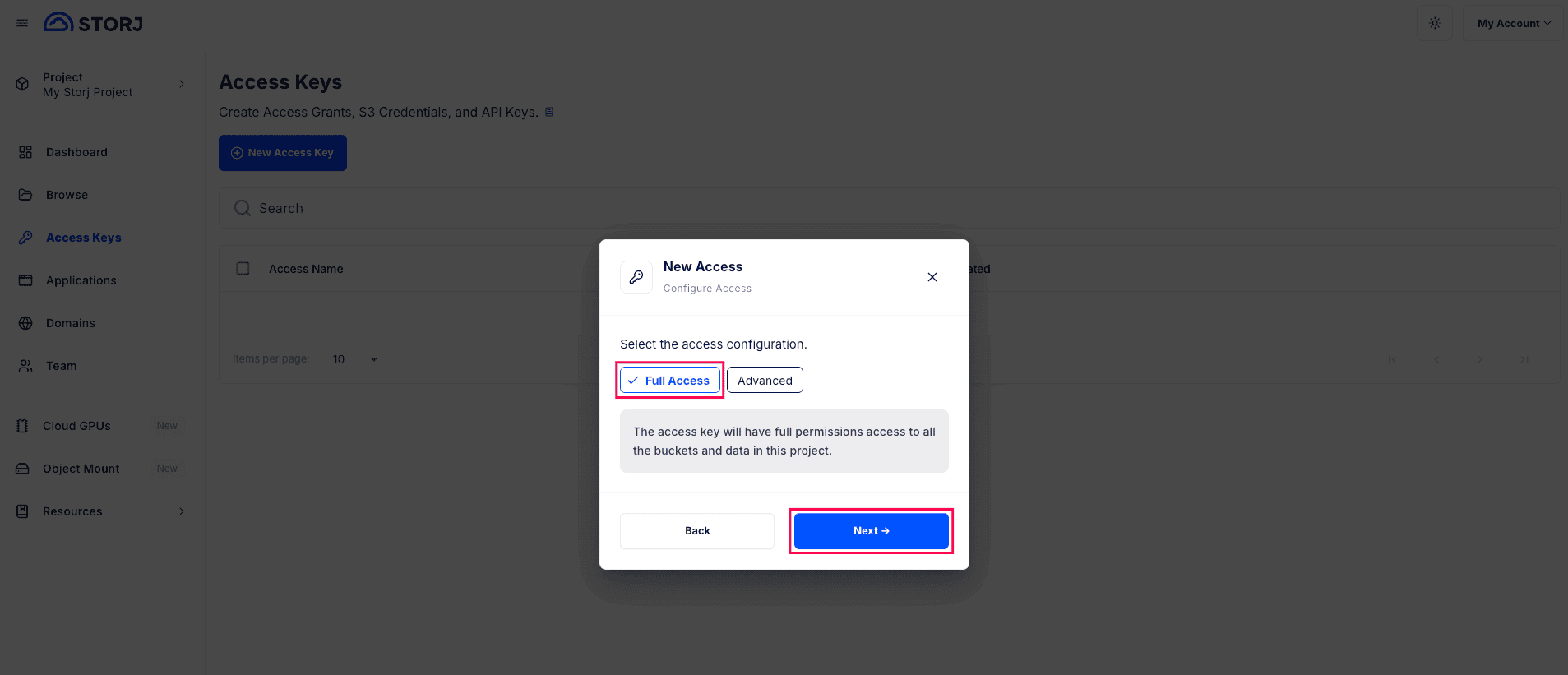
- Select Full Access under Select the access configuration and click Next.
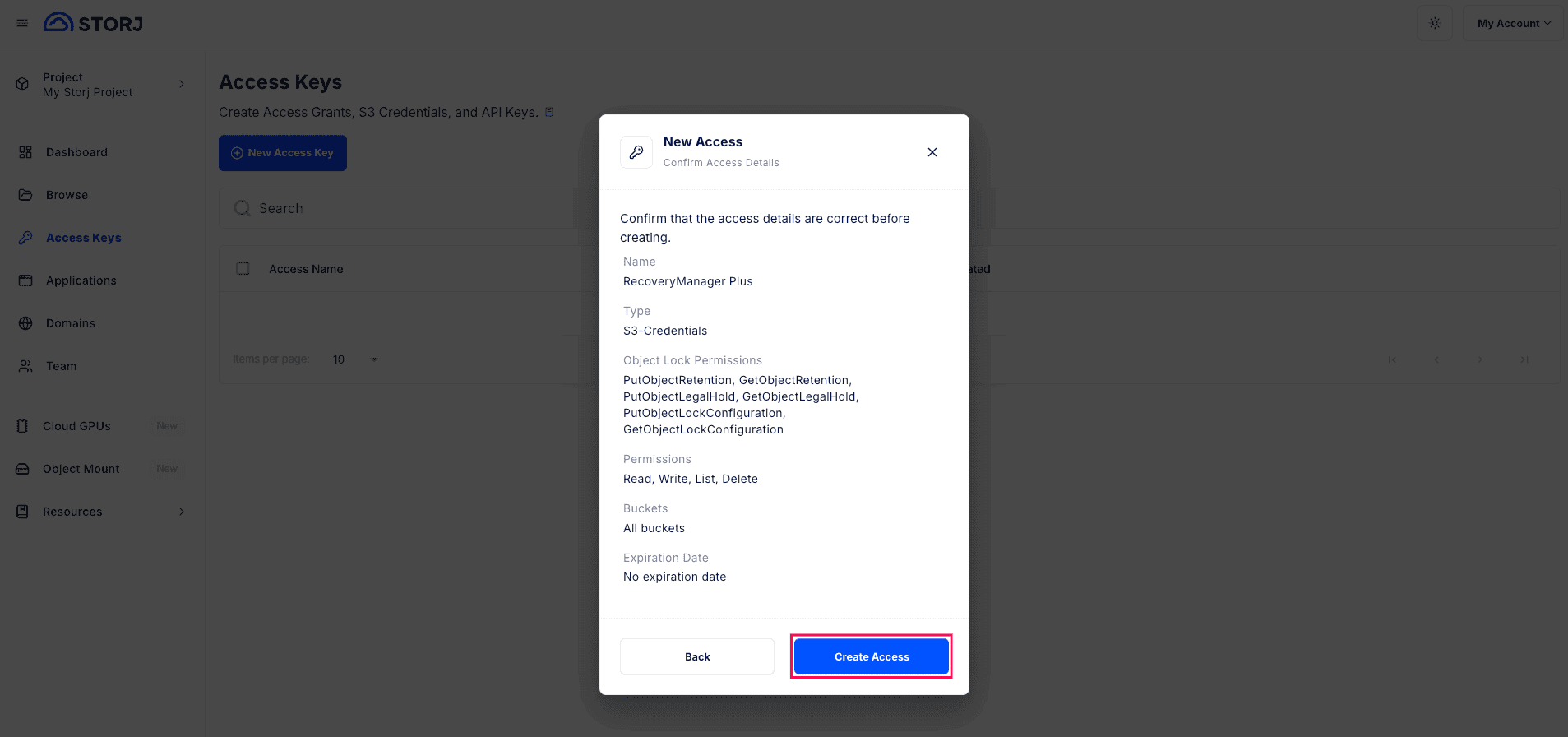
- Review the details and click Create Access.
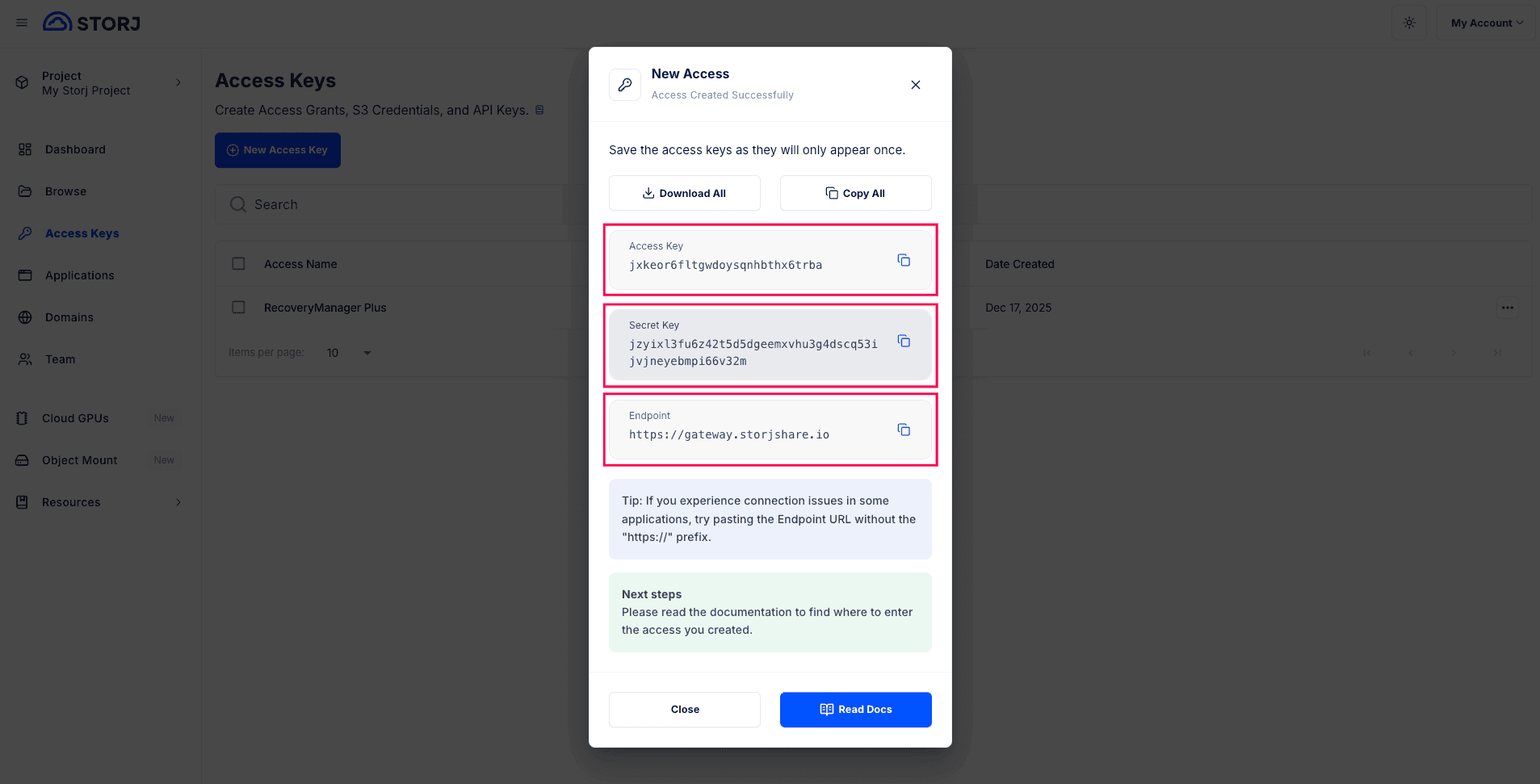
- Copy the Access Key, Secret Key, and Endpoint URL to set up your Storj storage account in RecoveryManager Plus.