Audit History and Sync History
In Analytics Plus, the Audit History and Sync History provides visibility into data source actions and synchronization events within a workspace, including user and system activities, timestamps, sync status, and failure details for monitoring and troubleshooting purposes.
Audit history
Analytics Plus provides a detailed record of all actions performed with respect to data synchronization from various sources. The history captures the type of action performed along with the timestamp and information about the administrator who performed it.
To access the Audit History in Analytics Plus, open the required workspace and click Data Sources → Audit History from the side panel.
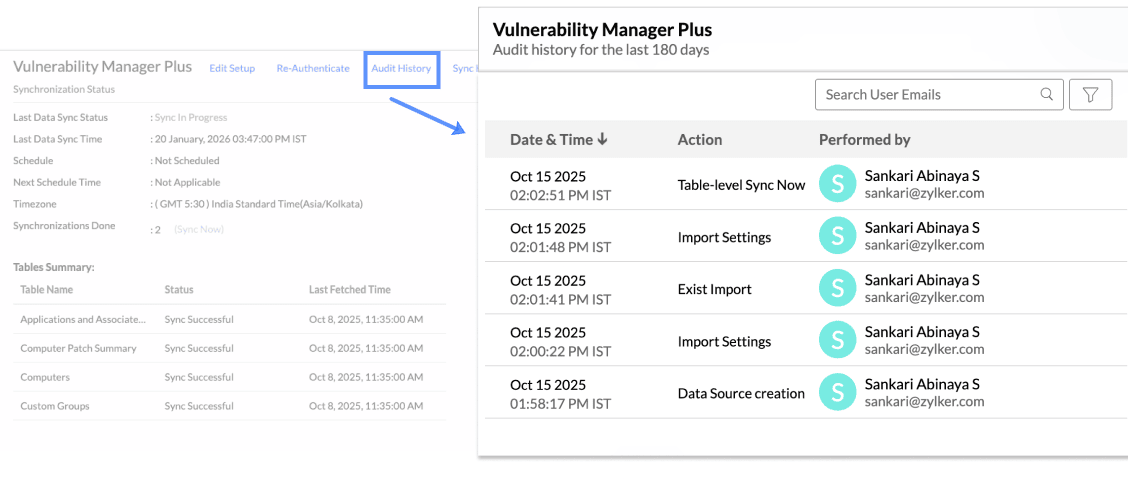
The following are the user and system actions that are logged in Analytics Plus.
Type | Action | Description |
User Action | Data Source Creation | Provides the details of the admin who configured the connection. |
Table Creation | Displays the details of new tables added to the workspace. | |
Remove Table from Data source | Provides details of the tables that are deleted. | |
Edit Setup | Provides the details of configuration changes like re-authentication. | |
Import Settings | Displays the details of changes made to the data fetch settings. | |
Sync Settings | Shows the details of any changes made to the data synchronization settings. | |
Table-level Sync now | Displays the details of the records imported when the Sync Now option is used. | |
System Activities | Schedule Import | Displays the details of data import at scheduled intervals. |
Sync history
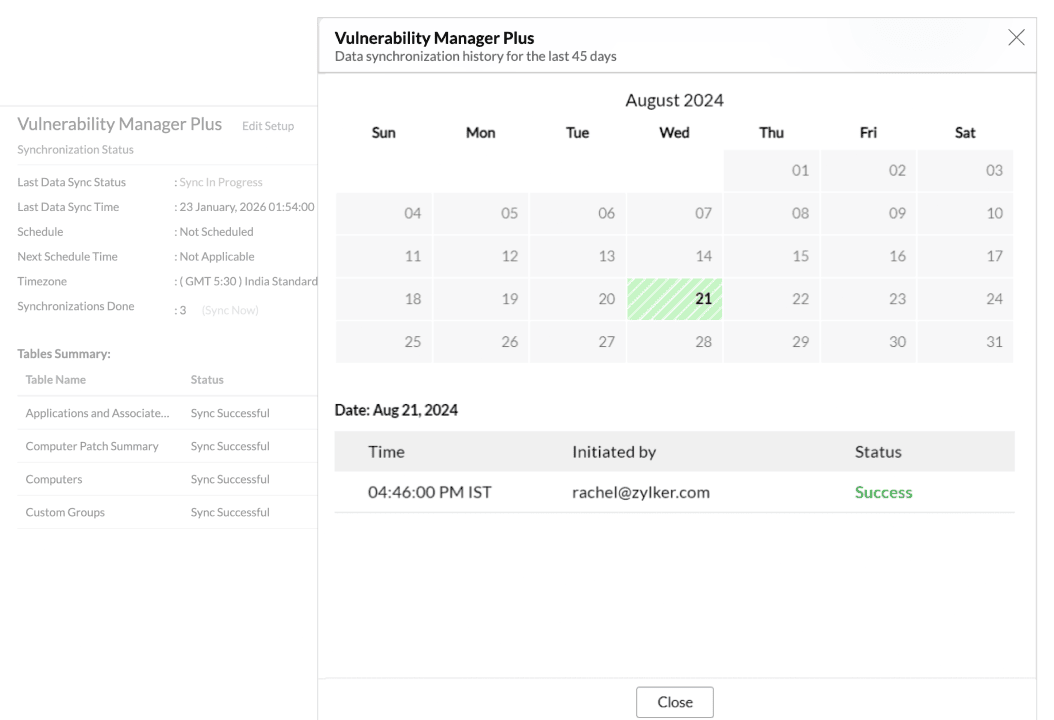
Analytics Plus Sync History provides a log of data synchronization activities with color-coded indicators to track sync status. Successful syncs appear in green, while failed syncs are shown in red with the failure reason and the recommended action.
To access the Sync History in Analytics Plus, open the required workspace and click Data Sources → Sync History from the side panel.