Key Driver Analysis (Diagnostic insights)
Key driver analysis is a statistical method used to identify and understand the factors that significantly affect a metric, as well as the extent to which these factors impact the outcome. This analysis helps uncover the causes and the underlying drivers of observed trends in the target metric.
- Configuring Key Driver Analysis
- Viewing and interpreting the results of Key Driver Analysis
- Evaluating the Key Driver Analysis
Configuring Key Driver Analysis
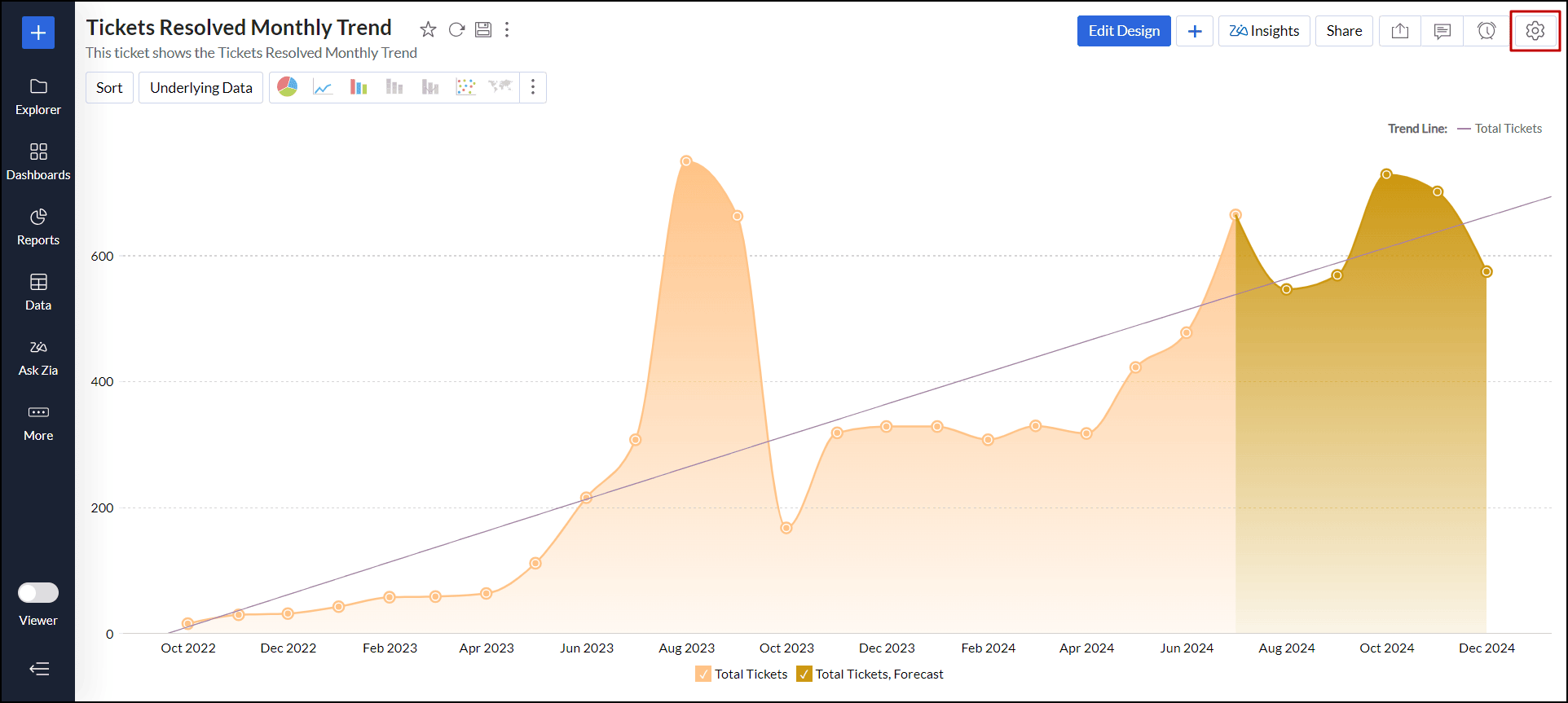
Open the desired chart, and click the Settings icon at the top right corner.
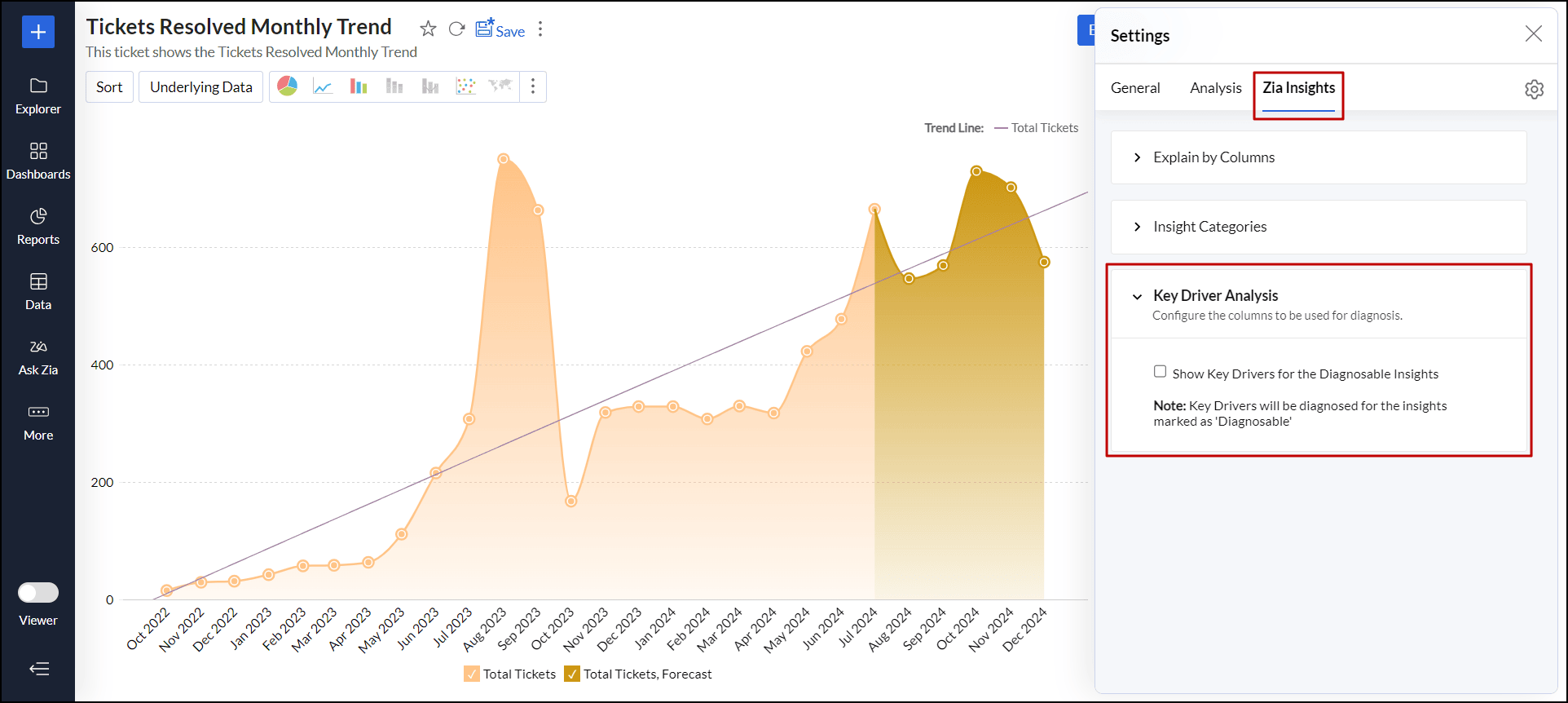
Navigate to the Zia Insights tab and expand the Key Driver Analysis section.
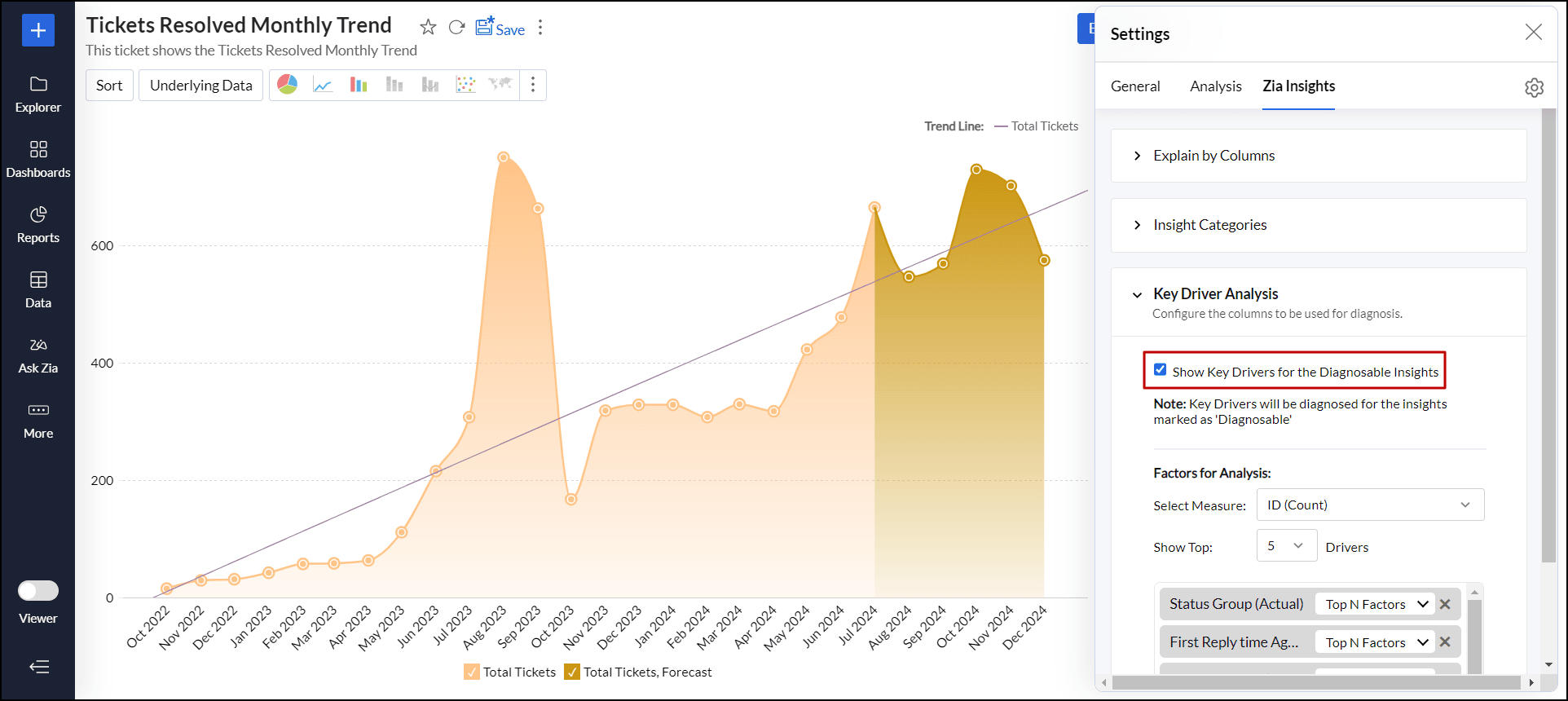
Select the Show Key Drivers for the Diagnosable Insights checkbox.
Choose a Measure (target) column for which you want to evaluate the outcome from the Select Measure drop-down.
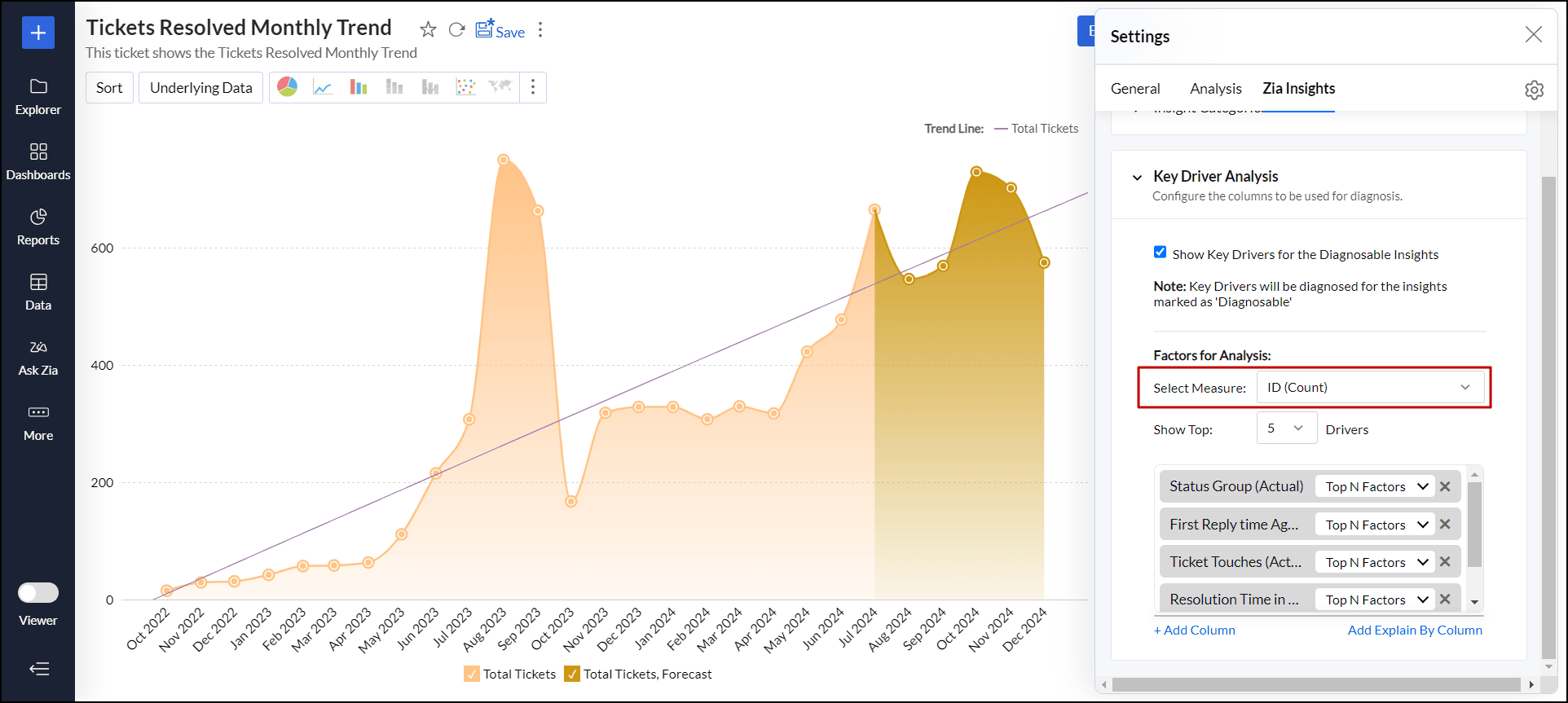
Once you've chosen a measure column, all relevant factors that may influence it will be automatically populated in the text box below. However, you can add more factors by clicking the + Add Column link at the bottom. You can add a maximum of five dimension columns and three measure columns.
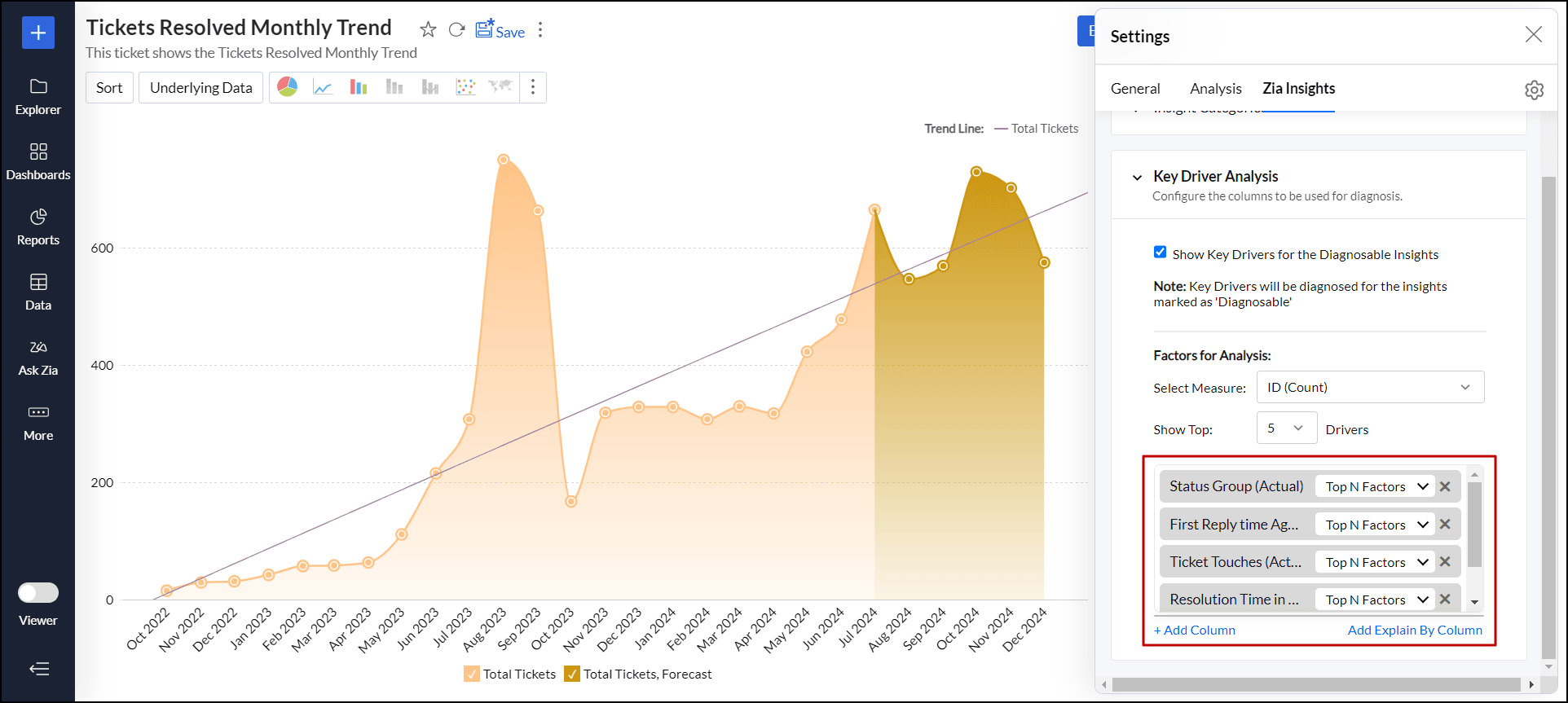
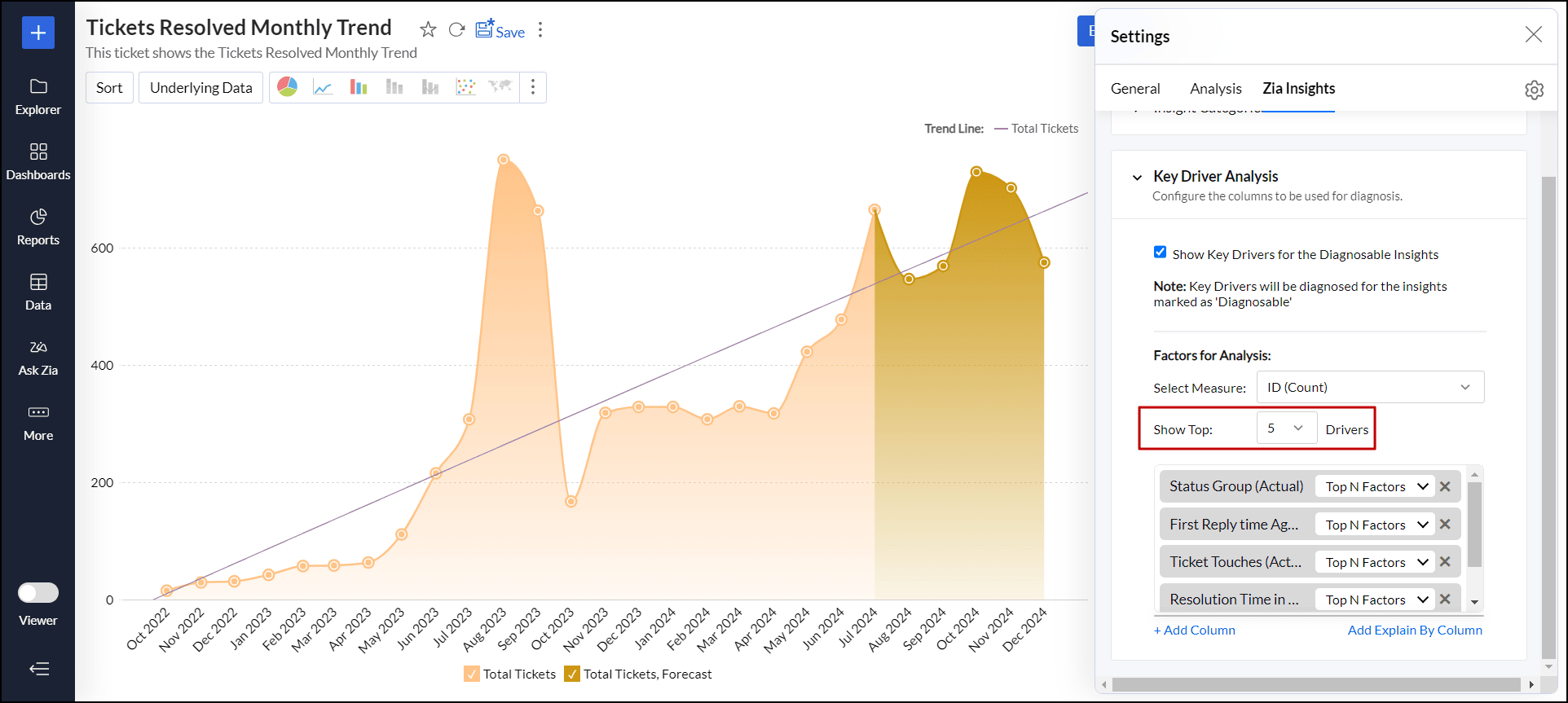
Click the Show Top N Drivers drop-down to select the number of influential factors you want to consider for analysis. You can choose between 1 and 5 factors(drivers) from the from the set of factors added above.
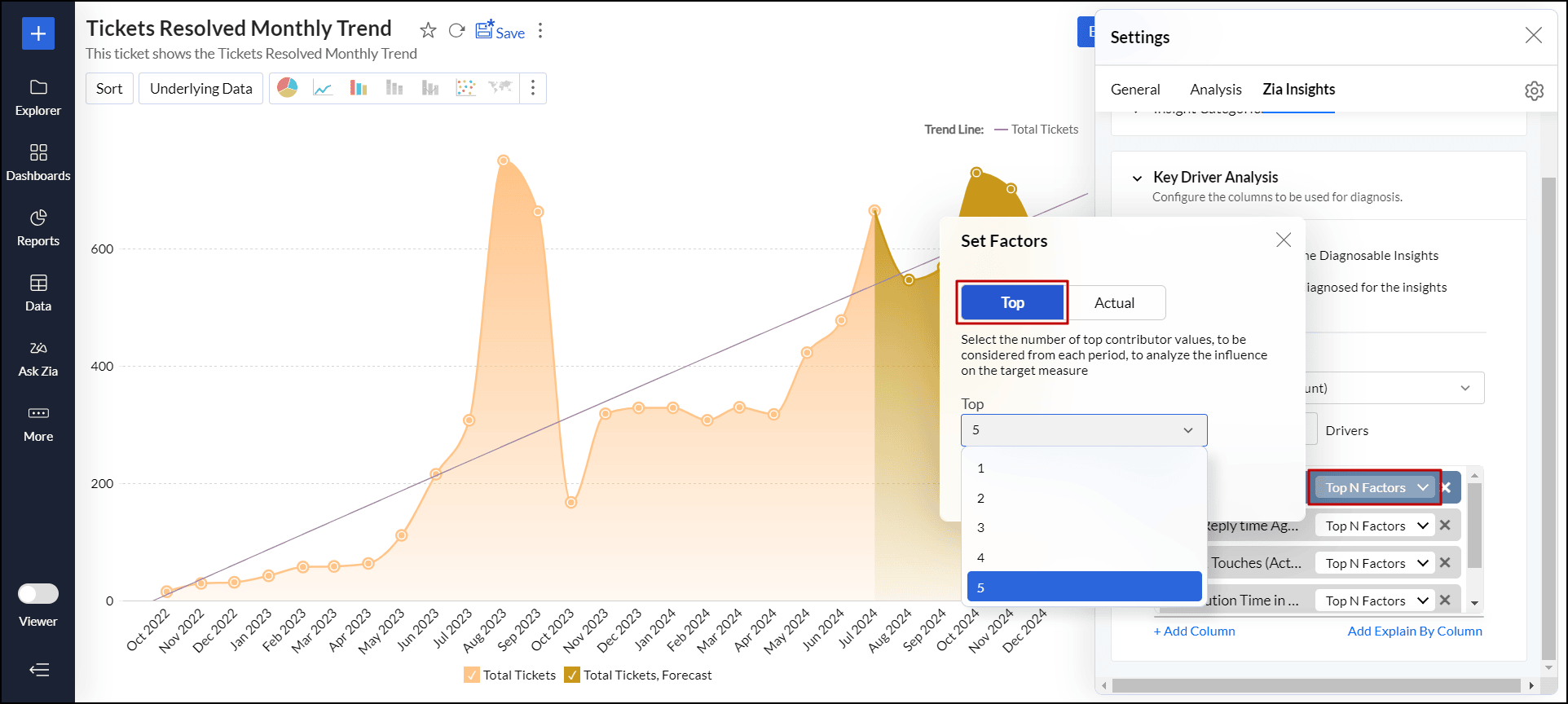
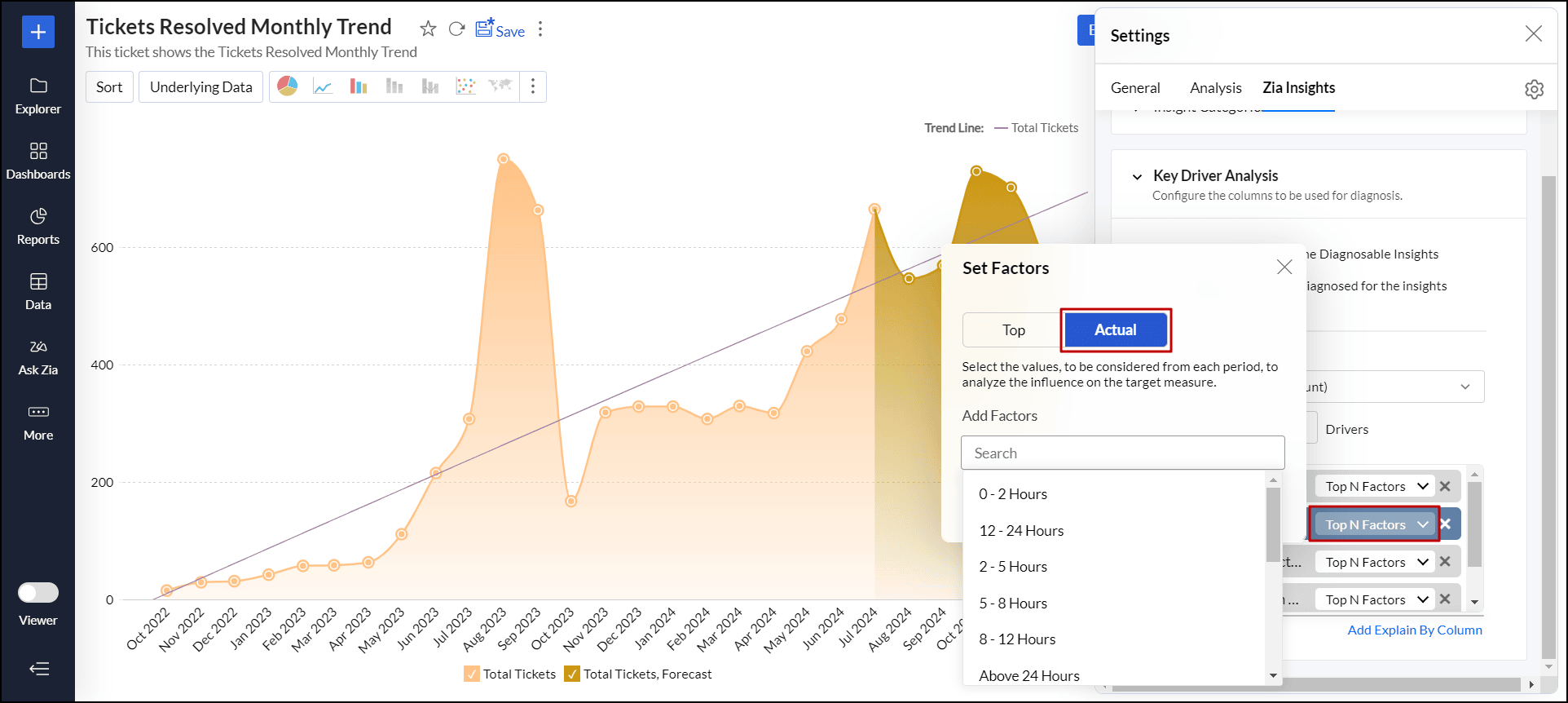
- You can also choose the number of values of each factor to be considered for analysis using the Top N Factors drop-down next to each factor. By concentrating on these top values, the analysis can reveal the key drivers that have the most substantial impact on the outcome you’re assessing. In the pop-up that appears, the following options are available.
Top Factors: Select the number of top contributing values from each factor to analyze their influence on the target measure column.
Actual Values: Select the values to be considered from each factor to analyze their influence on the target measure column.
Once you have configured the settings, close the settings dialog and click Save to save the changes made.
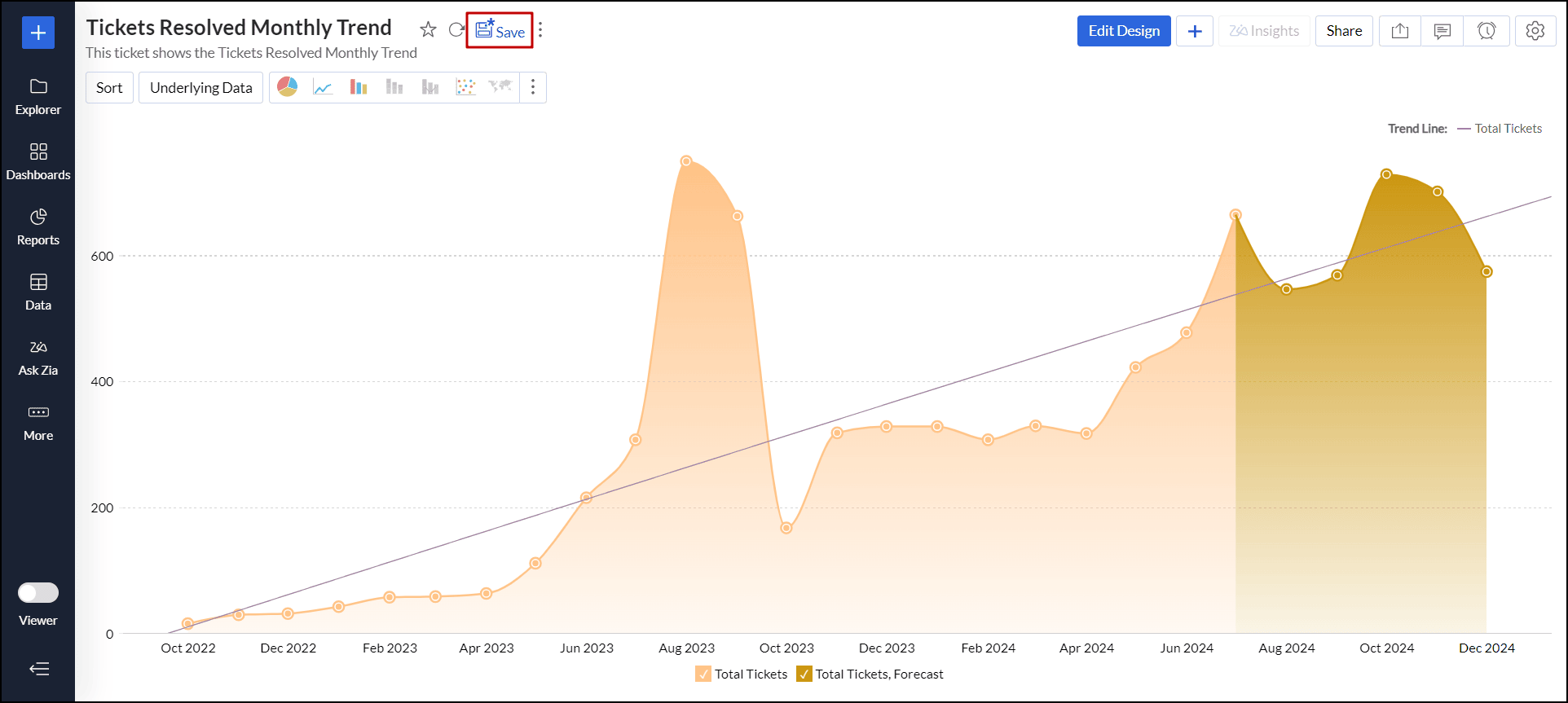
Viewing and interpreting the results of Key Driver Analysis
Key Driver Insights (Diagnostic Insights) deliver valuable analysis of time series trends, revealing the underlying factors behind increases or decreases. They clarify the drivers of change, making it easier to understand the reasons behind shifting patterns over time.
To view the diagnostic insights, click the Diagnosis icon that appears on the Time Series Insights in the Zia Insights dialog.
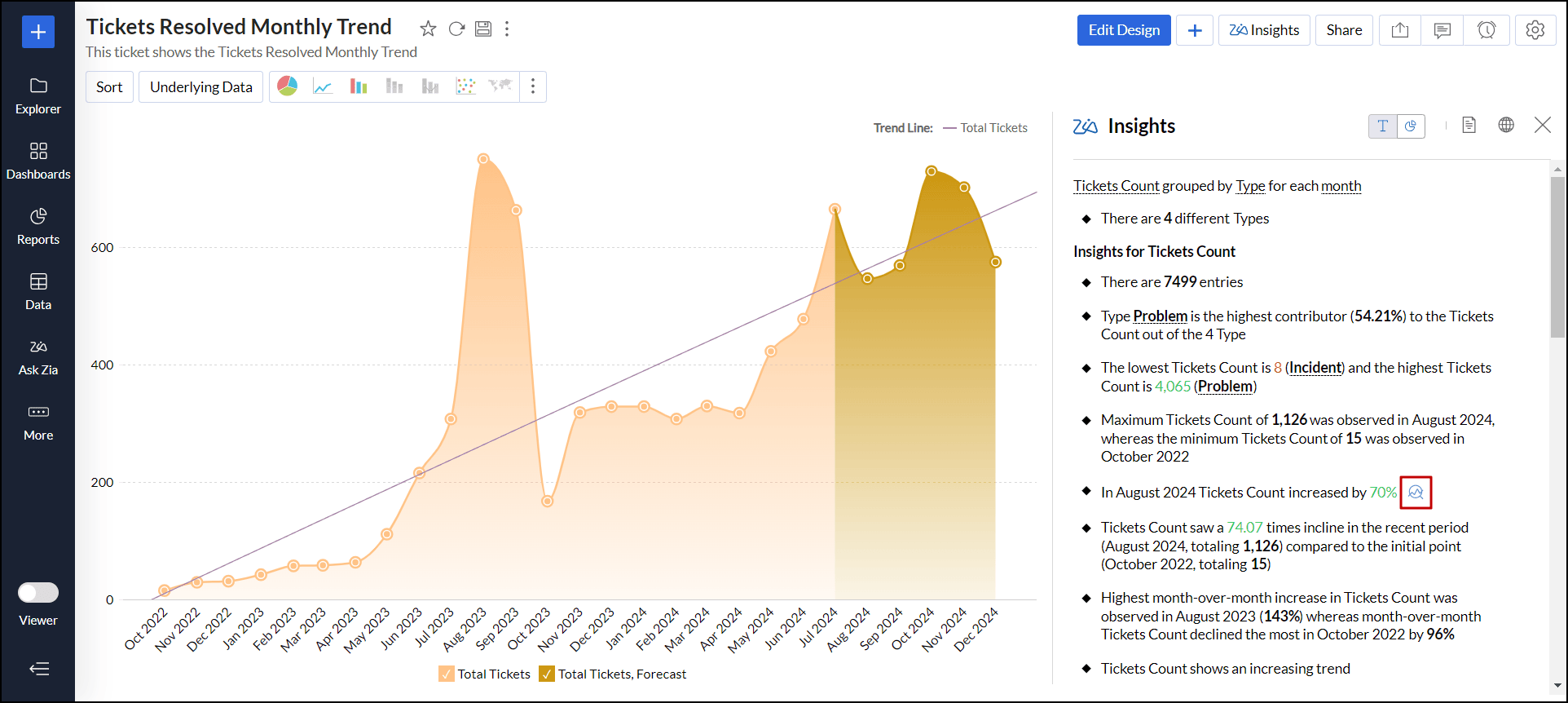
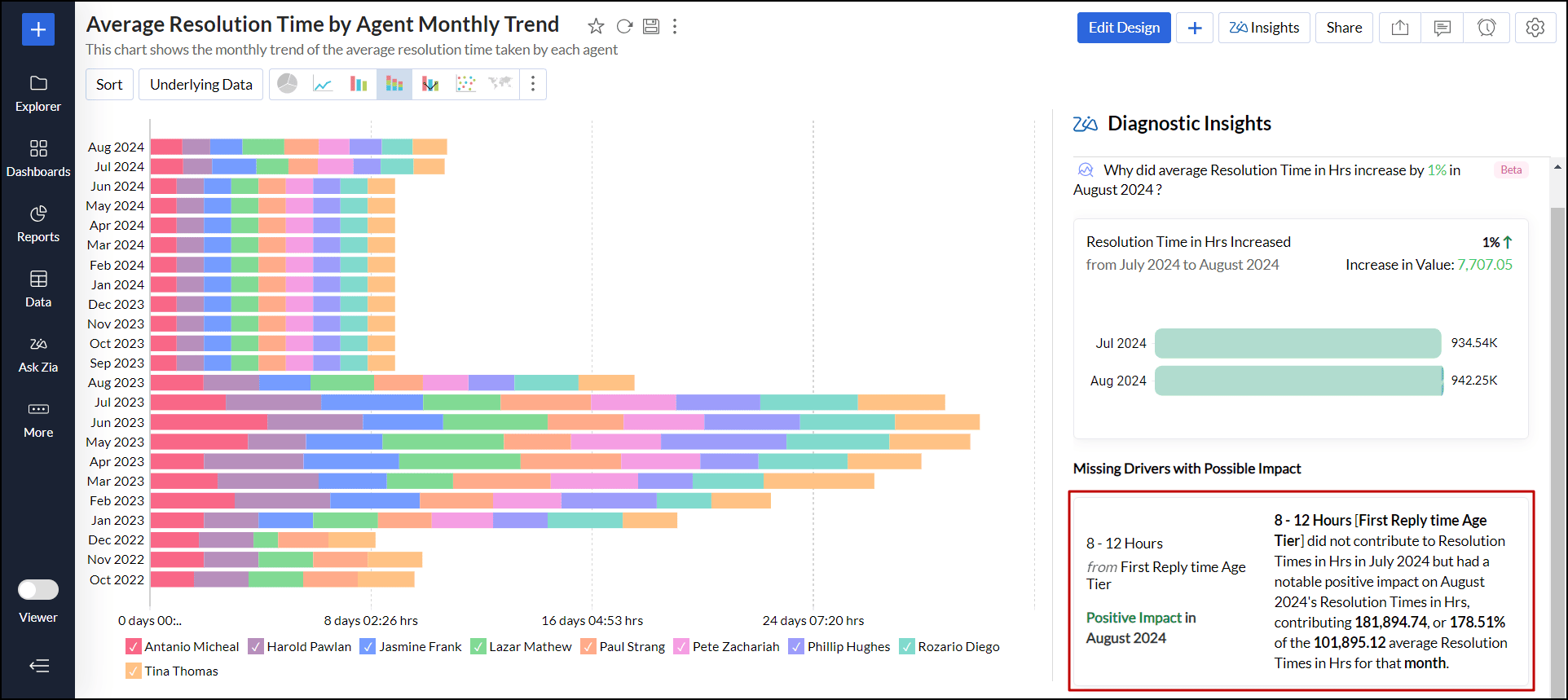
In the dialog that appears, you can view the diagnostic insights divided into the WHAT and WHY sections.
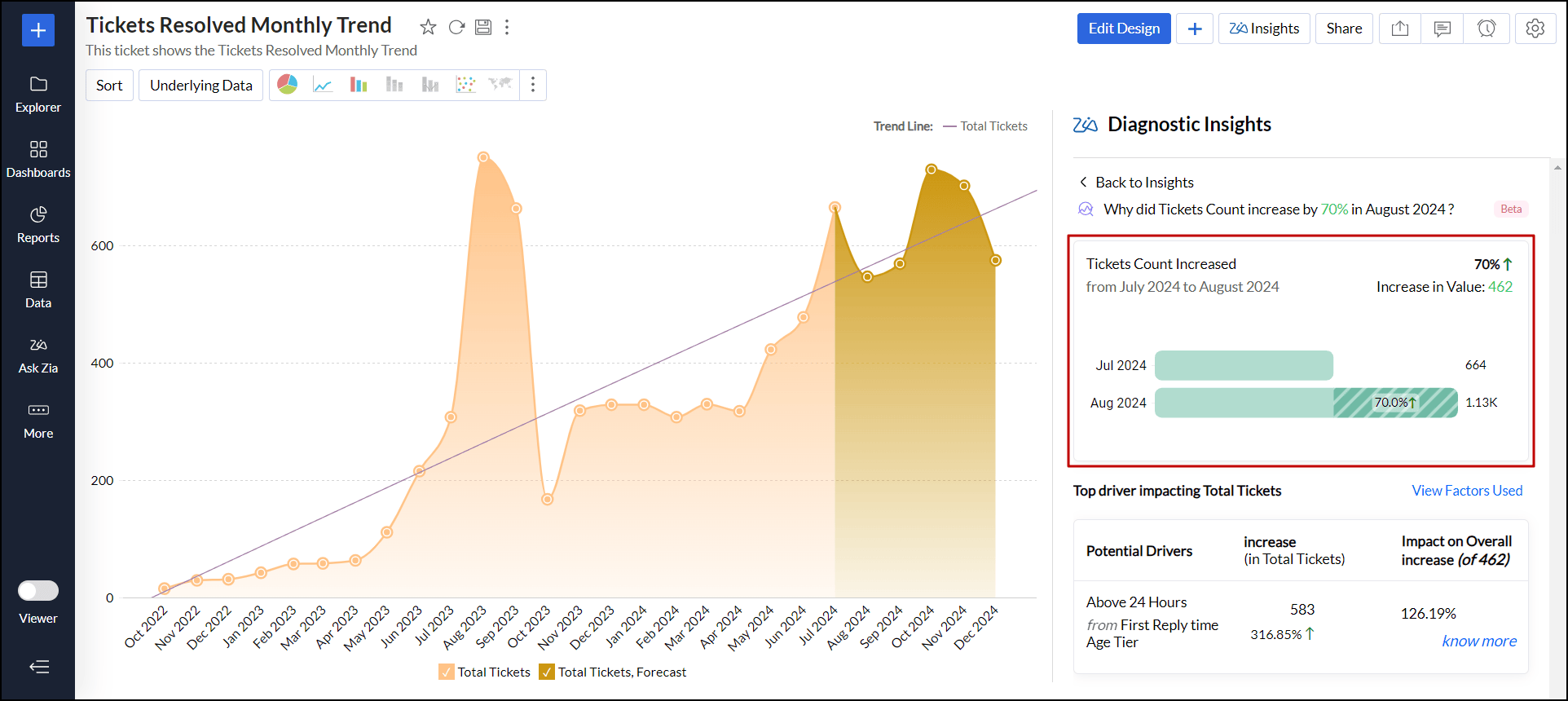
WHAT Section
It offers an overview of the current state of the measure column, detailing:
- The observed trend of the measure column, indicating whether it is increasing or decreasing.
- A breakdown of the factors influencing changes in the measure column, including the percentage impact of each factor on its overall rise or fall.
WHY Section
It details all the potential reasons for the observed trend, including in-depth impact assessment and the various factors contributing to the current outcome. Click the Know More link to access the diagnostic insights, which may vary depending on the report data.
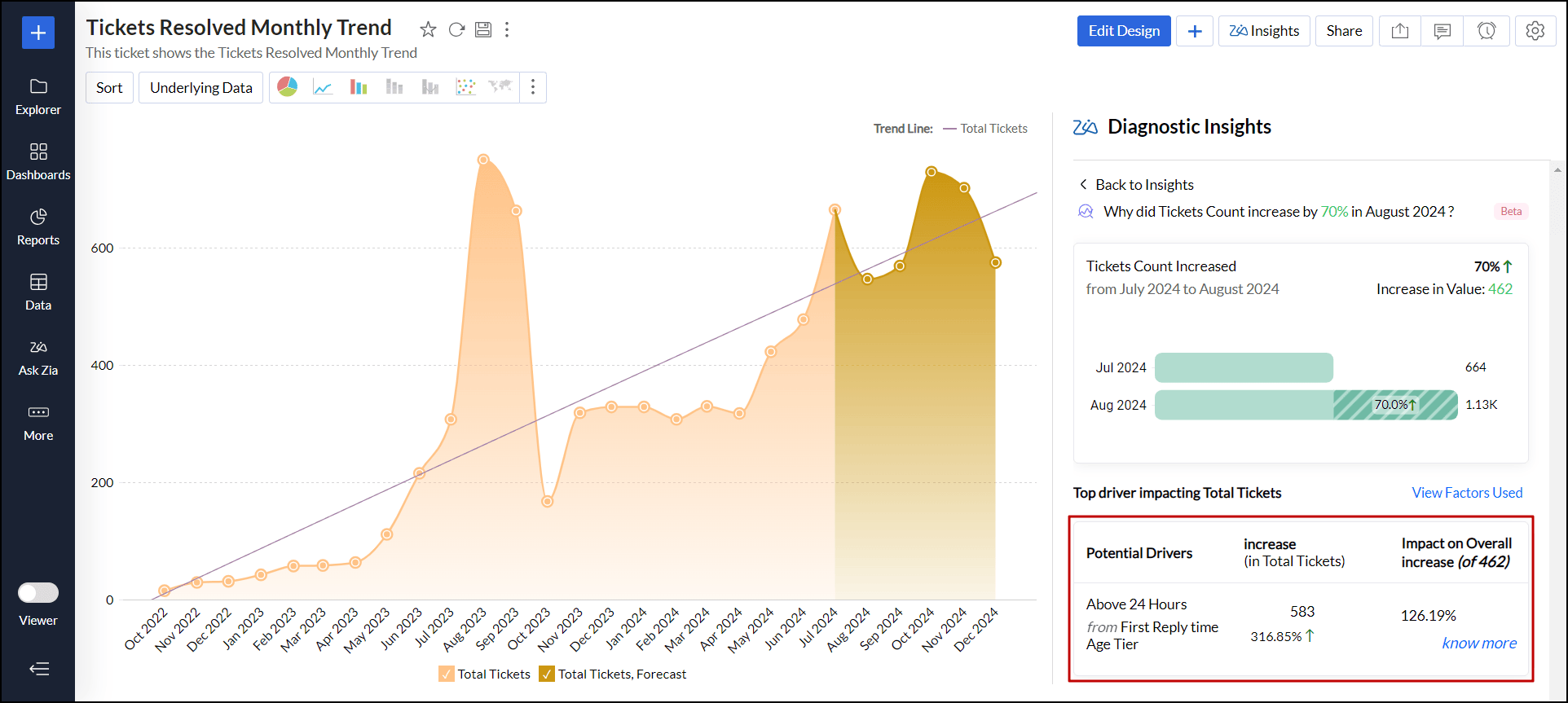
Impact
The Impact section refers to the influence or contribution of a specific factor (driver) on the target measure column. It quantifies the extent to which that factor affects the outcome being analyzed.
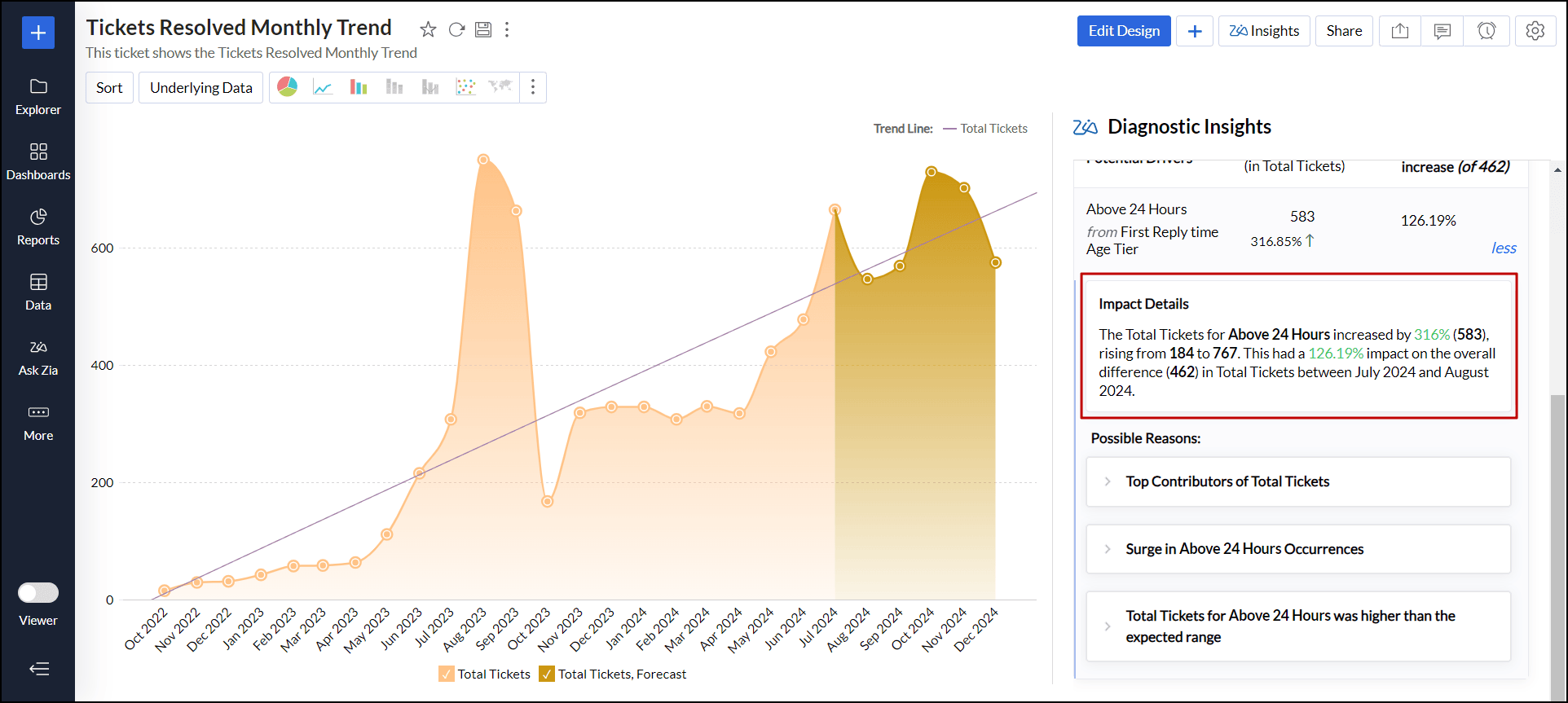
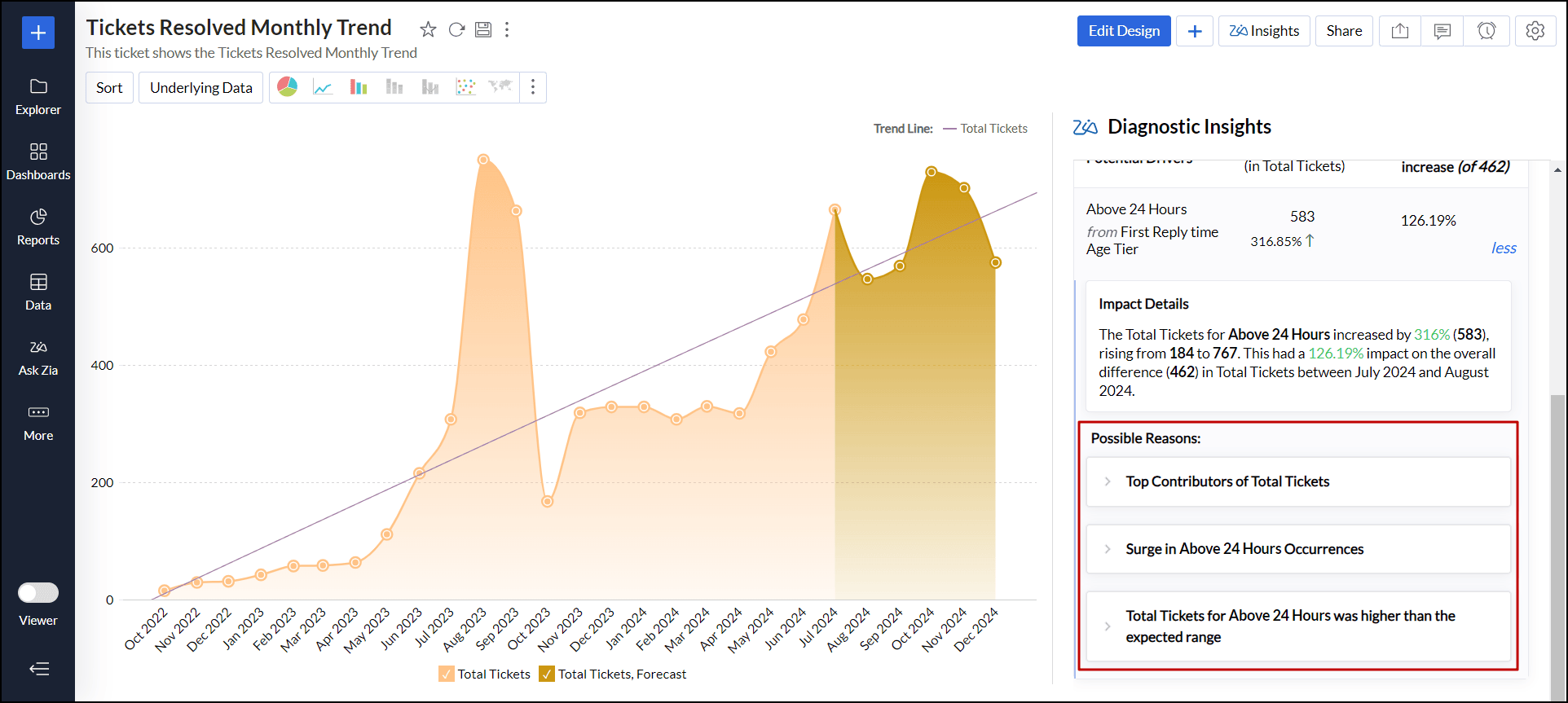
Possible Reasons
The Possible Reasons section outlines all the factors that may have contributed to the observed trends in the target measure column, including:
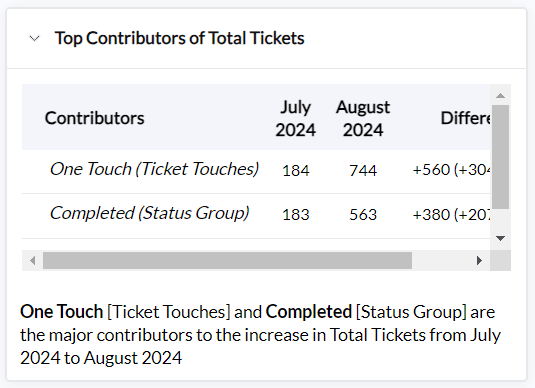
Top contributors are the factors or drivers that positively influence the target measure, resulting in its increase.
- Top offsetters, on the other hand, are factors that negatively affect the target measure, leading to a decline.
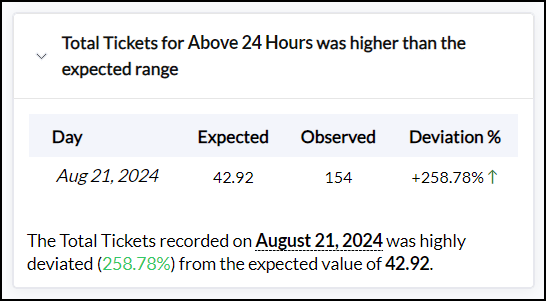
Anomaly Insights identify unusual spikes or drops in the target measure that deviate from expected trends.
- Trends and Relationships analysis between the target measure and influencing measures reveals whether there is an increasing or decreasing trend. It also determines the type of correlation, whether direct or indirect, and offers prescriptive recommendations to sustain or enhance the observed trend.
- Occurrence analysis focuses on identifying how frequently specific drivers or factors impact an outcome, helping to understand the significance and effect of each driver over time or across different segments.
Missing Drivers
The Missing Drivers section highlights potential factors or variables that could significantly influence the target measure but have not been included in the analysis. Zia insights considers these drivers and assesses their potential impact on the target measure column.
- A factor positively impacts the target measure column if an increase in that variable results in an increase in the target measure column.
- A factor negatively impacts the target measure column if a decrease in that variable results in a decline in the target measure column.
Evaluating the Key Driver Analysis
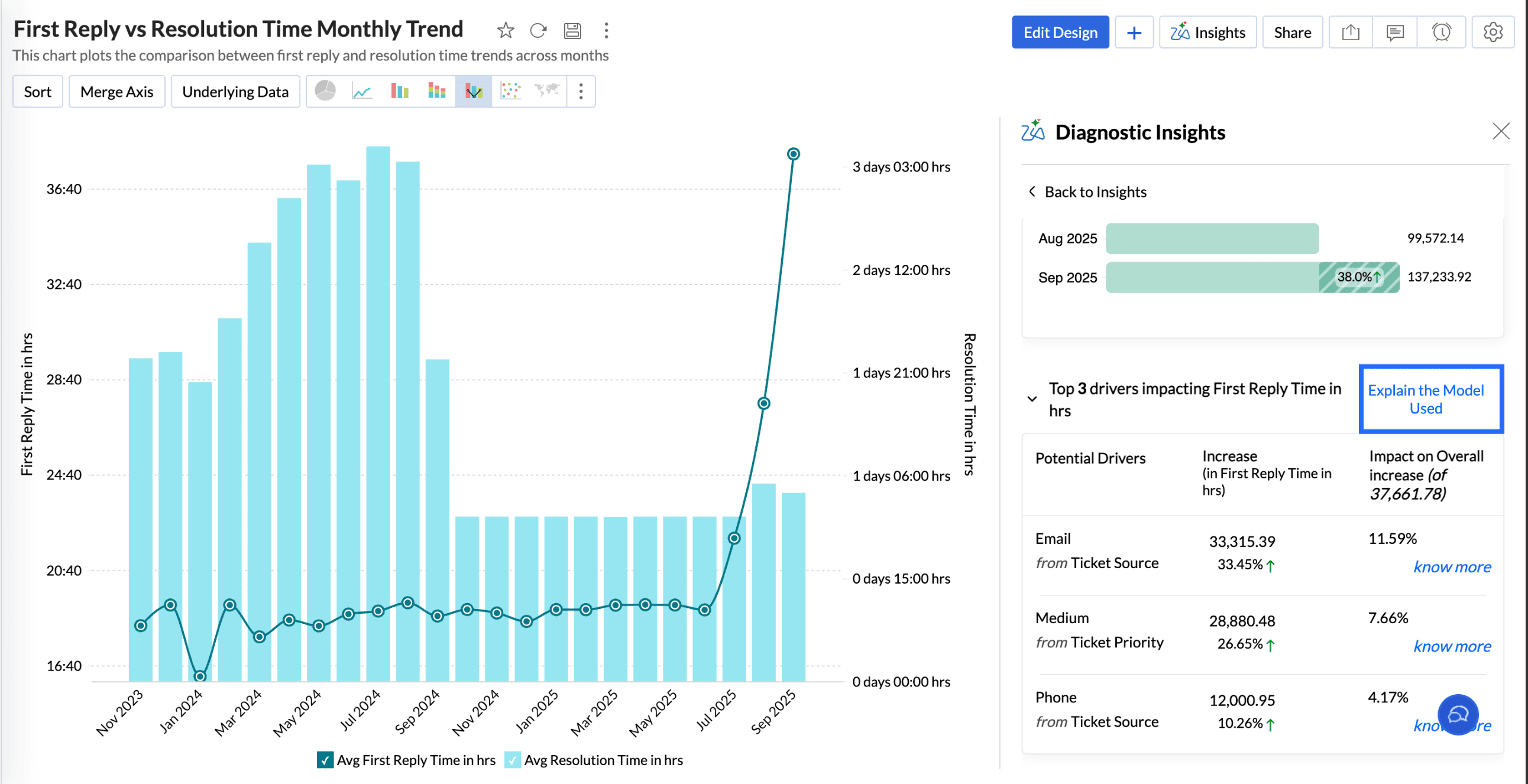
This section details the model used for identifying the key drivers and to evaluate the quality of the analysis. Click Explain the Model used to view the details.
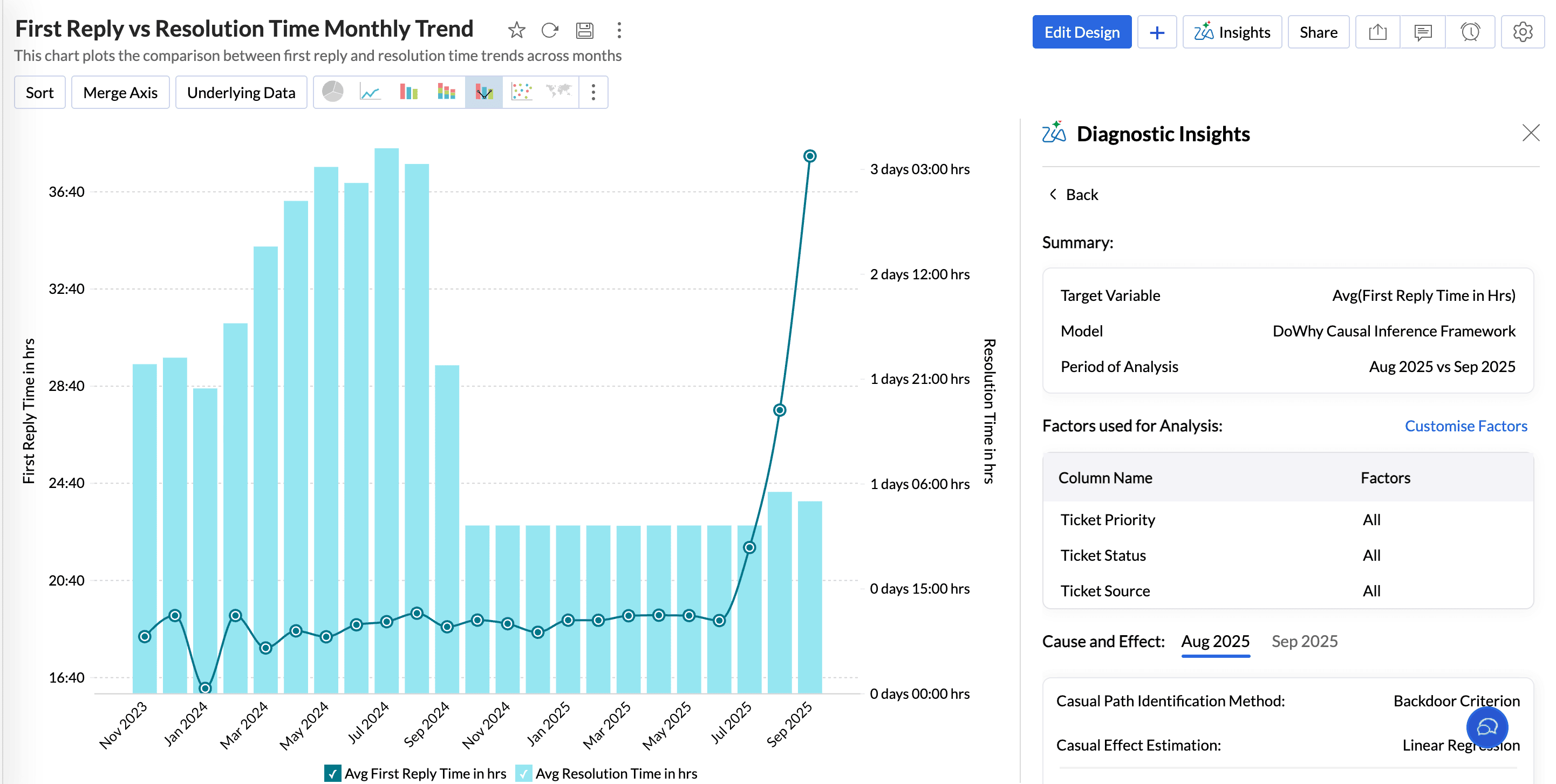
Summary
The Summary section gives an overview about the Target Variable, Model used for analysis, and the Period of analysis.
Factors Used for Analysis
This section lists all the factors used for conducting the key driver analysis.
Cause and Effect
The Cause and Effect value in key driver analysis gives the strength of the relationship between the potential drivers and the target variable, indicating how much influence the factors have on the target metric. Analytics Plus uses the Backdoor Criterion for causal path identification and Linear regression for causal effect estimation.
Evaluation Metrics
Evaluation metrics help assess the performance and the accuracy of the causal inference models.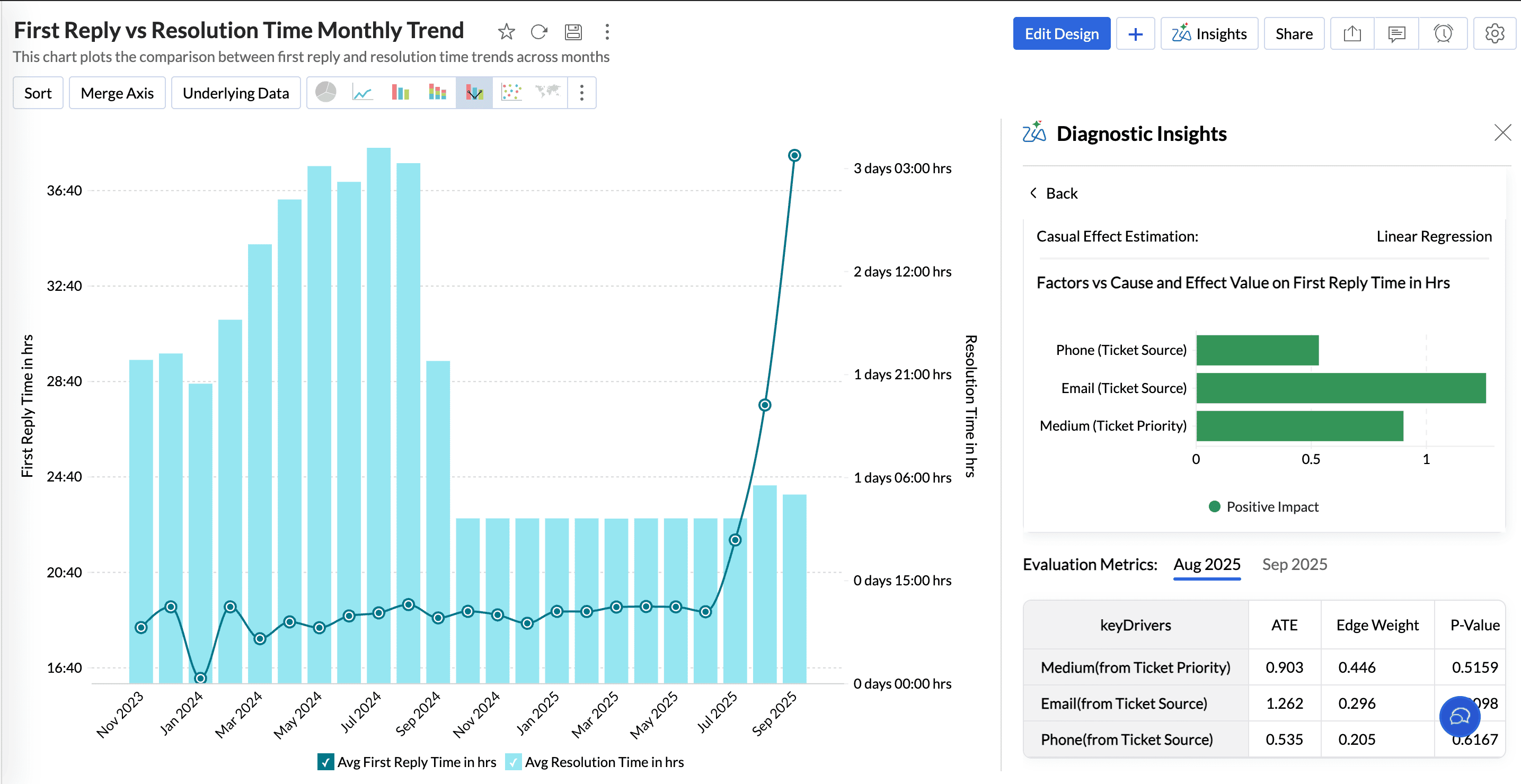
Metric | Explanation |
Average Treatment Effect( ATE) | ATE is a statistical measure that calculates the impact of key drivers on an outcome It quantifies how much the outcome would change, on average, if a specific driver were altered. |
Edge Weight | Edge Weight measures the correlation, the strength, and direction between the target metric and key drivers. |
P-value | P-value is a statistical value used to validate a hypothesis against observed data. It measures the probability of obtaining the observed results, assuming that the null hypothesis is true. The lower the p-value, the greater the statistical significance of the observed difference. |
Confidence Interval | A confidence interval, in statistics, refers to the probability that a population parameter will fall between a set of values for a certain proportion of times |
R-squared | R-squared is a statistical measure that indicates how much of the variation of a dependent variable is explained by an independent variable in a regression model. |
Adjusted R- Squared | Adjusted R-squared measures how well a regression model explains the variability in the data, adjusting for the number of predictors. It prevents overestimation of model performance by penalizing unnecessary variables. |
F-Statistic | The F-statistic tests whether the overall model is statistically significant. A higher F-statistic indicates that the model performs significantly better than a model that predicts the mean outcome. |
Bayesian Information Criterion (BIC) | Bayesian Information Criterion (BIC) is a statistical metric used to evaluate the goodness of fit of a model while penalizing for model complexity to avoid overfitting. |
Akaike Information Criterion | The Akaike Information Criterion (AIC) is a metric used to compare different statistical models and determine which one best balances goodness of fit and complexity. |