
- What is BPA?
- How BPM, BPA, and RPA are interrelated
- Types of BPA
- What type of business processes should you automate?
- Benefits of automating business processes
- Examples of BPA
- Best practices in BPA
- Automate your business processes with ManageEngine AppCreator
- Frequently asked questions
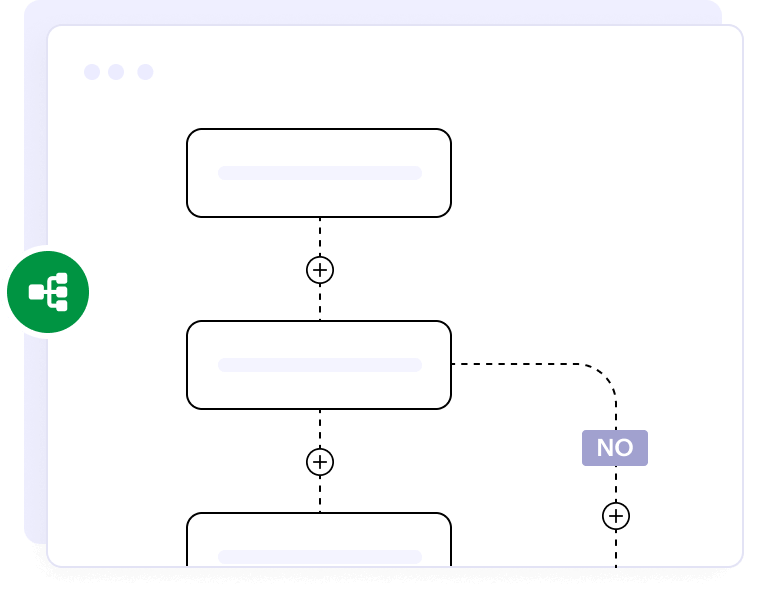
What is BPA?
By allowing software to do the heavy lifting in the automatic execution of business processes, BPA takes the load off of stakeholders. Instead of focusing on manual task execution, stakeholders can focus on innovation. Moreover, BPA goes beyond mere task fulfillment; it transforms business processes and workflows to interconnect the people, data, and systems involved therein.
Types of BPA
Process automation
The quintessential hallmark of BPA is the automation of business process workflows from inception to finish. Its objectives are to ensure high-speed process execution, enhance organizational efficiency, and boost productivity. Process automation also ensures consistency across workflows.
Data automation
Data is everywhere in organizations today. Data automation entails the extraction, transfer, and loading of data across organizational systems without (or with very minimal) human input. Examples include database synchronization and the create, read, update, and delete activities of customer records.
Intelligent automation
Intelligent automation is the synergy of RPA, ML, and AI. Intelligent automation can extract meaningful information from raw data, isolate data silos across departments in an organization, and optimize itself automatically over time (through ML).
Workflow automation
A workflow is triggered when a preset condition is met. Instead of executing workflows manually, workflow automation in BPA automatically executes workflows when preset conditions are met. A good example is routing approvals between stakeholders, which reduces the time taken for process completion when multi-level approvals are involved.
Looking for a workflow automation software for your organization?
EXPLORE NOWWhat type of business processes should you automate?
You should automate processes that are:
- Repetitive
- Error-prone
- Simple but time-consuming
- Standardized
- High in magnitude
Benefits of automating business processes
Supercharged efficiency
What took days will take only hours with BPA.
Dynamic scalability
Your organization can scale its operations dynamically due to BPA's ability to scale automatically and efficiently.
Granular visibility
BPA provides organizational stakeholders with deep granular visibility into each and every process.
Improved data accuracy
There is little to no room for error with BPA, unlike human process execution.
More economic operations
Automated workflows result in more economic operations because of cost and time savings.
Boosted productivity
Organizational productivity is boosted through BPA's speed, accuracy, and reliability.
Examples of BPA
Incident management
Whenever incidents occur, automatically triage the tickets to send them to the pertinent teams based on their priority.
Asset tracking
Track hardware as it progresses through its life cycle.
Change management
Manage change request workflows across approval flows.
User provisioning
Perform employee onboarding activities, such as creating accounts, provisioning assets, and granting access rights.
Patch management
Automatically deploy patches without human intervention.
Access deactivation
Automatically revoke access when an employee exits the organization.
System health monitoring
Monitor organizational devices' vitals to ensure constant uptime.
Backup automation
Automatically back up data and related assets periodically without human intervention.
Best practices in BPA
1. Select optimal processes
Ensure that you choose processes that are mundane, standardized, and have a high volume of execution. The processes must also be capable of being executed with minimal human intervention. Choosing the optimal processes means a quicker ROI, minimal operational complications, and a fast BPA implementation. Optimal BPA is dependent on optimal process selection.
2. Understand the processes being automated
Thoroughly understand the business processes you are automating, including inputs, outputs, and possible bottlenecks that may arise during execution (post-automation). Map the processes from the ground up and ensure that the steps in automation are granular in nature.
3. Ensure high data quality and end-to-end integration
Your automated business processes are only as good as the data that is fed to them, so you'll have to ensure that the data is sanitized and accurate. High data quality is paramount. Also, all the systems through which an automated process weaves should be seamlessly integrated to ensure a consistent process flow across the organization.
4. Establish a feedback loop, optimize, and ensure compliance
Monitor your automated processes and optimize them continuously to eliminate bottlenecks. Ensure global standards are met. Periodic organizational process audits need to be carried out to ensure consistent compliance with standards.
Automate your business processes with ManageEngine AppCreator
If you're on the lookout for a way to get started with BPA easily, consider evaluating ManageEngine AppCreator.
AppCreator is a low-code BPA platform, which means you can automate your business processes with minimal coding. Its drag-and-drop, what-you-see-is-what-you-get, point-and-click workflow automation engine enables you to automate processes in a fraction of the time it takes conventional BPA alternatives to do so. AppCreator offers a free, 30-day trial.
Download AppCreatorFrequently Asked Questions
1. Which types of business processes are ideal candidates for automation?
Repetitive, standardized, error-prone, simple, and high-magnitude tasks are ideal for automation.
2. What’s the difference between BPA and RPA?
BPA focuses on automating business processes to improve overall organizational efficiency and productivity. RPA focuses on automatically executing specific, mundane, and repetitive tasks by mimicking human interactions with software.
3. What benefits can I expect from automating core business processes?
Dynamic scalability, quicker process turnaround times, highly reduced errors, and improved compliance with global standards are some major benefits that accrue from automating core business processes.
4. How long does it take to implement a BPA solution?
Based upon the classification of the processes that are automated, the time it takes to implement a BPA solution in an organization varies:
- Simple processes: Days to 1–2 weeks
- Moderately complex processes: Two weeks to 1.5 months
- Enterprise-level processes: 2–3 months