
Completely removing admin rights might seem like a simple and effective way to tighten up security, but without careful planning, it can quickly backfire. Users start requesting access to tools they genuinely need, help desk tickets pile up, and productivity takes a hit. What was meant to improve security ends up overwhelming IT teams with admin privilege requests.
A smarter approach is to provide an alternative for elevated access, remove unnecessary admin accounts and limit privileges, and audit user behavior for elevated access—balancing security with seamless operations.
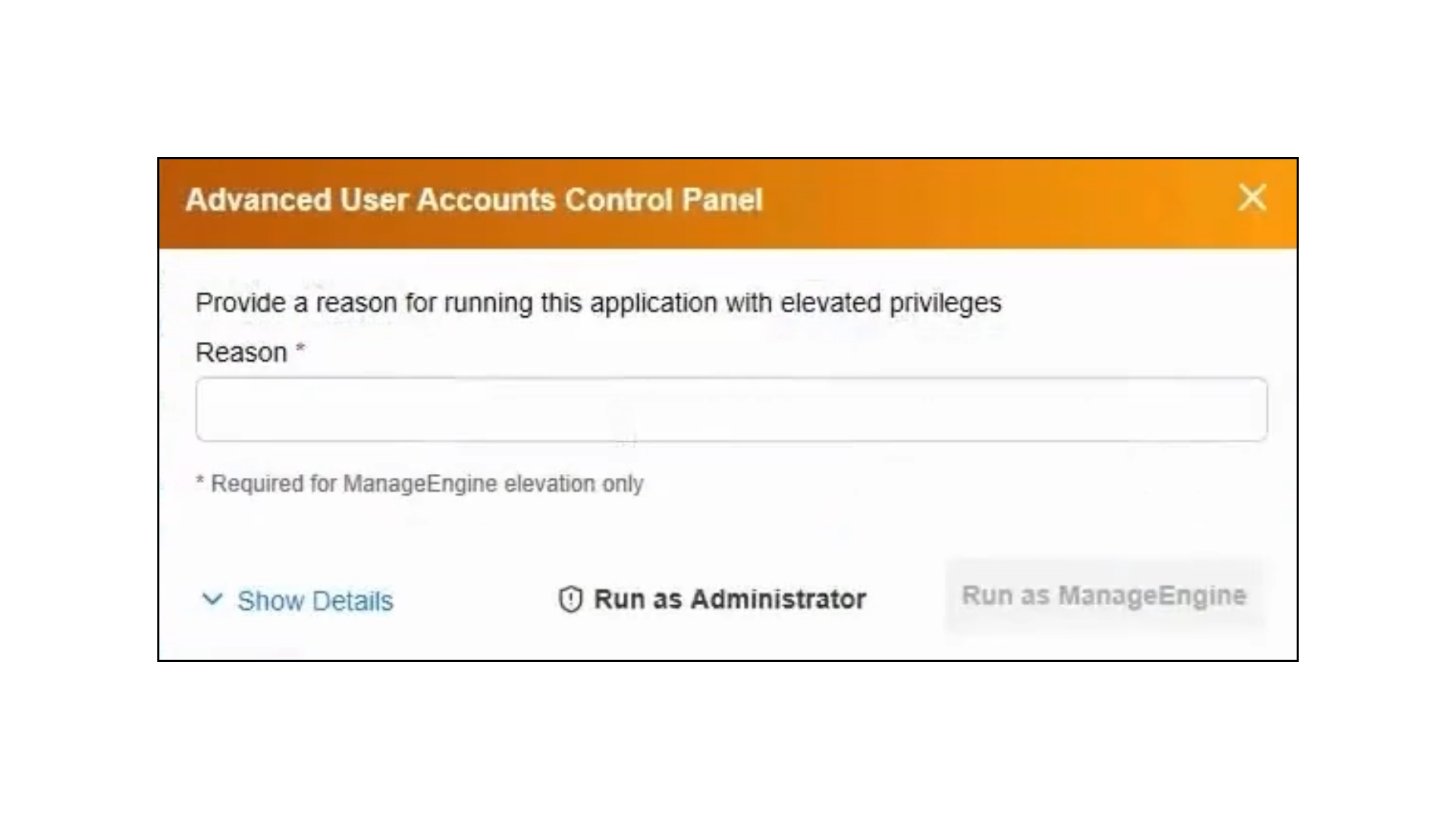
ManageEngine Application Control Plus' endpoint privilege management enables standard users to temporarily elevate their access within specific applications by providing a valid justification. This allows IT teams to maintain a least privilege model while still giving users the flexibility they need. Admins can also use this feature to audit which applications are frequently requested with elevated access—making it easier to fine-tune policies and spot trends in usage.
ManageEngine Application Control Plus' endpoint privilege management simplifies the cleanup of local admin accounts with automatic admin rights removal. Once an exclusion policy is configured to protect essential accounts, you can enable automatic removal, and the system takes care of the rest—removing unnecessary admin privileges to reduce your organization’s attack surface, all without manual intervention. It’s all about trimming the excess while keeping critical access in place.
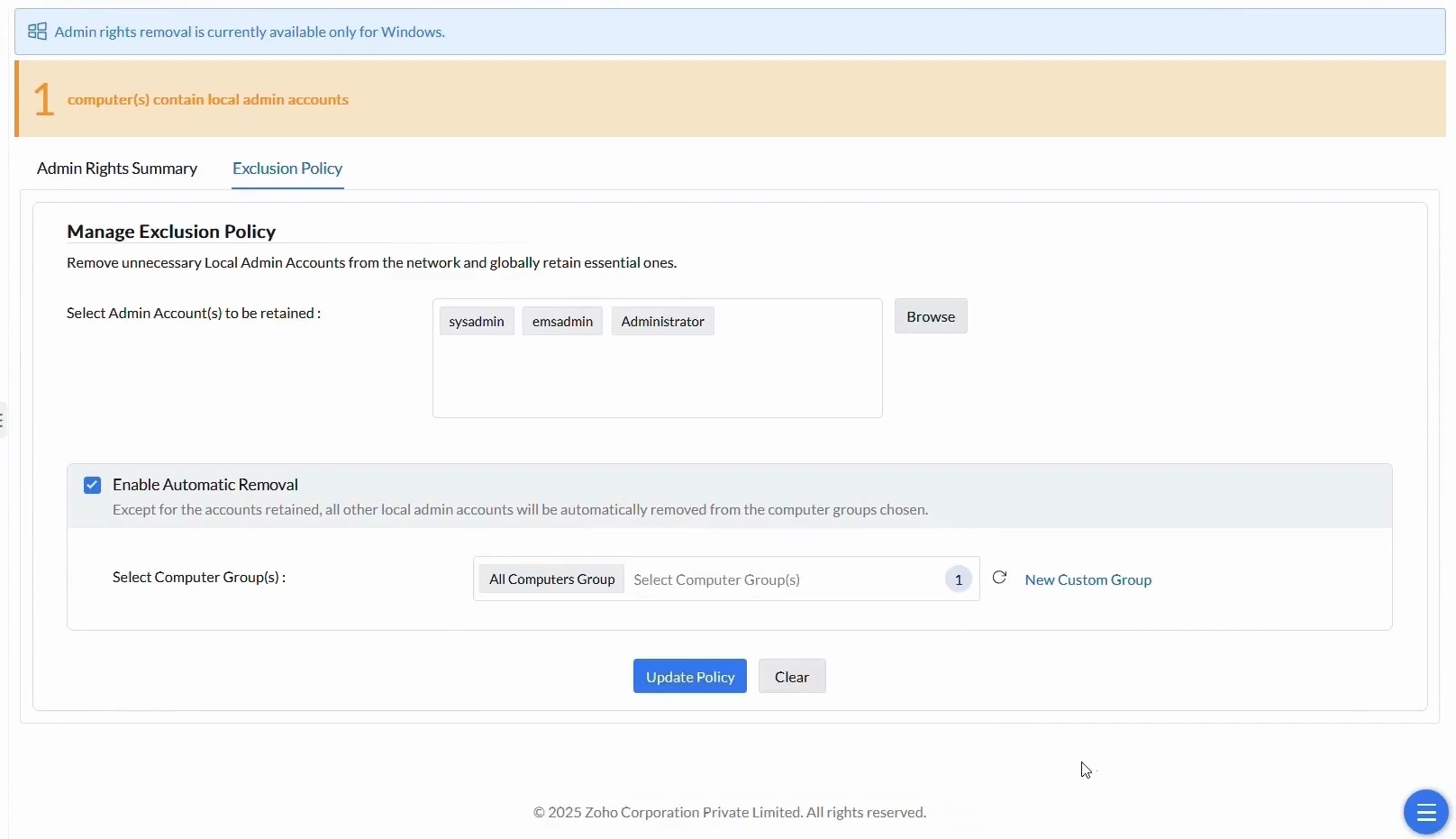
To ease into the transition, consider applying these changes to a specific computer group first. It’s a great way to test the strategy in a controlled environment before rolling it out organization-wide. Admin rights have now been successfully removed but with no productivity impact.
Once you've audited which applications users commonly access with elevated privileges, you can fine-tune access by limiting admin rights to just those essential apps. This keeps things secure without disrupting users’ workflows.
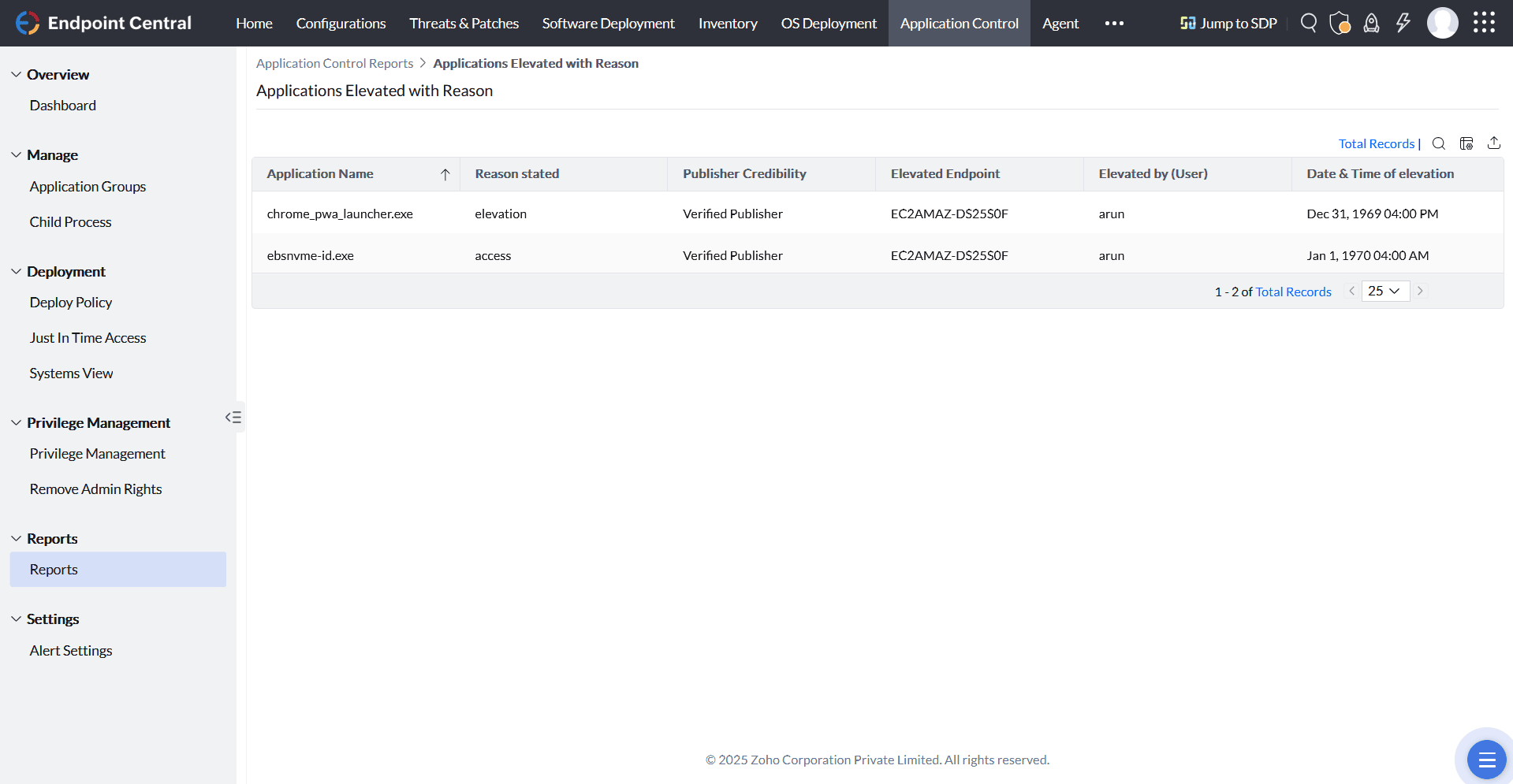
A thoughtful approach to admin rights removal boosts security without disrupting productivity. With ManageEngine Application Control Plus, you can audit, control, and fine-tune access—striking the right balance between protection and usability.
Get started on removing local admin rights with Application Control Plus now by downloading it here!