Browser Compliance
Enforce security standards across every device, and see at a glance which computers are compliant and which need attention.
Overview
About Browser Compliance
Compliance standards are configured centrally, distributed to devices, and locked from end-user changes.
Configuring and enforcing standards
Organizations must ensure device compliance with industry-specific and internal security standards to safeguard their operational integrity. These standards define the criteria for device compliance within the organization. Browser Security Plus provides compliance standards to help meet these requirements — they're configured and distributed to devices, and end-users cannot modify them. IT admins must enforce compliance to maintain a secure and regulated environment.
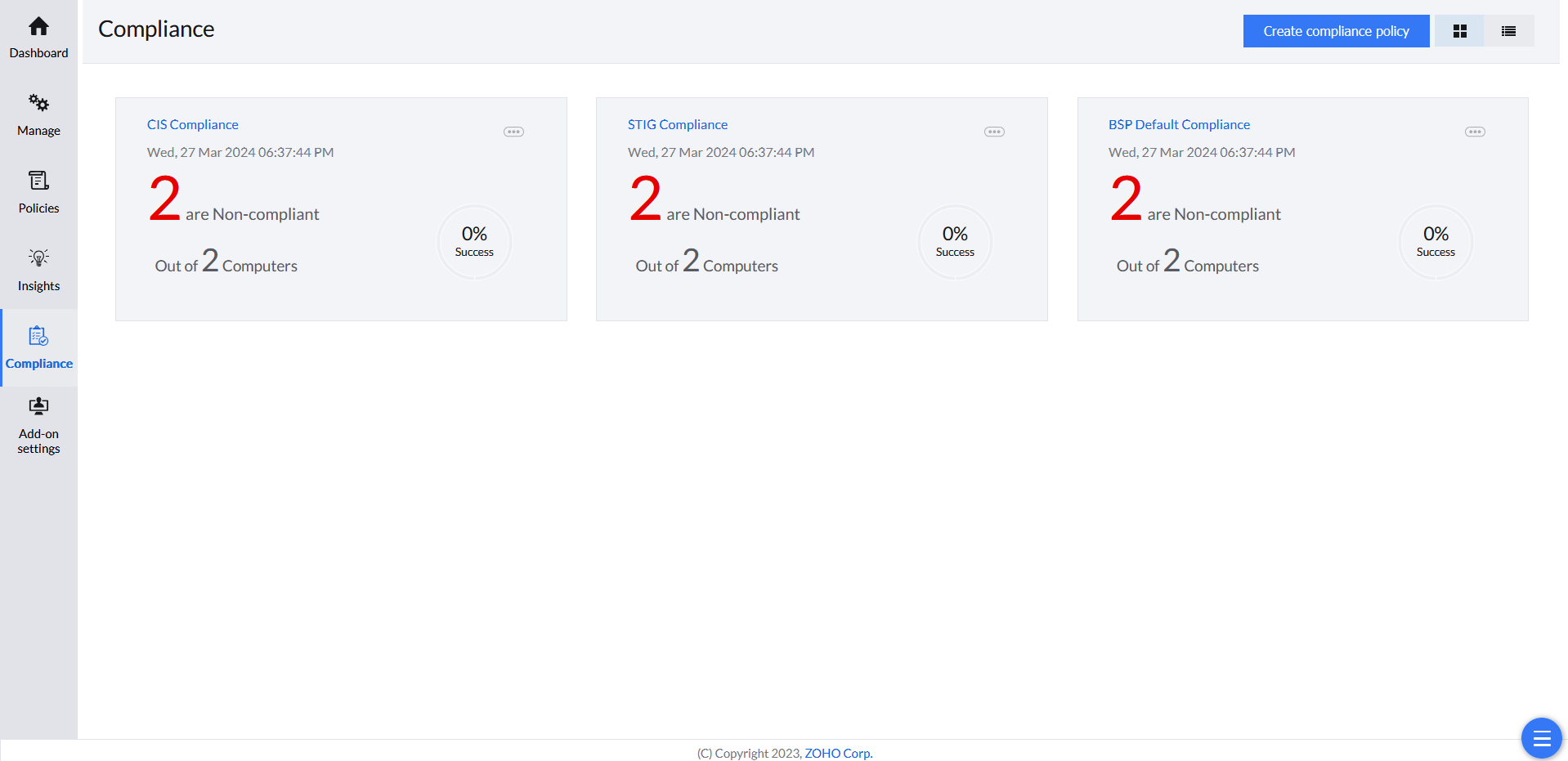
The Compliance tab provides a detailed overview of the computers compliant with each compliance policy.
Reporting
Compliance Reports
Devices are scored and categorized by how well they meet predefined compliance criteria.
Risk levels
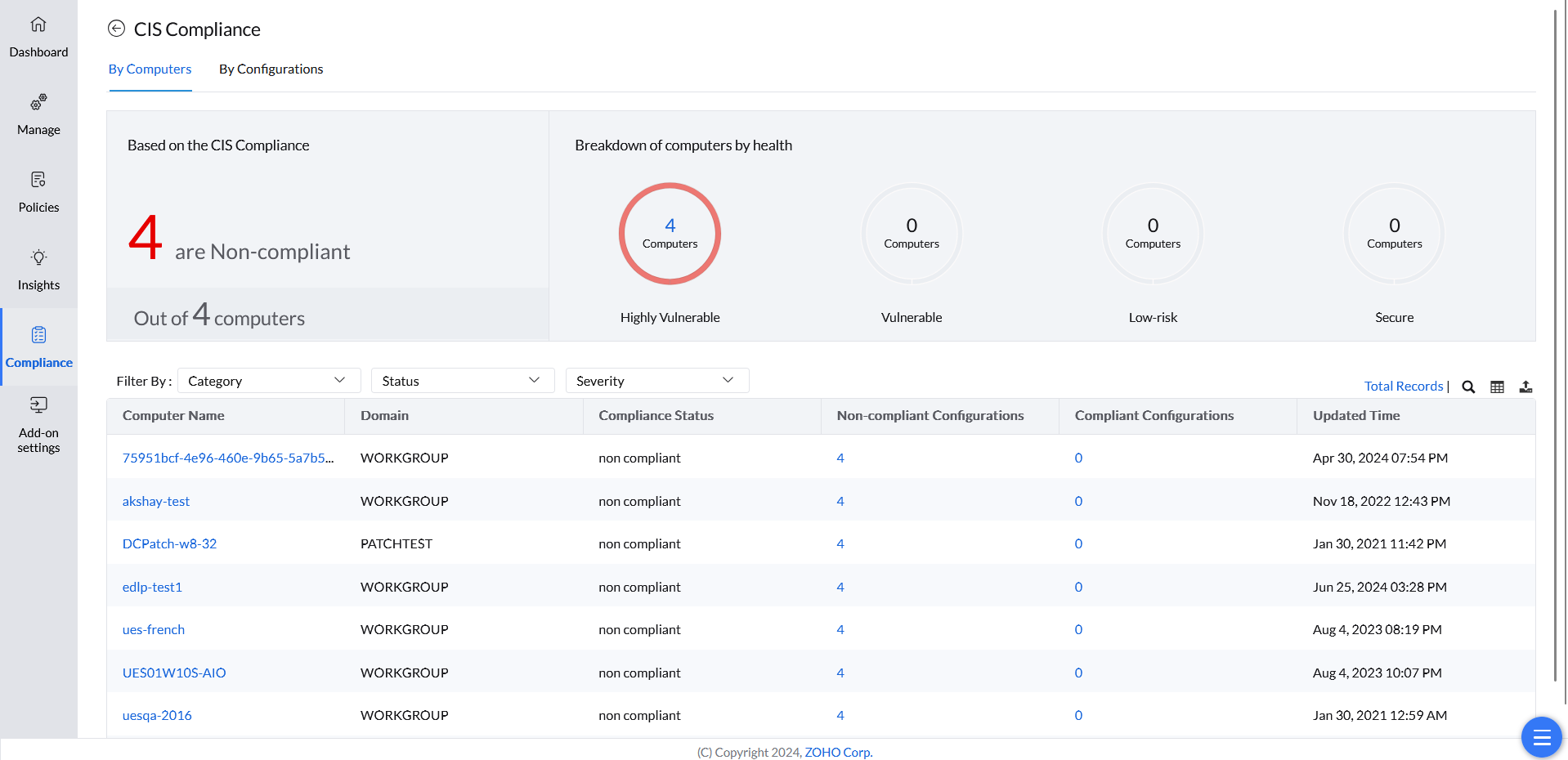
Browser Security Plus generates comprehensive compliance reports based on predefined criteria designed to mitigate security risks. A device's adherence to these criteria is evaluated through a security score, which categorizes devices into risk levels:
- Highly Vulnerable — devices with critical compliance gaps
- Vulnerable — devices with significant compliance deficiencies
- Low-Risk — devices with minor compliance issues
- Secure — devices that fully meet all compliance requirements
Setup
Create Compliance Policy
Reports start from 30 predefined security configurations, which you can customize to fit your organization.
Creating a compliance policy
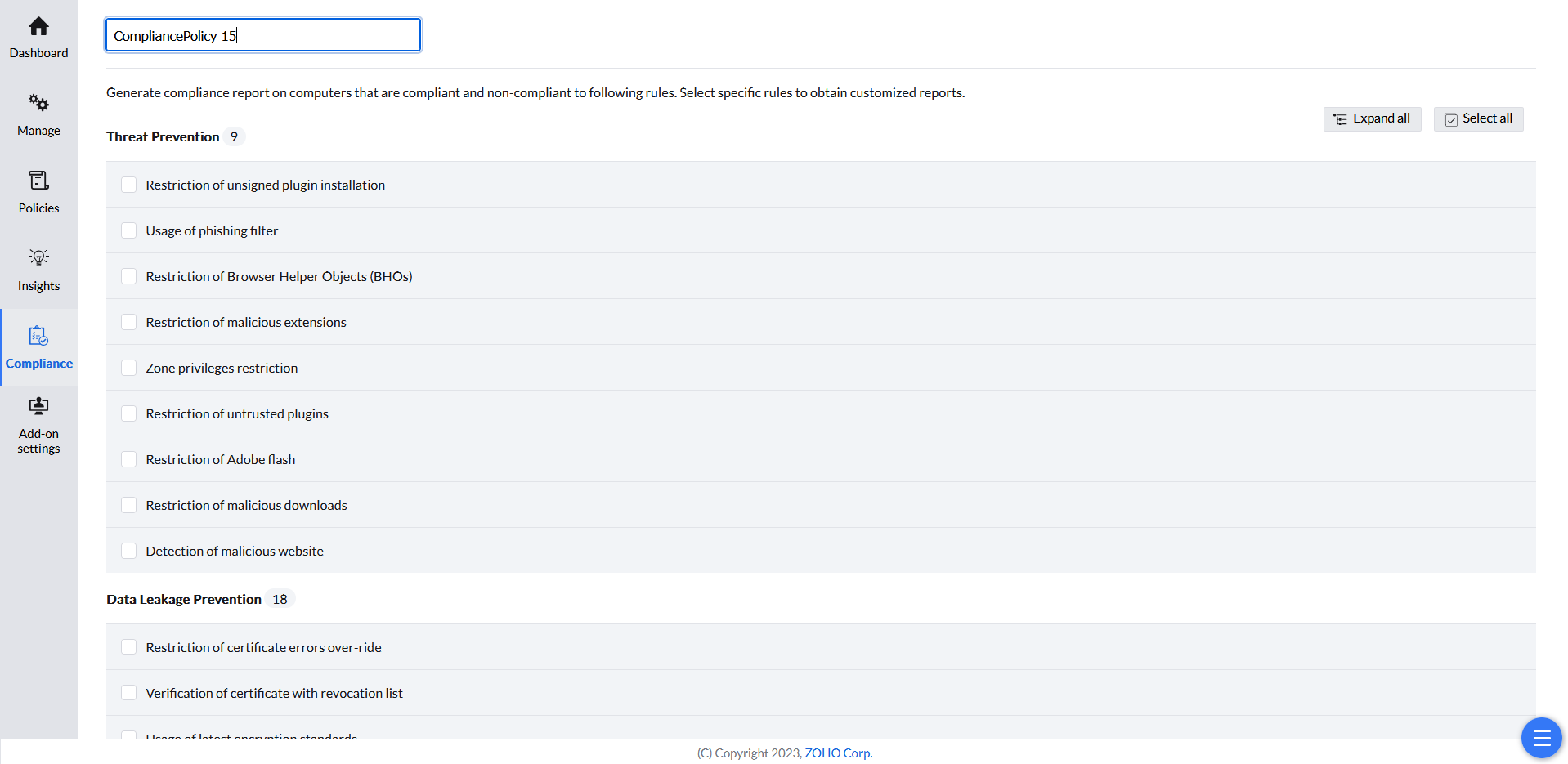
Compliance reports are initially generated based on 30 predefined security configurations. You can customize these reports by removing irrelevant standards and focusing on the specific criteria that align with your organization's unique requirements.
- In the Browser Security Plus console, go to Browsers → Compliance.
- Click Create compliance policy.
- Give the policy a name.
- Select the specific rules to obtain customized reports.
- Click Save.