×![]()
×
×![]()
×
×
Browser Policies Association & Deployment
Push your configured browser security policies out to the computers and groups that need them.
Walkthrough
Watch: deploying browser policies
A quick look at associating and deploying browser security policies.
Setup
Deploying policies
Once policies are configured, deploy them to the custom groups or computers that should receive them.
Associating and deploying a policy
- In the Browser Security Plus console, go to Browsers → Manage → Groups & Computers.
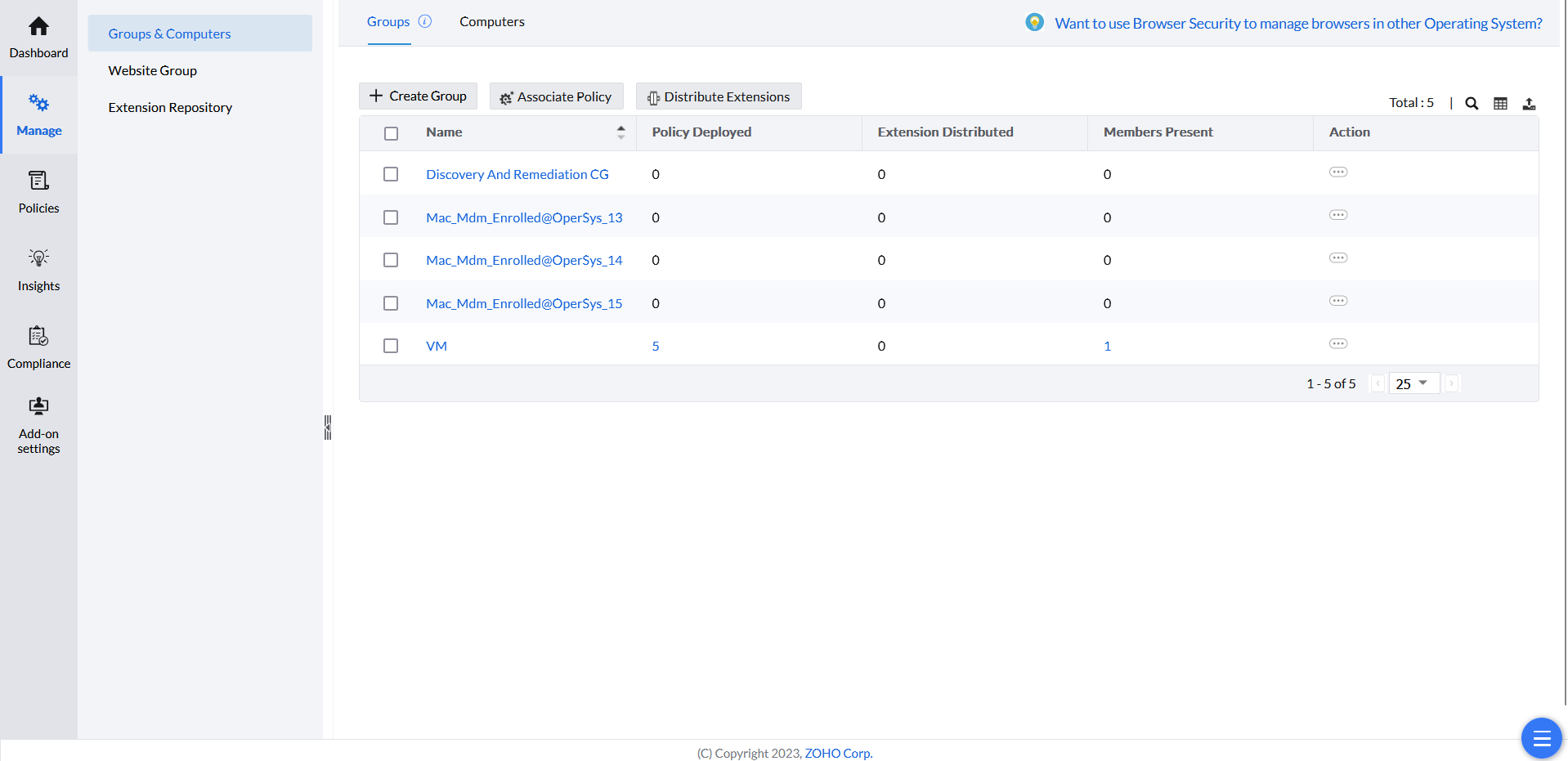
Selecting custom groups to associate. - Select the custom groups to associate the policy with. To associate individual computers instead, go to Computers and select the desired devices.
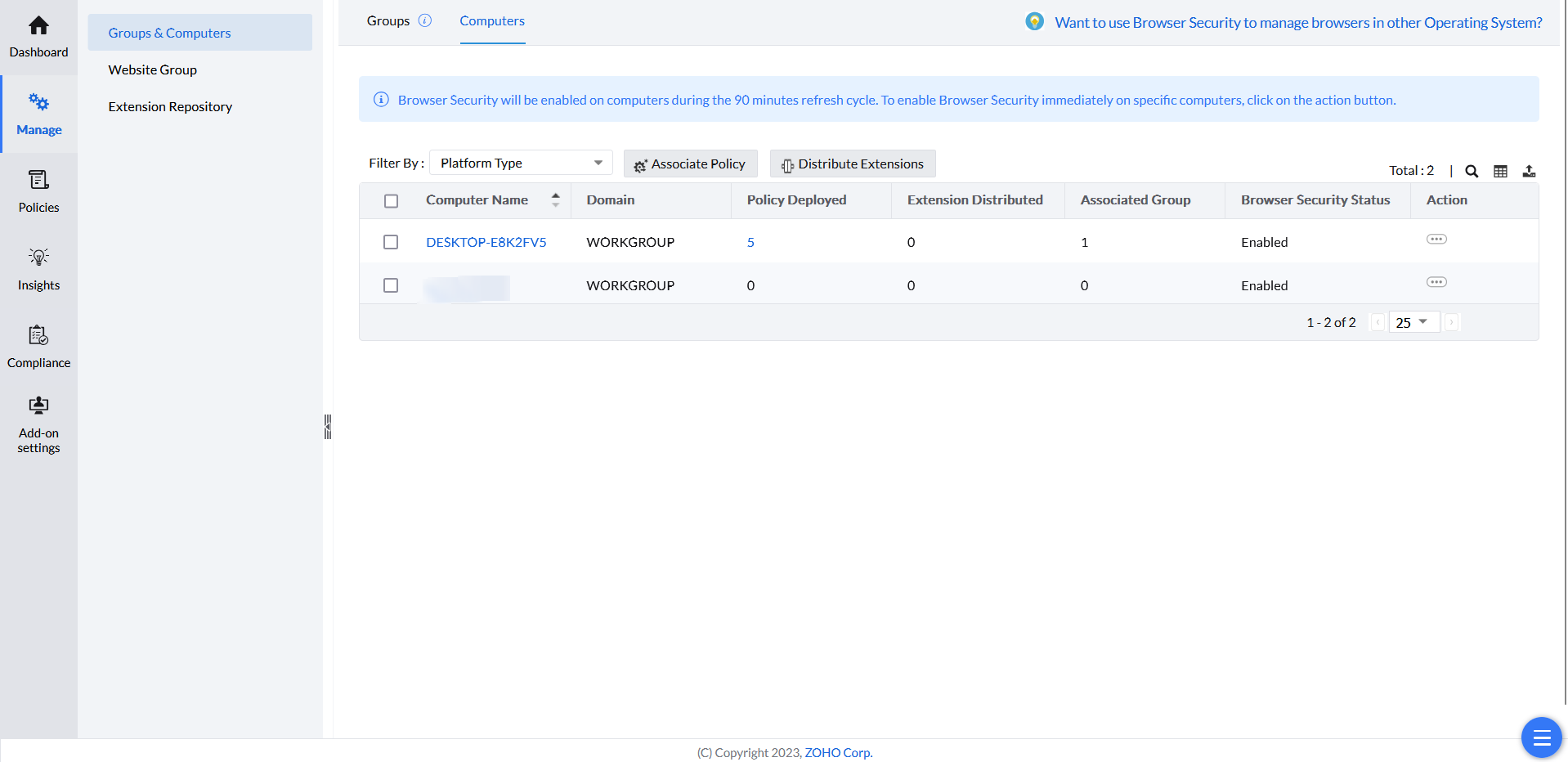
Selecting individual computers to associate. - Click Associate Policy.
- Choose the saved policies to deploy. Filter policies using the options in the left pane; configured policies appear under Available Policies, and the policies you've chosen appear under Selected Policies.
- Once you've added the desired policies to the groups or computers, click Deploy.
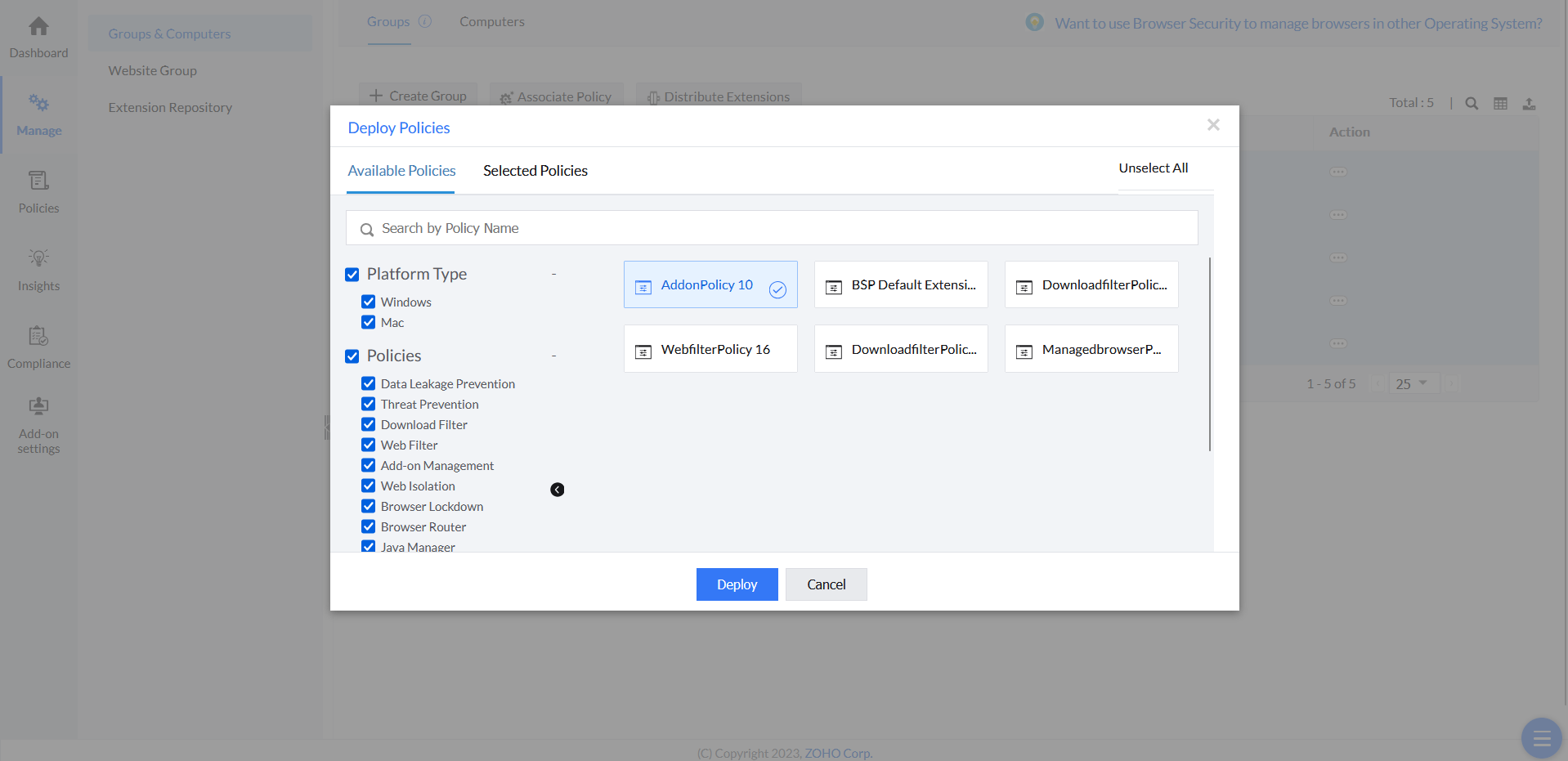
Deploying the selected policies.