Disk Cleanup Tool | Endpoint Central MSP
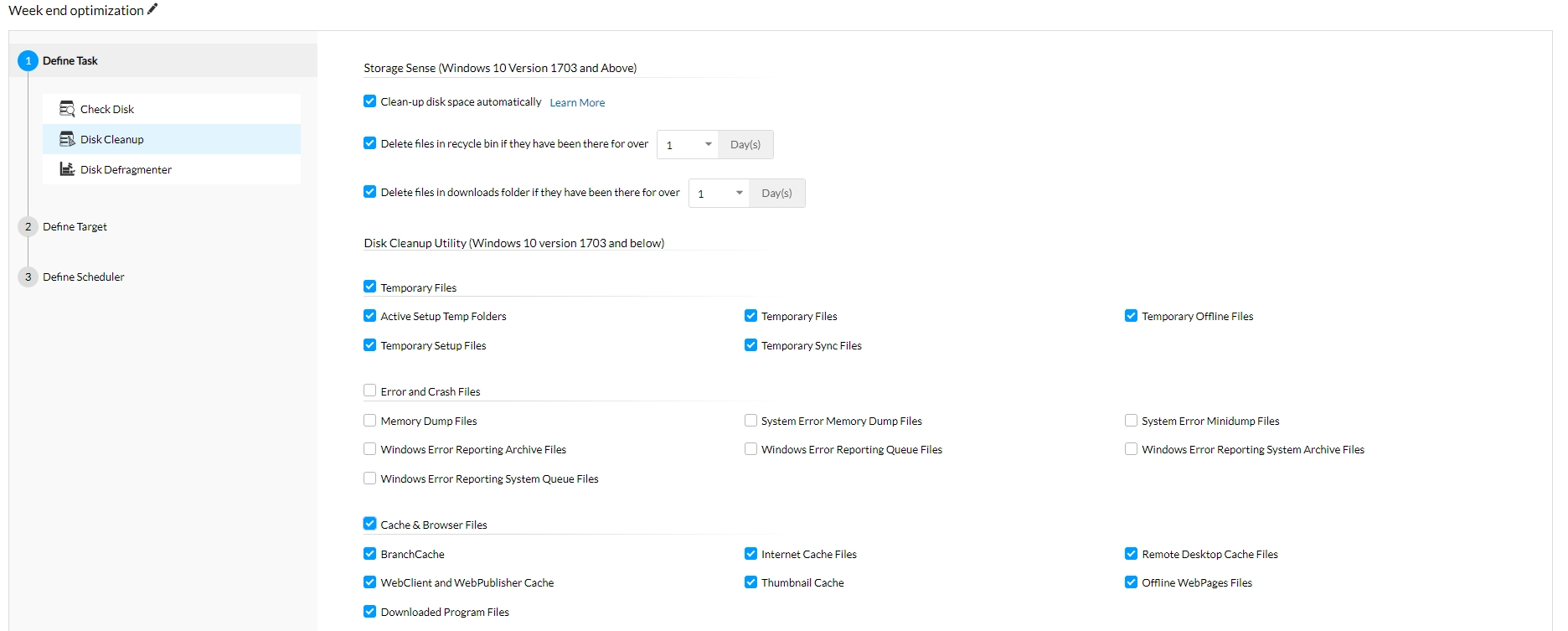
The Disk Cleanup utility helps to cleanup the unwanted filed in the disk to increase the free space.
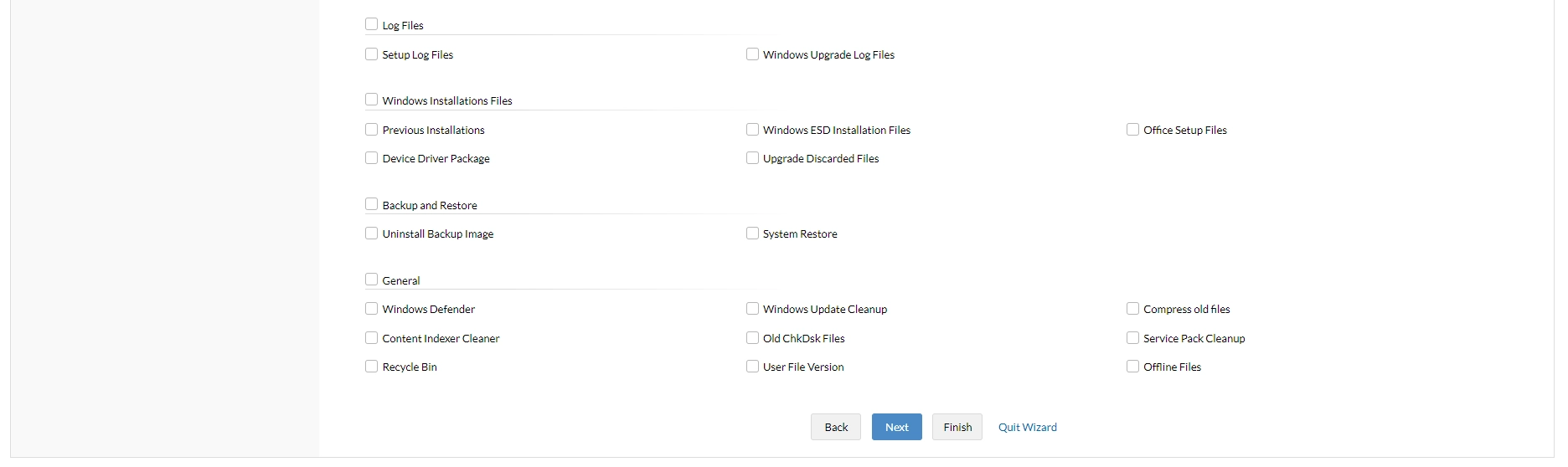
Endpoint Central MSP cleans the windows system for the following:
- Remove Active Setup Temp Folders
- Compress old files
- Remove content indexer
- Remove downloaded Program Files
- Remove internet cache files
- Remove memory dump files
- Remove Office setup files
- Remove offline files
- Remove web pages
- Remove old check disk files
- Empty recycle bin
- Remove remote desktop cache files
- Remove setup log files
- Remove old system restore positions.
- Remove Temporary files
- Remove temporary offline files
- Remove uninstall backup images
- Remove webclient and web publisher cache files
On Windows 10 version 1703 and later, and Windows 11, Endpoint Central MSP configures and schedules Storage Sense, while Windows performs the cleanup. Storage Sense can run daily, weekly, monthly, or when disk space is low, and requires a user to be logged on. The granular Disk Cleanup Utility options, including Windows Update Cleanup, apply only where the legacy utility is supported.
For cleanup requirements not covered by Storage Sense, the following predefined scripts are available under Configurations > Script Repository > Templates:
- DeleteTempFiles.ps1: Removes temporary files from supported locations.
- CleanRecycleBin.ps1: Empties the Recycle Bin.
After validating the required script, deploy it as a Custom Script configuration to the applicable users or computers.