Onboarding routers
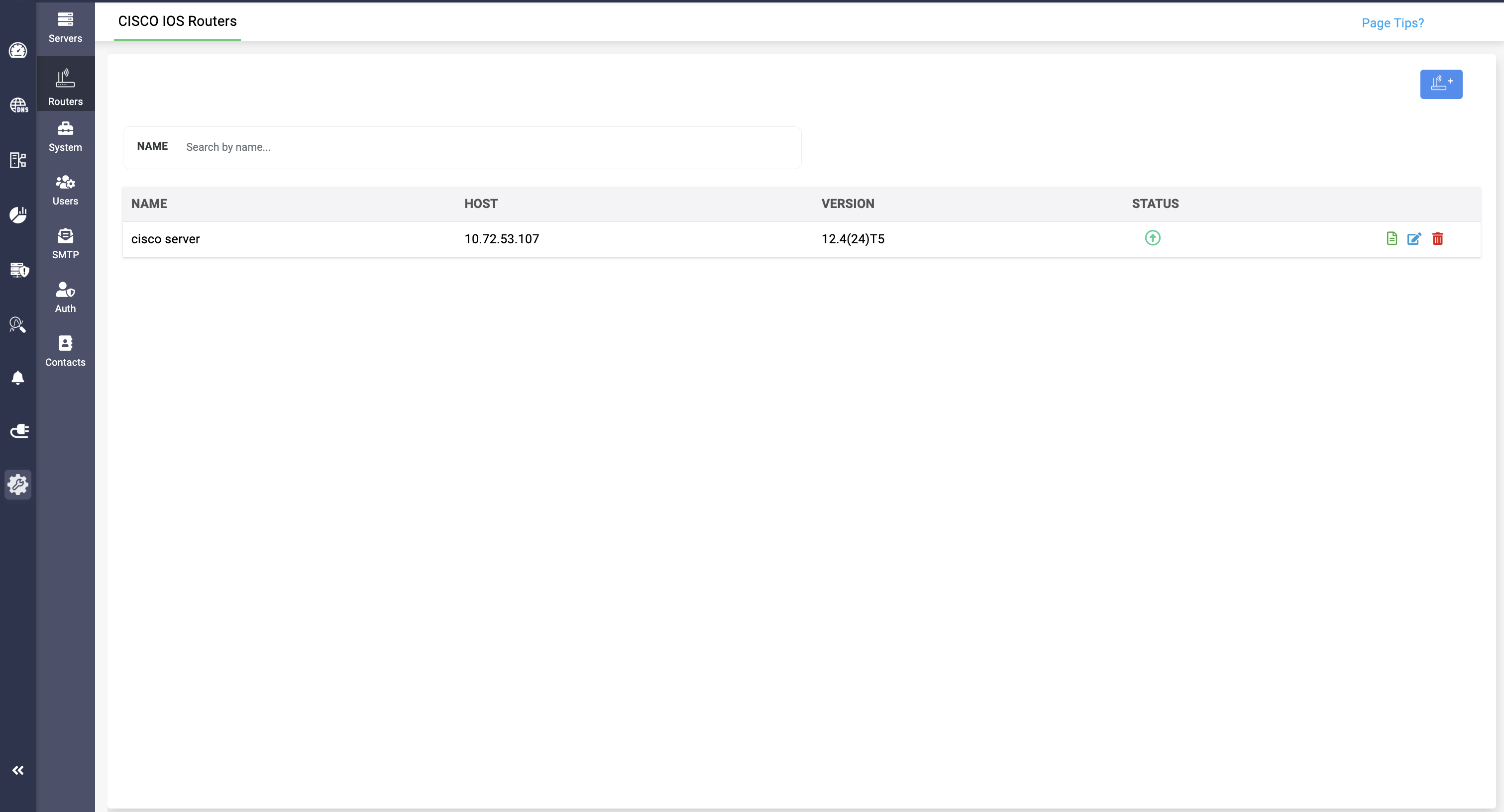
- Real-Time Visibility. Know Every Device, Every Moment
Gain real time insights on the Cisco routers added in the application, including values like IP of the host, its version and the status of their availability.
- Configuration Clarity. Verify Before You Deploy
Analyze the existing configurations of your Cisco DHCP routers before adding for better visibility and verification.
DHCP pool data
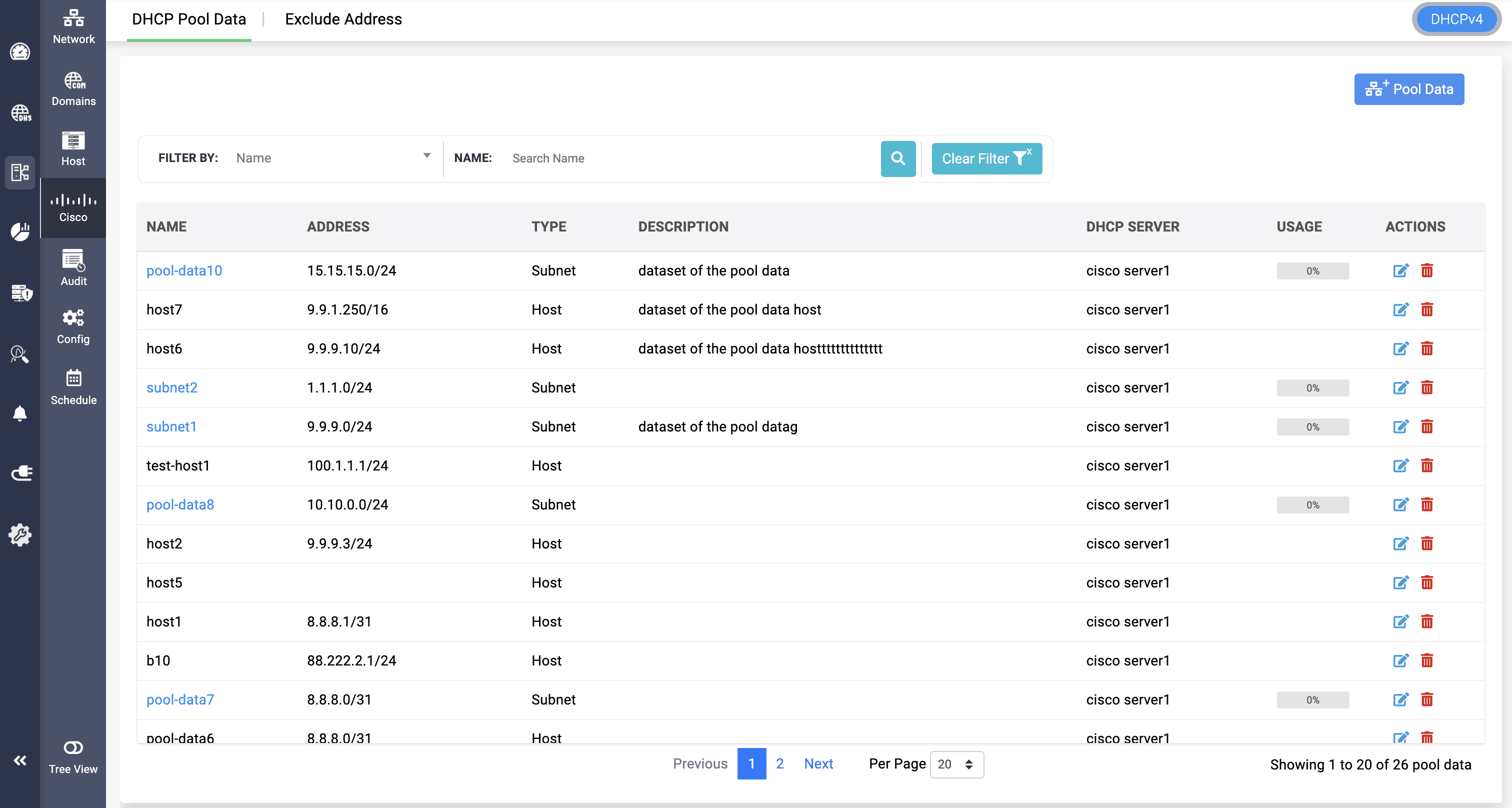
- Pool Insights. See Every Lease, Track Every Type
Gain in depth visibility over the DHCP pool data added in the application, with their type, Cisco DHCP server it is associated, and its total usage. - History at a Glance. Unlock the Story Behind Every Lease
Have visibility over the DHCP lease history and insights of a particular DHCP pool by clicking on it. - Flexible Pool Setup. Add Subnets or Hosts with Ease
Add DHCP pool data as subnet or host type, having different fields to provide data. - Range Detection. Find Existing Pools Instantly
Identify the existing pool range by providing the hardware address or client identifier.
- Smart DNS Allocation. Assign Servers for Seamless DDNS
Allocate DNS servers by providing their IP address, for DDNS implementation. - Dynamic Updates. Keep Your DHCP Pools Always Current
Implement Dynamic Updating in your DHCP pool data via Address Resolution Protocol (ARP) or Dynamic DNS (DDNS). - VLAN Control. Assign or Create for Precise DHCP Allocation
Allocate existing VLAN or create and allocate new VLAN, by providing VLAN ID, name, and description, for more narrowed down hollow DHCP allocations from Cisco routers. - Custom Options. Tailor Every DHCP Pool to Your Needs
Configure custom sub options for the DHCP pool data by providing the Option ID, Data type (ASCII, HEX, ID) and Value.
Cisco DHCPv6 service
- Bind DHCPv6 Pools to the Right Interface
Assign each DHCPv6 pool to a specific router interface, ensuring the server responds accurately to client requests originating from that network segment. - Control Address Lifecycles with Valid and Preferred Lifetimes
Define how long an IPv6 address remains usable and preferred by configuring both the Valid Lifetime and Preferred Lifetime, ensuring precise management of lease duration and address deprecation in your DHCPv6 environment.
- Vendor-Specific Options. Fine-Tune Configurations Your Way
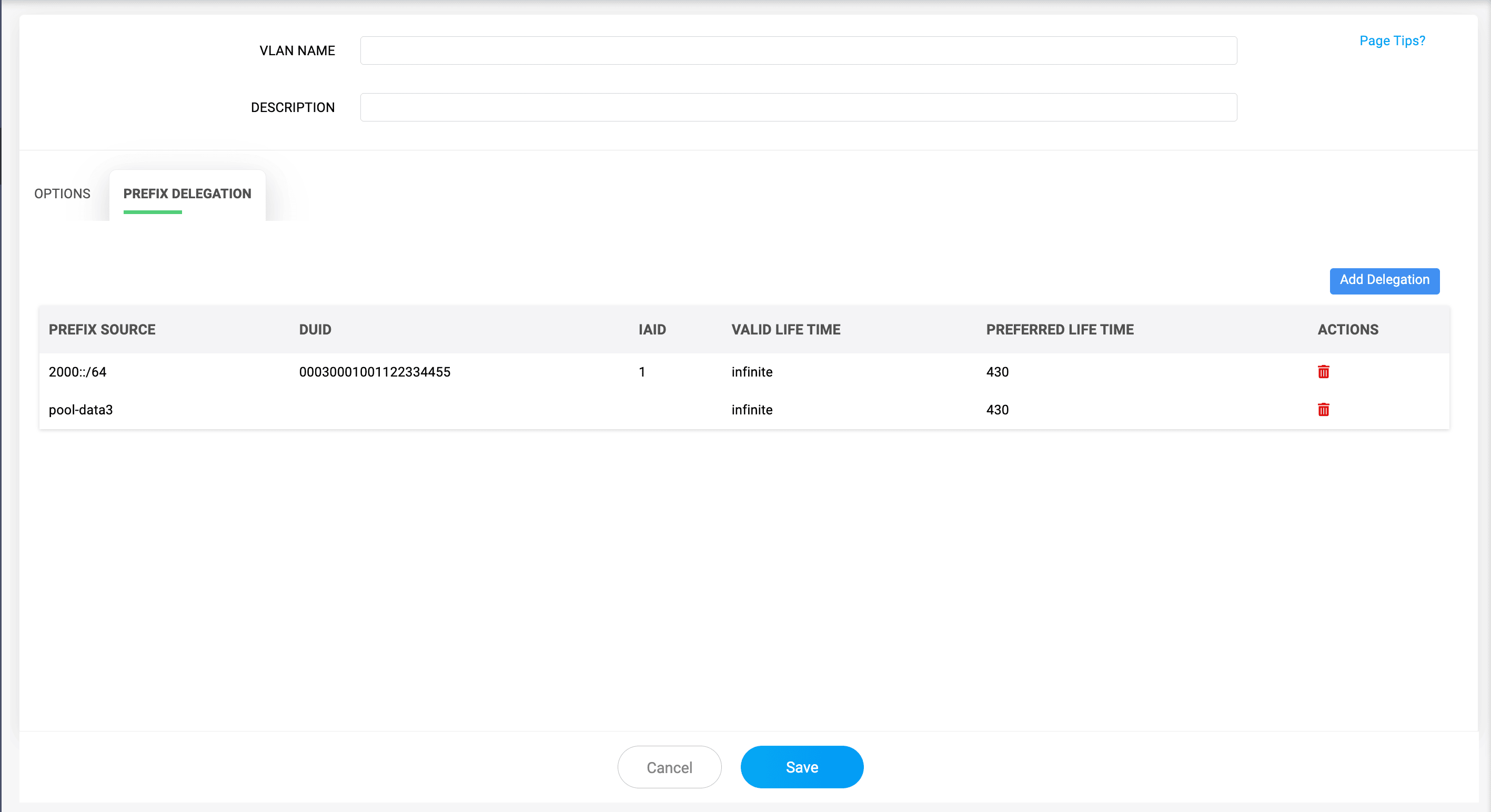
Specifically configure custom options by providing Vendor ID value, along with Option ID, Data type (ASCII, HEX, ID) and Value. - Prefix Delegation. Assign Pools with Precision
Delegate specific pool ranges for your Cisco routers by providing either the pool name or the prefix range and DUID, in Prefix Delegation.
Exclude Address
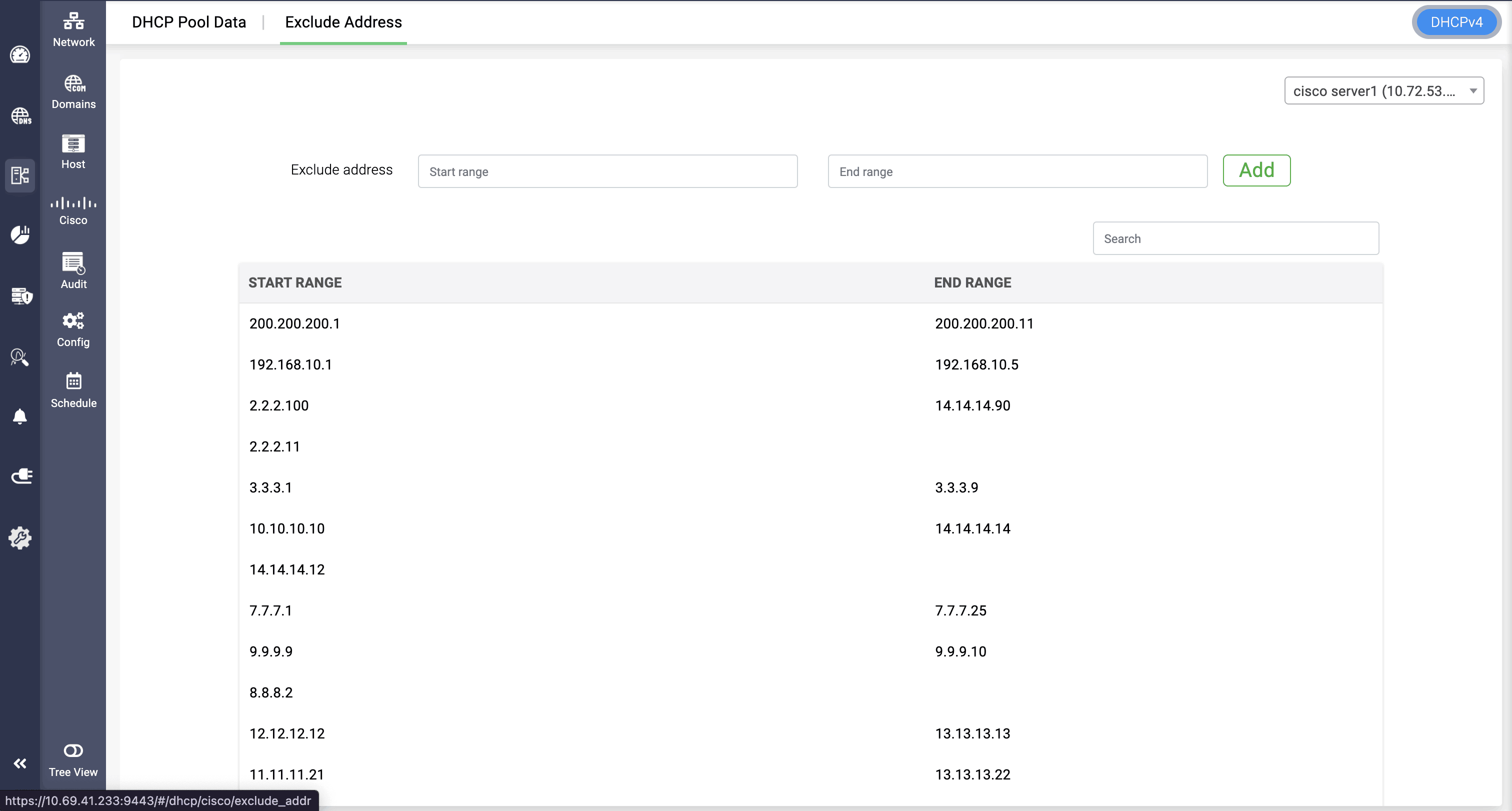
- Range Exclusion. Easily Isolating Reserved IPs
Seamlessly exclude pool range in your Cisco servers by providing the start and end range of the IP.
- Hands-On Control. Edit Pools Anytime
Have hands on controls over the added pool range through Edit option.