Installing DDI Central using the .exe based installation
Managing your Microsoft Windows DNS and DHCP clusters using DDI Central has become much simpler with the .exe-based installation. Follow the steps below to install DDI Central on your Windows server:
Step 1: Download the .exe File
- Go to the Download Page on the DDI Central website.
- Locate the .exe file for DDI Central and click the download link.
- Save the file to a location on your computer, such as the "Downloads" folder.
Step 2: Run the Installer as an adminstrator
- Navigate to the location where you saved the .exe file.
- Right-click on the .exe file and select the option Run as administrator to start the installation process.
Step 3: Install DDI Central
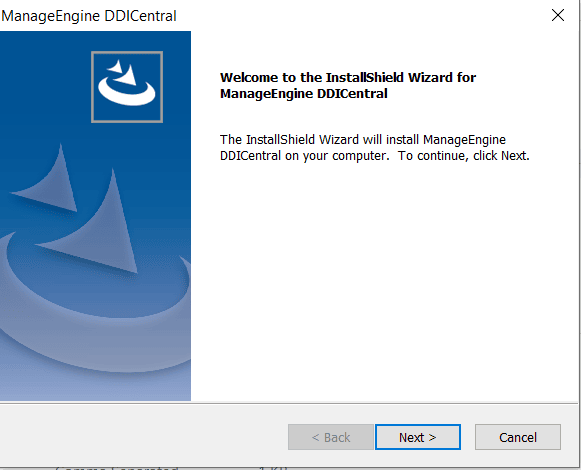
- A setup wizard will appear, as shown in the image below. Click Next to proceed with the installation.
- Follow the on-screen instructions to complete the installation:
- Review and accept the license agreement.

- Enter the HTTPS and HTTP port for DDI Central console to communicate with your remote servers. The default port numbers are displayedas shown below:

- Register for technical support if required.

- Once the installation is complete, click Finish.

- Review and accept the license agreement.
Step 4: Configure Your Windows DNS and DHCP Clusters
- After installation, DDI Central is automatically launched using the default web browser of your computer.
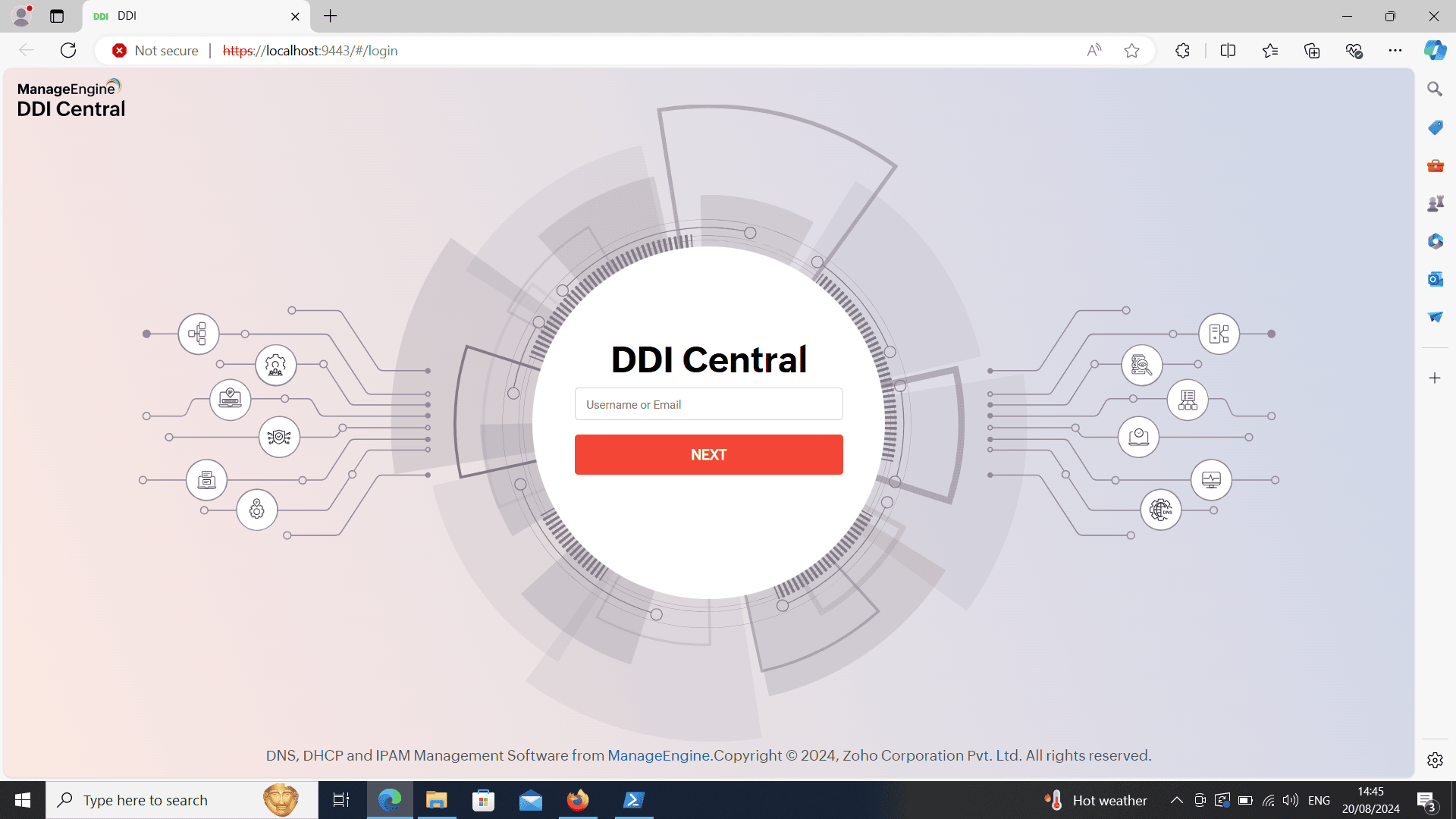
- Now enter the username as "admin" and password as "admin" and log into DDI Central. once you are inside DDI Central you can reset your login credentials and subsequently configure your Windows DNS and DHCP clusters.
Additional deployment option
If you need more advanced setup where you can manage both Linux-based and Windows-based DNS-DHCP clusters from DDI Central's unified interface, consider downloading the Linux-based build of DDI Central from DDI Central's official download page.
Licensing information
Professional Edition
Manage 2 DNS Cluster (6 DNS servers max), 2 DHCP Cluster (4 DHCP servers max), 3 NTP servers, 15 DNS Zones, 15 IP Subnet, 5 Monitors, 2 Admin/Operator Users, and IPAM. Includes advanced feature like Domain Blocking, DHCP Fingerprinting, Audit, Query Analytics, DNS and DHCP Anomaly detection, In-Built + Remote Database Configuration, and more. However, DNS Threat Intelligence + DNS Detection and Response (DDR) and Management UI Console Failover-Hot Standby Engine features can be purchased as add-ons.
Enterprise Edition
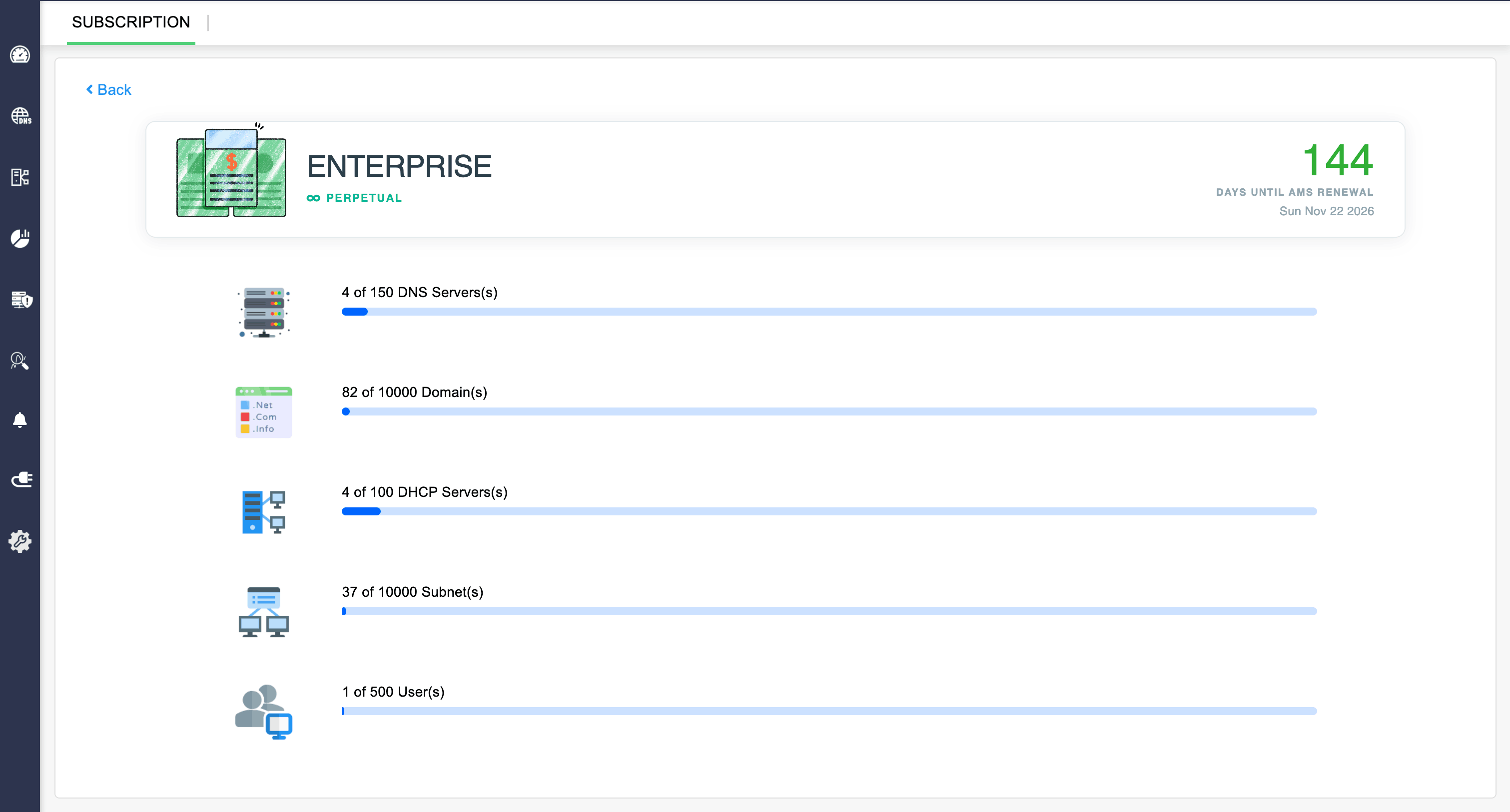
Manage 5 DNS Cluster (15 DNS servers max), 5 DHCP Cluster (10 DHCP servers max), 5 NTP servers, 100 DNS Zones, 100 IP Subnet, 5 Admin/Operator Users, and IPAM. In this edition, all the features and enhancements are available, and therefore no limitations.
License components in DDI Central
Clusters in ManageEngine DDI Central
Clusters are logical groupings of servers - DNS, DHCP or both organized for identification and administrative purposes. These clusters operate independently of other clusters configured within DDI Central. Each cluster you add has its own internalized IP address plans, IP inventory, IP Address Manager, DNS manager and DHCP manager.
A single cluster can accommodate any number of DNS servers and DHCP servers. However, ManageEngine DDI Central enables you to add only one Primary DHCP server for each cluster and the rest of DHCP servers act secondary servers configured under DHCP failover configurations.
Professional Plan:
The Professional plan provides 2 DNS clusters (6 DNS servers max) and 2 DHCP clusters (4 DHCP servers max). This way you can add up to six DNS servers and four DHCP servers in total.
You can purchase DNS Threat Intelligence + DNS Detection and Response (DDR) and Management UI Console Failover-Hot Standby Engine as add-ons.
You have the flexibility to organize these servers by grouping them into a single cluster or by creating multiple clusters. You can configure the clusters in any combination that suits your needs, with no limit on the number of clusters. Each cluster you create in DDI Central comes with an internalized IPAM enabling you to manage a separate dual stack IP address spaces for that cluster. In addition to this, you can also manage 15 DNS Zones, 15 IP Subnets, and onboard two Admin/ Operator users with relevant access permissions.
Enterprise Plan:
The Enterprise plan includes 5 DNS cluster (15 DNS servers max) and 5 DHCP cluster (10 DHCP servers max)..
These servers can be grouped together within a single cluster or distributed across multiple clusters in any combination as per your preference. There is no restriction on the number of clusters you can create and each cluster comes with an internalized IPAM that enables you to manage exclusive dual stack IP address spaces (IPv4 and IPv6) for the cluster. Along with this, you can manage 5 DNS Zones, 5 IP Subnet, and onboard one Admin/Operator user.
Note: You can also purchase additional DNS clusters, DHCP clusters, subnets, zones, and users as add-ons. Please refer the ManageEngine Store page to check the prices of DDI Central add-ons.
Once installed, DDI Central runs in evaluation mode for 30 days. You can obtain a registered license for DDI Central at any time during the evaluation period by contacting DDI Central Support. If you have not upgraded to the Licensed Edition by the end of the evaluation period, DDI Central evaluation license expires and you will have only read-only access.
Upgrading your license
After obtaining the new license from ZOHO Corp, save it on your computer, and follow the steps below to upgrade your DDI Central installation:
- Log in to the DDI Central web client
- Click Admin logo/icon in the top right corner of the web client.
- Click the Register link present in that pop-up page.
- In the License window that opens up, browse for the new license file and select it.
- Click Register to apply for the new license file
Note: You can configure self-signed SSL certificate for DDI Central Windows Microsoft, to enable secure HTTPS access to the application.