Cloud automation: Turning cloud complexity into operational advantage

Summary
Cloud automation helps organizations reduce manual operational effort by automatically provisioning infrastructure, enforcing configurations, remediating incidents, and optimizing costs across cloud environments. For CXOs, it is a strategic capability that improves agility, governance, and service reliability while enabling faster delivery through CI/CD and standardized policies. The article explains how cloud automation works, where it delivers the most value, how it differs from cloud orchestration, and what leaders should track through KPIs and maturity stages to measure progress.
As enterprises scale cloud adoption across infrastructure, platforms, and applications, manual operations quickly become a bottleneck. What starts as flexibility can turn into sprawl, rising costs, configuration drift, and operational risk. Cloud automation addresses this challenge by replacing manual, error-prone processes with repeatable, policy-driven workflows that operate at cloud speed.
What is cloud automation?
Cloud automation refers to the use of software tools, scripts, and policies to automatically provision, configure, manage, and optimize cloud resources without continuous human intervention. It spans the full cloud lifecycle, from infrastructure provisioning and application deployment to scaling, patching, compliance enforcement, and incident remediation.
Unlike traditional IT automation, cloud automation is designed for dynamic, API-driven environments where resources are ephemeral, elastic, and distributed across regions and providers. It enables organizations to manage cloud environments as programmable systems rather than static assets.
How cloud automation works
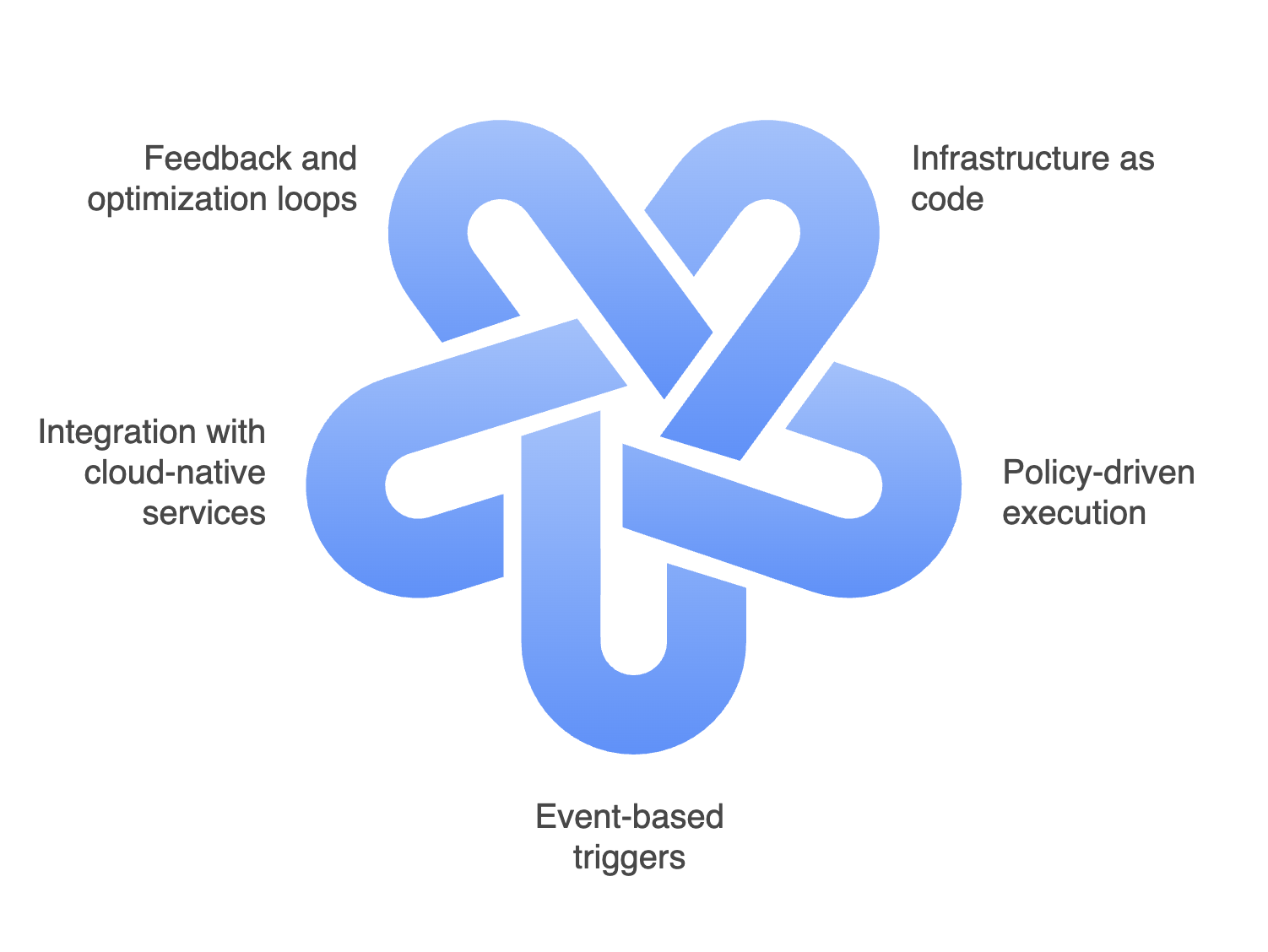
Cloud automation operates through a combination of declarative definitions, event-driven triggers, and continuous control loops.
Infrastructure as code (IaC)
Infrastructure is defined using code rather than manual configuration. Templates describe the desired state of compute, storage, networking, and security resources. Automation engines then provision and maintain that state consistently across environments.Policy-driven execution
Rules and policies define how systems should behave under specific conditions, such as scaling thresholds, compliance requirements, or cost limits. Automation enforces these policies continuously rather than relying on periodic audits.Event-based triggers
Automation workflows respond to real-time events like traffic spikes, failures, configuration changes, or security alerts. This allows systems to react instantly, scaling resources, rerouting traffic, or remediating issues without human delay.Integration with cloud-native services
Automation platforms integrate directly with cloud provider APIs, CI/CD pipelines, monitoring tools, and security systems. This enables coordinated actions across infrastructure, applications, and operations.Feedback and optimization loops
Telemetry data from monitoring and observability platforms feeds back into automation logic, allowing systems to optimize performance, availability, and cost over time.
Together, these mechanisms transform cloud environments from manually operated systems into self-adjusting, resilient platforms.
Benefits of cloud automation
Cloud automation delivers value well beyond operational efficiency, particularly for large, complex environments.
Speed and agility: Automated provisioning and deployment drastically reduce the time required to launch environments, release updates, or respond to market demands.
Operational consistency: Standardized, repeatable processes eliminate configuration drift and reduce the risk of human error across environments.
Improved resilience and uptime: Automated remediation enables faster response to failures, reducing downtime and improving service reliability.
Cost control and optimization: Automation enforces scaling policies, resource cleanup, and usage limits, preventing overprovisioning and uncontrolled spend.
Security and compliance at scale: Security controls and compliance checks are embedded into automated workflows, ensuring consistent enforcement across regions and accounts.
For CXOs, these benefits translate into predictable operations, reduced risk exposure, and stronger alignment between IT execution and business objectives.
Key use cases of cloud automation
Infrastructure provisioning and scaling
Cloud automation enables teams to provision compute, storage, and networking resources automatically based on predefined policies. This ensures environments are created consistently across development, testing, and production, while scaling rules dynamically adjust capacity during demand spikes and scale down during idle periods to control costs.
Example: During a product launch, autoscaling policies can automatically add application instances when CPU or request rates spike, then reduce capacity overnight once traffic normalizes.Patch management and configuration enforcement
Automated patching workflows apply security updates, OS patches, and configuration changes across cloud resources without manual intervention. This reduces human error, shortens vulnerability exposure windows, and ensures compliance with internal standards and regulatory requirements.
Example: When a critical CVE is released, patch automation can roll out fixes across hundreds of instances in a controlled wave, instead of waiting for manual patch windows.Incident response and remediation
Cloud automation plays a critical role in reducing downtime by triggering corrective actions when issues occur. For example, automation can restart failed services, reroute traffic, or provision replacement resources when monitoring systems detect performance degradation or outages.
Example: If a container cluster node fails, automation can drain workloads, replace the node, and reschedule services without engineers manually intervening.Cost optimization and resource governance
Automation helps identify and act on cost inefficiencies by scheduling non-production shutdowns, rightsizing underutilized resources, and enforcing tagging and budget policies. This provides continuous cost control without requiring constant human oversight.
Example: Dev and QA environments can be automatically shut down after business hours and restarted in the morning, cutting waste without slowing delivery.Security and compliance enforcement
Security policies can be automated to enforce encryption, identity controls, and network segmentation across environments. When misconfigurations are detected, automated workflows can remediate issues in real time, reducing the risk of breaches and audit failures.
Example: If a storage bucket is accidentally made public, automation can immediately revoke access, alert security teams, and log the event for audit evidence.DevOps and CI/CD acceleration
Cloud automation underpins modern CI/CD pipelines by automating environment creation, application deployment, testing, and rollback. This enables faster release cycles while maintaining consistency, reliability, and governance across cloud environments.
Example: Each pull request can automatically spin up a temporary test environment, run validation, and destroy itself after completion, reducing delays and infrastructure clutter.
Cloud automation vs cloud orchestration
Cloud automation and cloud orchestration are closely related but serve different purposes.
Cloud automation focuses on executing individual tasks automatically, such as provisioning a virtual machine, applying a security patch, or scaling a service.
Cloud orchestration coordinates multiple automated tasks into end-to-end workflows, managing dependencies, sequencing, and conditional logic across systems.
| Aspect | Cloud automation | Cloud orchestration |
|---|---|---|
| Primary purpose | Automates individual cloud tasks and actions | Coordinates multiple automated tasks into end-to-end workflows |
| Scope | Narrow and task-focused | Broad and process-focused |
| Focus | Execution of specific actions | Sequencing, dependency management, and workflow logic |
| Typical activities | Provisioning resources, applying patches, scaling services, running scripts | Managing full deployment pipelines, disaster recovery flows, multi-step remediation |
| Level of abstraction | Low to medium (task-level automation) | High (process and system-level coordination) |
| Dependency handling | Limited or implicit | Explicit handling of dependencies and order of execution |
| Decision logic | Simple rule- or event-based triggers | Conditional logic, branching, and exception handling |
| Operational complexity | Easier to implement and maintain | More complex but essential at scale |
| Business impact | Improves efficiency and reduces manual effort | Ensures consistency, reliability, and control across complex operations |
| Relationship | Foundational building block | Sits on top of automation to deliver coordinated outcomes |
The cloud automation maturity model
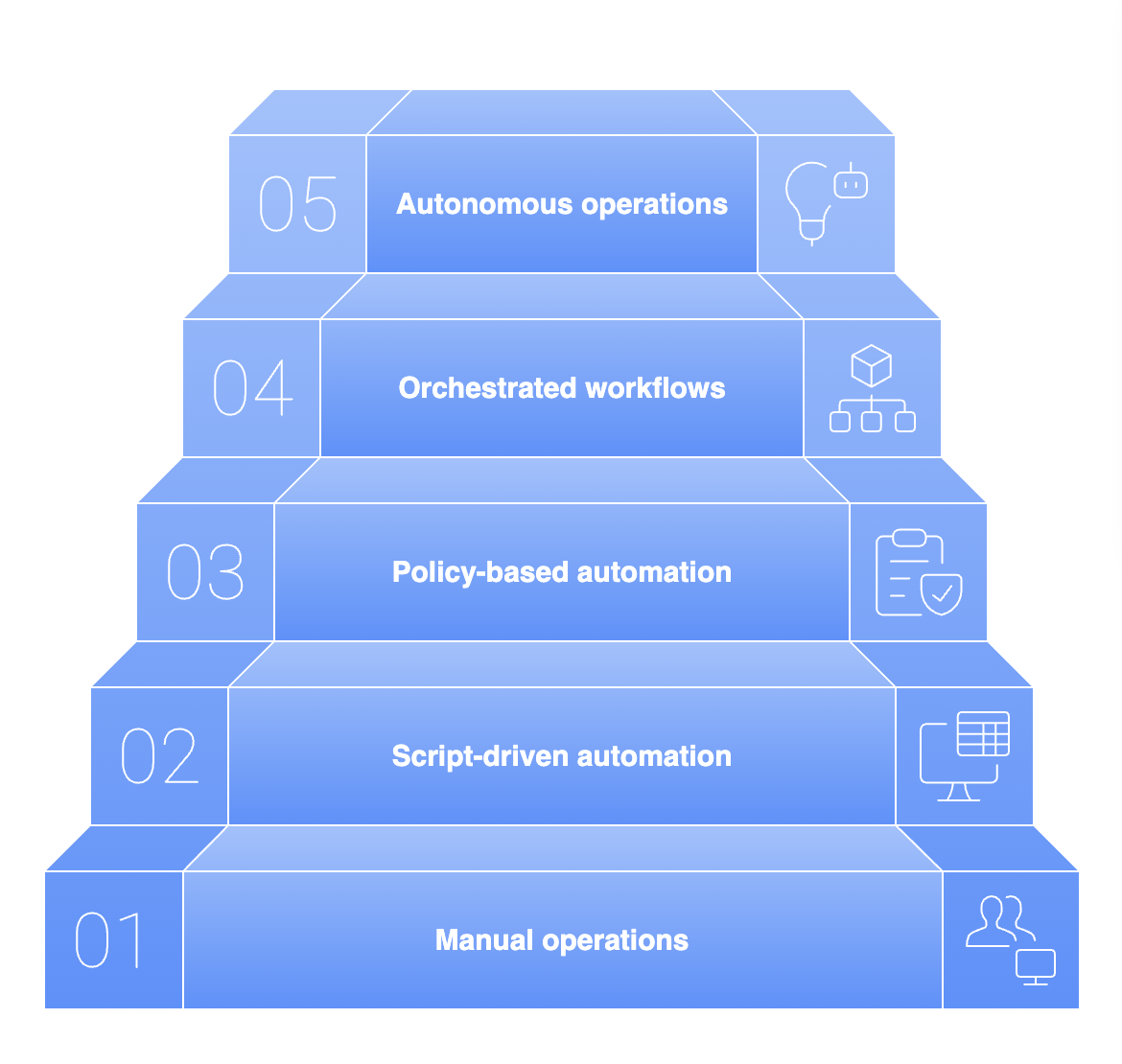
Cloud automation adoption typically evolves in stages. Understanding where your organization sits helps you set realistic expectations and prioritize the next investments.
Level 1: Manual operations
Most provisioning, patching, and incident response is done by engineers through consoles or tickets.Level 2: Script-driven automation
Teams begin using scripts (Terraform, CLI, PowerShell) to automate repeatable tasks, but execution is still human-triggered.Level 3: Policy-based automation
Automation becomes standardized through guardrails like tagging policies, access controls, auto-scaling rules, and compliance baselines.Level 4: Orchestrated workflows
Cross-domain workflows emerge (for example: auto-remediation tied to monitoring, CI/CD-triggered provisioning, automated rollback).Level 5: Autonomous operations
AI-assisted automation enables predictive actions, self-healing systems, and continuous optimization with minimal human intervention.
Potential roadblocks to cloud automation
Despite its advantages, cloud automation introduces challenges that leaders must anticipate.
Tool sprawl and fragmentation: Multiple automation tools across teams can create inconsistency and governance gaps.
Poorly defined processes: Automating broken or unclear processes only accelerates inefficiency.
Skill gaps: Effective automation requires expertise in cloud platforms, scripting, and system design.
Over-automation risk: Excessive or poorly governed automation can amplify failures instead of preventing them.
Security blind spots: Automation without embedded security controls can propagate misconfigurations rapidly.
Addressing these challenges requires architectural discipline, governance, and executive oversight.
Implementation tips for CXOs
For CXOs, successful cloud automation is as much an operating model decision as a technical one.
Start with business-aligned priorities: Automate processes that directly impact speed, reliability, cost, or compliance rather than chasing technical perfection.
Standardize before automating: Define clear architectures, templates, and policies to ensure automation produces consistent outcomes.
Embed governance and security early: Integrate identity, access controls, logging, and compliance checks into every automated workflow.
Adopt a platform mindset: Treat automation as a shared enterprise capability, not a collection of team-specific scripts.
Measure outcomes, not activity: Track improvements in deployment frequency, recovery time, cost efficiency, and service reliability to assess value.
When guided by leadership intent, cloud automation becomes a strategic enabler rather than an operational experiment.
Measuring the impact of cloud automation: KPIs CXOs should track
To ensure cloud automation is delivering measurable value, CXOs should track a small set of operational and financial KPIs:
Deployment frequency and lead time for changes: Measures how much faster teams can deliver updates with fewer bottlenecks.
MTTR (mean time to resolution): Tracks whether automated remediation is reducing downtime and recovery time.
Change failure rate: Indicates whether automation is improving consistency and reducing human error.
Cloud spend efficiency: Measures savings from rightsizing, scheduling, and eliminating idle resources.
Policy and compliance adherence: Tracks reduction in misconfigurations, audit findings, and security drift over time.
Cloud automation is no longer optional in large-scale cloud environments. It is the mechanism that allows enterprises to operate at cloud speed without sacrificing control, security, or stability.
For CXOs, the question is not whether to automate, but how deliberately and strategically automation is embedded into the organization’s cloud operating model. Enterprises that treat cloud automation as a first-class capability will move faster, operate safer, and extract far greater value from their cloud investments.