
ManageEngine ServiceDesk Plus On-Demand
Last updated on:
In this page
ServiceDesk Plus On-Demand is a SaaS-based help desk solution that, when integrated with EventLog Analyzer, enables IT and security teams to track, analyze, and manage security incidents efficiently—right from the ServiceDesk Plus interface. This seamless integration enhances your workflow automation, enabling quick responses to potential threats.
Actions Supported
- Two-way synchronization
- Run workflow
- Disable log collection
- Disable ticketing tool notification
Before you begin:
- Download and install ManageEngine EventLog Analyzer if you haven't deployed it yet.
- If you're an existing user, ensure that you have updated EventLog Analyzer to its latest version. The integration with ServiceDesk Plus is supported from build number 12550 and above.
Steps to Integrate EventLog Analyzer with ManageEngine ServiceDesk Plus On-Demand
- Log in to your ServiceDesk Plus Cloud instance as an admin.
- Open Settings from the top-right corner. Under Apps & Add-ons, click Extensions and install the EventLog Analyzer extension.
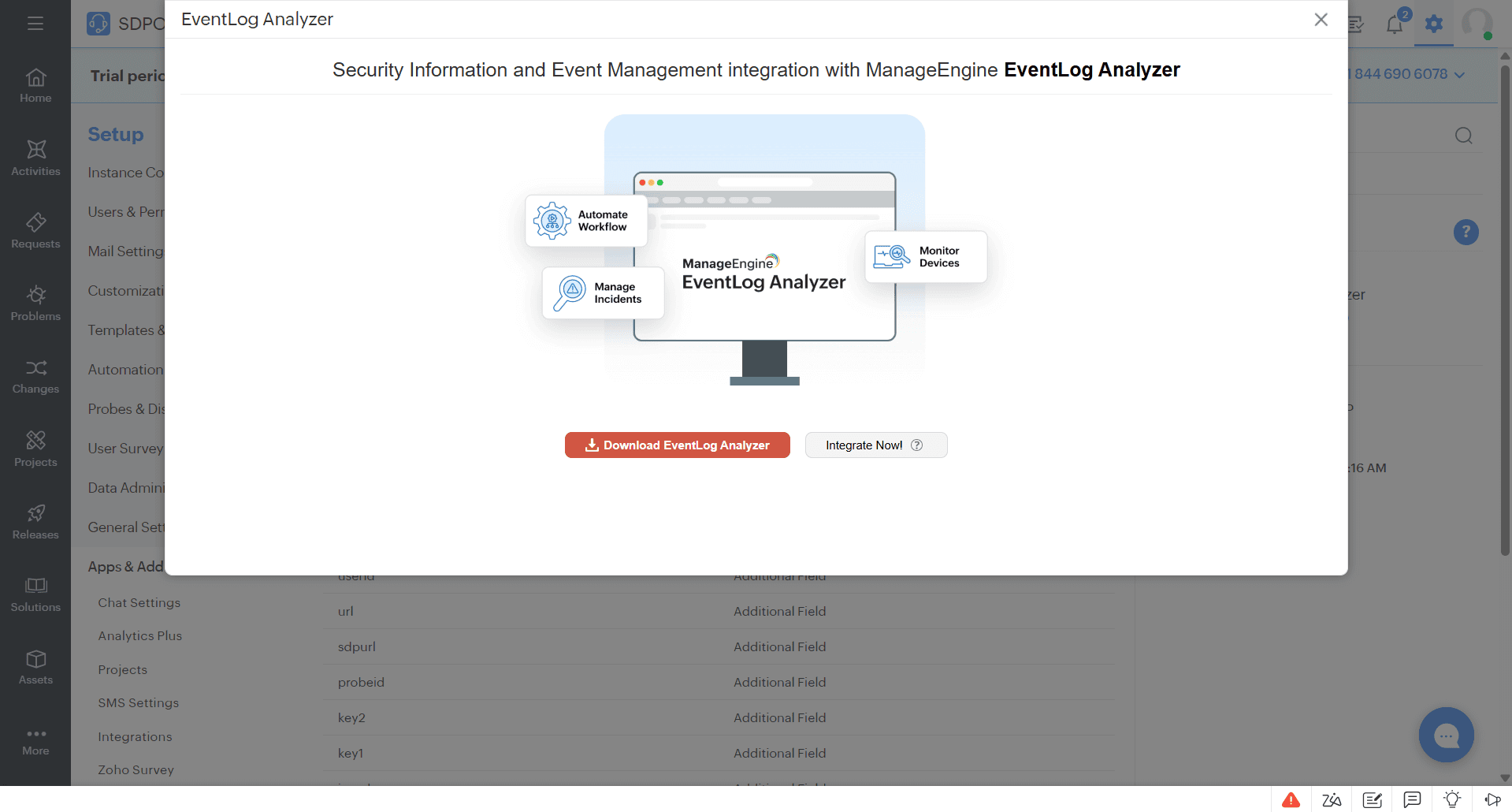
- Once installed, click EventLog Analyzer under installed extensions, then click the EventLog Analyzer Configuration link under component details. In the popup that opens, click on the Integrate Now button.
- Enter the URL of the server where EventLog Analyzer is running in the respective URL field.
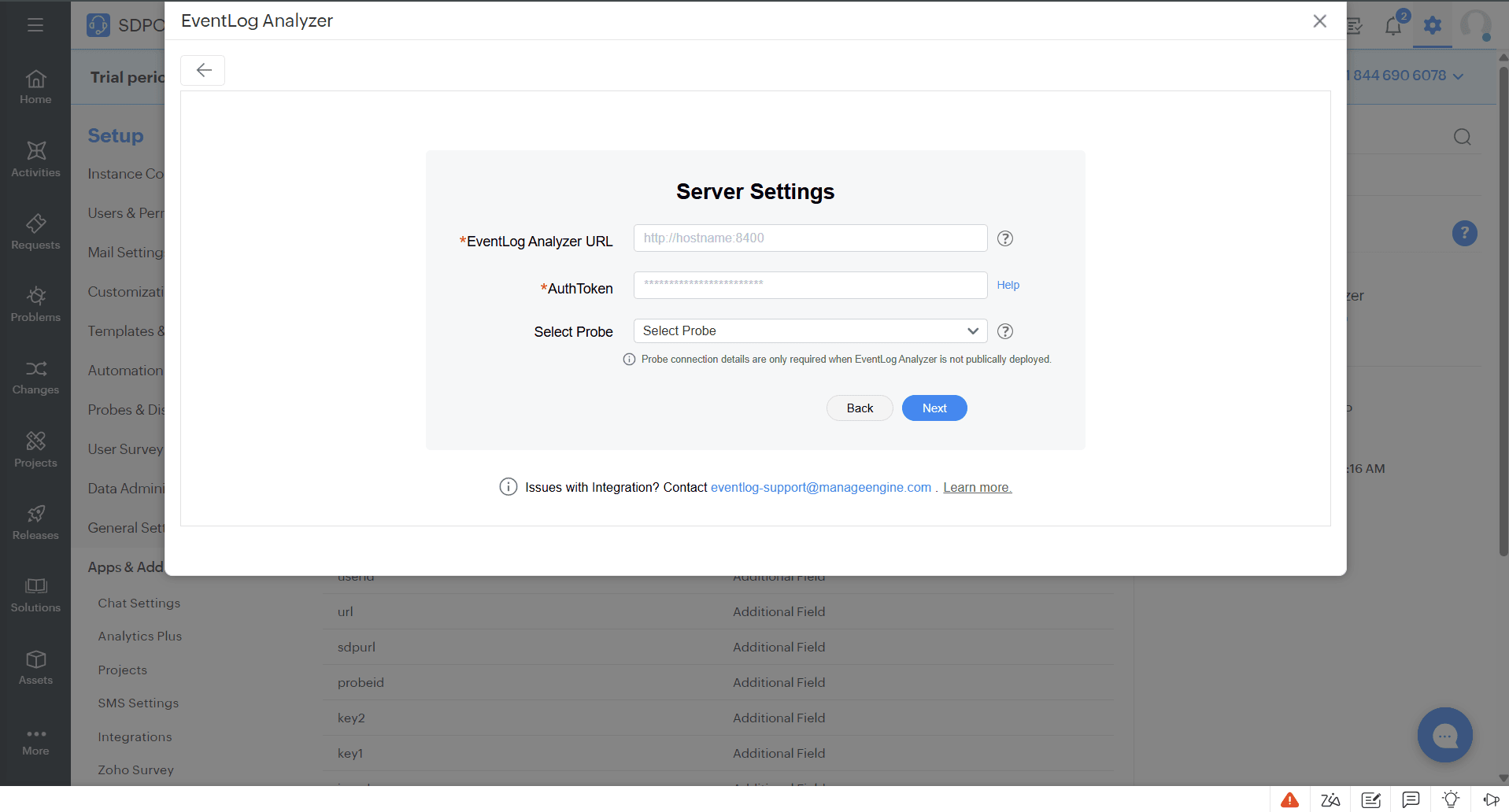
- To use a probe server with EventLog Analyzer, select your preferred probe from the available list.
- Open EventLog Analyzer and generate AuthToken using these steps with the following scopes: "alertprofiles.read, devices.update, incidents.export.create, incidents.export.read, incidents.update, product.details.read, ticketingtool.configuration.read, ticketnotification.update, workflows.execute, workflows.read".
- Copy the AuthToken and navigate to ServiceDesk Plus Cloud to paste the copied AuthToken in the respective field and click Next.
- EventLog Analyzer will now be successfully configured. You can edit the configuration details later if needed.
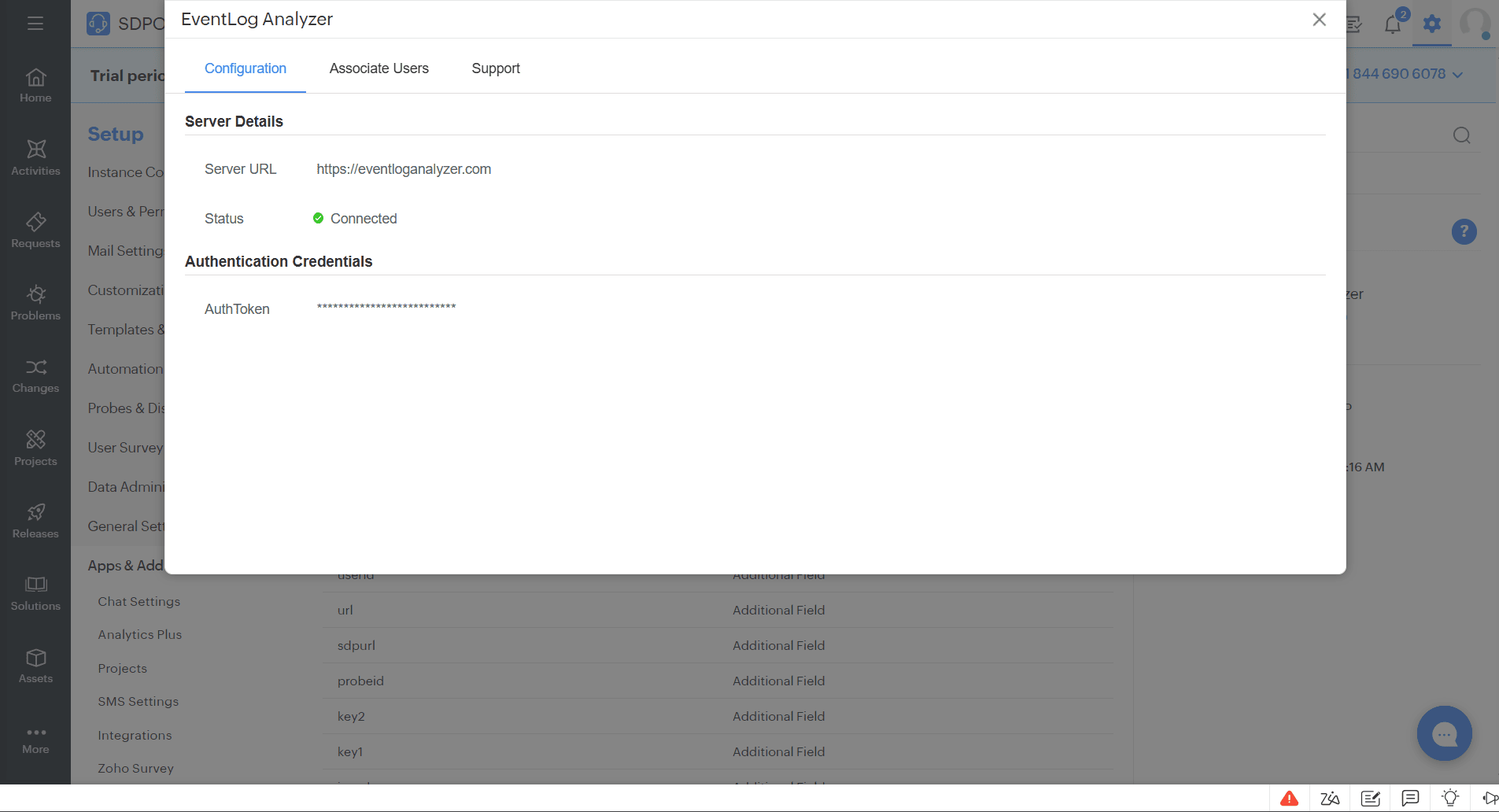
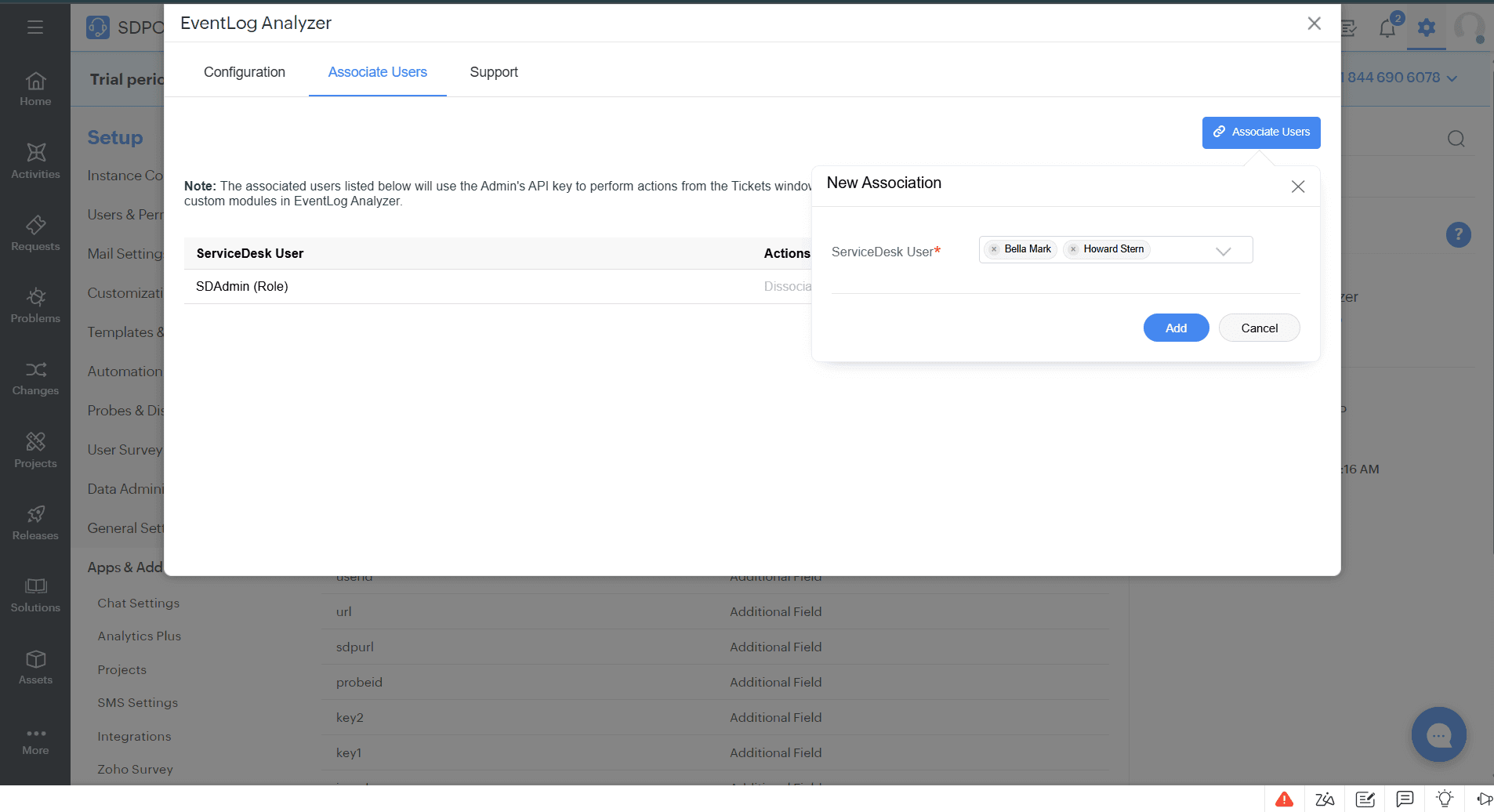
- Admins will have full access by default. Non-admin users must be associated to perform actions from the Tickets window.
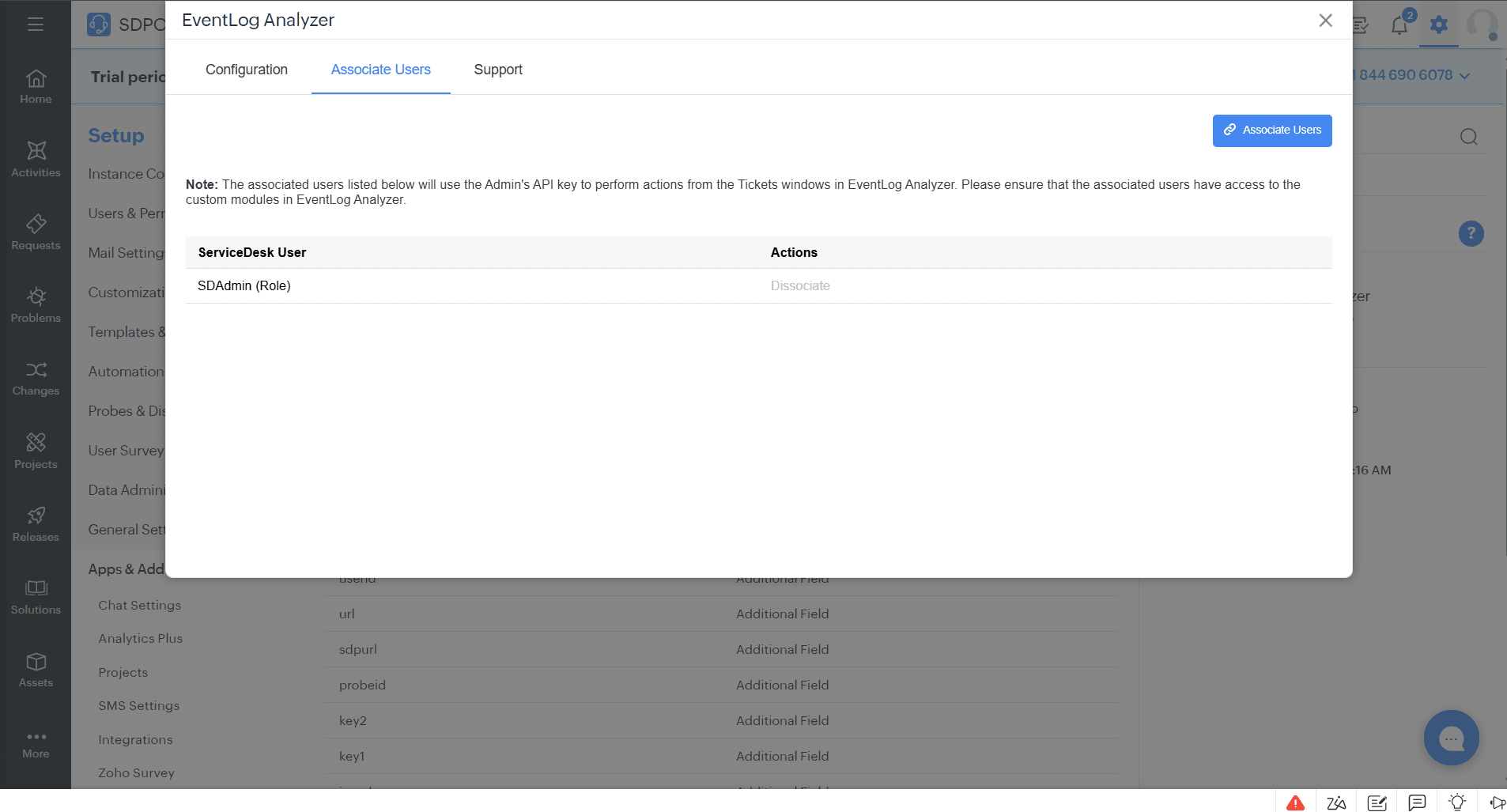
- To associate users, go to the Associate users tab in the configuration section and associate the ServiceDesk Plus users. In addition to it, please provide access to EventLog Analyzer Custom Modules so they can perform EventLog Analyzer-specific operations from the Requests Page.
What is a probe?
Probes are used to access on-premise software/applications from ServiceDesk Plus Cloud. Since EventLog Analyzer is an on-premises application, the probe must also be installed on the same network. Click here to learn how to configure probe in ServiceDesk Plus.
Note
- Alert-specific operations will only be available in tickets raised from EventLog Analyzer build number 12550 and above.
- Please refer to this link for more details on the EventLog Analyzer app for ServiceDesk Plus On-Demand.