Keep every Android device safe, organized, and watched with detailed control and no hassle, whether it's company-owned or BYOD.
Android stands as the most common mobile OS worldwide running on more than 71% of all smartphones across the globe. While its widespread use brings adaptability and user comfort, it also creates big challenges for businesses: different OS versions varying manufacturer setups, and more ways for attackers to get in. This is where ManageEngine Mobile Device Manager Plus (MDM) comes into play.
If your organization supports controlled devices personal devices (BYOD), or special-purpose devices like kiosks, MDM Plus provides a central expandable Android management system built to make IT work easier and keep devices secure.
Why Android Device Management Is Important
- Unmanaged Android devices cause 73% of mobile security issues in companies (Verizon Mobile Security Index 2024).
- Android's diversity results in over 12,000 different device models being used, making it hard to enforce consistent policies without a central management system.
- Compliance rules like ISO/IEC 27001, HIPAA, and GDPR require controls at the device level for business data accessed on mobile devices.
MDM Plus gives you the insight and power to turn Android’s complexity into a secure, manageable, and productive environment.
MDM Plus gives you the insight and power to turn Android's complexity into a secure, manageable, and productive environment.
Features of an Android MDM software
MDM software for Android or Android MDM app must support the following features to provide the organizations with holistic Android device management:
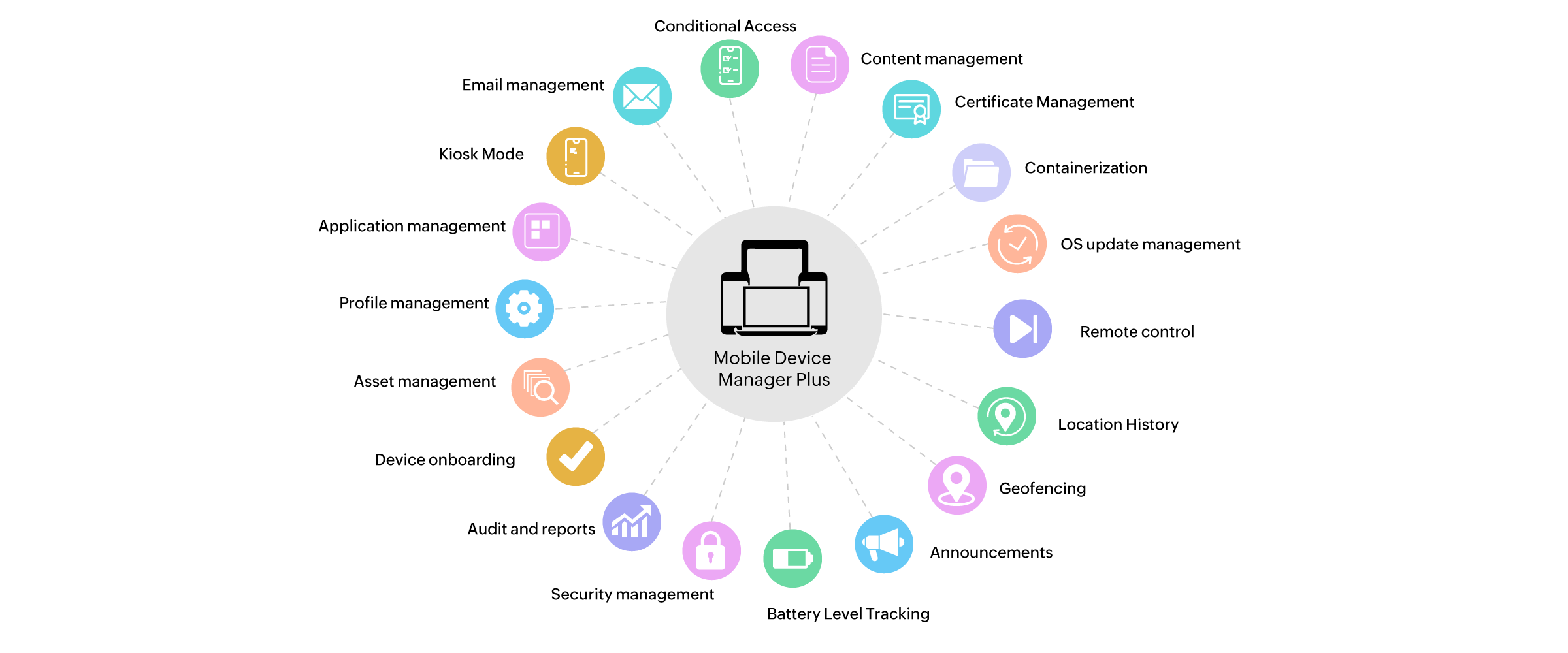
Android Device enrollment
- Over-the-air (OTA) device enrollment for corporate and personally-owned Android devices
- Register devices into the Android device manager based on ownership.
- Authenticate enrollment with a one-time passcode (OTP) and/or the user's Active Directory (AD) credentials.
- Enroll multiple devices for the same user.
- Enroll and manage Android devices in bulk with Samsung Knox enrollment and Zero Touch enrollment.
- Enroll and manage android enterprise devices without the need to install a client app on devices.
Learn more about Android device enrollment here.
Android Profile management
- Create and enforce policies and restrictions for Android management.
- Configure Active Directory (AD) policy settings to access enterprise resources using the Android MDM app.
- Restrict the use of camera, Bluetooth, browser, and more for increased security.
- Segregate Android devices based on whether they are corporate or personally owned (BYOD), and apply appropriate policies and restrictions to manage Android devices.
Learn more about Android profiles here.
Android App management
- Manage and distribute both in-house and Play Store apps without any admin intervention.
- Fetch reports to monitor the status of apps installed on managed Android devices.
- Publish apps on an app catalog for users to choose and install by themselves.
- Blocklist apps not approved by the organization to prevent usage and/or installation of these apps.
- Lock down devices to a single app or a set of apps and restrict access to other apps, settings and device functionalities.
Learn more about Android app management here.
Android Security management
- Customize device passcodes, from simple to complicated, according to the need of the organization.
- Remotely lock Android devices to prevent unauthorised access.
- Perform remote alarm to identify any lost devices.
- Perform remote wipe to prevent data loss or theft.
- Perform corporate wipe to erase confidential corporate data such as e-mails, documents etc.
Learn more about Android security management here.
Audits and reports
- Perform assertive monitoring by generating updated reports on the status of the Android devices.
- Generate customized reports based on criteria such as apps by devices, devices by model, etc.
Learn more about Android asset management here.
Challenges faced without Android device management software
Without Android device management, organizations face several challenges in effectively managing their Android device fleet. These challenges include security vulnerabilities, as devices may lack essential security measures, leading to data breaches and unauthorized access.
Lack of control over apps is another issue, with organizations struggling to manage app installations and updates, potentially resulting in the use of unauthorized or unproductive applications. Moreover, the absence of MDM makes monitoring and tracking devices in real-time difficult, hindering quick issue identification and resolution.
Perhaps most critical is the risk of data loss in case of device loss or theft, where sensitive data on unmanaged devices becomes vulnerable without remote wipe capabilities.
Addressing the challenges with Android MDM Software
Android device management solutions allow IT admins to enroll, provision, secure, and monitor the corporate- and personally-owned Android devices that are used for work. To facilitate this process an Android MDM app is required to be installed on the managed device. This Android MDM app allows the device to receive and execute commands initiated by the IT admin through the Android MDM server.
Mobile Device Manager Plus (MDM) is an Android MDM solution, that lets you manage Android devices running Android 4.0 or later versions with the extensive mobile device management capabilities available to manage Android devices. This comprehensive Android device manager provides everything needed to manage the Android devices in your organization, right from basic Android mobile device management capabilities such as automated enrollment, app management, proactive security measures etc., to advanced mobile device management configurations for Android devices such as Kiosk Mode, Lost Mode etc.
ManageEngine MDM is an intuitive and simple to use Android MDM app to manage Android devices, as it equips the IT admins with the right set of Android device management configurations to efficiently manage Android devices in the enterprise. Mobile Device Manager Plus provides you with support for all the basic Android device manager features in addition to advance Android MDM software capabilities. To manage Android devices, an ME MDM app for Android devices should be installed on the device. This MDM app for Android, in addition to acting as the MDM client app on the Android device, provides several other management features serving as an Android device management app.
You can learn more about Android device management and Android for MDM here.
This Android MDM guide covers the following
- Challenges faced without Android device management software
- Addressing the challenges with Android MDM Software
- Why do enterprises need an Android management software?
- Benefits of using Android MDM Software
- How to manage Android devices with Device management solutions?
- MDM app for Android
Why do enterprises need an Android management software?
Enterprises need Android device management software for several reasons. And Android device management tool or solution can:
- Enhance device security by enforcing Android device management policies and protocols, thereby protecting against data breaches and unauthorized access.
- Streamline device configuration for the IT team, making it easier to set up and deploy Android devices across the organization.
- Simplify application management, allowing centralized control over app deployment and updates.
- Enable remote monitoring and support, reducing downtime and improving productivity.
Overall, Android device management software ensures efficient and secure management of Android devices in the enterprise environment.
Benefits of using Android MDM Software
Android MDM software offers a range of benefits to enterprises seeking efficient and secure management of their Android device fleet. By leveraging this software, organizations can enjoy the following advantages:
- Enhanced Android device security
- Centralized management of various device types from different OEMs
- Streamlined enterprise-developed and store app deployment
- Adherence to organization and industry standards
- Remote troubleshooting and support
- Geolocation and tracking
- Customizable policies
- Efficient asset management
How to manage Android devices with Device management solutions?
The most optimal way to manage Android devices in organizations is to create a comprehensive Android device management system by deploying an Android MDM solution. An Android mobile device manager provides organizations a unified console to perform all the Android device management tasks. Through this console, IT admins will be able to monitor and communicate commands to the workforce's Android devices even remotely, facilitating to implement the necessary security measures on them in real time. Android device management software allows IT admins to:
- Bring the corporate and personally-owned Android devices under management by installing the Android MDM app.
- Install, uninstall, configure and update Store and enterprise apps without admin intervention
- Seamlessly distribute corporate resources such as documents and media files to devices
- Remotely maintain devices by troubleshooting or tracking devices based on the device usage
What is Android device management?
Android device management requires a dedicated MDM application to allow admins execute the above mobile device management tasks on Android devices. Android device management is the process of overseeing and controlling Android devices within an organization to ensure security, compliance, and efficiency. This involves using tools like Mobile Device Management (MDM) solutions that allow IT administrators to manage device settings, deploy apps, enforce security policies, and remotely wipe or lock devices if needed. It helps businesses ensure that Android devices, whether personal or company-owned, are protected from unauthorized access and can be monitored and maintained centrally.
MDM app for Android
A comprehensive Android MDM app provides organizations a unified MDM console to manage Android devices including smartphones, tablets and TVs. ManageEngine's Mobile Device Manager Plus is one such Android mobile device management software (MDM for Android) that IT admins can use to manage Android devices through their entire lifecycle in the organization right from onboarding to retirement.
Once you set up the Mobile Device Manager Plus for Android device management, users can download the ManageEngine MDM app from the Play Store and start the enrollment process or you can initiate the enrollment right from the server with minimal user intervention.
The MDM app for Android devices is mandatory to manage Android devices using Mobile Device Manager Plus and leverage all the benefits offered by the Android MDM app.
Why is ManageEngine MDM Plus the best android MDM solution?
ManageEngine MDM Plus is considered the best Android MDM solution for its comprehensive feature set, user-friendly interface, robust security measures, seamless app management, device compatibility, excellent customer support, and competitive pricing. It offers organizations the tools they need to effectively manage and secure their Android device fleet.
Give ManageEngine's Android MDM a try, free for 30 days, and simplify Android device management.
Mobile Device Manager Plus also supports the management of HarmonyOS devices. Learn how.