Last updated: August 13, 2026
App Update Management
This page explains how ManageEngine Mobile Device Manager Plus handles app update management for both store apps and enterprise in-house apps on managed mobile devices. IT admins can learn how the MDM solution syncs daily with the App Store and Play Store to fetch available updates, how to distribute updates using app update policies, and how to silently install enterprise app updates. The page also covers troubleshooting scenarios, such as preventing critical Android system apps from being auto-updated by the Play Store.
It is well known that apps, be it in-house or store apps are the backbone of all kinds of mobile devices. End-users can get a good chunk of work done from anywhere, and in doing so, store or access important corporate data on the devices. To make sure that organizational data stays protected, all apps on mobile devices need to be effectively managed and frequently updated.
With an MDM solution, the whole process of distributing and managing apps and their updates is made simple yet effective. Moving on to the next phase of app management is ensuring that updates for apps are frequently deployed, after proper testing. On-time and tested updates help businesses keep up with increasing compliance standards, avoid unforeseen app issues, or prevent app crashes, which could ultimately affect corporate data security and overall employee productivity.
Amidst the rising security challenges and the need to update long queues of apps on managed devices, IT admins need to come up with a methodical workflow to make sure each managed app receives the right updates at the optimal time.
ManageEngine's Mobile Device Manager Plus defines these very workflows for organizations, by breaking down the different elements involved in taking care of Store or In-House apps, and their respective updates.
App updates can be scheduled, with convenient options based on a business' requirements. App update 'policies' can be created on the MDM console, wherein admins can choose how updates should be approved, and even the date, time and interval at which updates should be distributed to devices.
Understanding how app updates usually work
For Store apps (Apps from the App Store and Play Store)
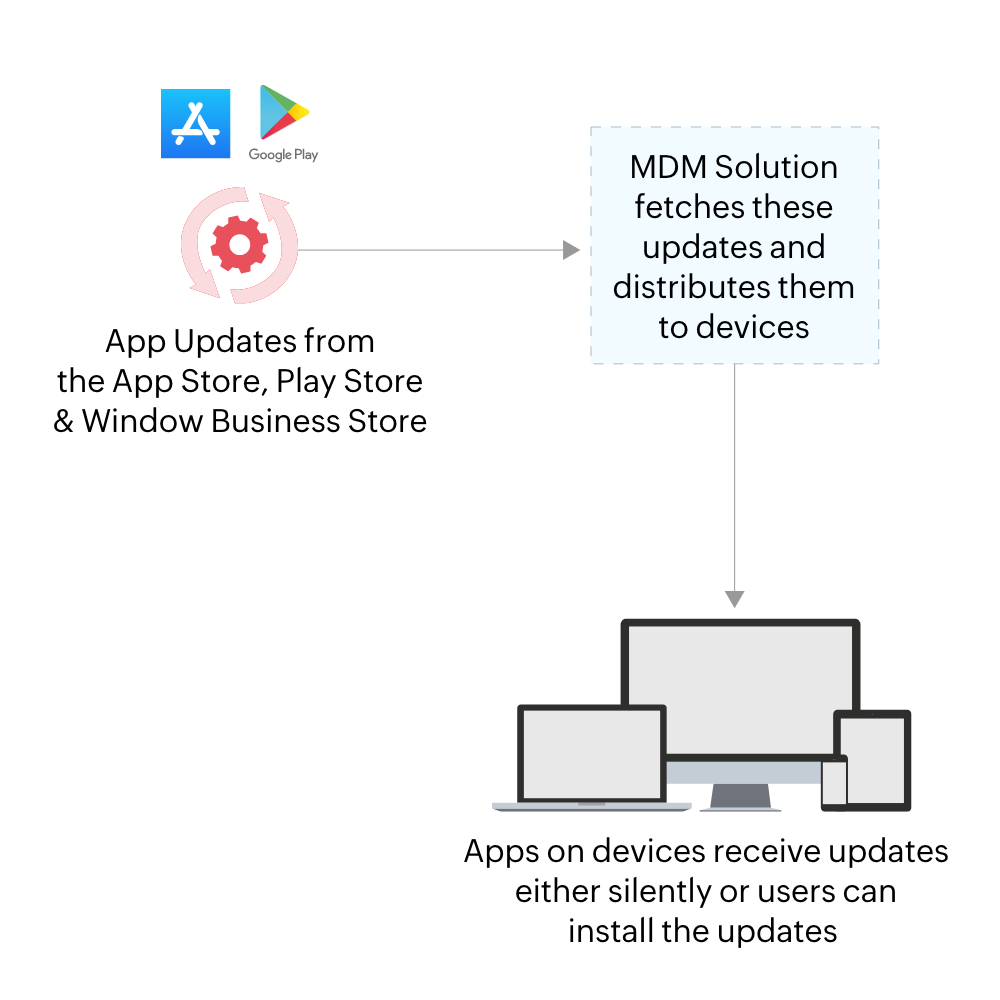
App vendors develop and release apps and their updates to the App Store, Play Store, and Windows Business Store. MDM reaches out to these stores and collects available app updates. This takes place on a daily basis, in order to fetch the latest app updates. Thus, the MDM server stays up-to-date with the App Store and Play Store.
The available app updates will then be listed on the 'App Repository', a collective list of all apps and their updates. The updates can then be distributed to devices by the admin. (Admins can choose how the updates should be distributed to devices)
Note: It is always recommended to rollout app updates to a group of test device or a single test device, to check how the update functions on the device.
To jump to learning about how to set up 'App Update Policies' for Store apps, visit this section.
For Enterprise apps (in-house apps)
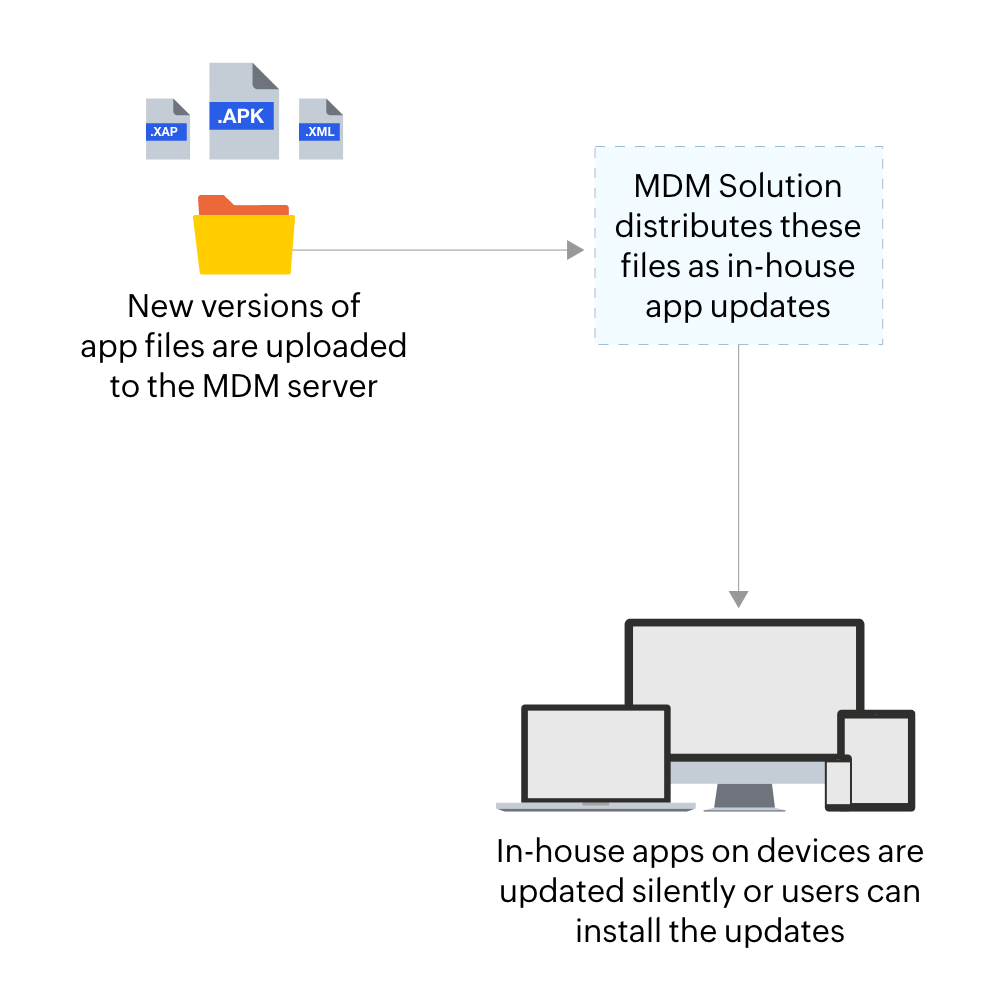
To update enterprise apps, admins upload APK files for Android in-house apps, and XML files for iOS/iPadOS apps to the MDM server. These newer versions of the apps are then distributed to the devices. Users can either manually download the update(s), or admins can silently install the updates.
Troubleshooting Tips
Android Troubleshooting Tips
- Pre-installed system applications receiving automatic updates when they are distributed as enterprise apps:
Pre-installed system apps distributed as enterprise apps may get updated automatically if they are critical system apps.Examples for critical apps include Android System Webview , Android Auto and some default Google apps.
Here is how you can confirm if the app is updated by Play Store:
- Open Play Store on the user's device and check if Managed Account is present in Play Store.
- Now search the system app that got updated automatically.
- Check if the app is available in search results via Managed Account. If the app is available, then the Play Store will update it.
How to prevent Play Store from updating them?
Google lets users postpone app updates for a period up up to 90 days by using the postpone mode in Manage App Updates as explained here.
To enable this, distribute the required apps normally from Managed Google Play like Play Store apps and configure the app update policy with the Distribute Updates Manually option. This will postpone the app updates for up to 90 days, preventing the apps from getting auto updated. To learn more, click here.
Frequently Asked Questions
How often does MDM check for app updates from the App Store and Play Store?
MDM reaches out to the App Store, Play Store, and Windows Business Store on a daily basis to collect available app updates, which are then listed in the App Repository.
Should app updates be tested before rolling them out to all devices?
Yes, it's always recommended to roll out app updates to a group of test devices or a single test device first, to check how the update functions before distributing it further.
Can enterprise app updates be distributed without user intervention?
Yes. For enterprise apps, users can either manually download the update, or admins can silently install the update without requiring any action from the user.
Why do some pre-installed Android system apps update automatically even when distributed as enterprise apps?
Pre-installed system apps distributed as enterprise apps may get updated automatically if they are critical system apps, such as Android System WebView, Android Auto, and certain default Google apps.
How can I stop Play Store from auto-updating a critical system app?
Distribute the app normally from Managed Google Play and configure the app update policy with the Distribute Updates Manually option. This postpones app updates for up to 90 days, preventing them from being auto-updated by Play Store.