Last updated: July 24, 2026
How to decrypt an encrypted file?
Decrypt encrypted private key files on the Mobile Device Manager Plus server by placing the .key file in the server's bin directory and running generateCSR.bat with option 2, then providing the exact filename and passphrase; the decrypted output file overwrites any existing decrypted_key.key.
For decrypting the encrypted key file, follow the steps mentioned below :
- In order to decrypt the encrypted private key, you should place the encrypted key file in the bin folder of the machine installed with MDMP sever.
- Navigate to <server_installed_directory/bin> in command prompt with admin privileges and execute generateCSR.bat file.
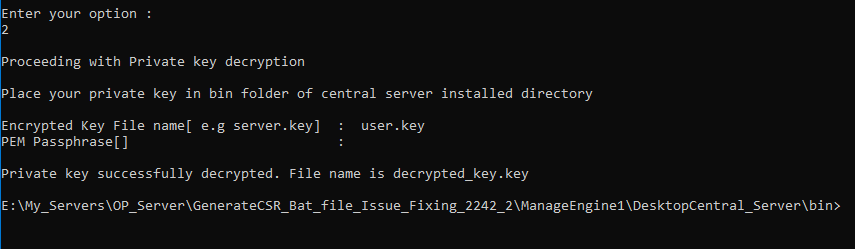
- Enter 2 to proceed with decrypting the encrypted key file.
- Provide the exact name of the private encrypted key file with .key extension and its passphrase.
- The decrypted file will be placed in the bin folder of the machine in which MDMP server is installed, with the name of decrypted_key.key.
NOTE:
Make sure there is no file with the same name because if there is already one file is available in the directory with the same name,it will be overwritten by the new file.
- If you provide wrong inputs like:
- filename not containing .key extension
- file isn't provided in the bin folder
- wrong file name decryption
Frequently asked questions
Where do I place the encrypted key file before decrypting it?
Place the encrypted .key file in the bin folder of the machine where the Mobile Device Manager Plus server is installed, then run generateCSR.bat from that folder with admin privileges and choose option 2 to decrypt.
What happens if a decrypted_key.key file already exists in the bin folder?
The existing file will be overwritten by the newly decrypted key, so make sure there isn't already a file with that same name if you need to keep it.