
The problem
Security that relies on each employee choosing a strong passcode and turning on encryption is security that mostly doesn't happen. Auditors want proof every device is compliant; without central control, that proof is a spreadsheet built by hand.
The feature
Quick answer: a passcode/restrictions profile enforces minimum passcode rules and encryption, and compliance policies act when a device drifts.
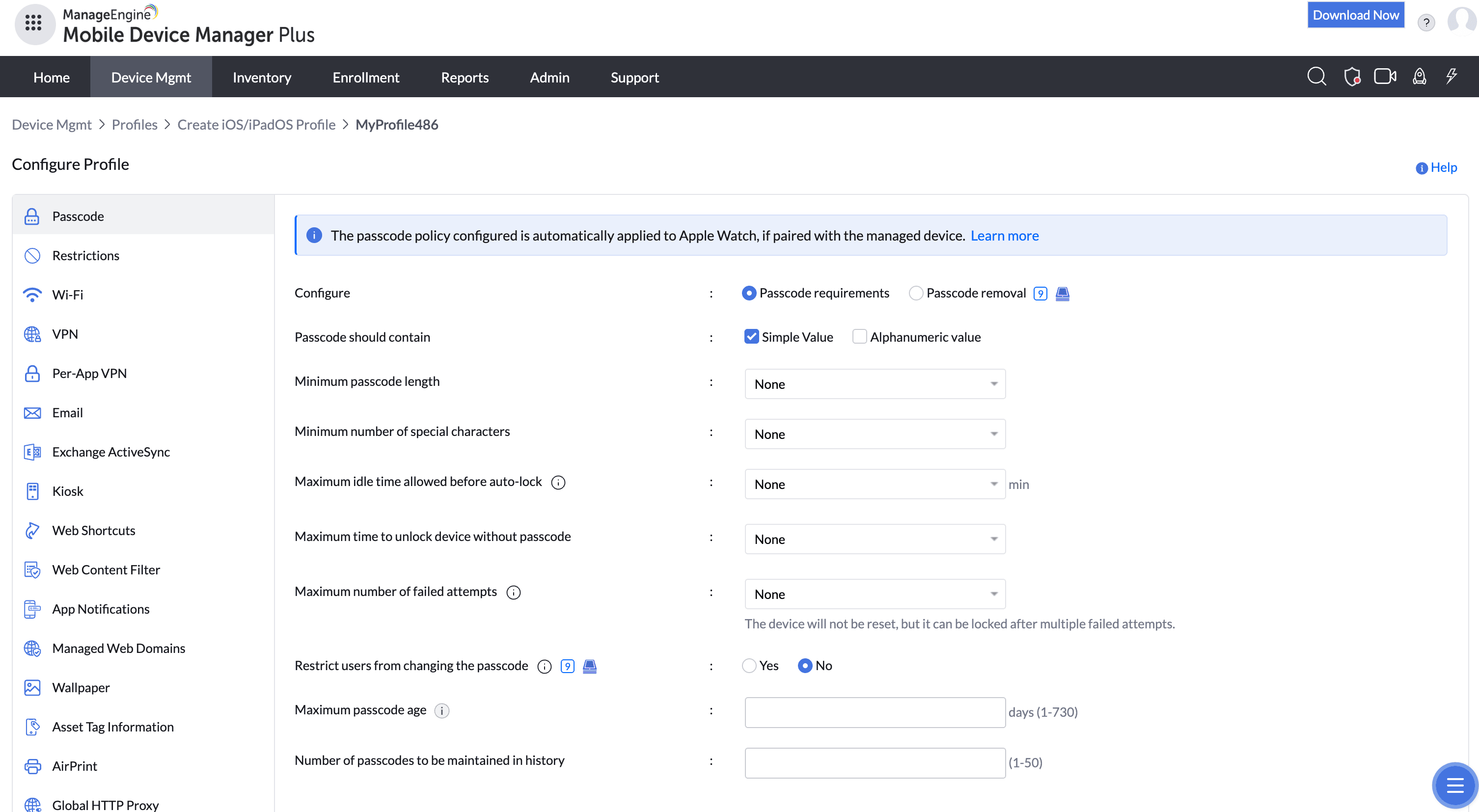
You define length, complexity, auto-lock, failed-attempt wipe, and biometric rules once, then push to every device. Non-compliant devices can be flagged, blocked from company resources, or automatically corrected.
The unique advantage
Enforcement is continuous, not a one-time setup — a device that changes state is caught and acted on, so your compliance posture is always current and audit-ready. The same policy framework spans iOS, Android, and Windows, so you're not proving compliance three different ways.
How it looks in the console and device
In the console you build the profile and set the compliance actions. On the device, the user is required to set a conforming passcode and can't disable encryption; if they slip out of compliance, the configured action applies.
Use cases in different industries
Financial services
Meet regulatory baselines for device security across every endpoint.
Healthcare
Enforce the encryption and lock requirements that frameworks like HIPAA expect.
Legal & professional services
Protect client-confidential data on every device.
Government/public sector
Apply standardized security controls fleet-wide.
Tips and troubleshooting
Add jailbreak/root detection to your compliance policy — a rooted device can bypass other protections, so frame this as a Zero Trust control, not just a checkbox.
Introduce failed-attempt wipe carefully; communicate it so a fat-fingered passcode doesn't cause surprise data loss.
Keep one baseline profile and layer stricter ones on sensitive groups rather than maintaining many overlapping policies.