How does Interface Status Polling work ?
OpManager monitors the availability of the interface and generates Up/Down alerts if the interface status poll is enabled. The availability of the interface is decided by the Admin Status, or the Operation Status of the particular interface.
What is the severity for Admin/ Operation down status
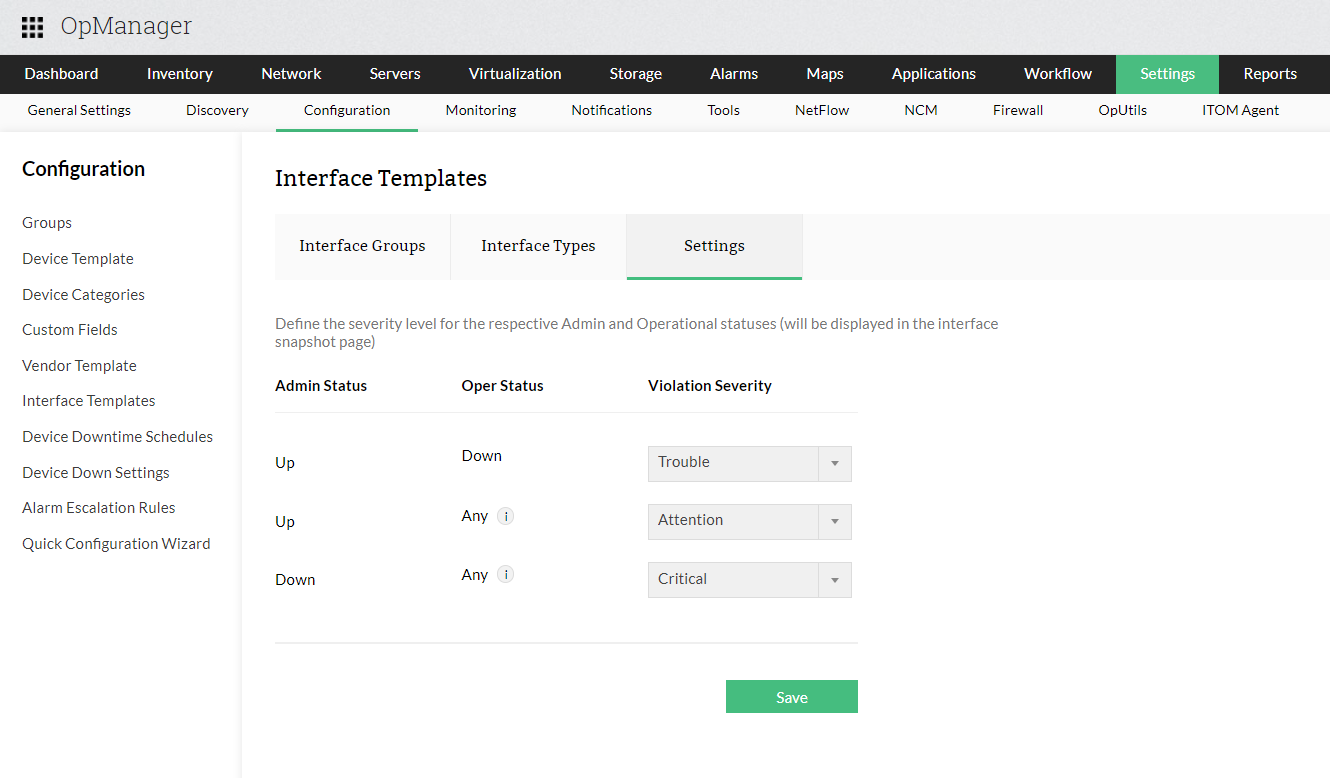
The severity level is determined by the combination of the Admin Status and the Operation Status, as shown in the table below.| Admin Status | Operation Status | Severity |
| Down | Any (Up / Down / Testing / Unknown / Dormant / Not present) | Critical |
| Up | Down | Trouble |
| Up | Testing / Unknown / Not present | Attention |
| Up | Up | Clear |
| Testing | Up | Clear |
| Testing | Down | Trouble |
| Testing | Others | Attention |
If you want only the interface traffic monitoring & not the up / down status of the interfaces, you can disable the status polling option for the interface. Check here.
Possible values for Admin status
| Admin status | Explanation |
|---|---|
| Up | Interface is up |
| Down | Interface is down |
| Testing | No operational packets can be passed |
Possible values for Operation status
| Oper status | Explanation |
|---|---|
| Up | Ready to pass packets |
| Down | Can't pass packets |
| Testing | No operational packets can be passed |
| Unknown | Status cannot be determined for some reason |
| Dormant | Interface is waiting for external actions |
| Not Present | Some component is missing. Typically hardware |
You can configure the violation severity of the ineterfaces by defining the severity levels of the admin and operation status under Settings > Configuration > Interface Templates.
Note: Interface Status polling works only if the parent device is in Managed state. You can also disable it under Inventory > Monitoring > Interfaces. Learn more.
- How to configure device downtime scheduler?
- What are the availability protocols available in OpManager?
- What are the different availability states available in OpManager?
- How to configure device down settings?
- What is the purpose of uplink dependency?
- How to calculate device availability uptime?
- How do I disable interface status polling?
- Why are some interfaces unmanaged?