Integrate OpManager with Open AI
Opmanager integrates with Open AI to enhance network monitoring with AI-powered insights. Through this integration, ChatGPT is leveraged to automatically generate summaries for device statuses, alarms and other metrics in OpManager. This enables the users to get a unified overview along with recommended actions for faster troubleshooting and improved productivity.
Configuration in OpManager
To view the AI generated summaries in OpManager, you must first configure Open AI in OpManager. OpManager integrates with OpenAI using an API key generated from the OpenAI platform. You have to copy the API key from your Open AI account and configure it in OpManager.
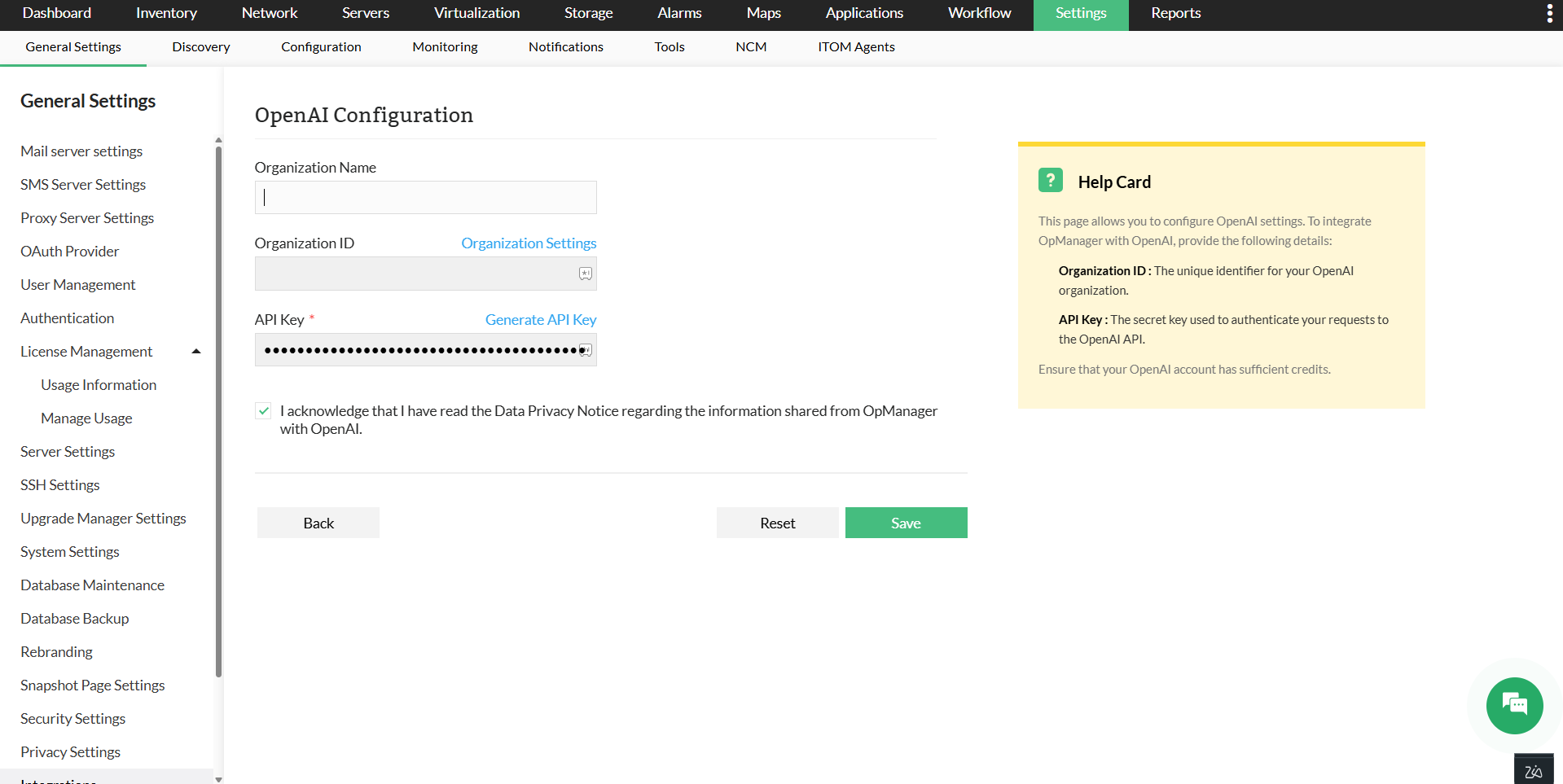
- Go to Settings -> General Settings -> Integration -> Open AI
- Enter the Organization Name and Organization ID.
- In the API Key field, enter the key copied from your OpenAI settings. If you haven’t created one yet, click Generate API Key, then copy and paste the newly generated key.
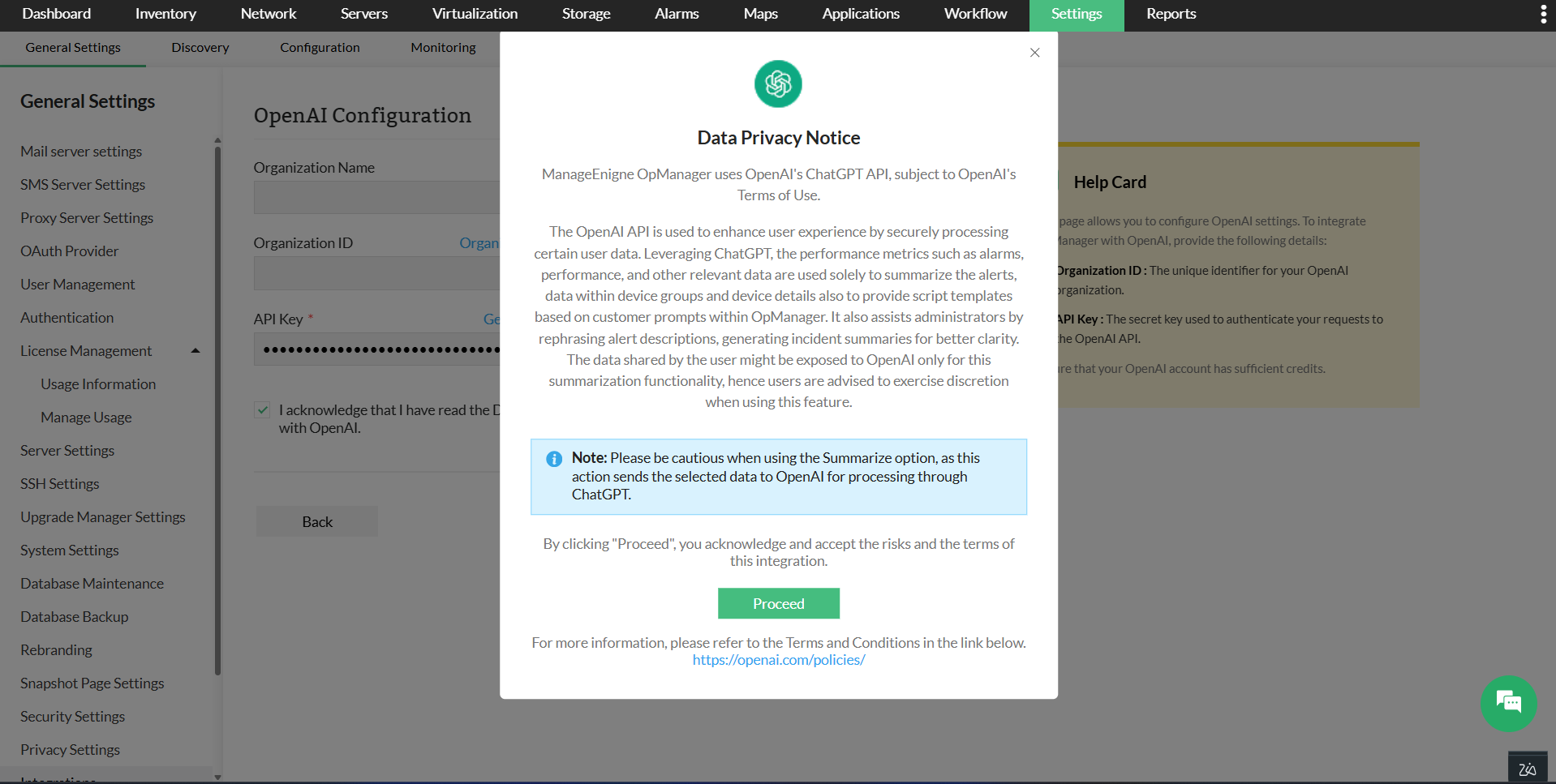
- Acknowledge the data privacy notice provided and click Proceed.
- Click Save.
You have successfully integrated Open AI with OpManager.
AI-generated summaries in OpManager
With the OpenAI chatGPT integration, users can view the summaries of certain monitored entities. Such as:
All Alarms Summary
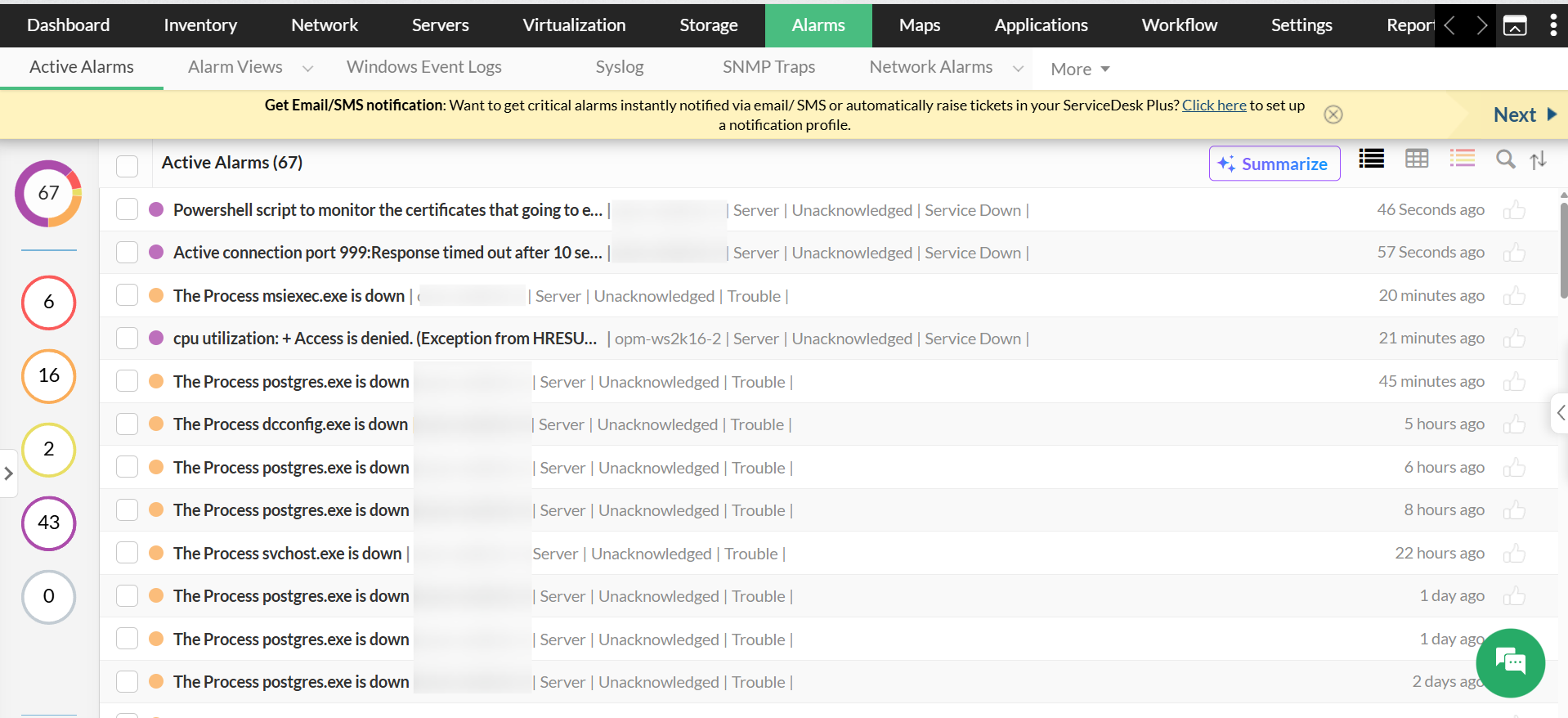
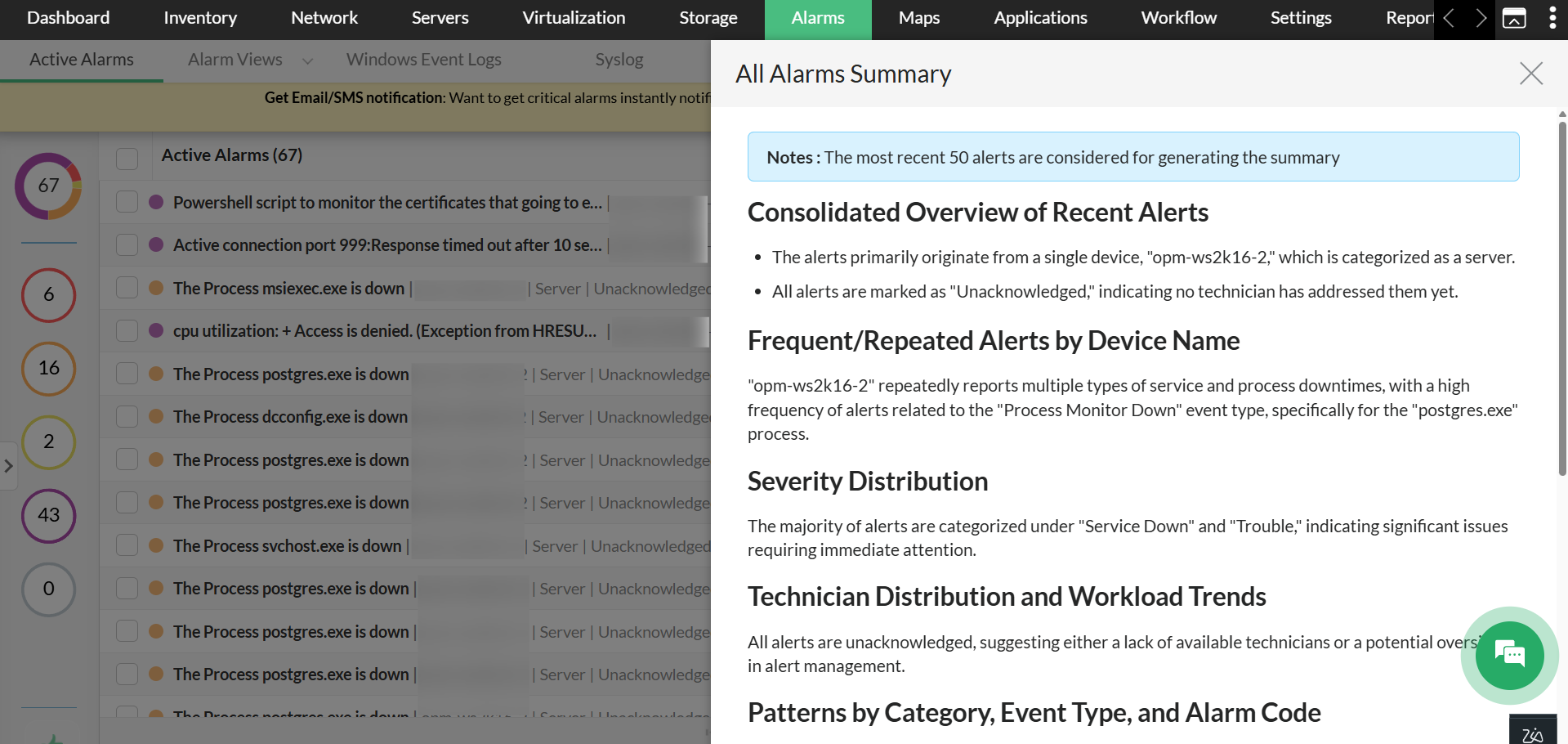
You can view the summary of all the alarms that are generated together as a consolidated overview of the recent alarms with their key details. To view that,
- Go to Alarms, and Click on the Summarize tab on top-right.
- The summary will be generated automatically.
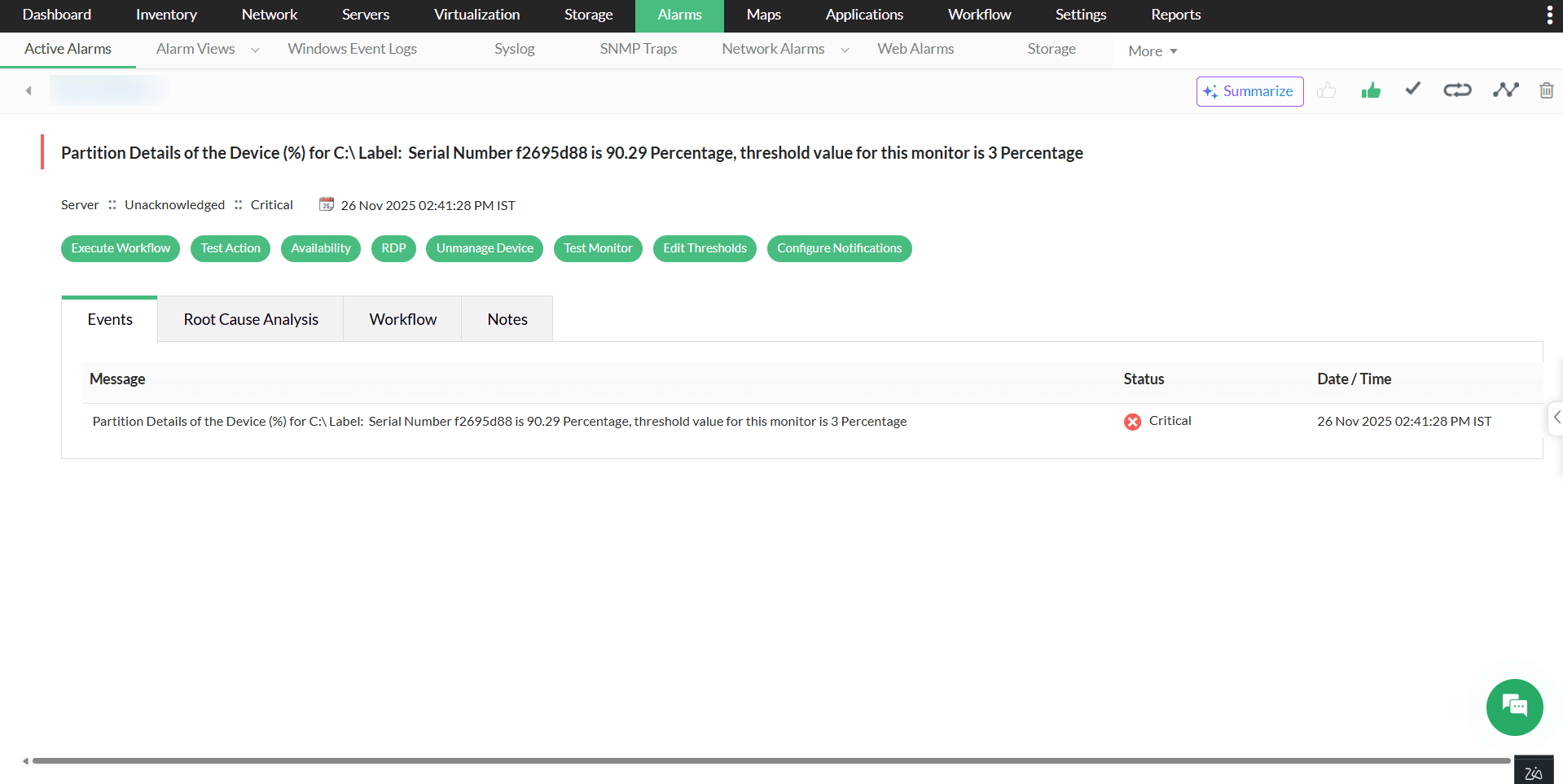
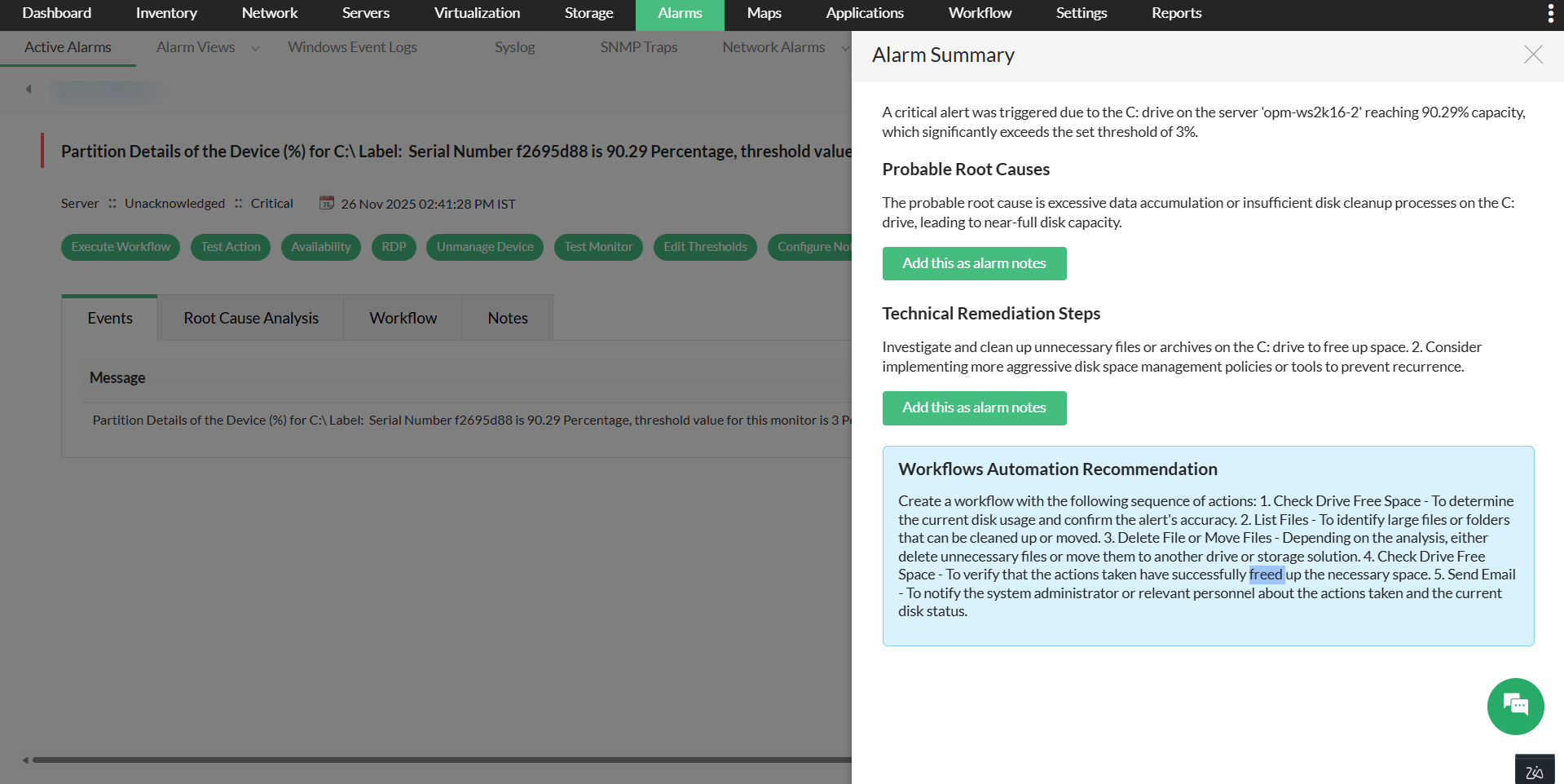
Individual alarm summary
The summary of an individual alarm with the alarm type, probable causes and recommendations steps can be generated.
- Go to Alarms, and Click on any one of the alarms.
- Click on the Summarize tab to generate a summary.
Device Group Summary
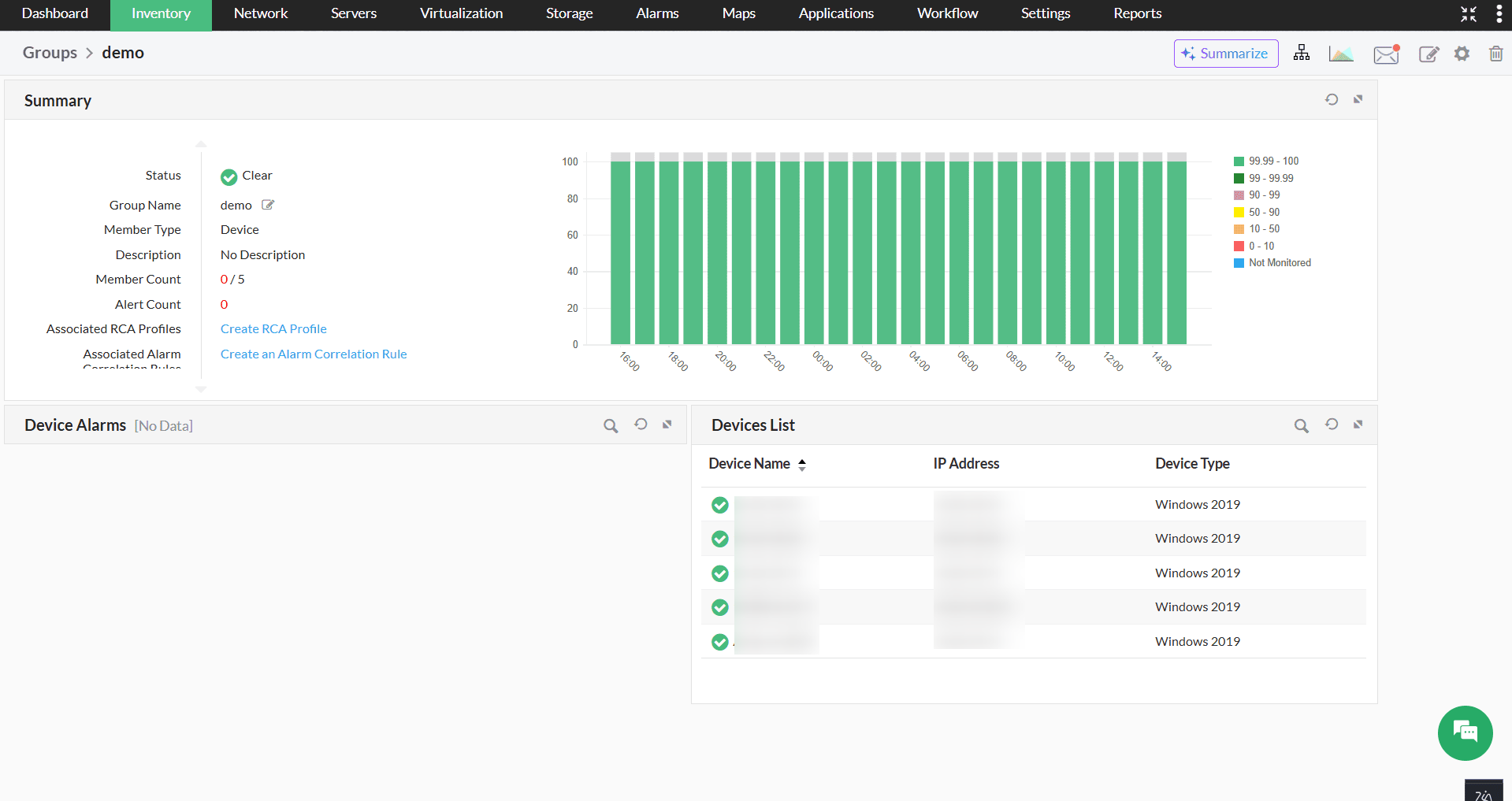
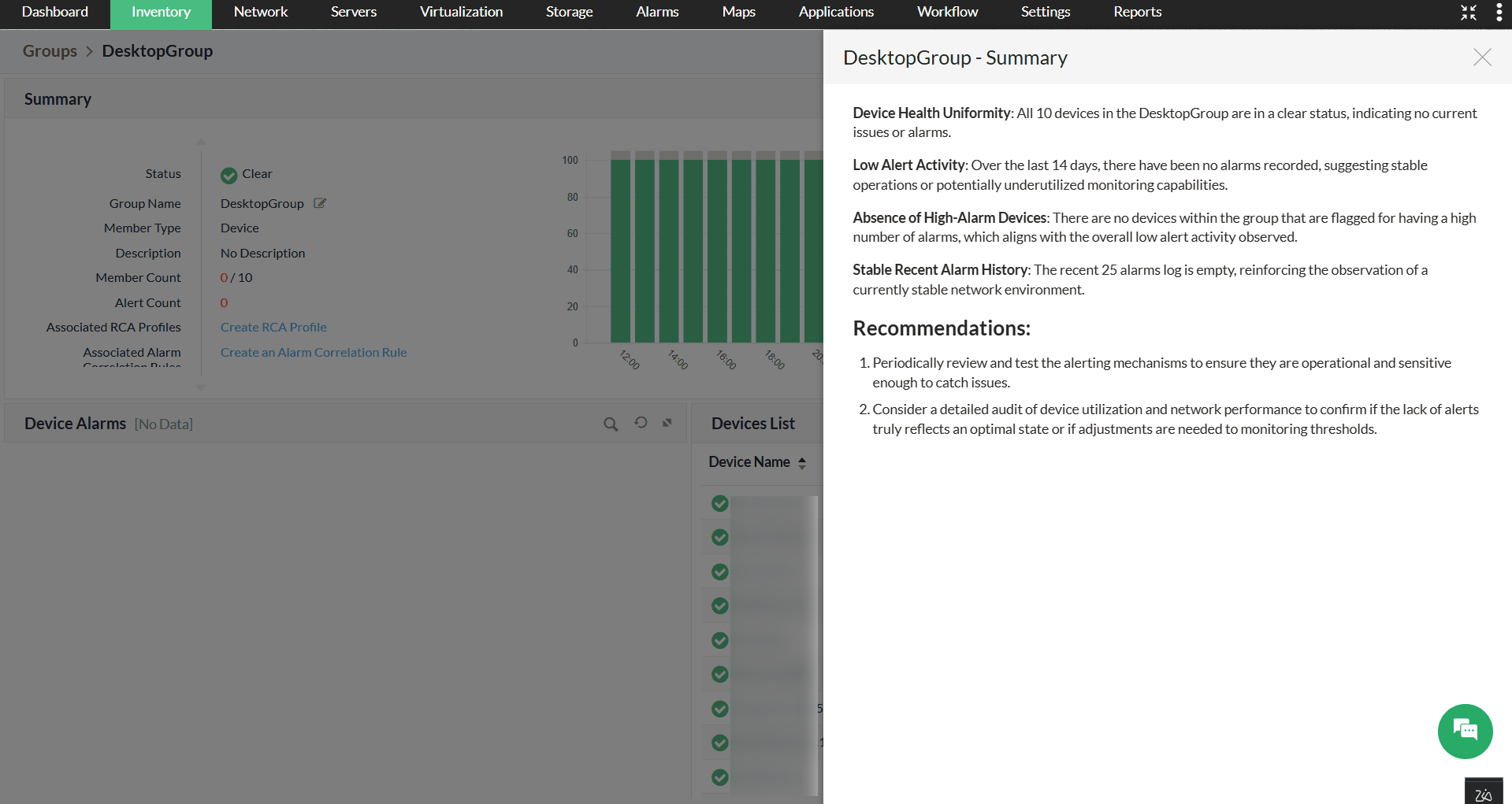
With the integration, you can get an overview of the device groups created in OpManager along with the devices condition, key metrics and recommendations. This can be viewed from the snapshot of a device group.
- Go to Settings -> Configurations -> Groups, you can also navigate to Groups from the inventory.
- Select a device group and click on the Summarize tab to generate the summary.
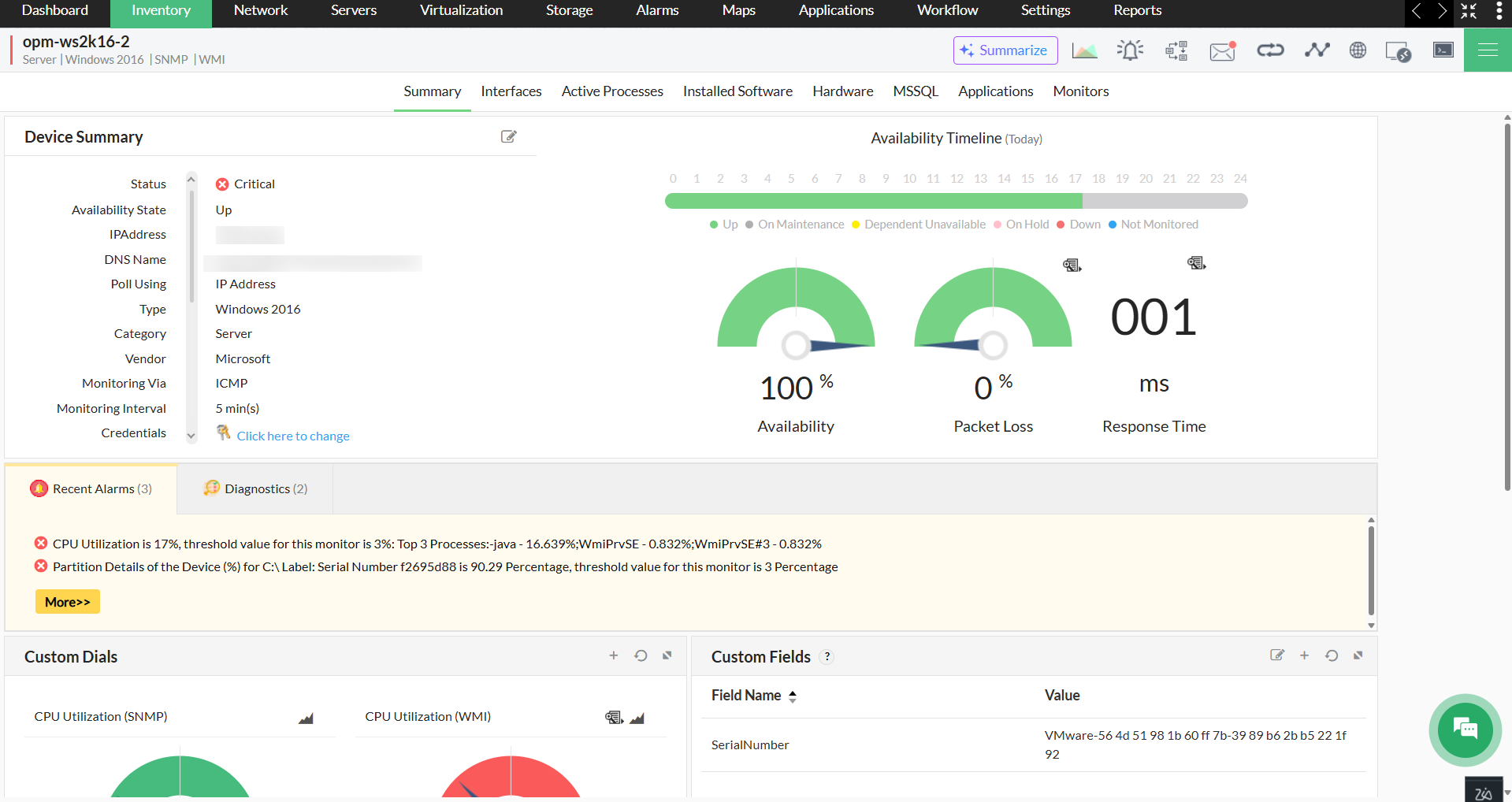
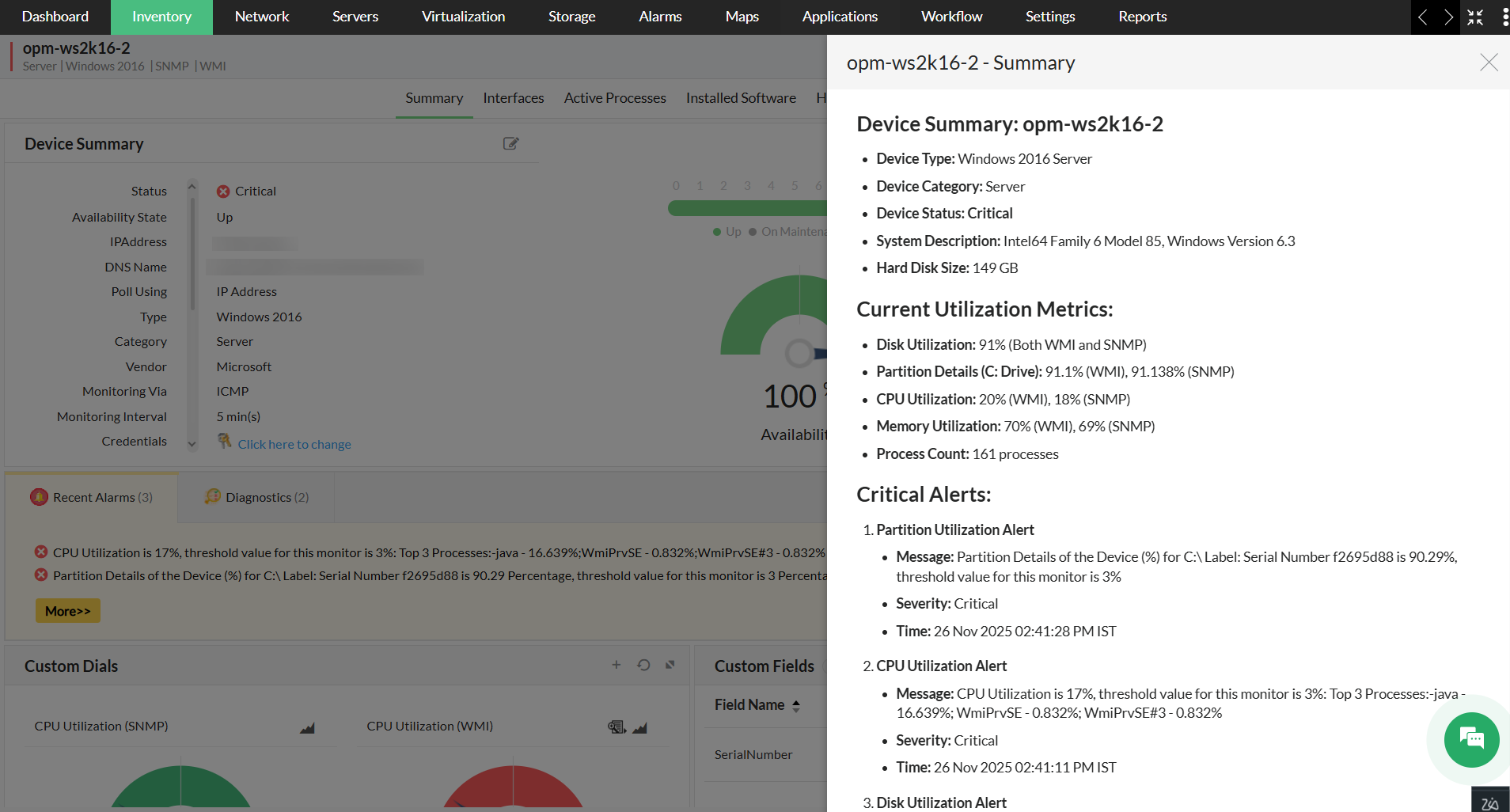
Device Summary
The summary for an individual device can also be generated that will give an overview of the device with it's key metrics.
- Go to Inventory -> Select a device to view the device snapshot page.
- In the snapshot page, click on the Summarize tab to generate the summary.
Script Generation
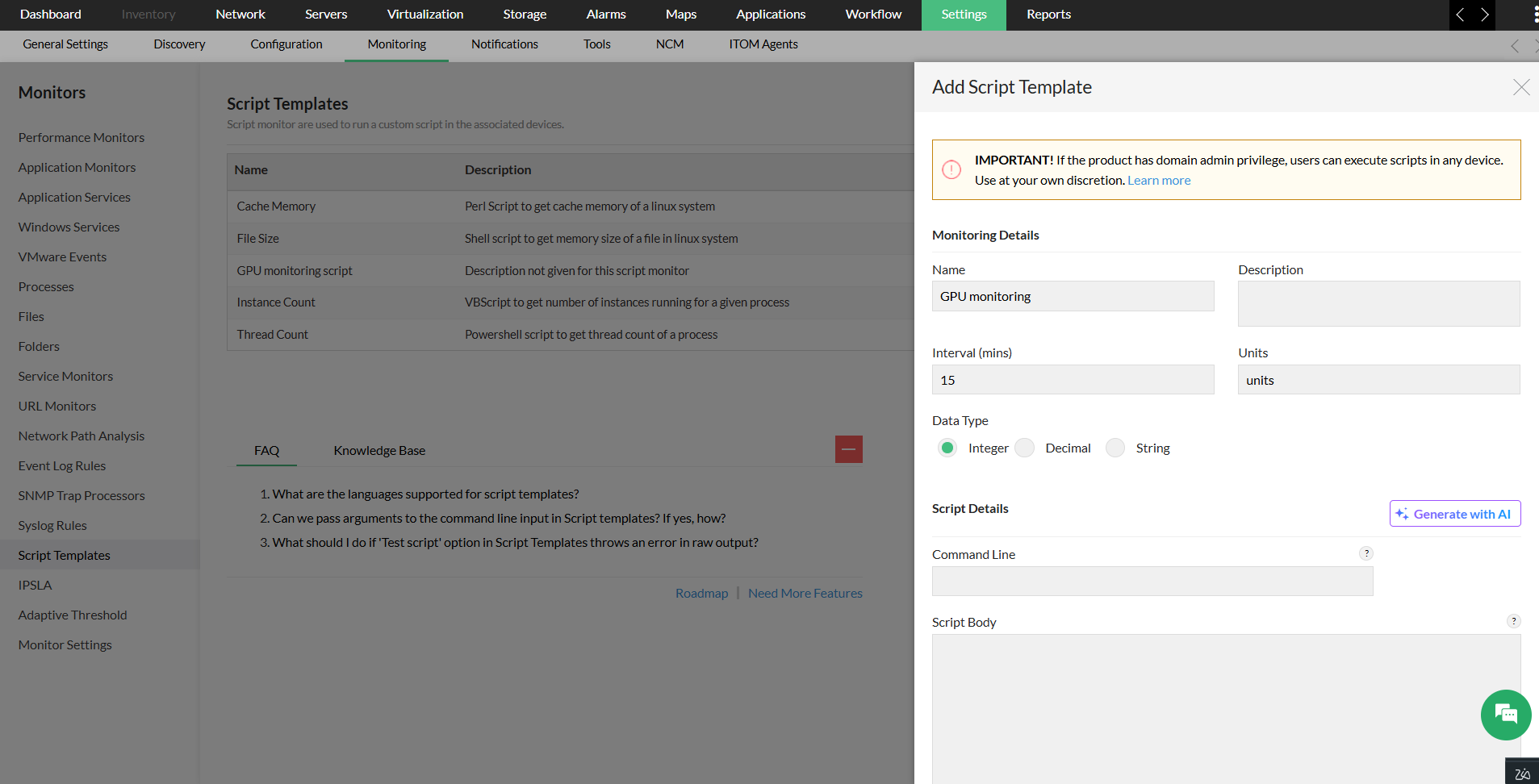
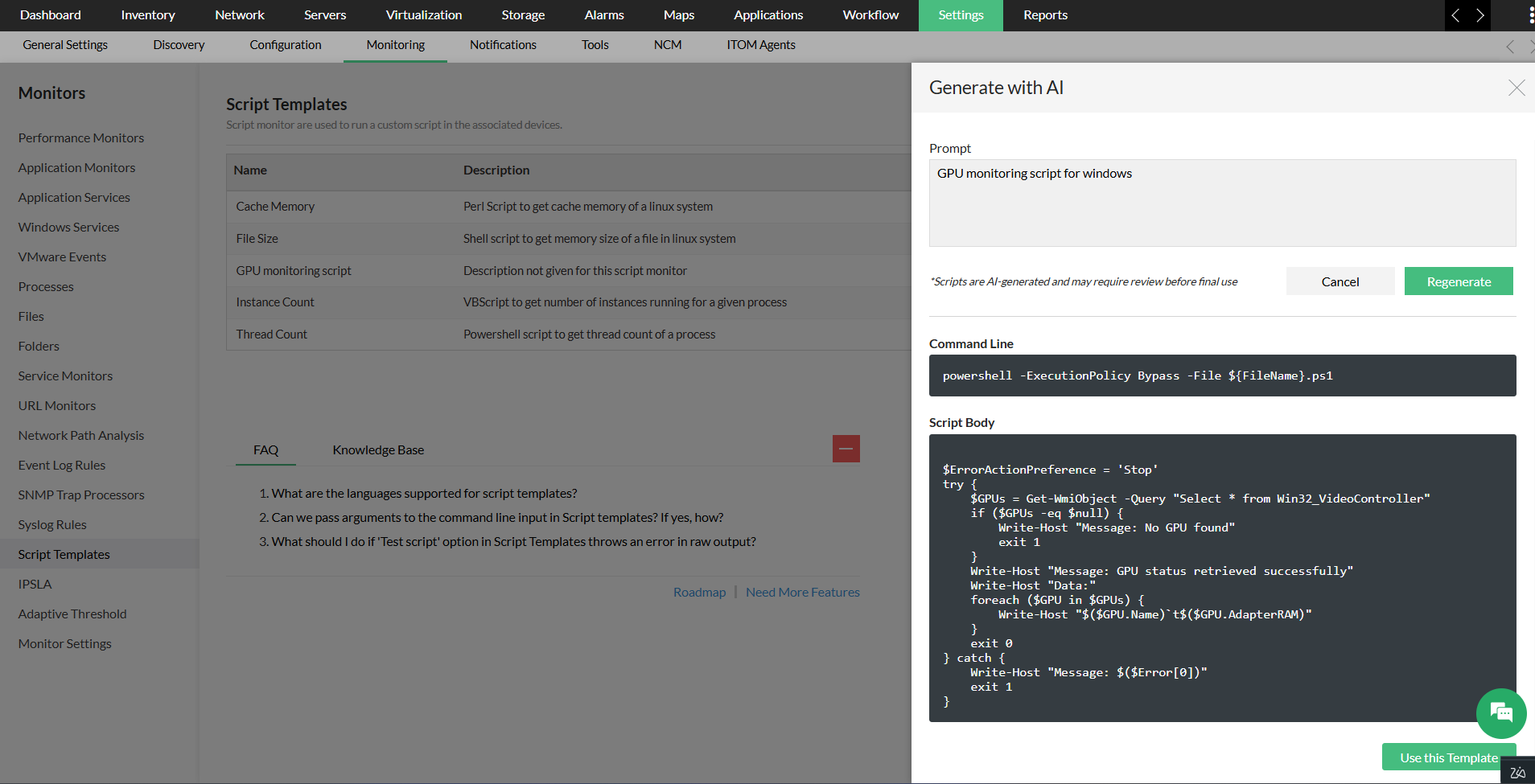
Using this integration, the scripts for script templates can be generated with the help pf AI. Just like in ChatGPT, you have to enter a prompt and the script will be generated for you.
- Go to Settings -> Monitoring -> Script Templates
- Click on Add and enter the Monitoring details.
- Under Script details, Click on Generate with AI.
- In the next window, Enter the prompt for the script required.
- Click on Generate, the Script will be generated.
- You can choose to use the template for monitoring.
These are the five areas in Opmanager, where summaries can be generated with AI capabilities.