Discovering Xen Servers in OpManager
Prerequisites
The IP address and Citrix credentials are necessary to discover the Xen master and VMs. The VMs are automatically discovered along with the master server.
Steps to discover the Xen master and VMs:
Ensure that the credentials for both the master device and VMs have been configured in the credential library before proceeding to discover the master and VMs. Discovery must be initiated using the Master Host of the Xen environment. To discover the Xen master and VMs:
- Go to Virtualization → Xen → Add Xen.
- Enter the Master Device Name / IP address of the Xen server.
- Select the valid XenCenter credentials associated with the Xen server. You can add a new credential profile by clicking on the Add Credentials button -> Select Credential type as Citrix, and add the Xen server's credentials.
- You can enable Auto VM Discovery by toggling the Discover new VMs automatically option.
- To perform in-depth monitoring of your VMs, you can choose any SNMP/WMI/CLI credential profile. This will enable you to monitor metrics in your VMs, that are otherwise not possible using the primary WMI credential provided for the Xen server.
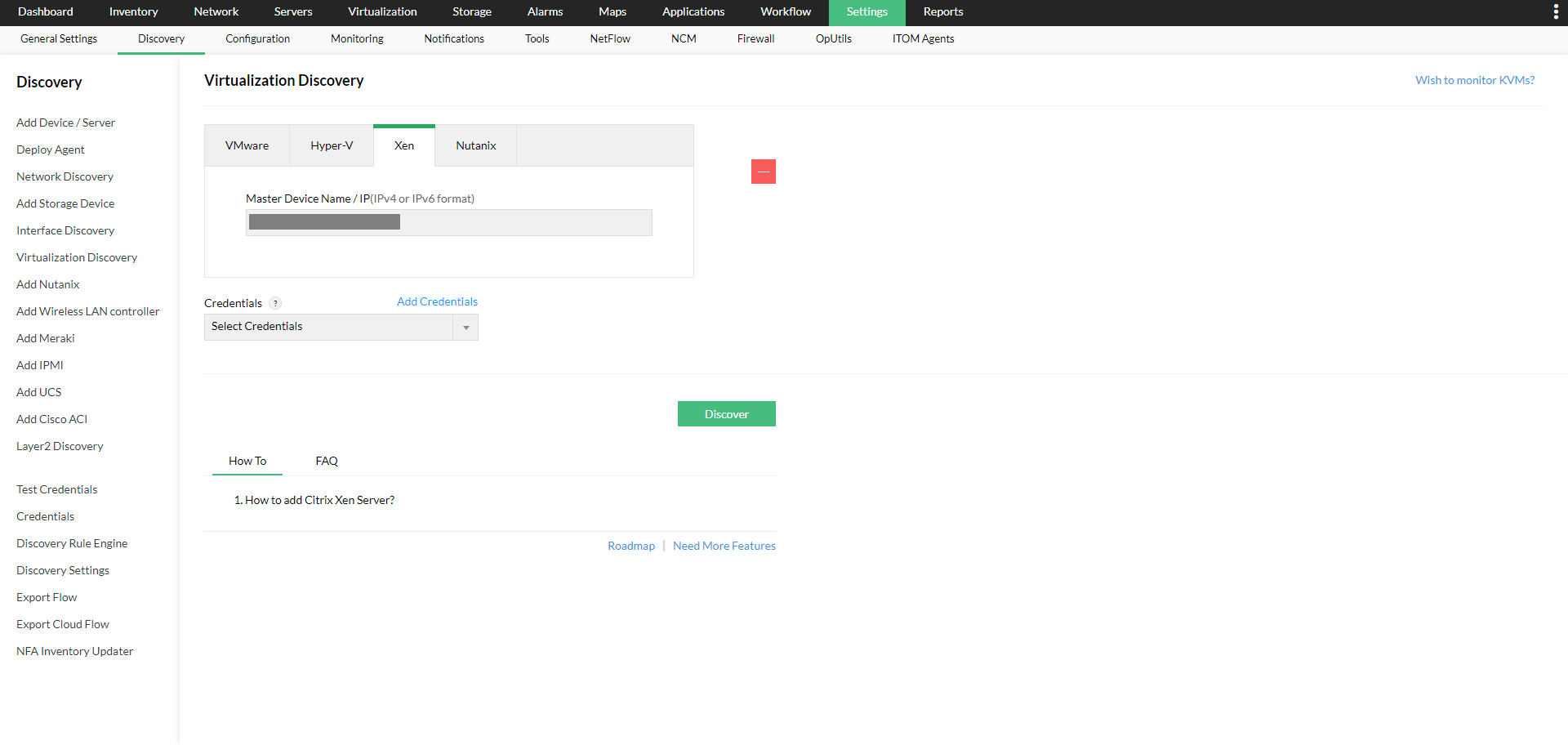
- After selecting, click 'Discover' to initiate the discovery process. OpManager will continue to discover VMs in the background.
If any of the VMs have already been discovered or added, OpManager will automatically map them as a virtual Device.
Note: If the device has been added successfully, but not displayed under the 'Virtualization' tab, search for that device in OpManager. Once you find it, go to the Snapshot page and look for the device type (Navigate to Inventory -> Devices and then click on a device to view its snapshot page). If the device type is mentioned as 'Unknown', it means that wrong credentials have been provided or it was not reachable during discovery. Provide the correct credentials and click on 'Rediscover Now' present under the sandwich menu at the top right corner in the snapshot page, to discover it as a Xen master.
To learn more about Xen monitoring, click here.