
Upgrading the Mac agent
It is necessary to upgrade the Mac agent to maintain the functionality and compatibility of the software. The Mac agent is automatically upgraded when you upgrade ADAudit Plus from one version to another using the service pack.
If the Mac agent fails to upgrade after service pack application, you can upgrade it either via ADAudit Plus' UI or by manually uninstalling and reinstalling the agent on the target Mac workstations.
Upgrade the Mac agent via ADAudit Plus' UI
- Log in to your ADAudit Plus web console.
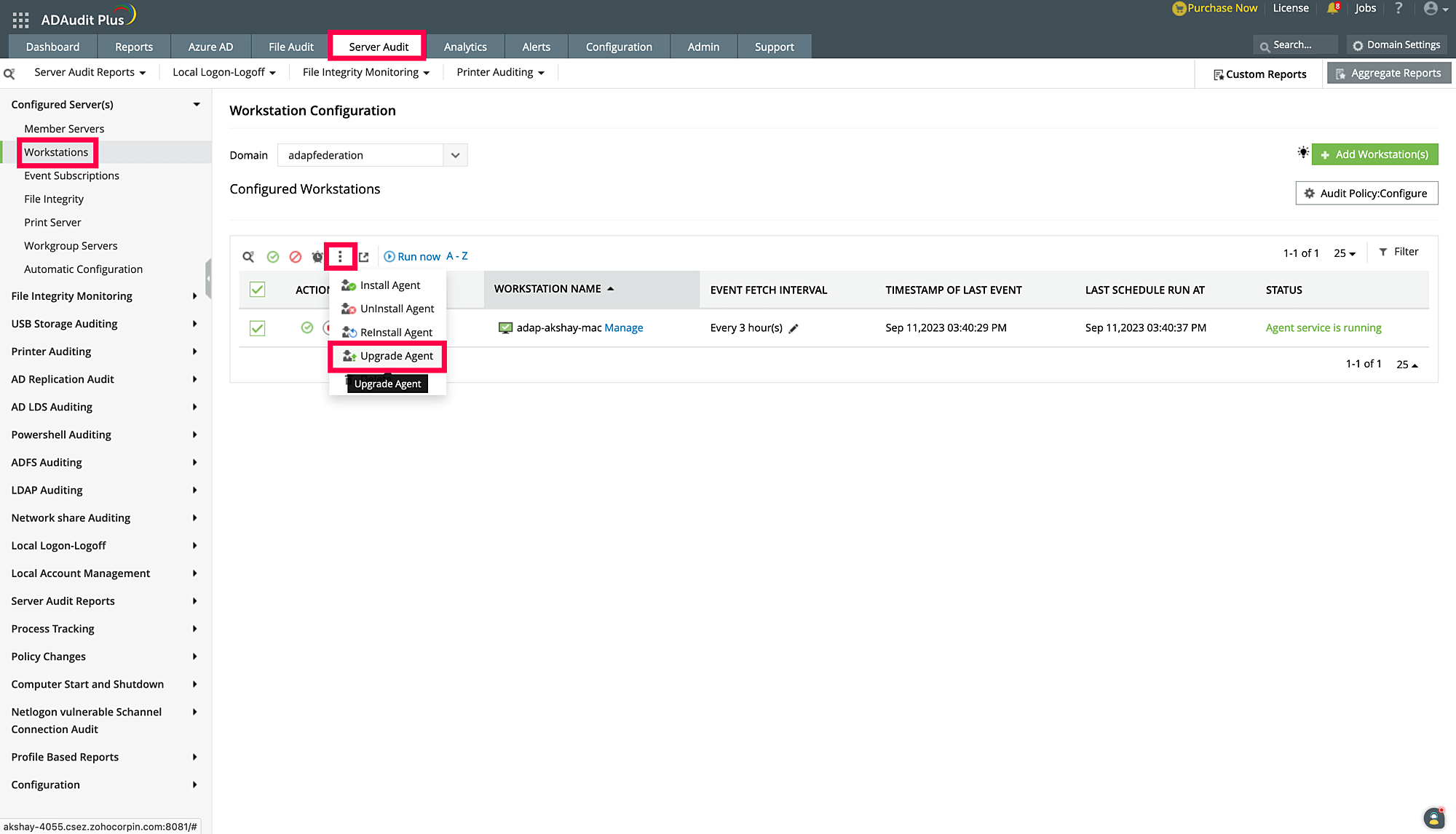
- Navigate to Server Audit > Configured Server(s) > Workstations.
- Select the Mac workstations for which the agent has to be updated, select the hamburger menu, and click Upgrade Agent.
Upgrade the Mac agent manually
To upgrade the Mac agent manually, follow the steps under Removing Mac workstations through command execution to uninstall the agent. Then, follow the steps under Adding Mac workstations manually to install the latest version of the agent.