Integrate with Freshservice
Introduction
ManageEngine Endpoint Central is a unified endpoint management and security solution that helps enterprises automate every aspect of endpoint management, including patch management, software deployment, remote troubleshooting, IT asset management, and more. It acts as a comprehensive endpoint management solution, enabling administrators to efficiently handle tasks from a central location.
Freshservice is a cloud-based IT service management software that streamlines IT service delivery through automation, asset management, and advanced service desk capabilities.
By integrating Freshservice with Endpoint Central, IT administrators can seamlessly perform endpoint management activities directly from the Freshservice platform.
This integration is compatible with both the On-Premise and Cloud versions of Endpoint Central.
Why Should I Integrate?
Endpoint Central is ManageEngine's flagship unified endpoint management and security solution that helps organizations automate endpoint management. By integrating Freshservice with Endpoint Central, IT admins can:
- Simplify application deployment using pre-built templates.
- Utilize powerful remote access features, including file transfer and built-in communication tools.
- Troubleshoot remotely with multiple monitor support, session recording, and technician collaboration.
- Take advantage of remote power options like Wake-on-LAN, shutdown, and standby.
- Resolve issues using system manager tools without initiating a remote session.
Integrate with Endpoint Central On-Premise
To integrate with Endpoint Central On-premise, follow the steps below:
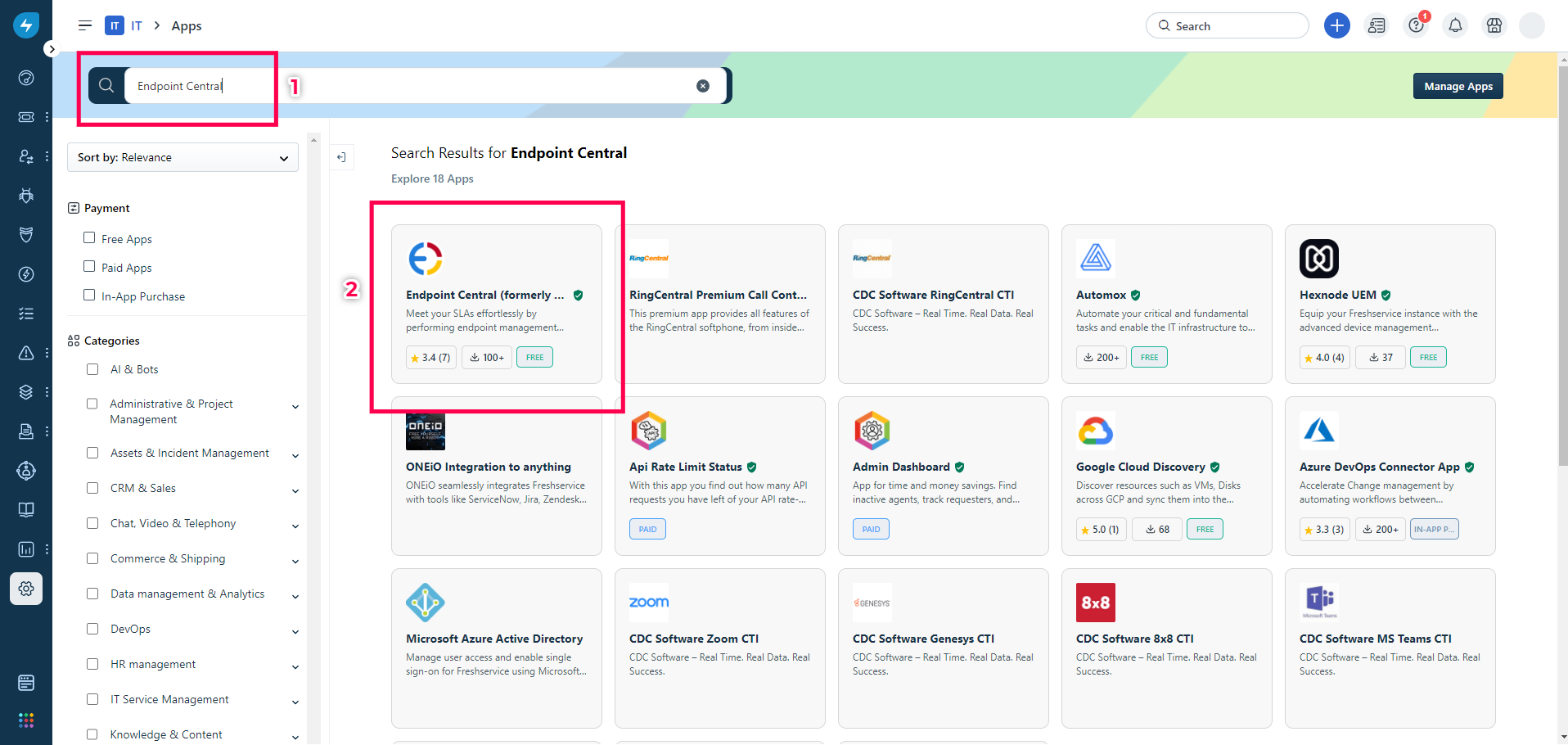
- Log in to your Freshservice console, navigate to the Marketplace, and search for Endpoint Central.
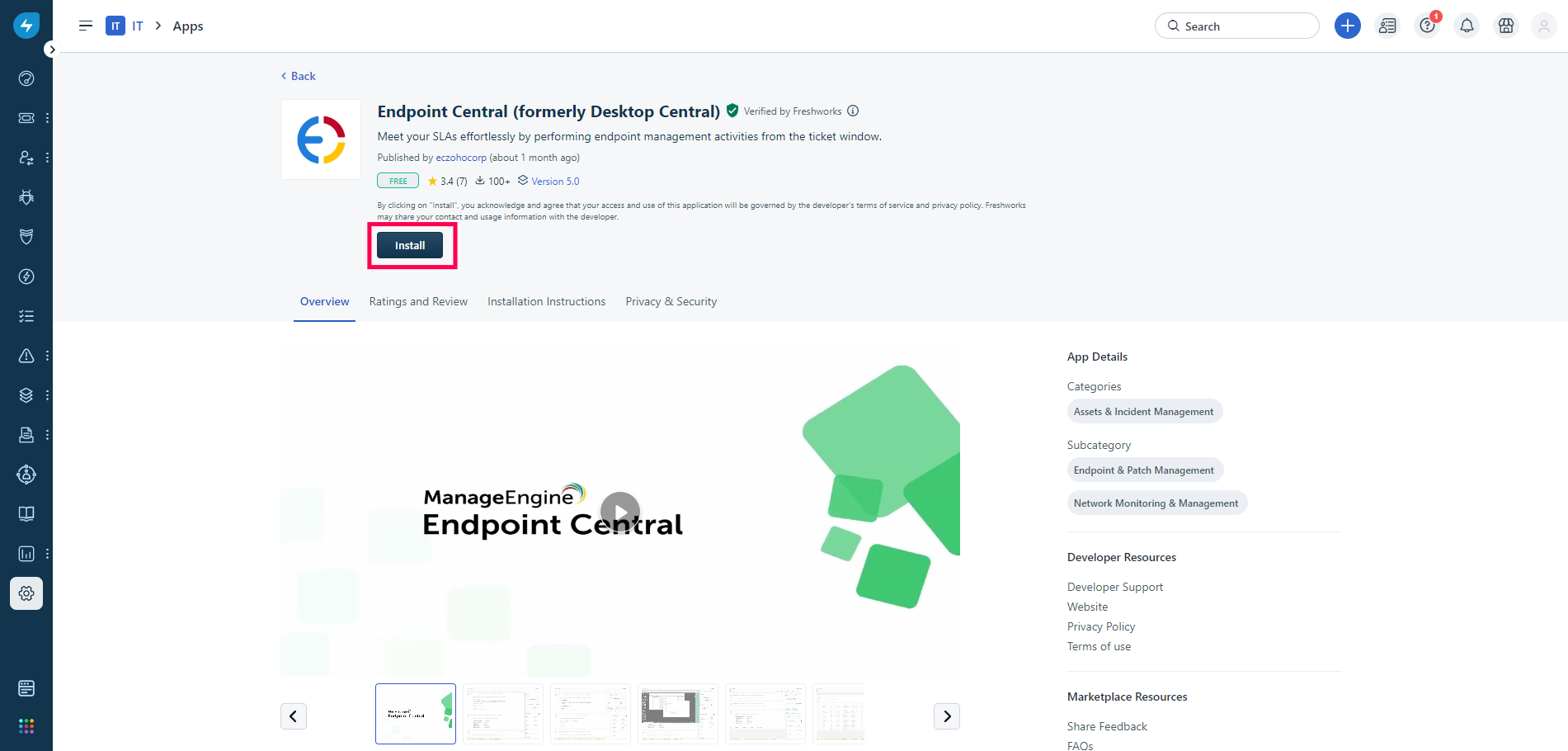
- Select the app and Click on Install.
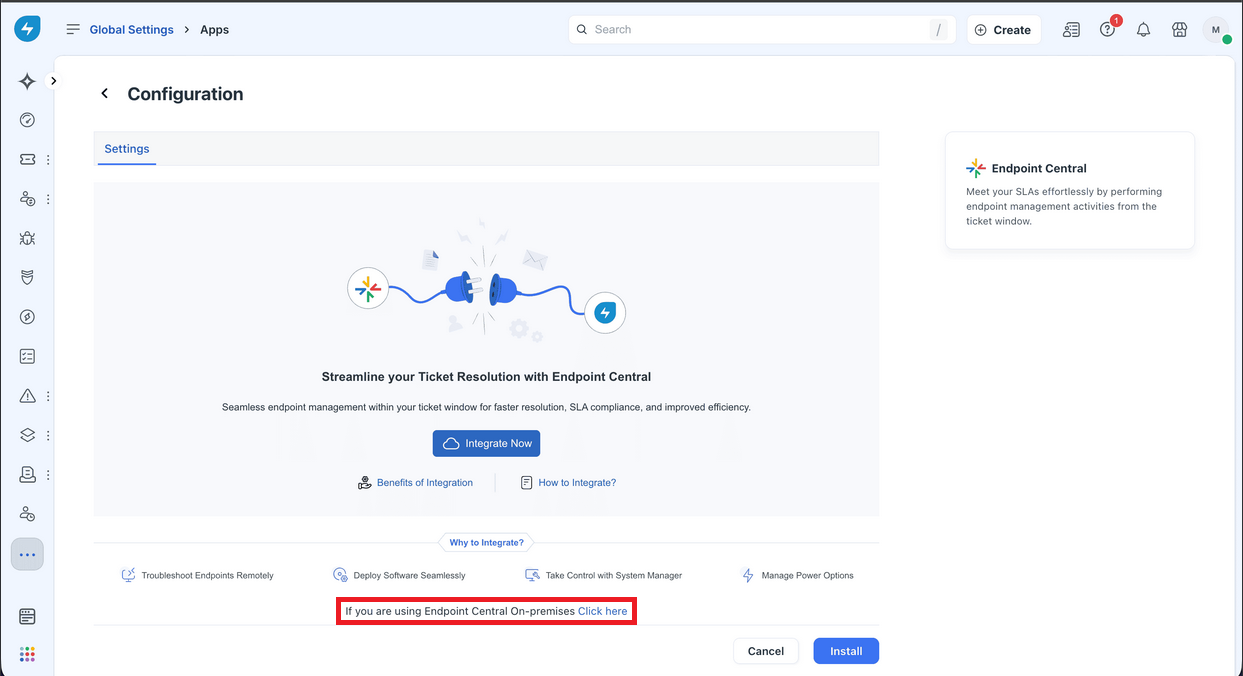
- Then, scroll to the bottom of the page and click the link labeled "If you are using Endpoint Central On-Premises, Click here."
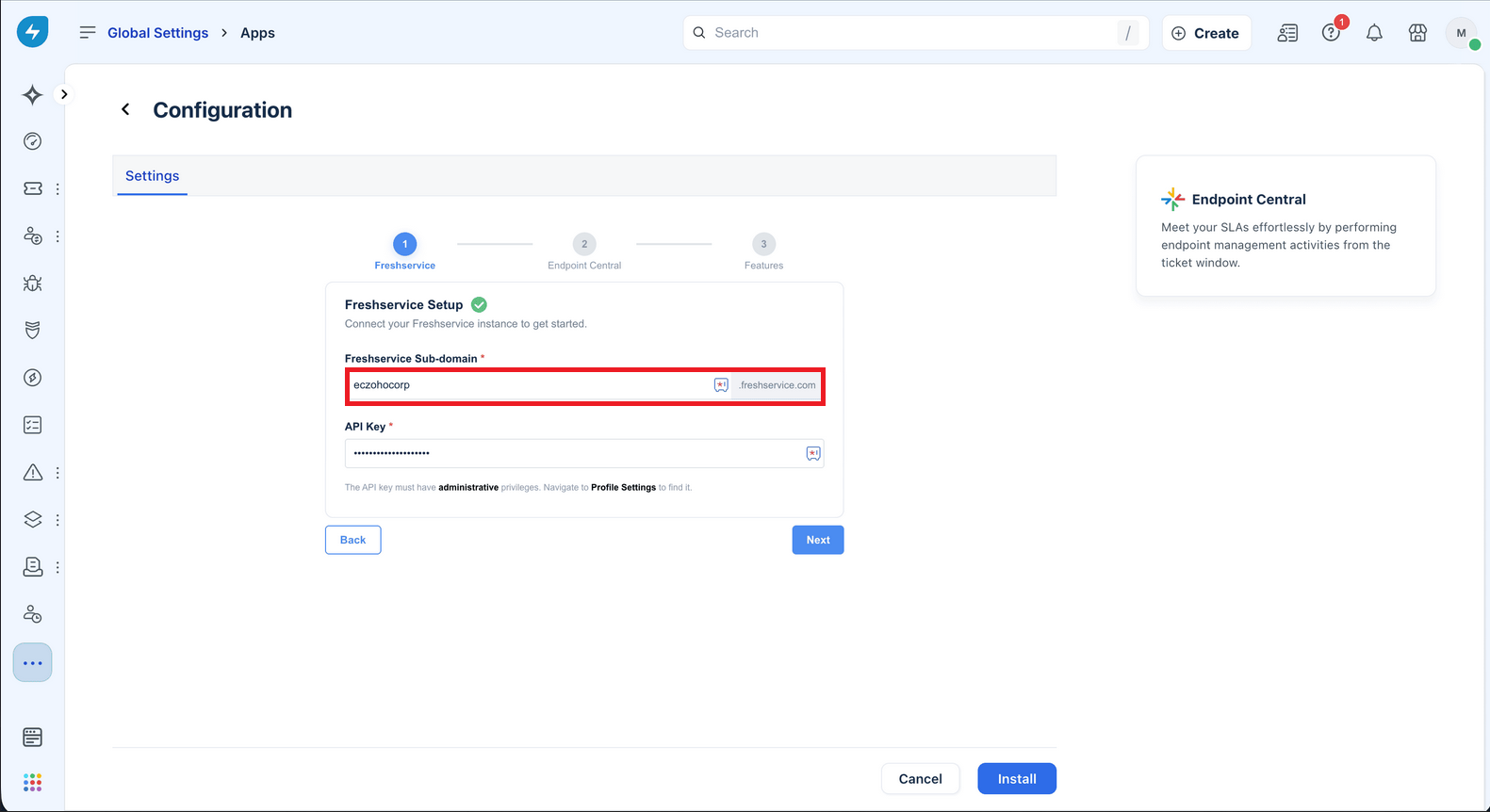
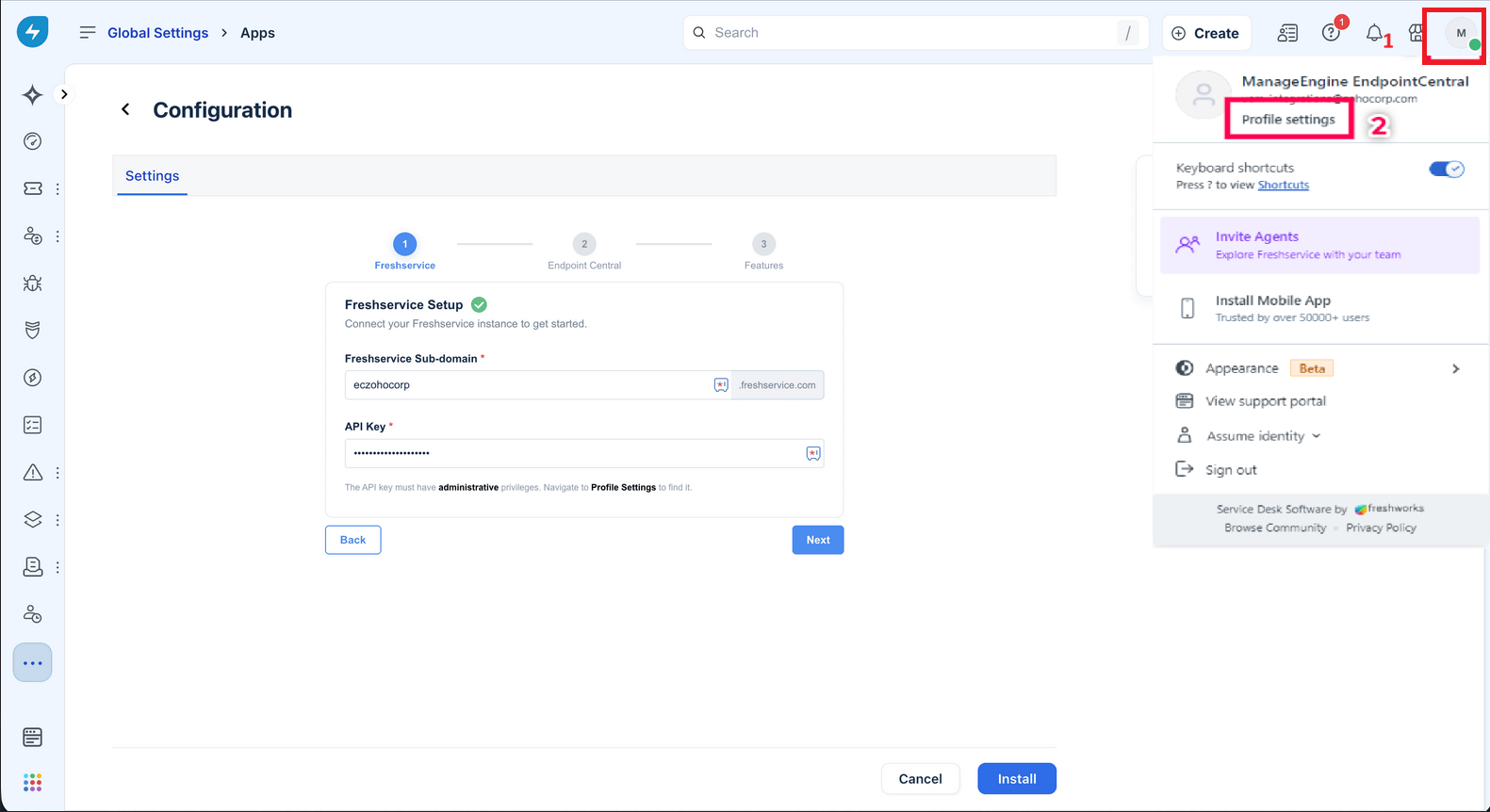
- In FreshService Setup, the Sub-domain should be pre-filled.
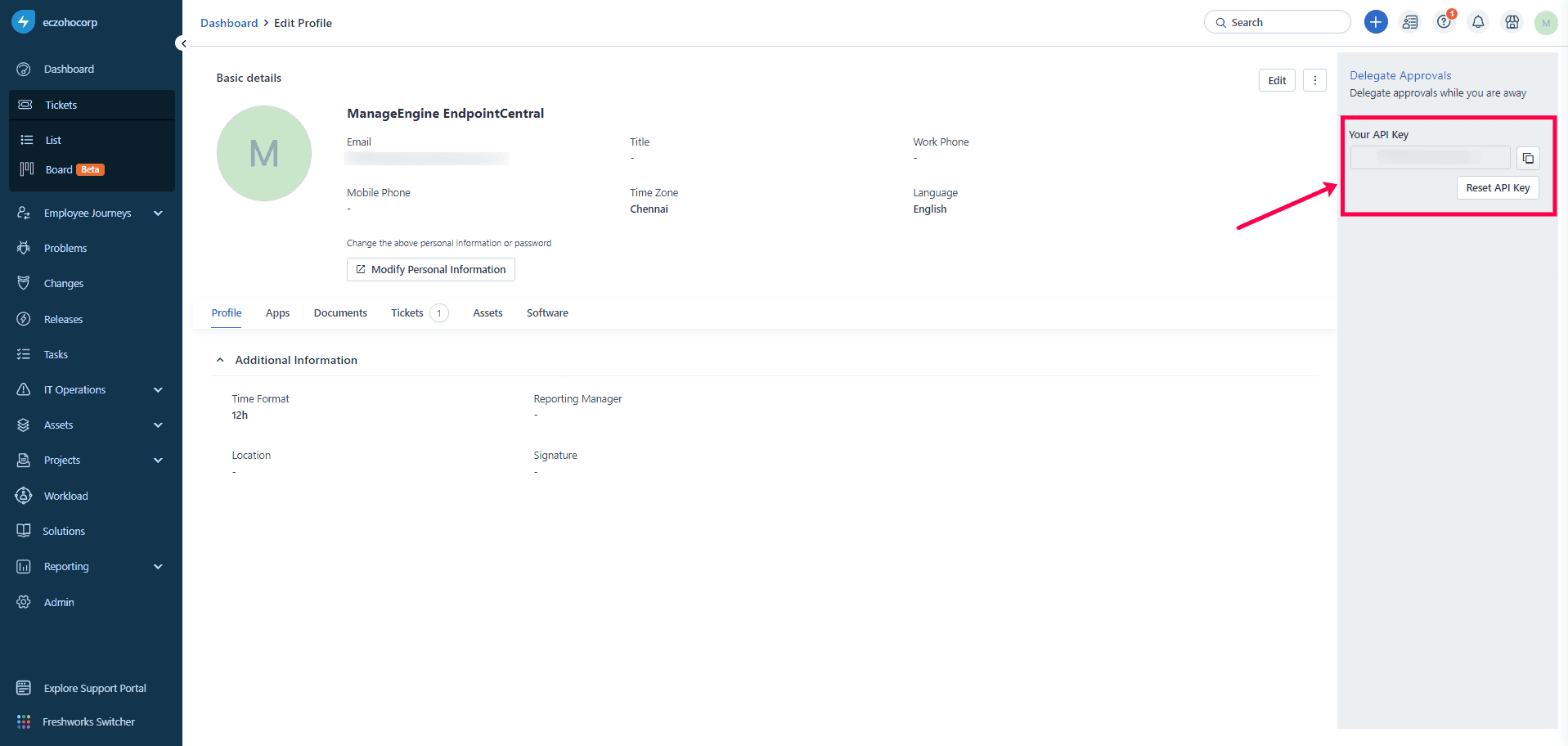
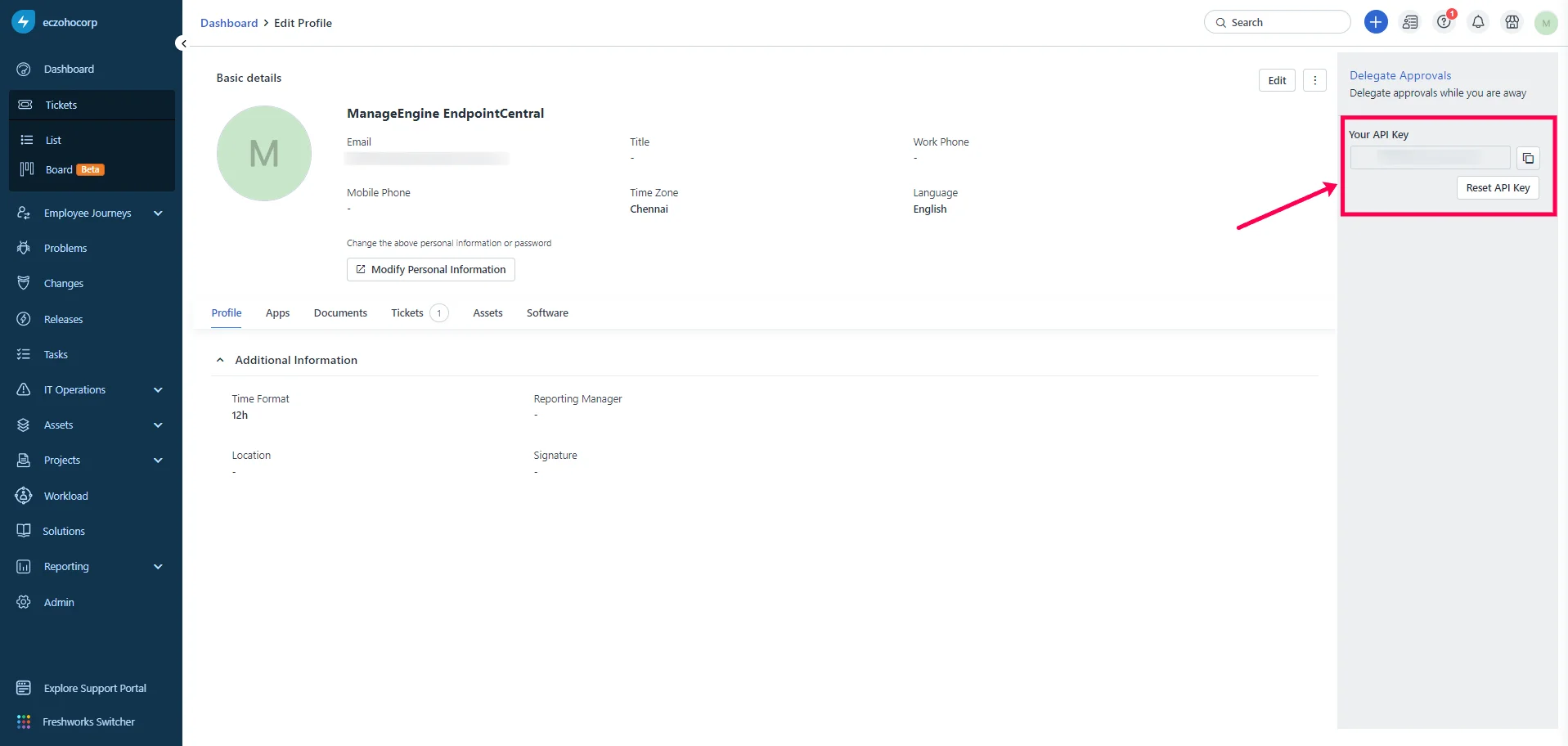
- To get the Freshservice API key, navigate to user profile > profile settings.
- Copy the API key shown on right tab menu.
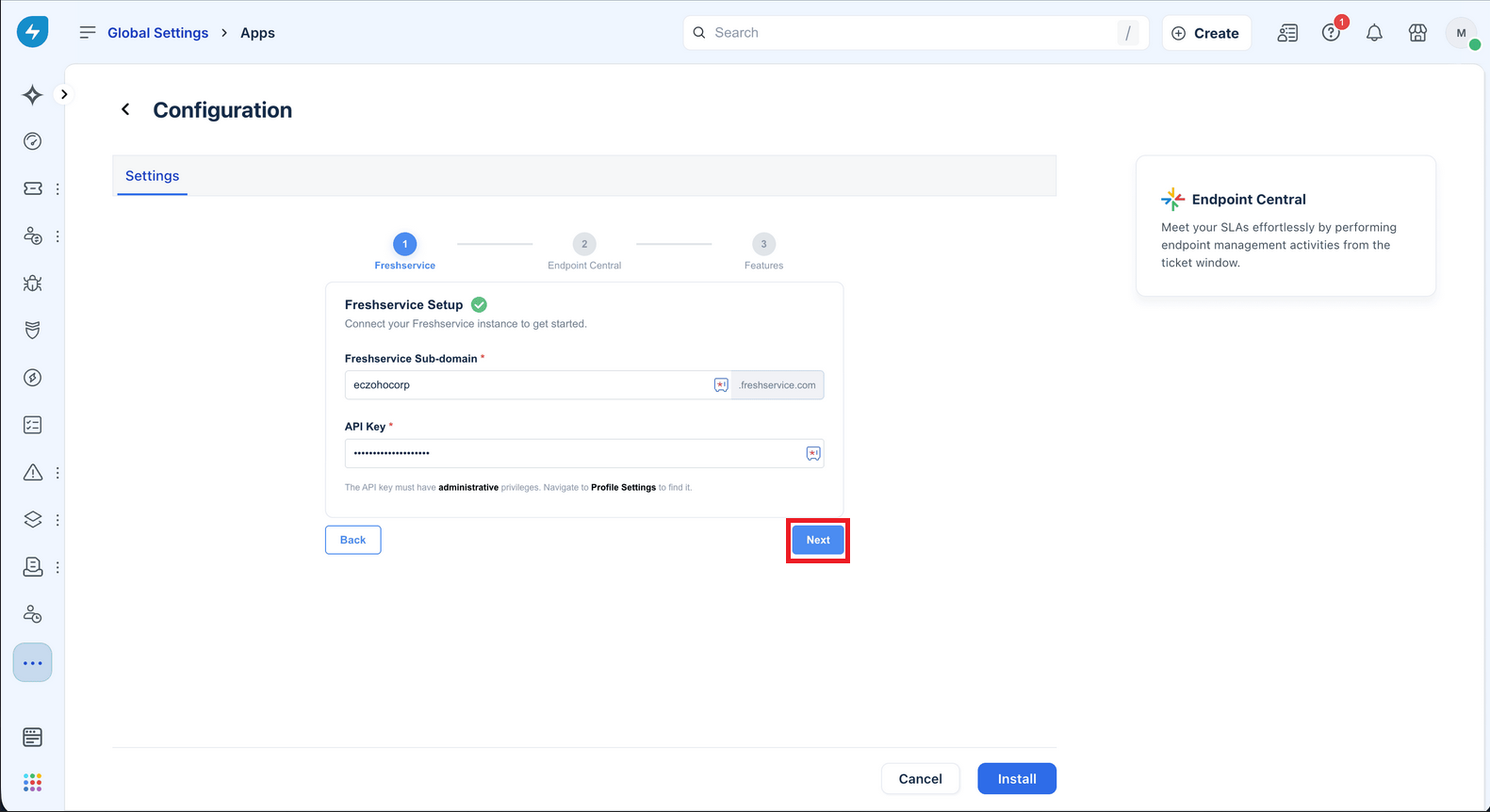
- Paste the Freshservice API key and click Next.
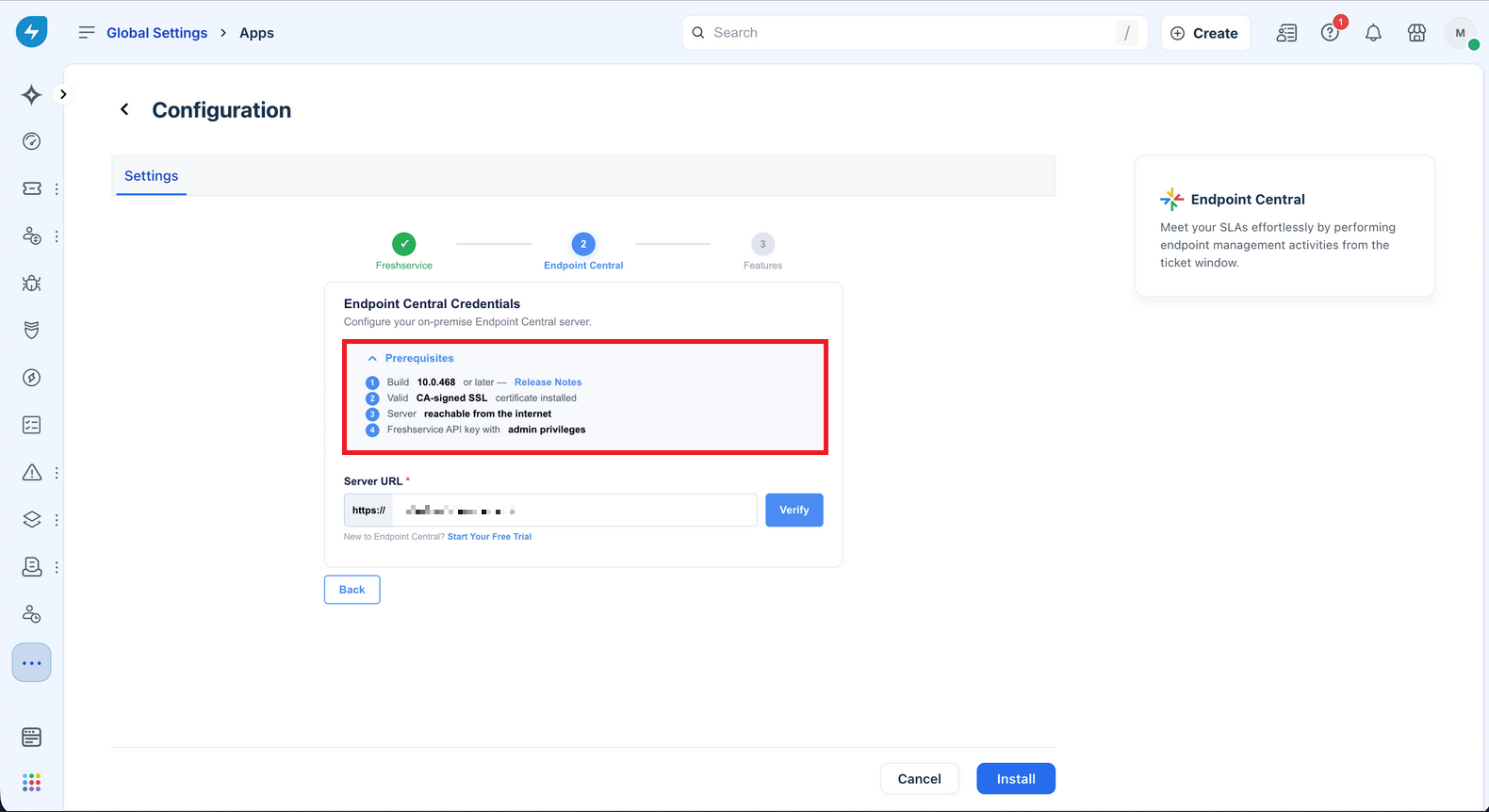
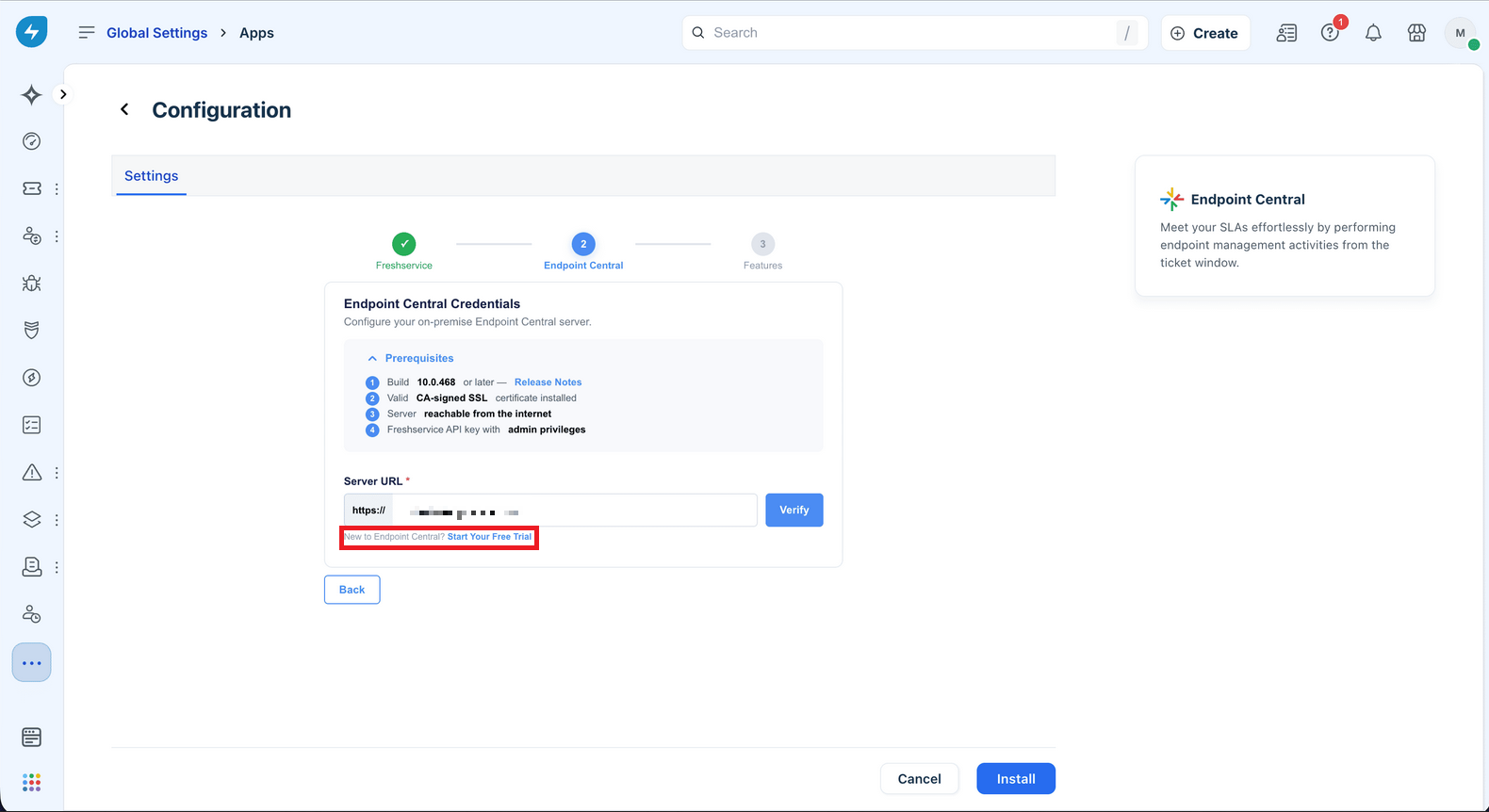
- Endpoint Central Prerequisites:
- Ensure that the Endpoint Central build number is 10.0.468 or later.
- Verify that the Endpoint Central server has a valid SSL certificate signed by a Certificate Authority (CA).
- Ensure the Endpoint Central server is reachable publicly from the internet.
- Obtain the Freshservice API key with administrative privileges.
- If you are new to Endpoint Central, download and install the free trial.
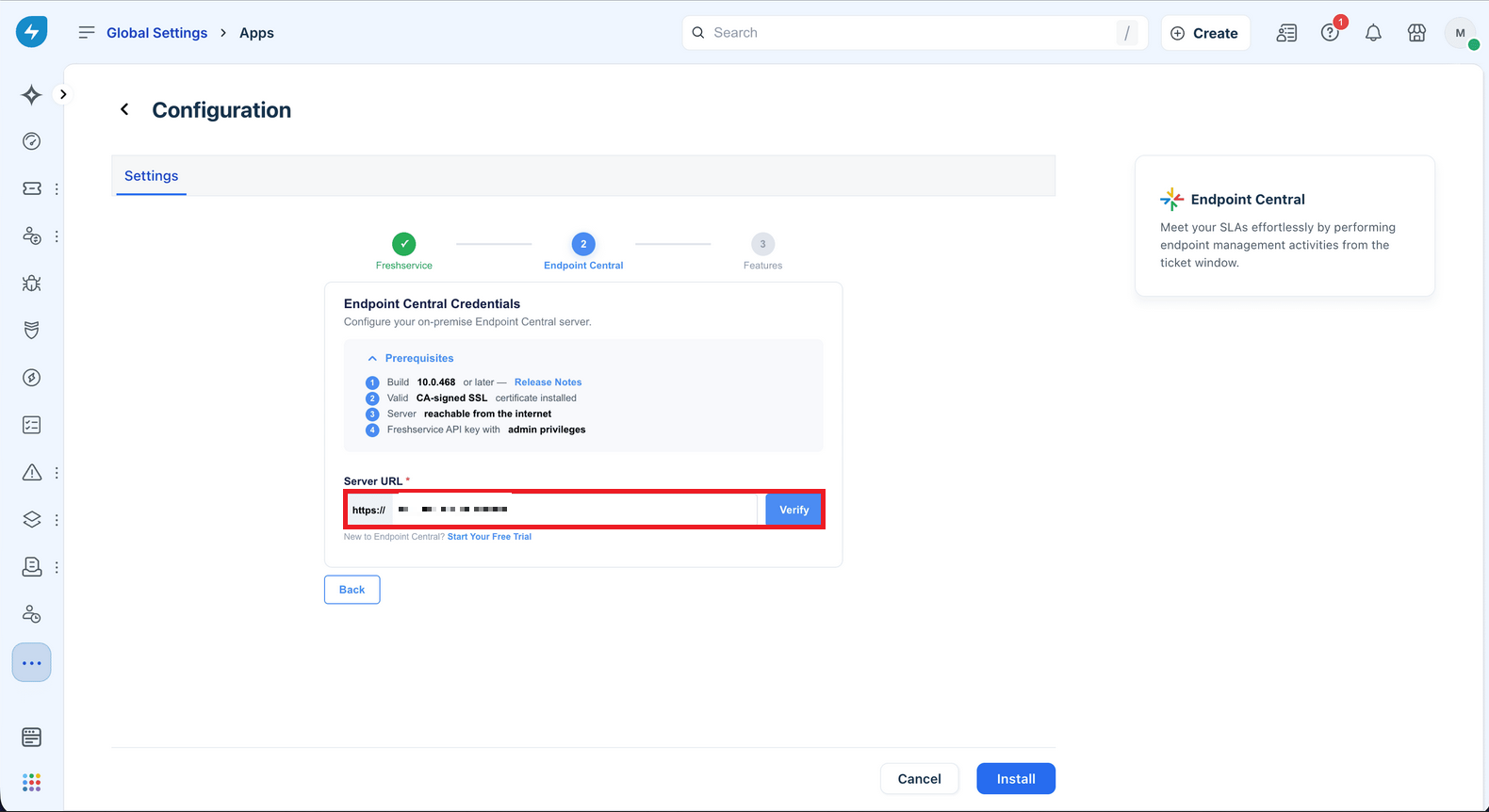
- If you are an existing user, enter the FQDN (Fully Qualified Domain Name) or IP address of the Endpoint Central server in the format
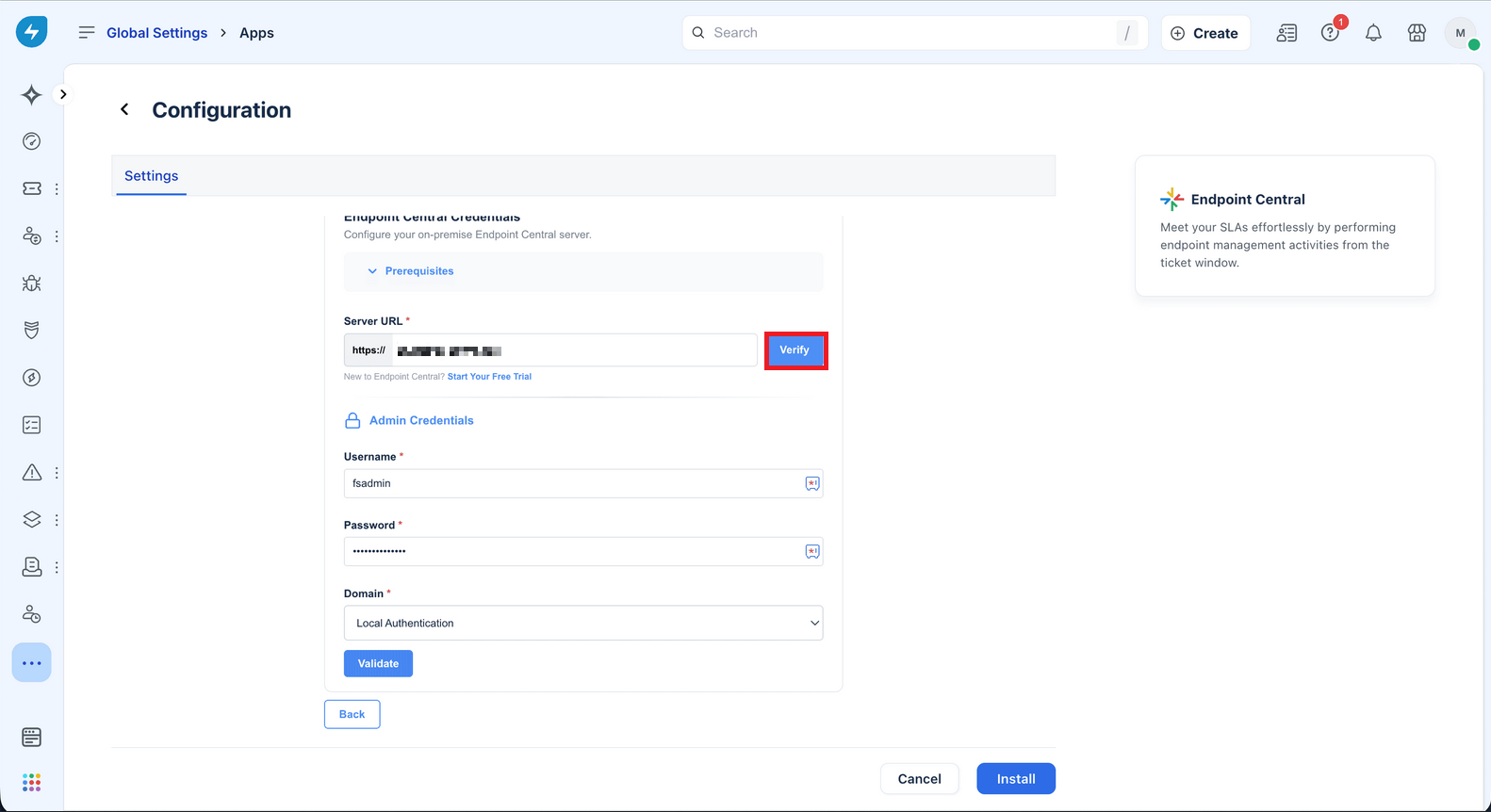
https://dcserver.com:8383. - Use the Verify option to confirm connectivity.
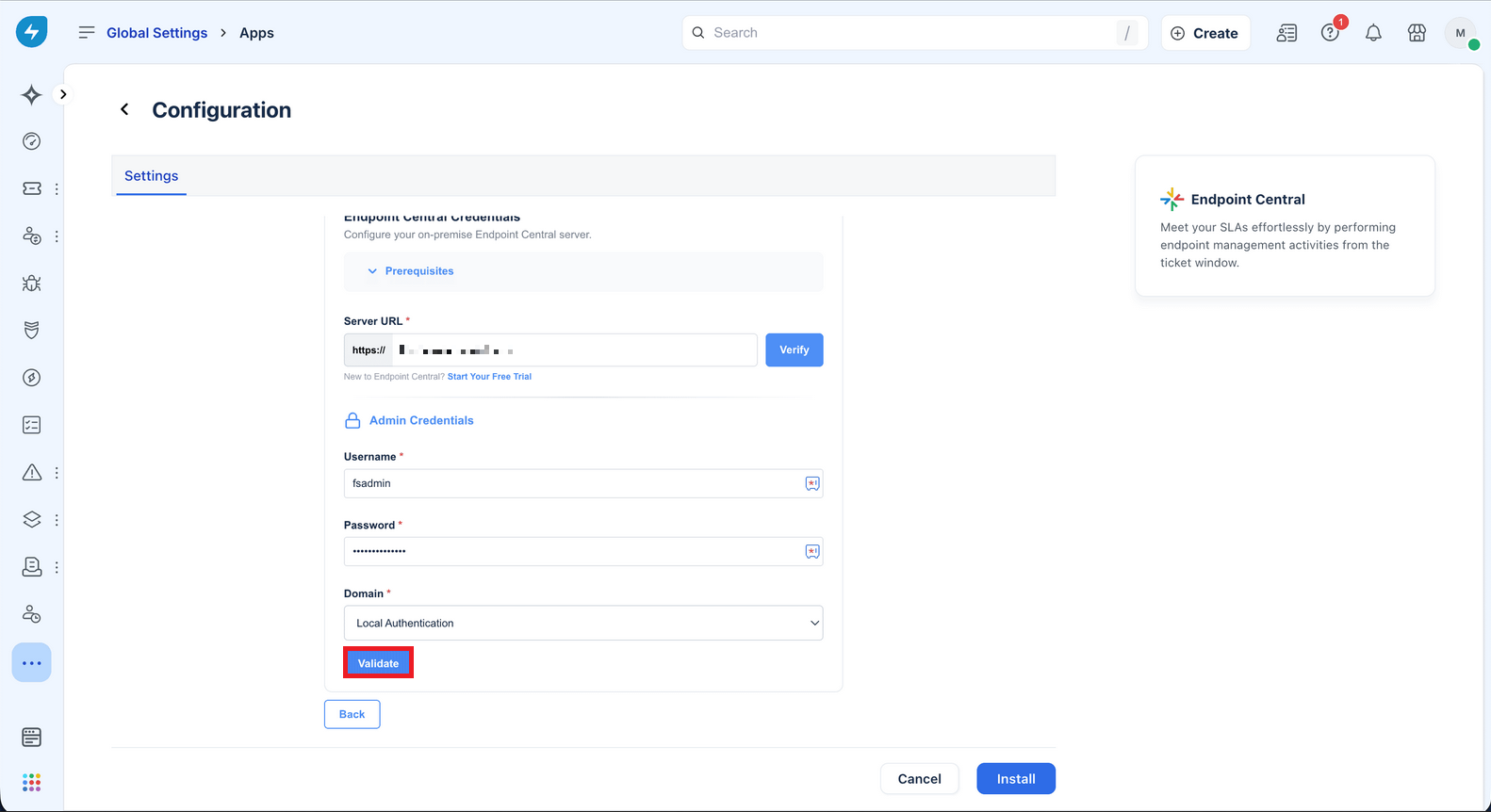
- Enter the admin username and password for the Endpoint Central server and validate.
- Once the server details and credentials are validated, You can now enable Scheduled Asset Sync to FreshService from Endpoint Central. Select your desired Sync Interval and Time and Click "Install".
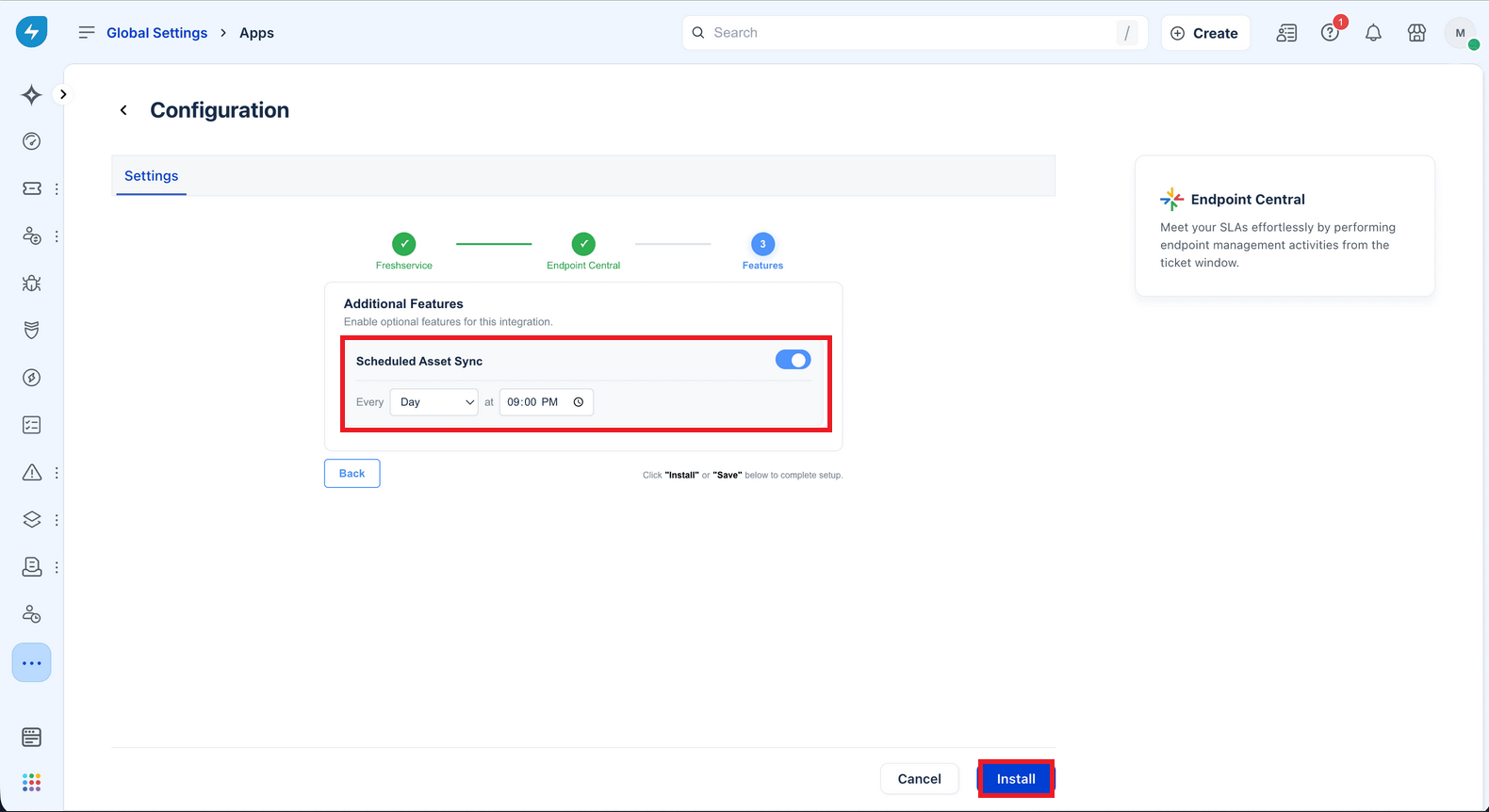
Now, you can manage endpoints directly from the Freshservice tickets. Other Freshservice agents can securely authenticate themselves directly from the ticket window using their Endpoint Central privileges, ensuring proper access control based on their roles and permissions.
Integrate with Endpoint Central Cloud
- Log in to your Freshservice console, navigate to the Marketplace, and search for Endpoint Central.
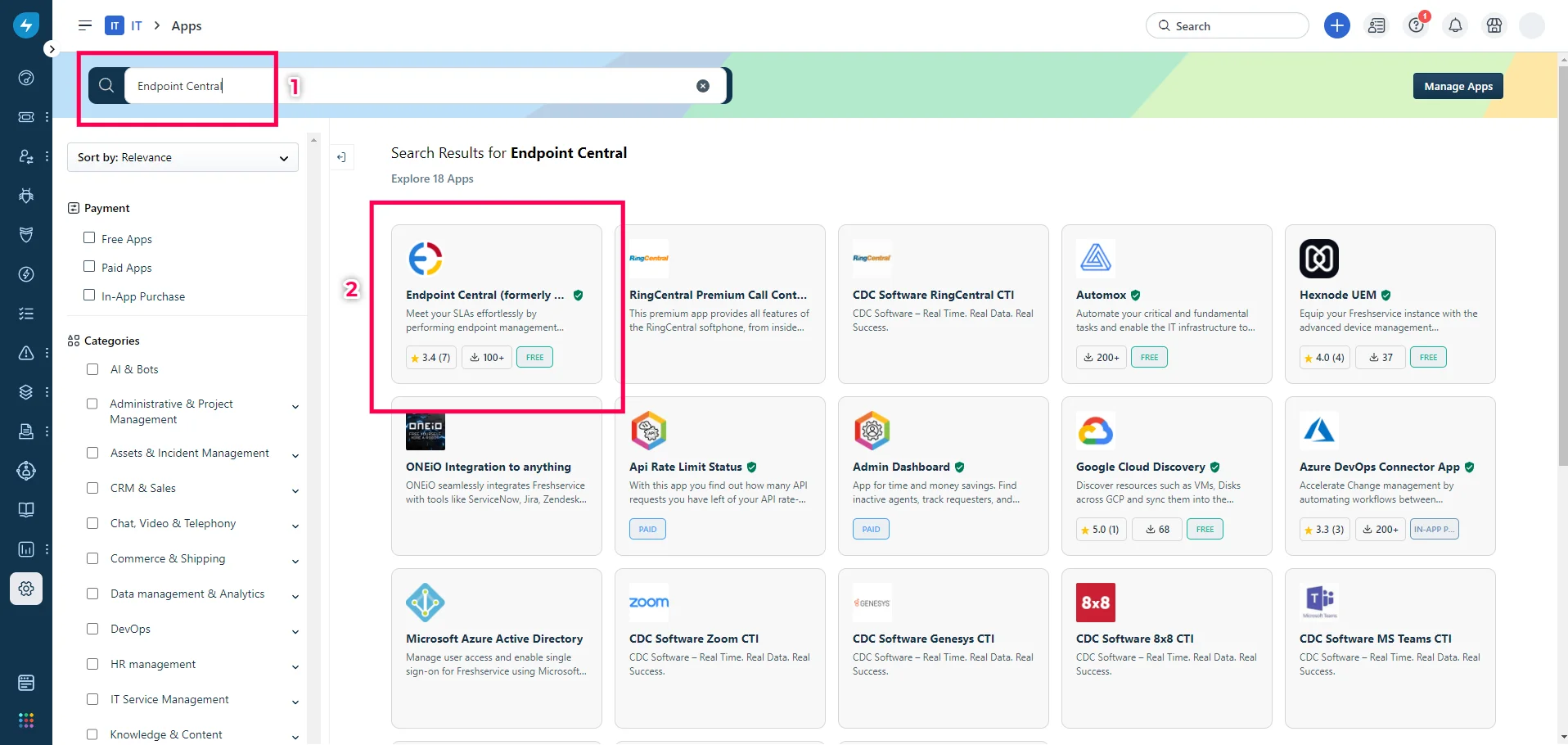
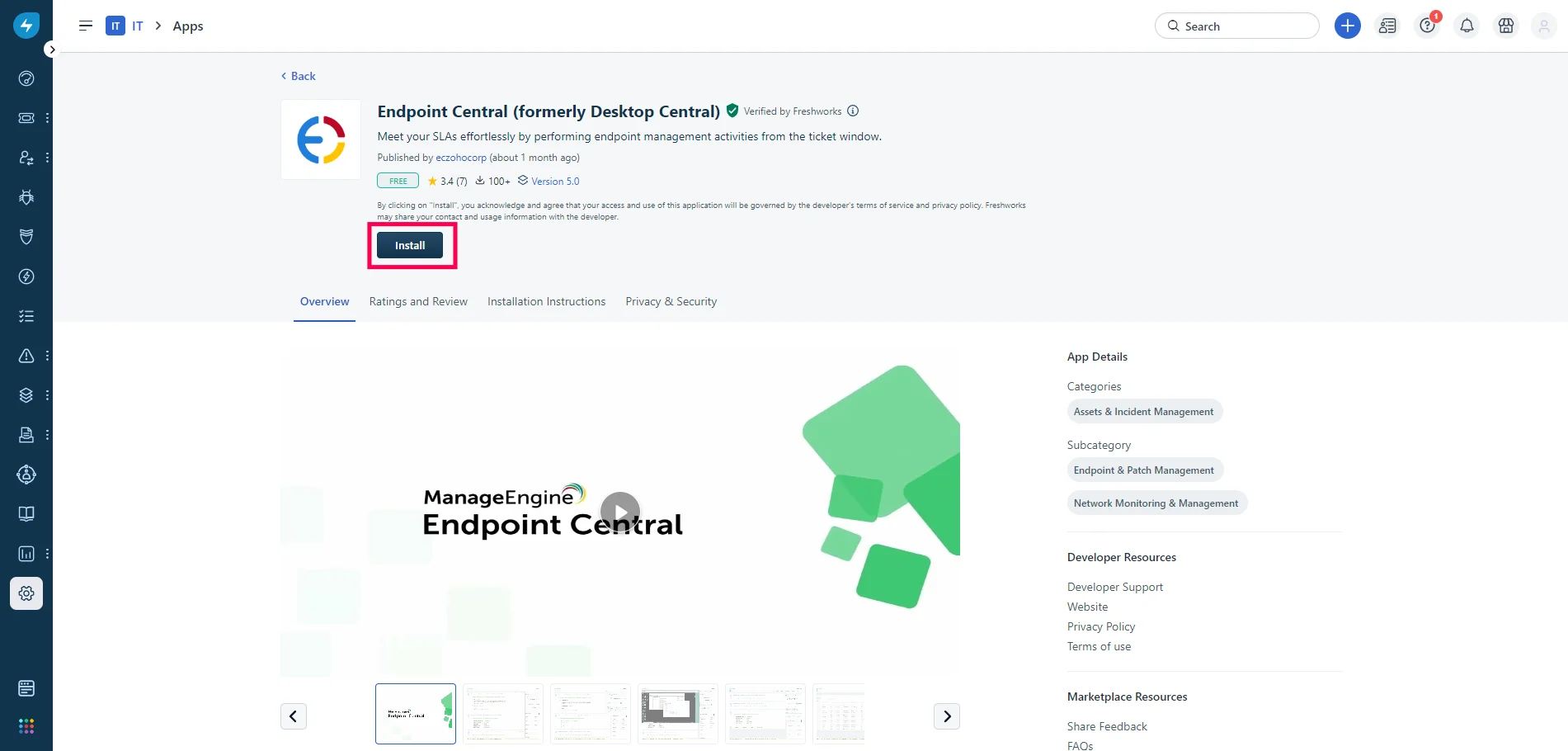
- Select the app and Click on Install.
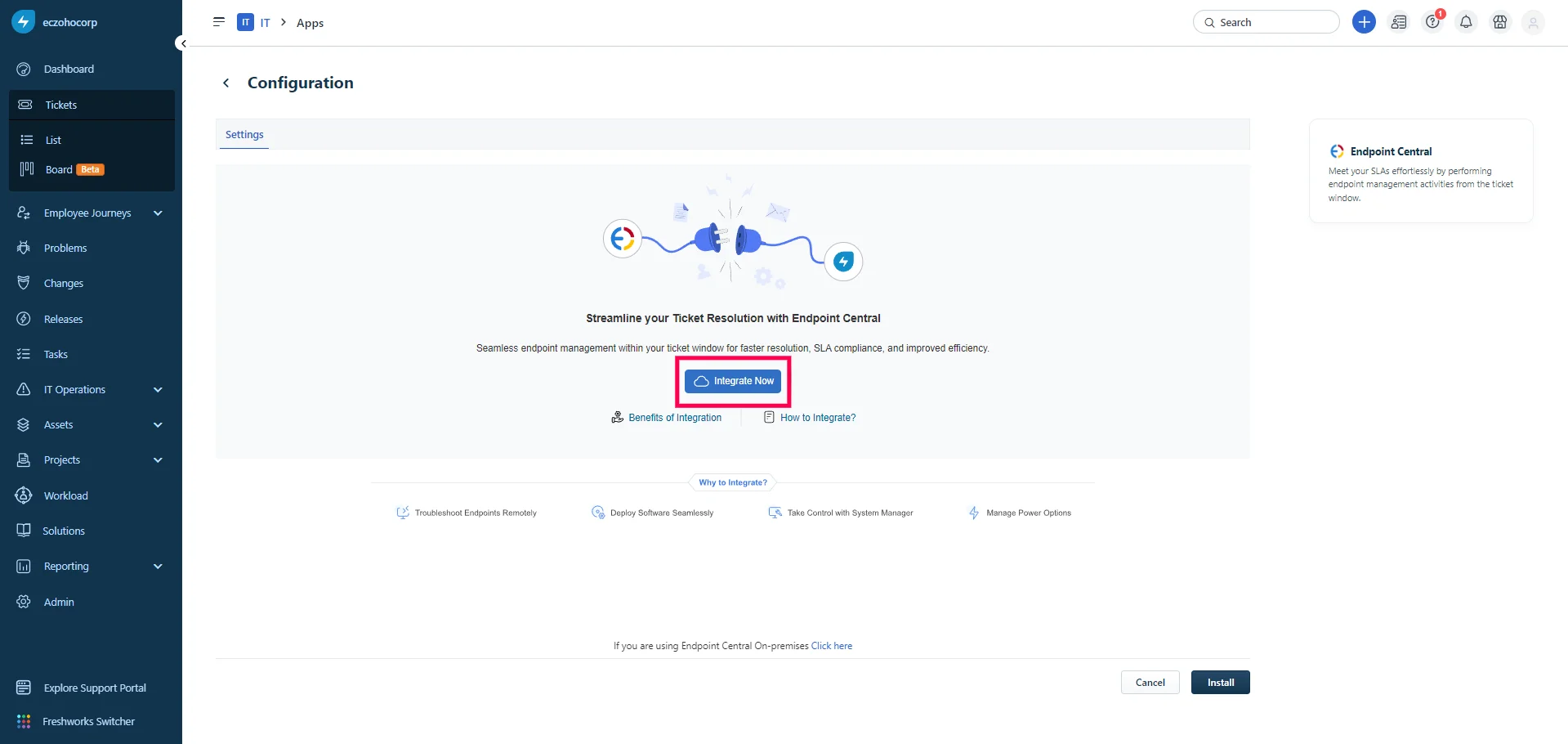
- Click on "Integrate now" to configure the app.
- To get the Freshservice API key, navigate to user profile > profile settings.
- Copy the API key shown.
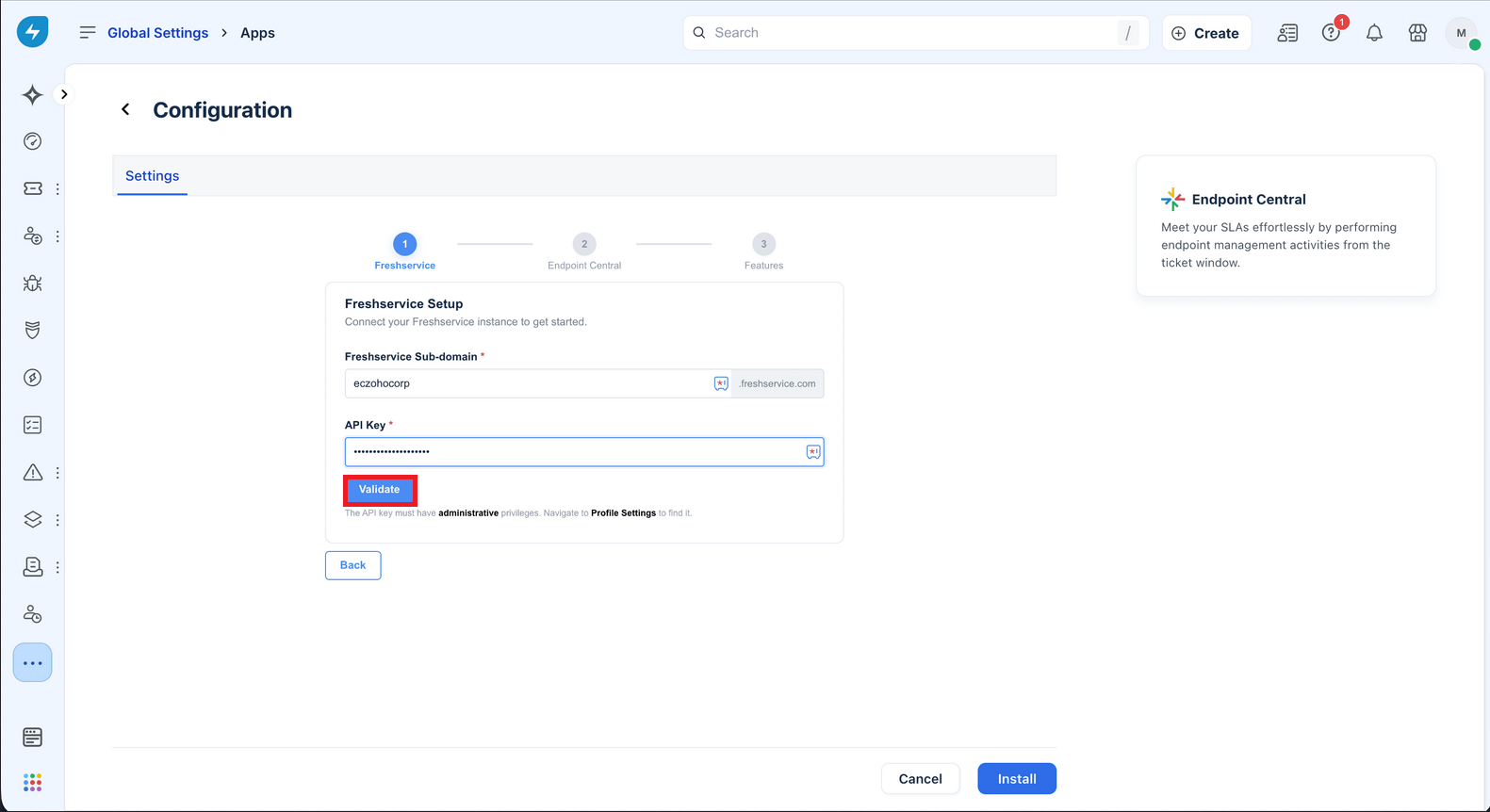
- Paste the key, enter Freshservice Subdomain name, and validate.
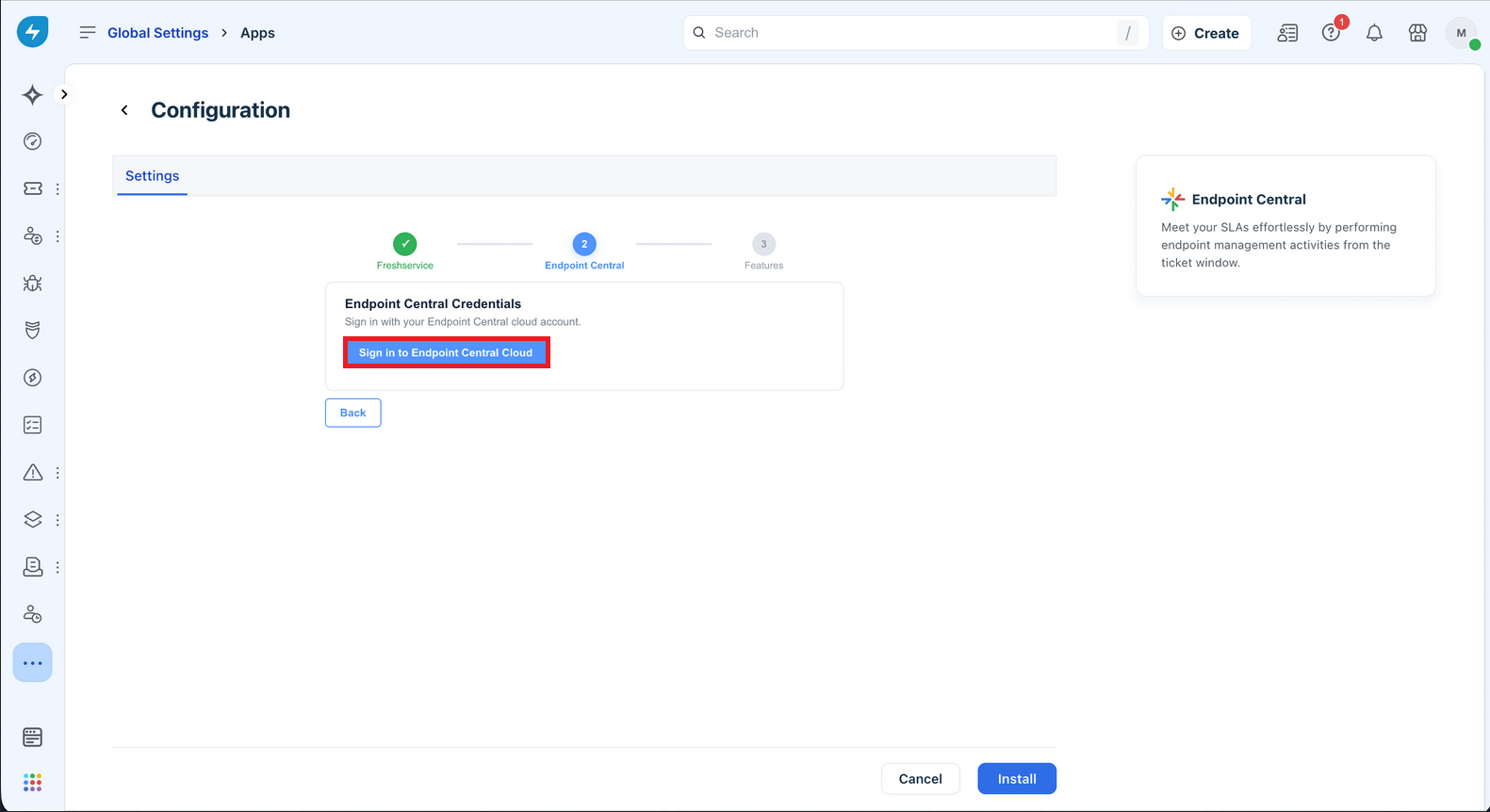
- Next, click "Sign-in to Endpoint Central".
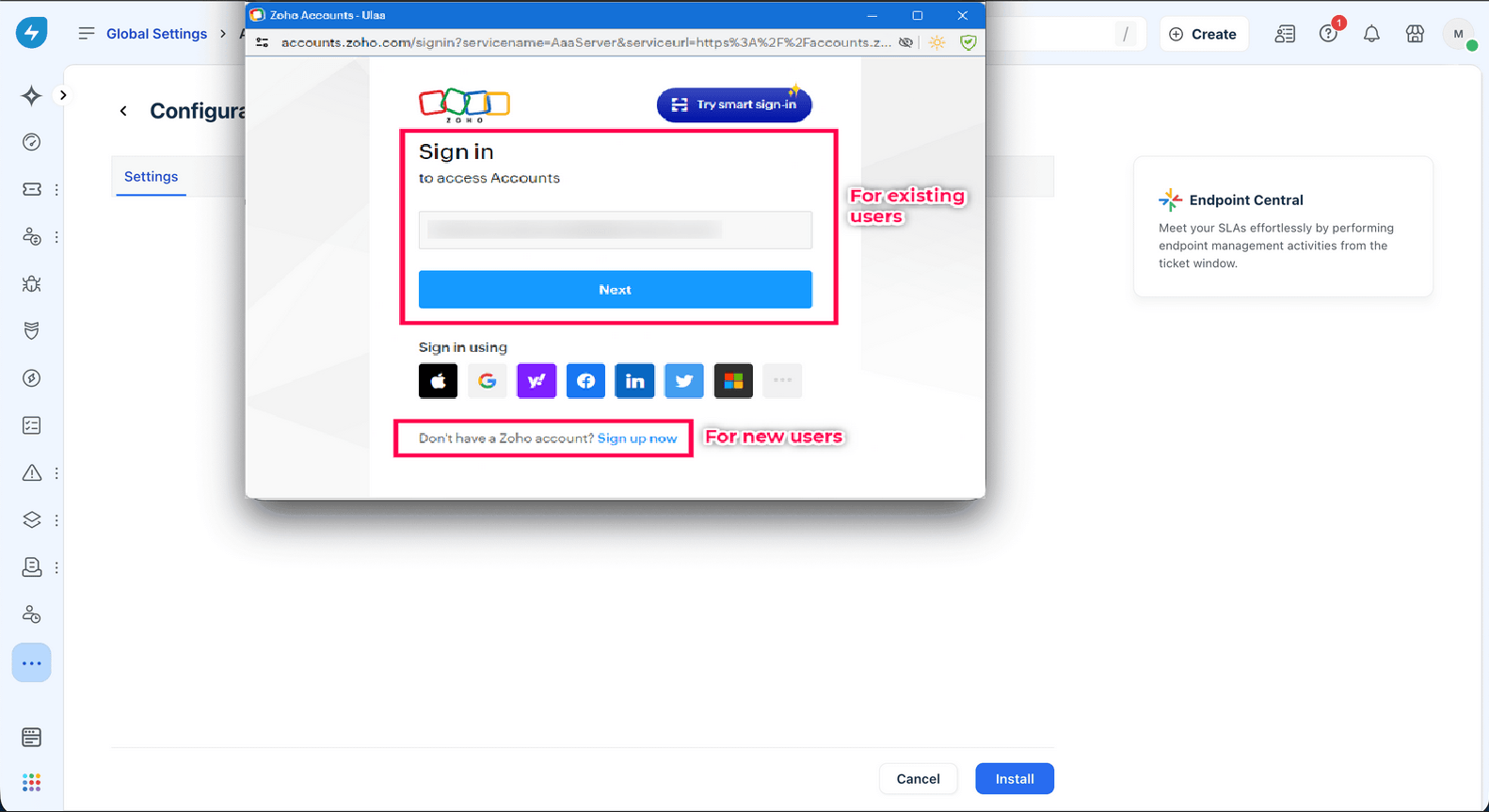
- Authenticate using your Endpoint Central Cloud credentials. If you are new to Endpoint Central, sign up with a new account.
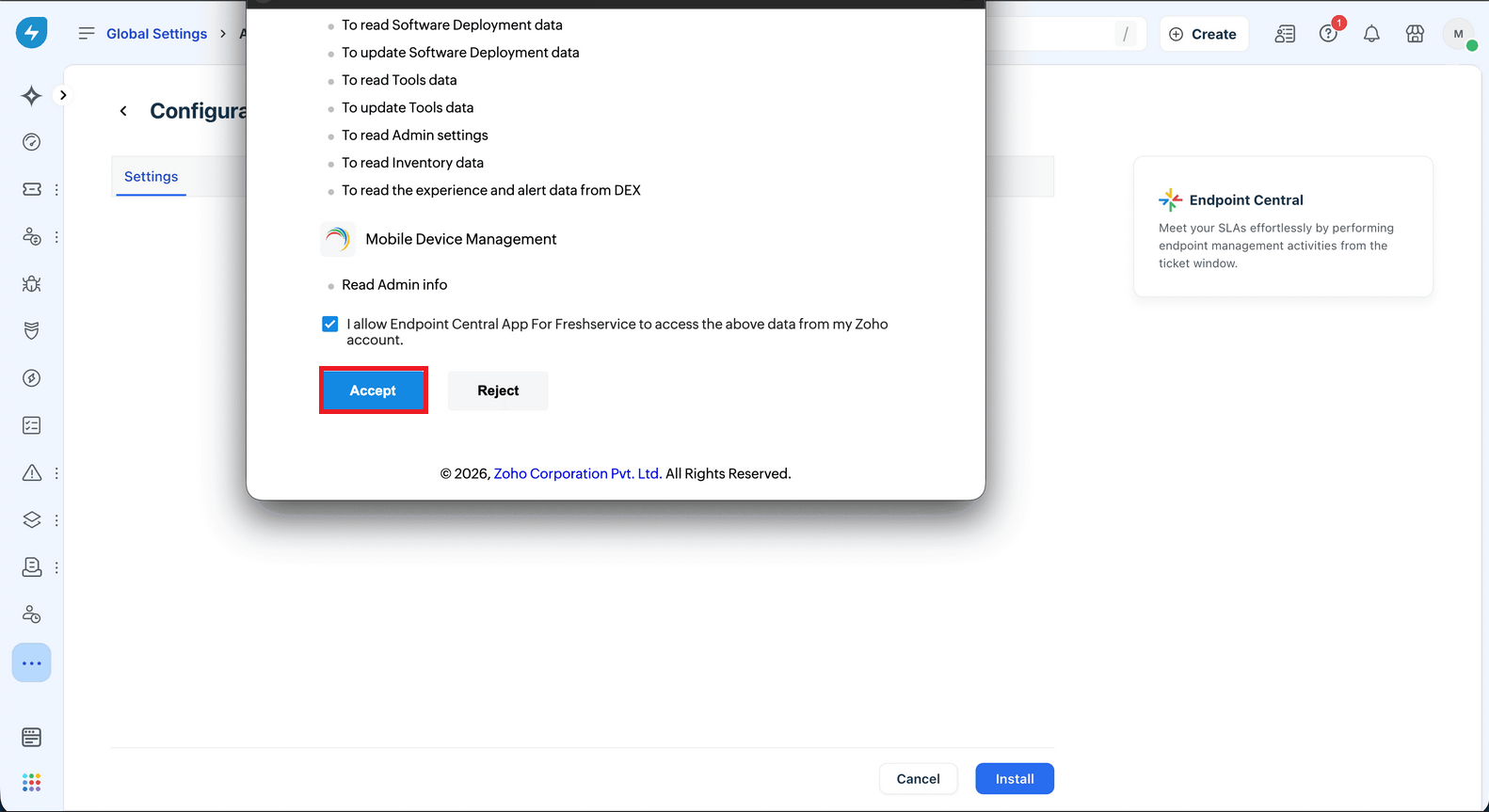
- Click Accept to provide necessary permissions.
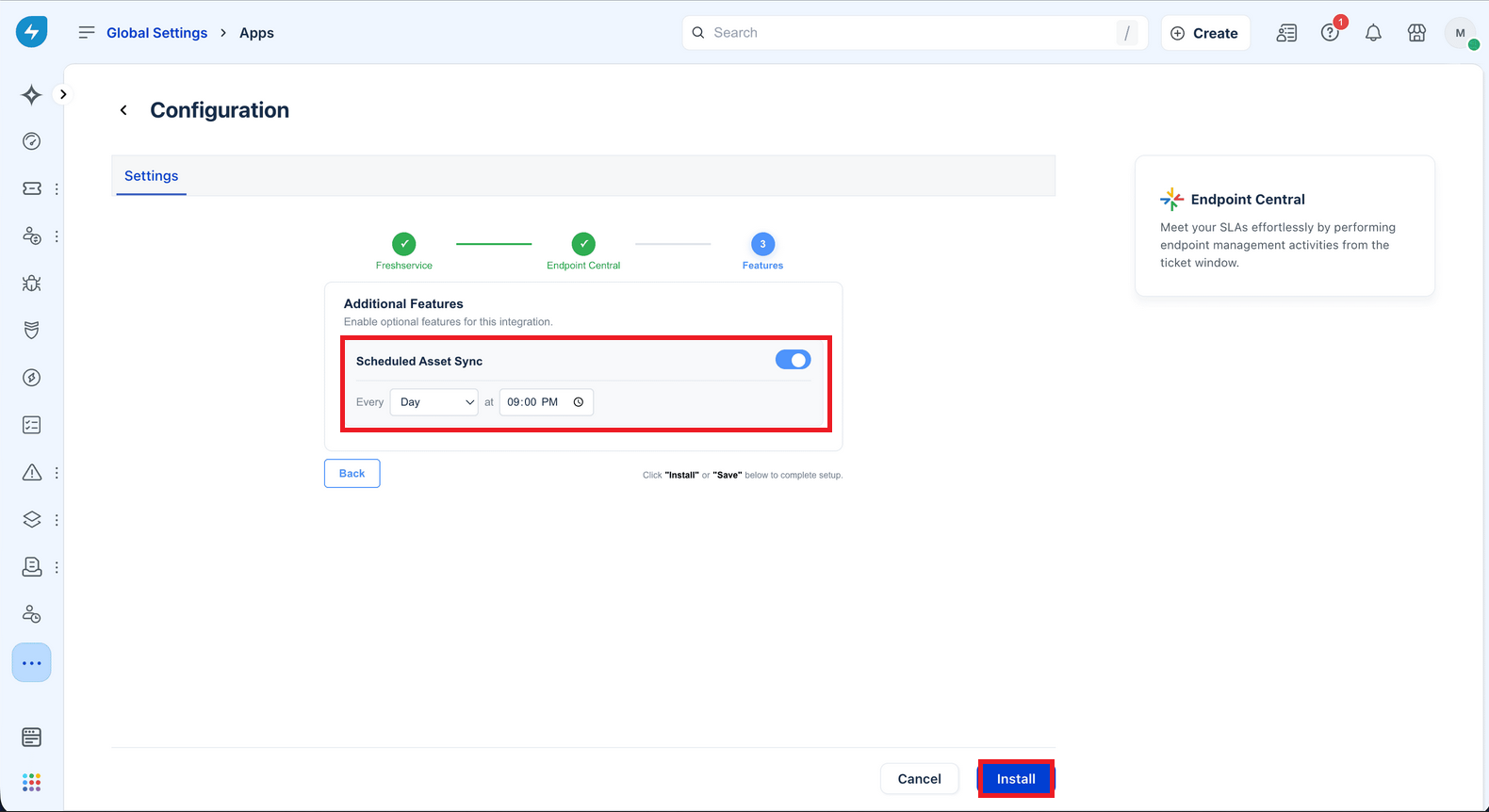
- Once the server details and credentials are validated, You can now enable Scheduled Asset Sync to FreshService from Endpoint Central. Select your desired Sync Interval and Time and Click "Install".
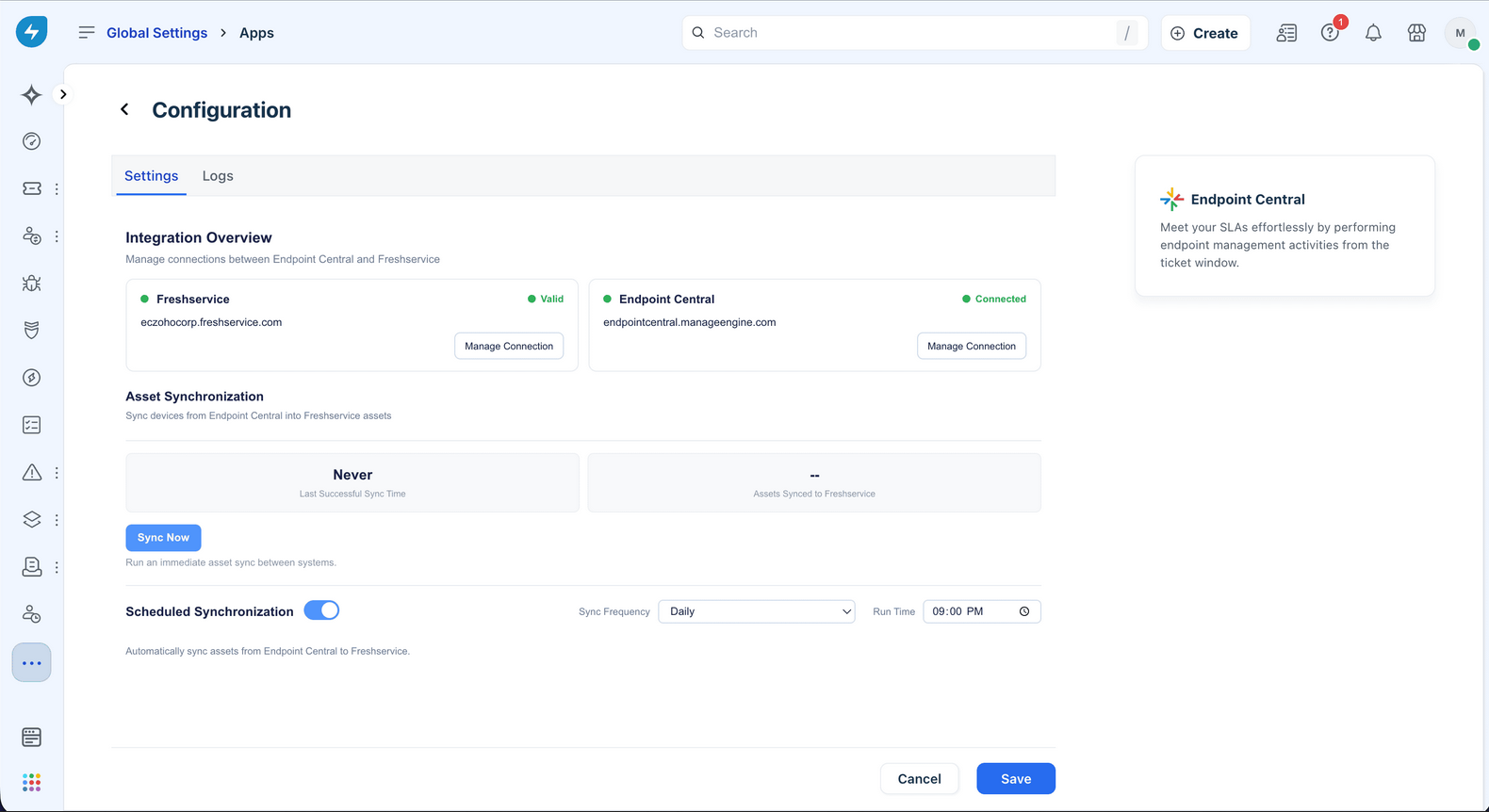
- After Integration The User can Check their Connection as well as Sync Assets From Endpoint Central using the Settings Page:
Now, you can manage endpoints directly from the Freshservice tickets. Other Freshservice agents can securely authenticate themselves directly from the ticket window using their Endpoint Central privileges, ensuring proper access control based on their roles and permissions.