Windows OS Repair Utility
Note: The Windows OS Repair Utility is available in build 11.5.2627.01 and later. If you are using an earlier build, refer to this page.
Component store corruption refers to damage or inconsistencies in the Windows WinSxS directory (also called as the component store), which stores the system components required for updates and feature pack installations. During a feature pack upgrade, Windows depends on this store to validate and stage components, and any corruption can lead to upgrade failures.
This issue is typically caused by interrupted updates, improper shutdowns, disk issues, or corrupted files from previous installations. Since feature pack upgrades modify core OS components, even minor corruption can disrupt the process, causing failures, upgrade loops, or rollbacks.
In deployment scenarios, this often results in failed upgrade status despite correct configurations and valid OS binaries. The issue must be resolved by repairing the component store before retrying the feature pack deployment.
Using Endpoint Central, you can fix this issue by deploying a simple configuration named Windows OS Repair Utility and deploying it to the affected computers. This configuration executes essential repair operations to fix corrupted or missing system components and restore servicing health.
Note: This component restore utility uses OS files that are typically 3.5 GB to 4.5 GB in size, so make sure adequate free disk space is available. Large-scale bulk operations across multiple endpoints can significantly impact network bandwidth, so proceed carefully.
Steps to Deploy Windows OS Repair Utility Configuration
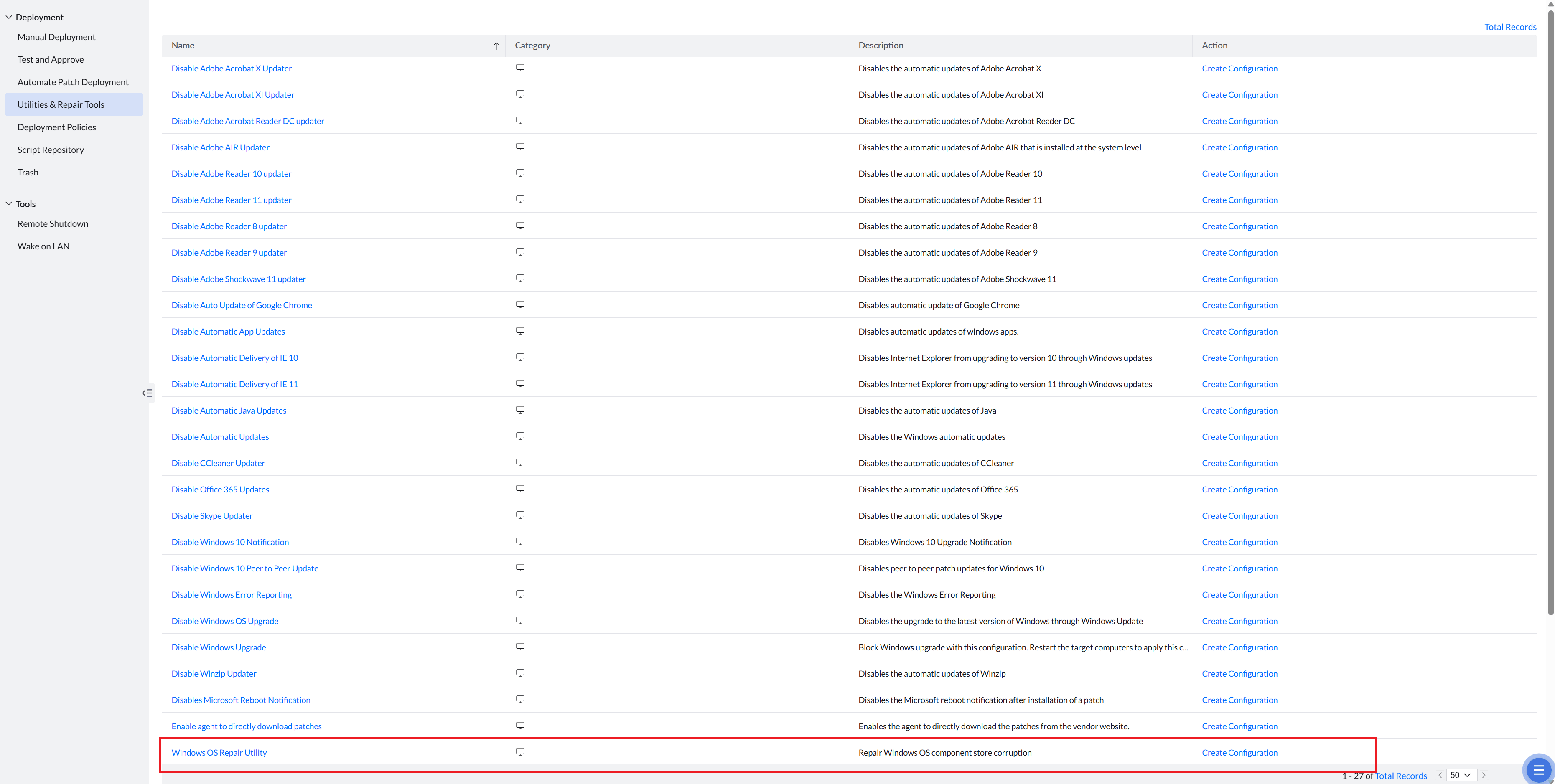
Go to Threats & Patches ---> Deployment ---> Utilities & Repair Tools (or) Patch Mgmt---> Deployment ---> Utilities & Repair Tools.
In this section, you can access ready-to-use configuration templates for performing system utilities, repair actions, troubleshooting, and recovery operations across managed endpoints. Select Windows OS Repair Utility and click on Create Configuration.
You will be redirected to a new window that is similar to creating a manual patch deployment task. Hence, configure the remaining settings as you would when creating a manual patch deployment task (Deployment Settings, Define Targets, Execution Settings).
Once the configuration is deployed, the affected systems will automatically run the necessary repair commands to fix corrupted or missing components in the Windows servicing stack. This helps restore the integrity of the component store. It also reduces repeated upgrade failures and improves overall deployment success rates.
After the repair is completed, you can proceed to redeploy the feature pack upgrade. Ensuring that the component store is healthy before initiating the upgrade significantly minimizes the chances of rollback or failure during the deployment process.