×![]()
×
×![]()
×
×
Port Audit
Any application or service running on a system utilizes a port to make itself accessible over the network. By performing a port audit, Endpoint Central gives you continuous visibility over active ports, helps detect exposed services that may be vulnerable to exploitation, and identifies unintended ports activated by malware or unknown applications.
Overview
Port audit helps you to:
- Continuously monitor active ports in your network systems.
- Identify whether the port is UDP or TCP.
- Filter active ports based on the port range, which includes system ports (0—1023) and registered ports (1024—49151).
- Identify the number of instances of each active port.
Applies to:
- Windows
- Linux
Performing a Port Audit
To audit ports in use, navigate to Threats & Patches → Threats → Port Audit.
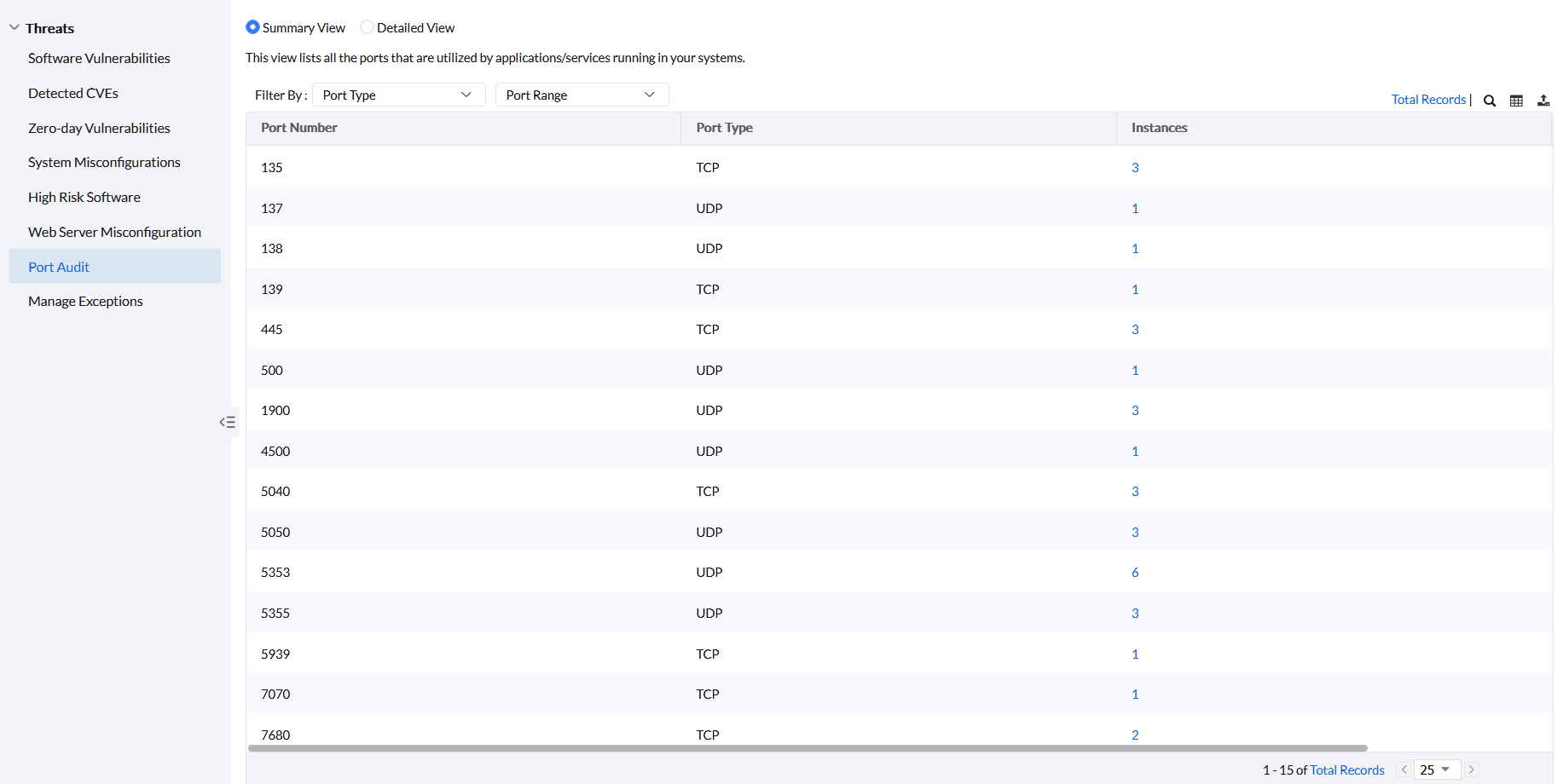
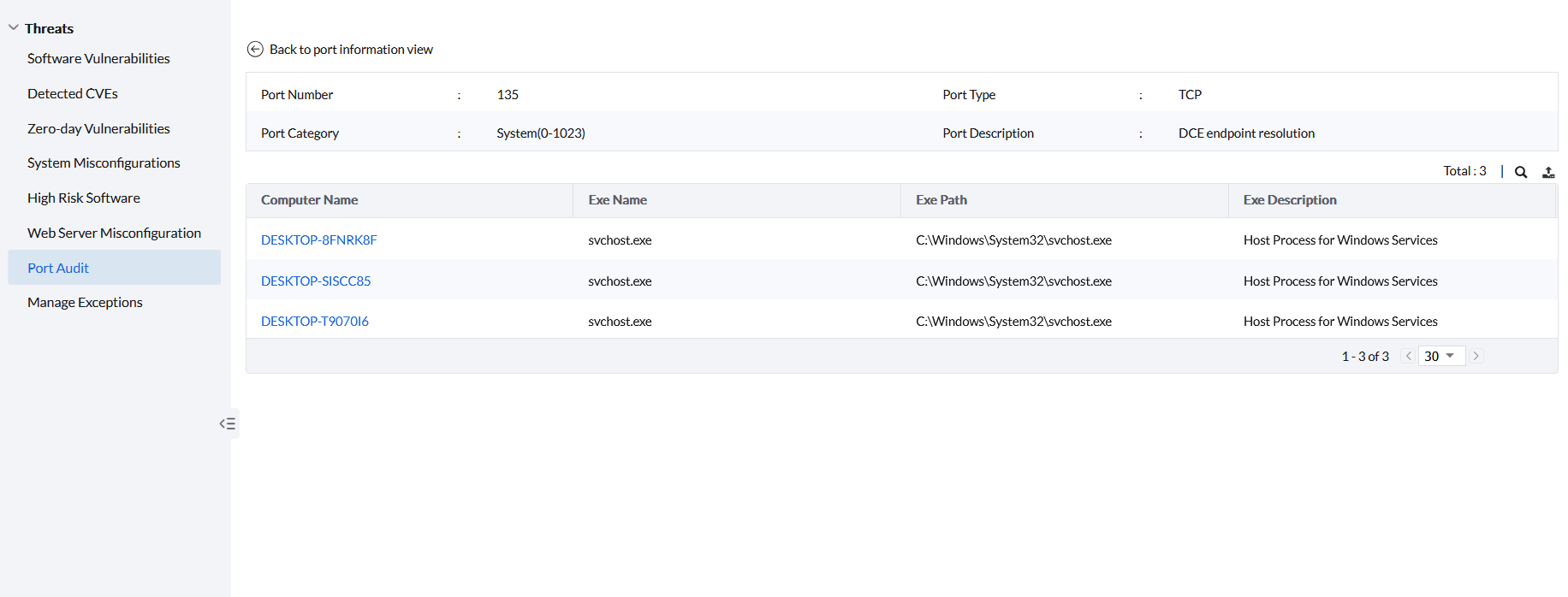
Click Instances to view the number and details of the executables listening on a particular port on each system.