Unable to detect the target hard disk
You see the error message - "Unable to detect the target hard disk" at the time of deployment or while creating an offline image. This happens while the product is unable to access the specified hard disk.
Why am I getting this error?
You may encounter this error due to the following reasons.
- The disk number provided while defining the deployment template is incorrect.
- The specified disk/storage driver is not available in the bootable media or while deploying an image captured using offline imaging.
- The SATA mode BIOS settings in the target computer and the computer from which the image is acquired do not match.
How do I resolve this?
Check and ensure the target hard disk and the hard disk number are available
- From the target computer that is booted using WinPE, open the command prompt (by using Alt + Tab) and execute the command select disk <Disk number>, for eg, if the disk number is 0, execute the command as select disk 0.
- Now execute the command detail disk. You can get the complete details of the disk. You can use the same set of commands to check the other disks and ensure they exist.
Ensure that the storage drivers are added properly to the bootable media
From your product console, navigate to Create bootable media under OS Deployment or choose to modify the bootable media you've created already and ensure that the required drivers that are compatible with the target computer are added. Read the steps to create a WinPE media.
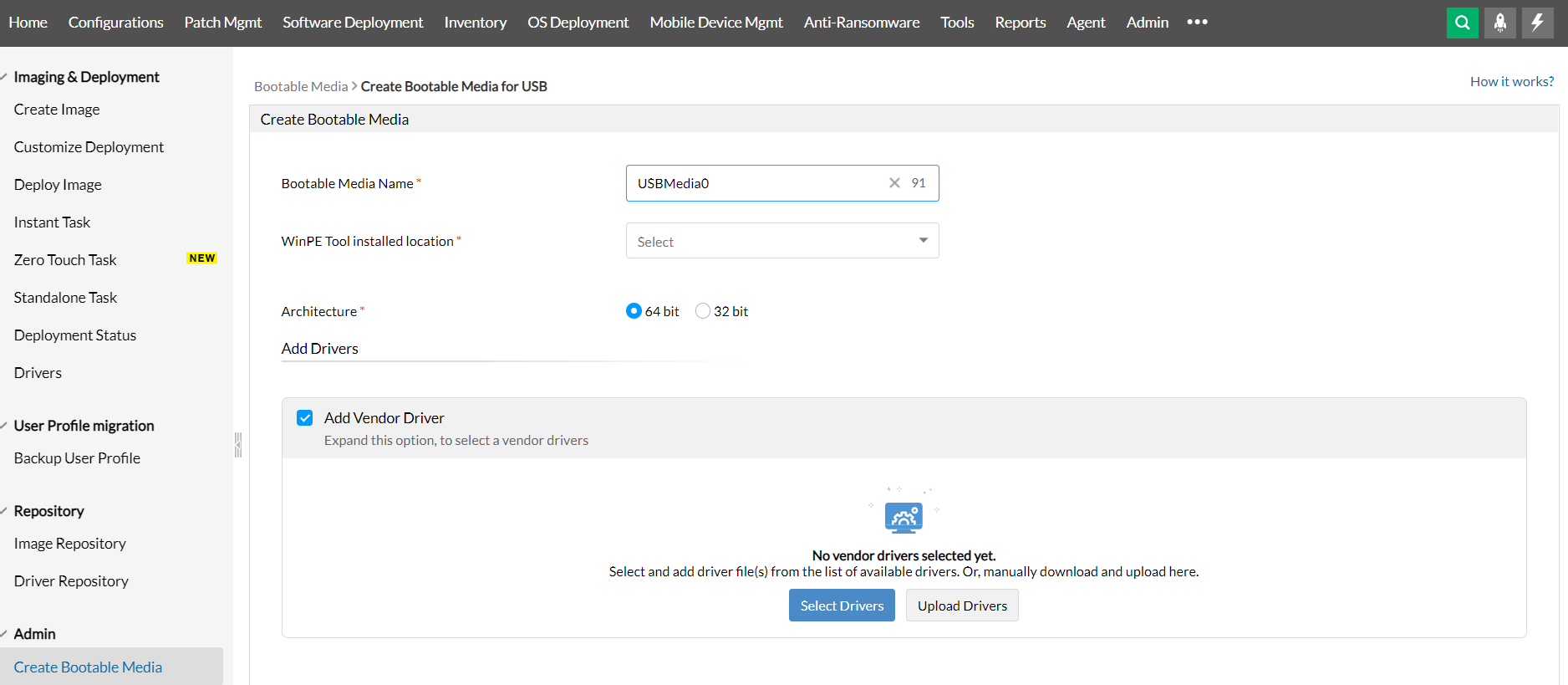
- If the drivers compatible with the target computers are not added, make sure to create a manual collection and add the drivers obtained from the vendors' website Learn how to create a manual collection.
- While creating bootable media, ensure you've added the right set of storage drivers compatible with the target computer's vendor.
Check and ensure that the SATA mode is set to AHCI in the BIOS settings
The existing hard disk driver in the WinPE tool, might not support other SATA modes. To resolve this, set the SATA mode to AHCI in the target computer and retry deploying the image.
NOTE: Once the deployment is successful, ensure to revert the SATA mode setting or set it as same as the computer from which the image was acquired. This will avoid issues while trying to boot the computer.
Need help?
If your issue persists, write to us at osdeployer-support@manageengine.com