Reconfiguring Secure Gateway Server
If you have configured the Secure Gateway Server with the default username and password, then this document will help you in reconfiguring it.
Steps to reconfigure Secure Gateway Server(Before the build no:11.4.2528.1)
- Stop ManageEngine Secure Gateway Server service from Services.msc.
Navigate to
<Installed_Dir>\ME_Secure_Gateway_Server\binand executeFSConfigure.bat
.
- The next wizard will prompt the user to configure the port settings for various modules. Enter the details as specified below:
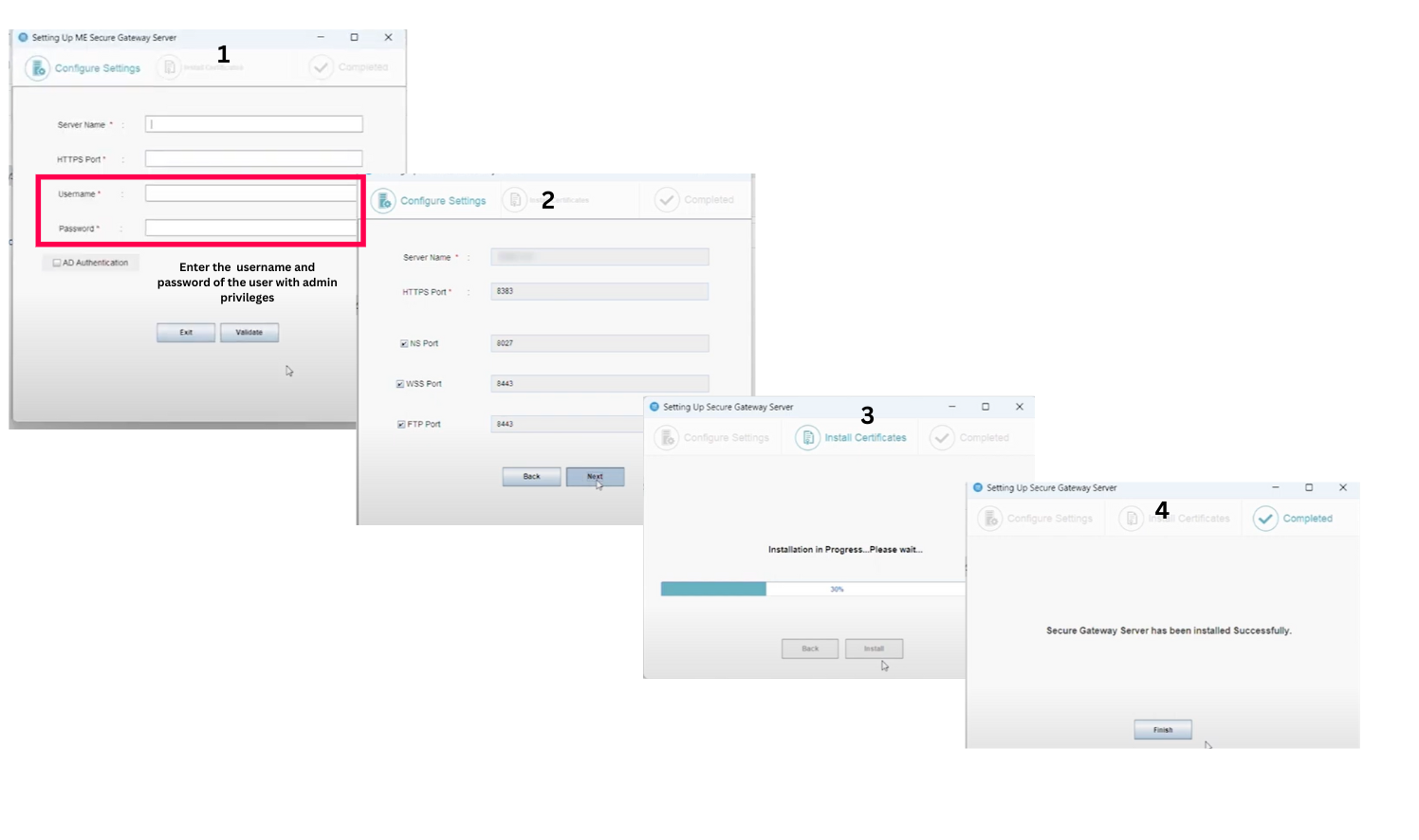
- Specify the FQDN, DNS, or IP address of the Central server . If a Failover server is being used, enter the virtual IP address instead.
- For the Central Server HTTPS Port, specify the port number that endpoints will use to connect to the Central server (e.g., 8383). It is recommended to use port 8383 (HTTPS) for the Central Server when operating in secured mode.
- Enter the Username and Password of Central Server user with administrative privileges. Navigate to the Admin tab > Global settings > User Administrationfeature and enter the admin credentials under User tab in the server web console.
- Click Validate.
- The Notification Server Port is set to 8027, which is used for performing on-demand operations. This field will be automatically pre-filled.
- The WebSocket Port, set to 8443 (HTTPS), is used for WebSocket communication and will also be automatically pre-filled.
- Click Next to Install.
- Wait for a few moments for the Secure Gateway Server to be installed.
Steps to reconfigure Secure Gateway Server(After the build no:11.4.2528.1)
- Stop ManageEngine Secure Gateway Server service from Services.msc.
Navigate to
<Installed_Dir>\ME_Secure_Gateway_Server\binand executeFSConfigure.bat
.
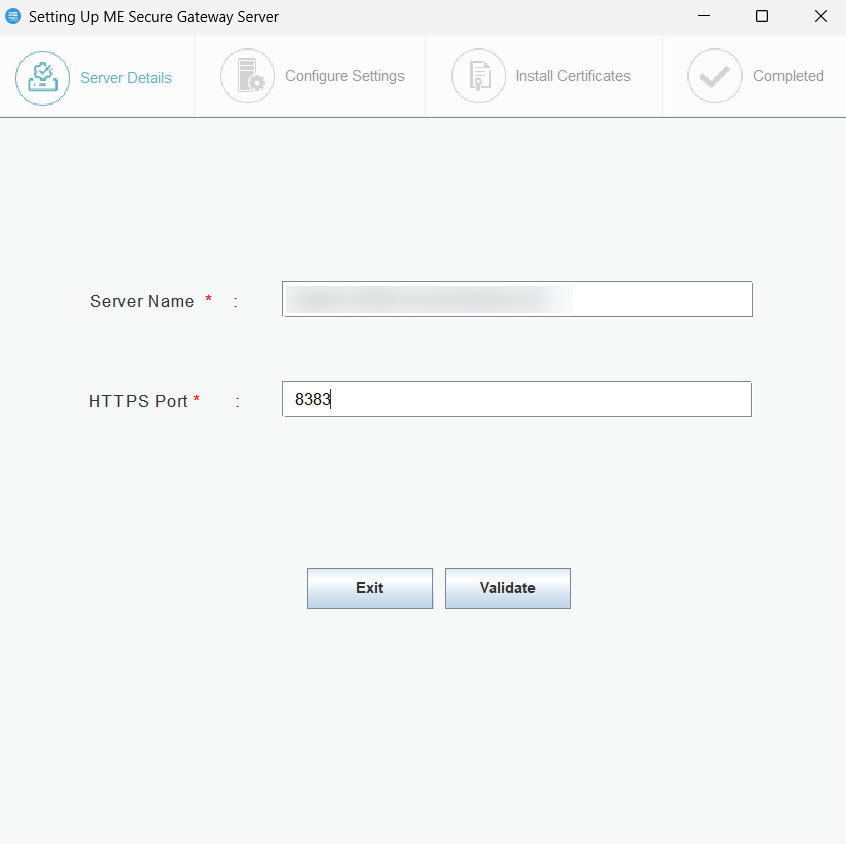
- The next wizard will prompt the user to configure the port settings for various modules. Central Server Name: Specify the FQDN/DNS/IP address of the Central server or specify virtual IP address if Failover server is used.
- Central Server Https Port: Specify the port number that the mobile devices use to contact the Central server (e.g., 8833). It is recommended to use the same port 8383(HTTPS) for Central Server in secured mode.
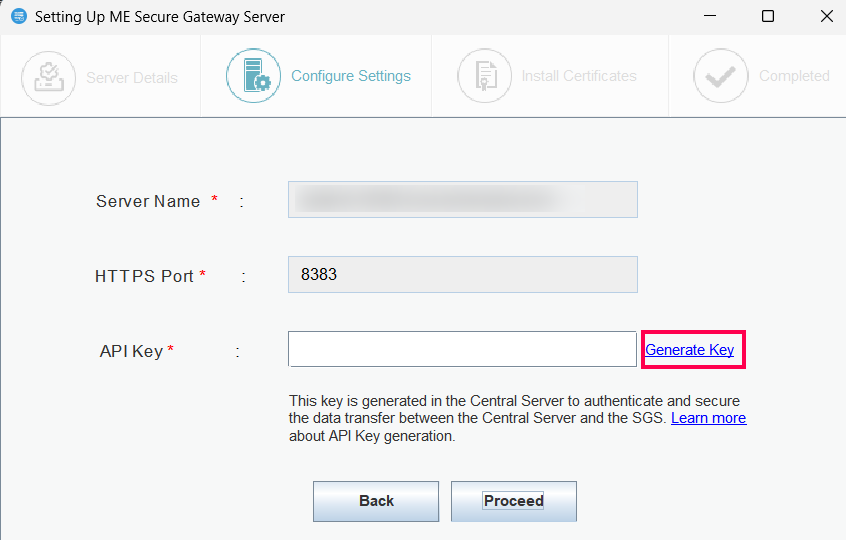
- Click the Generate Key link to initiate the key creation process.
Steps to Generate an SGS API Key
- Open API Key Generation Page, Upon successful authentication, you'll be redirected to the API Key Generation page.
- Select Secure Gateway Server, From the available options, choose the relevant Secure Gateway Server.
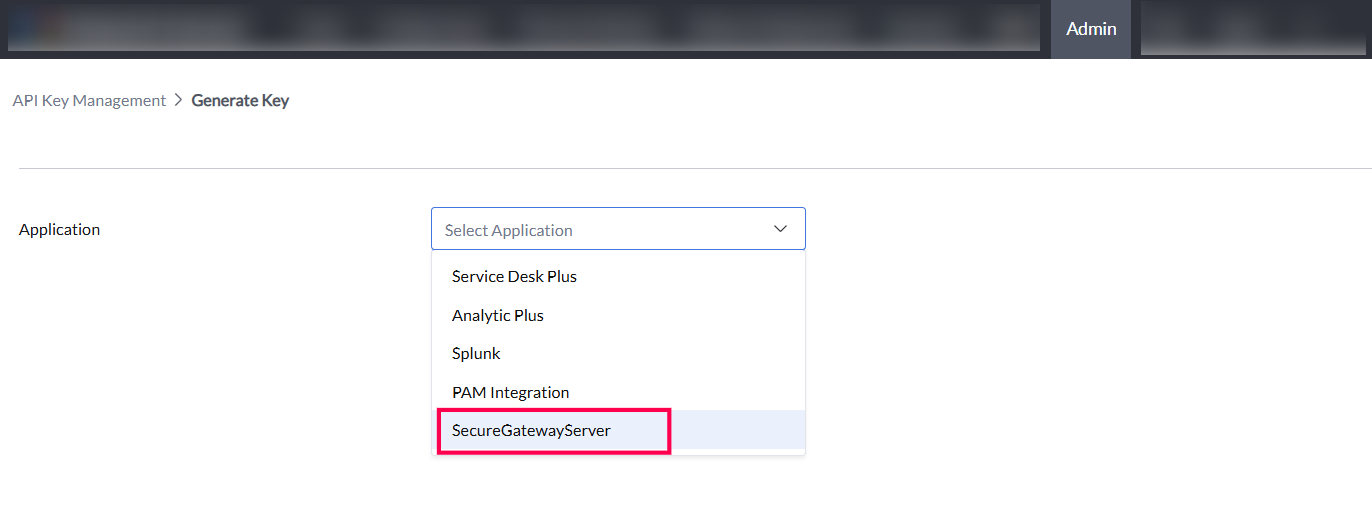
- Set Expiry Date and Time, Specify the desired expiry date and time for the API key's validity.
- Generate API Key, Click the option to generate the API Key. The key will be created with the specified validity period.
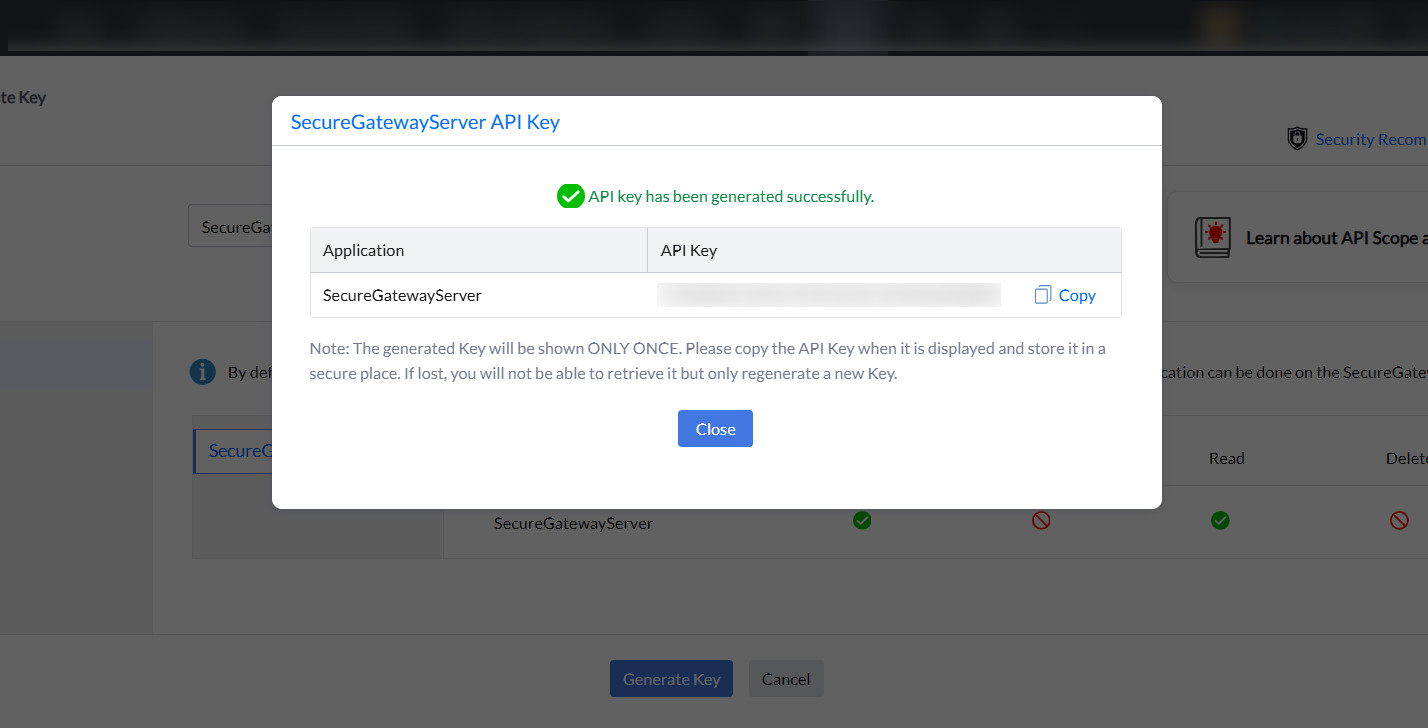
- Copy the API key in the installation Wizard.
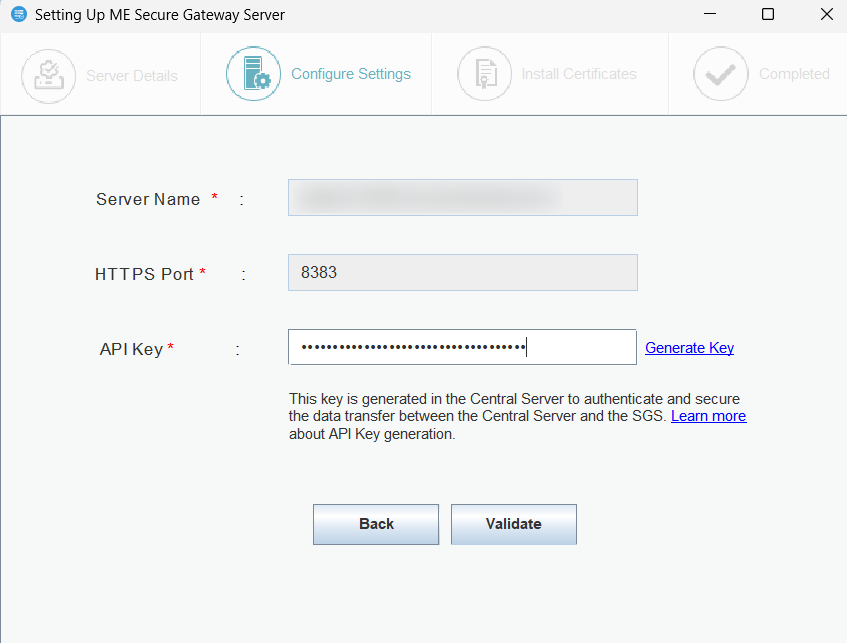
- Notification Server port: 8027 (to perform on-demand operations), this will be pre-filled automatically.
- Web Socket Port: 8443(HTTPS), this will be pre-filled automatically and click Next.
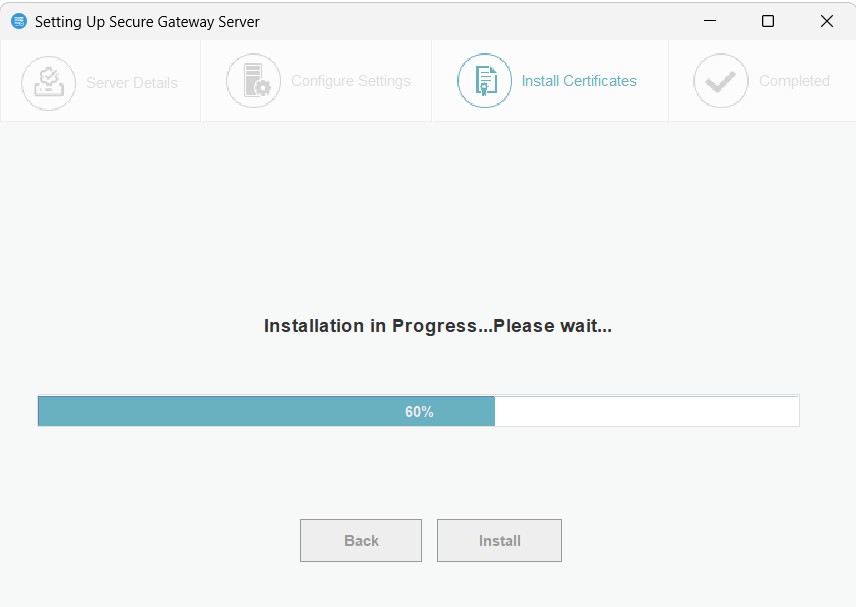
- Secure Gateway Server will be installed successfully.
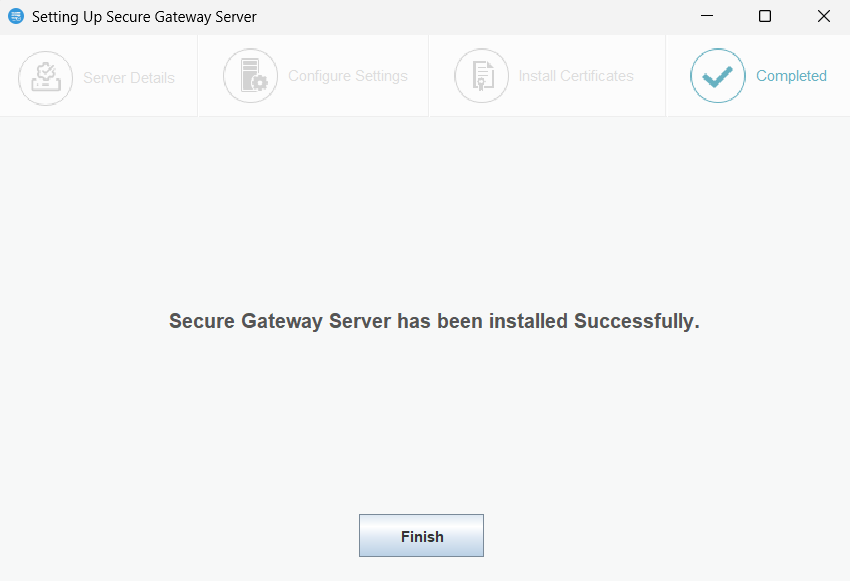
On successful installation, the ManageEngine Secure Gateway Server service will automatically start.
Related articles
In case, you need help, please contact support.