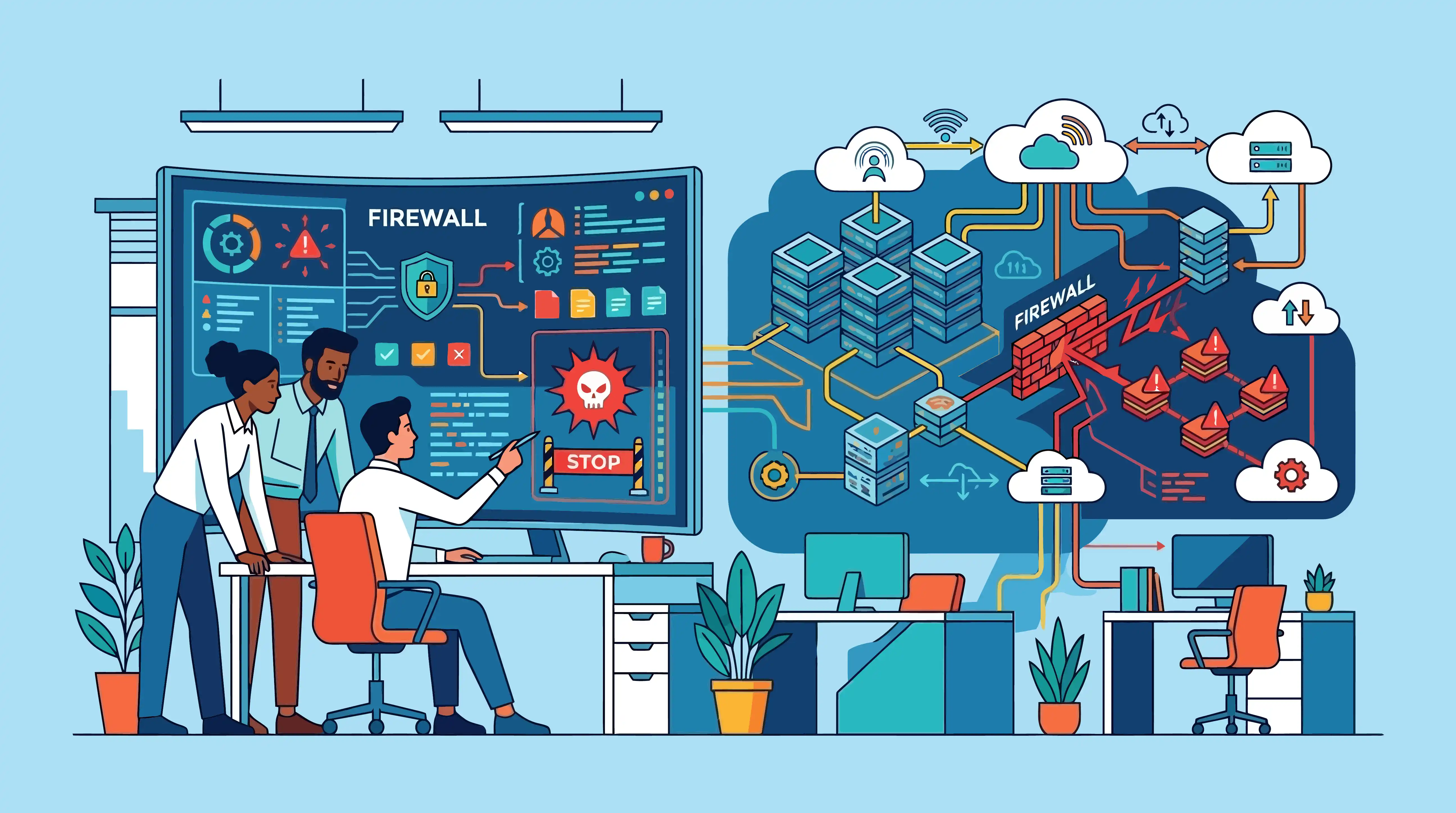
Modern enterprises often manage hundreds or even thousands of firewall rules across data centers, branch offices, cloud environments, and remote users. Without robust firewall management, outdated rules, inconsistent policies, and unauthorized changes can create security gaps that attackers exploit to access sensitive systems and data.
Effective firewall management helps organizations enforce secure access, block malicious traffic, monitor network activity, and maintain consistent security policies across the enterprise. Regular rule reviews, firmware updates, and policy optimization ensure firewalls continue to defend the network without disrupting legitimate business operations.
Understanding enterprise firewall types
No single firewall can address every enterprise security requirement. Different firewall types inspect different types of traffic, protect specific workloads, and defend against distinct threats. Together, they create a layered security architecture that protects the entire enterprise.
Packet filtering firewall
Packet filtering firewalls are the simplest type of firewall. They inspect packet headers, such as source and destination IP addresses, ports, and protocols, before deciding whether to allow or block traffic based on predefined rules.
Because they examine only basic network information, packet filtering firewalls are fast and consume minimal resources. However, they cannot inspect the contents of the traffic or detect sophisticated attacks, making them better suited for basic traffic control than comprehensive enterprise security.
Best suited for: Basic network segmentation and simple access control.
Stateful inspection firewall
Stateful inspection firewalls improve on packet filtering by tracking the state of active network connections. Instead of evaluating every packet independently, they determine whether traffic belongs to a legitimate session before allowing it to pass.
This approach reduces unauthorized connections while maintaining efficient network performance. Stateful firewalls continue to serve as a core security layer in many enterprise environments.
Best suited for: Securing internal networks and controlling inbound and outbound connections.
Circuit-level gateway
Circuit-level gateways validate communication sessions before establishing a connection between clients and servers. Rather than inspecting the data being transmitted, they verify that the session itself is legitimate and hide internal network details from external systems.
Although they provide an additional layer of protection, circuit-level gateways are typically deployed alongside other firewall technologies that perform deeper traffic inspection.
Best suited for: Securing communication sessions and masking internal network architecture.
Application-level gateway (Proxy firewall)
Application-level gateways, commonly known as proxy firewalls, inspect traffic at the application layer. They act as an intermediary between users and external services, analyzing requests before forwarding them to their destination.
This deeper level of inspection enables organizations to detect application-specific threats, enforce granular access policies, and prevent malicious requests from reaching critical systems. The trade-off is slightly higher latency compared to traditional firewalls.
Best suited for: Protecting sensitive applications and enforcing application-specific security policies.
Next-generation firewall (NGFW)
Next-generation firewalls extend traditional firewall capabilities with advanced security features such as deep packet inspection, intrusion prevention, application awareness, user identity-based access control, SSL/TLS inspection, and malware detection.
They provide comprehensive visibility into network traffic, allowing security teams to detect and block sophisticated threats without relying on multiple standalone security tools. For many enterprises, NGFWs form the primary line of defense at the network perimeter.
Best suited for: Comprehensive enterprise network security and advanced threat prevention.
Web application firewall (WAF)
A web application firewall protects websites, web applications, and APIs by inspecting HTTP and HTTPS traffic. Unlike traditional firewalls that focus on network traffic, WAFs protect applications from attacks that exploit software vulnerabilities.
They help defend against threats such as SQL injection, cross-site scripting (XSS), and other application-layer attacks that target internet-facing services.
Best suited for: Securing websites, customer portals, and web APIs.
Cloud firewall (Firewall as a Service)
Cloud firewalls, often delivered as Firewall as a Service (FWaaS), provide firewall protection from the cloud instead of dedicated on-premises hardware. They secure cloud workloads, branch offices, hybrid environments, and remote users through centrally managed security policies.
As organizations adopt cloud infrastructure and hybrid work models, cloud firewalls provide consistent protection regardless of where users or applications are located.
Best suited for: Hybrid, multi-cloud, and remote work environments.
Unified Threat Management (UTM) firewall
Unified Threat Management firewalls combine multiple security capabilities into a single platform, including firewall protection, intrusion prevention, antivirus, VPN support, web filtering, and email security.
By consolidating these features, UTM solutions simplify deployment and day-to-day administration. They are particularly well suited to organizations that need broad security coverage without managing multiple independent security products.
Best suited for: Small and medium-sized businesses seeking simplified security management.
Most enterprises deploy multiple firewall types to secure different parts of their infrastructure. As firewall environments grow more complex, organizations need a structured approach to maintain consistent policies, control configuration changes, and monitor firewall activity. Firewall management provides that framework.
How does firewall management work? A step-by-step overview
Firewall management is a continuous operational process rather than a one-time configuration task. It combines policy enforcement, change management, continuous monitoring, and compliance activities to keep firewall security effective as business and security requirements evolve.
1. Discover and inventory firewalls
The first step is identifying every firewall deployed across the organization, including physical appliances, virtual firewalls, and cloud-based firewalls. Maintaining an accurate inventory provides visibility into firewall locations, vendors, firmware versions, and current configurations.
2. Define and standardize security policies
Organizations establish firewall policies that determine which users, devices, applications, and services can communicate across the network. Standardized policies help enforce consistent access controls while reducing configuration inconsistencies across the enterprise.
3. Configure firewall rules
Administrators create or modify firewall rules and access control lists (ACLs) based on business and security requirements. These controls specify how network traffic should be inspected, allowed, denied, or logged while following the principle of least privilege to minimize unnecessary access.
4. Monitor network traffic and firewall activity
Firewalls continuously inspect incoming and outgoing traffic against configured security policies. Security teams monitor firewall logs, blocked connections, rule usage, and suspicious activity to identify potential threats and policy violations.
5. Review and optimize firewall rules
Firewall rule sets naturally become more complex as networks evolve. Regular reviews help identify redundant, unused, duplicate, shadowed, or overly permissive rules that increase complexity and introduce unnecessary security risks. Optimizing rule sets improves both security and firewall performance.
6. Back up configurations and manage changes
Every firewall configuration change should be documented and backed up. Version control, configuration comparisons, and rollback capabilities enable administrators to recover quickly from misconfigurations while maintaining a complete audit trail of policy changes.
7. Update firmware and security protections
Regularly applying firmware updates, security patches, and threat intelligence updates helps protect firewalls against newly discovered vulnerabilities while improving stability, performance, and long-term reliability.
8. Audit compliance and generate reports
Organizations regularly evaluate firewall configurations against internal security requirements and industry regulations. Compliance reports help demonstrate adherence to standards such as PCI DSS, HIPAA, ISO 27001, and the NIST Cybersecurity Framework (CSF) while identifying policy violations that require remediation.
Firewall policy management: Rules, audits, and change control
Firewall policies are the foundation of effective firewall management. They define how network traffic is controlled and establish consistent security standards across the enterprise. As firewall environments grow in size and complexity, maintaining accurate, secure, and compliant policies becomes increasingly challenging, making structured policy management essential.
Firewall rule management
Firewall rule management focuses on maintaining efficient and secure rule sets throughout their lifecycle. As organizations introduce new applications, services, and business processes, firewall rules naturally expand. Without ongoing maintenance, obsolete, duplicate, shadowed, or overly permissive rules can increase complexity, reduce visibility, and introduce unnecessary security risks. Keeping rule sets organized and aligned with current business requirements improves both security and operational efficiency.
Firewall policy optimization
Firewall policies should evolve alongside changing business and security requirements. Regular policy optimization helps consolidate redundant rules, remove unnecessary exceptions, improve rule organization, and simplify policy administration without compromising security. Well-optimized policies are easier to manage, troubleshoot, and audit over time.
Firewall policy audits
Regular policy audits help organizations verify that firewall configurations continue to meet internal security standards and regulatory requirements. Audits identify policy violations, unauthorized changes, configuration inconsistencies, and unused rules before they become security issues. They also provide the documentation and evidence required for compliance assessments and security reviews.
Firewall change control
Firewall policies should evolve through a structured change control process rather than ad hoc modifications. Every policy change should be reviewed, approved, documented, and validated before deployment. Maintaining version history and comprehensive audit trails improves accountability, reduces the risk of configuration errors, and enables administrators to restore previous configurations when necessary.
Automate policy management where possible
Managing firewall policies manually becomes increasingly difficult as organizations expand across on-premises, cloud, and hybrid environments. Firewall management solutions help automate policy reviews, identify risky or conflicting rules, validate configuration changes, simplify compliance reporting, and maintain consistent policy enforcement across distributed firewall deployments.
As firewall environments grow more distributed and organizations adopt zero trust principles, the scope and complexity of firewall management continues to expand. Understanding how these shifts affect day-to-day operations is essential for building a governance framework that holds up over time.
Firewall management in zero trust architectures
Traditional firewall management assumed a defined network perimeter where traffic originating inside the network was generally trusted and external traffic was inspected before being allowed access. Zero trust eliminates this assumption by requiring every user, device, application, and connection to be continuously verified, regardless of its location.
This changes how firewall policies are designed and managed. Instead of granting broad access between network segments, organizations create policies that permit specific users, applications, and devices to access only the resources they require under defined conditions. Firewall rules become more granular and are often based on user identity, device posture, application context, and session characteristics rather than network location alone.
As zero trust environments grow, firewall management becomes more operationally demanding. Rule sets expand more quickly, policy reviews become more frequent, and configuration changes require greater coordination between networking, security, and identity management teams. Organizations must continuously validate that firewall policies remain aligned with identity-based access controls while preventing unnecessary policy complexity.
Although zero trust changes how firewall policies are managed, it does not replace the firewall itself. Firewalls remain a critical enforcement point for controlling network traffic, while firewall management ensures policies remain accurate, consistent, and aligned with the organization's zero trust strategy.
Who is responsible for firewall management?
Firewall management is typically a shared responsibility between network operators and security operators. While responsibilities vary between organizations, clearly defining ownership helps maintain consistent security policies, reduces operational risk, and improves accountability.
Network operators
Network administrators are generally responsible for deploying and maintaining firewall infrastructure. Their responsibilities typically include device installation, firmware updates, high availability, configuration implementation, hardware maintenance, and ensuring firewall availability across the enterprise.
Security operators
Security teams define firewall policies, review access requirements, investigate security events, monitor firewall activity, validate compliance, and periodically review rule sets to identify unnecessary or risky access. They ensure firewall policies continue to support the organization's security objectives and regulatory obligations.
Managed security service providers (MSSPs)
Organizations that outsource firewall administration often rely on an MSSP to perform day-to-day monitoring, configuration management, reporting, and operational support. Even when firewall operations are outsourced, policy ownership and governance should remain within the organization to ensure business and compliance requirements continue to be enforced.
Regardless of the operating model, firewall management should have clearly defined ownership. Assigning responsibility for policy governance, rule reviews, compliance reporting, and change management helps prevent security gaps and ensures firewall policies remain consistent as the environment evolves.
How firewall management has evolved
Firewall management has evolved alongside enterprise networks. Early firewall deployments typically consisted of a small number of perimeter firewalls managed individually through command-line interfaces. Rule sets were relatively small, configuration changes were infrequent, and manual administration was manageable.
As organizations expanded, firewall environments became more distributed. Branch offices, data centres, cloud platforms, remote users, and acquisitions introduced additional firewalls, multiple vendors, and increasingly complex rule sets. Managing each device independently became inefficient and increased the likelihood of inconsistent policies and configuration errors.
Modern enterprise environments often include physical firewalls, virtual firewalls, cloud-native security controls, and Firewall as a Service (FWaaS) deployments operating across hybrid and multi-cloud infrastructures. As a result, firewall management has shifted from managing individual devices to centrally governing firewall policies, configurations, compliance, and operational visibility across the entire environment.
Today's firewall management platforms automate routine administrative tasks, simplify policy analysis, support multi-vendor environments, and provide continuous visibility into firewall activity, enabling organizations to maintain consistent security controls at enterprise scale.
Firewall management maturity: From reactive to predictive
Firewall management capabilities typically improve as organizations formalize governance, standardize operational processes, and introduce automation. Although every organization progresses differently, most firewall management programs follow a similar maturity path.
Reactive firewall management
Firewall rules are created primarily to satisfy immediate business requests, with limited documentation or periodic review. Configuration changes are often performed manually, compliance activities occur only before audits, and policy optimization is infrequent. Over time, rule sets become increasingly complex and difficult to manage.
Proactive firewall management
Organizations establish structured firewall management processes that include scheduled rule reviews, documented change management procedures, centralized visibility, and automated compliance reporting. Firewall policies are reviewed regularly, configuration changes are tracked, and unused or unnecessary rules are removed before they create operational or security issues.
Predictive firewall management
At the highest level of maturity, firewall management relies heavily on automation and continuous analysis. Configuration changes are validated before deployment, policy anomalies are detected automatically, compliance is continuously monitored, and rule optimization becomes an ongoing process. Security teams spend less time on routine administration and more time improving overall security posture and governance.
As organizations progress through these stages, firewall management becomes more efficient, more secure, and significantly easier to audit.
How to decommission a firewall: firewall management essentials
Firewall management extends beyond deployment and day-to-day administration. When a firewall reaches the end of its lifecycle or is replaced by new infrastructure, organizations should follow a structured decommissioning process to prevent security gaps, maintain compliance, and ensure business continuity.
1. Review existing firewall policies
Before decommissioning a firewall, review every configured rule, object, and security policy. Identify which rules are still required for business operations and which are obsolete. Removing unnecessary policies during migration helps reduce policy complexity and prevents outdated rules from being carried into the replacement environment.
2. Migrate required configurations
Migrate approved firewall policies, network objects, NAT rules, VPN configurations, and other required settings to the replacement firewall. Validate migrated configurations to ensure security policies remain consistent and network traffic continues to flow as expected.
3. Archive firewall configurations and logs
Create a final backup of the firewall configuration and archive operational logs before taking the device offline. Retaining historical configurations and audit logs supports compliance requirements, security investigations, and future troubleshooting.
4. Revoke administrative access
Remove all administrator accounts, API credentials, SSH access, VPN access, and third-party vendor permissions associated with the firewall. Revoking administrative access reduces the risk of unauthorized access after the device has been retired.
5. Update network documentation
Update network diagrams, firewall inventories, configuration repositories, asset records, and operational documentation to reflect the new environment. Maintaining accurate documentation improves operational visibility and simplifies future audits.
6. Verify the replacement environment
Before permanently removing the firewall from service, verify that the replacement environment enforces the required security policies, supports legitimate business traffic, and maintains expected network performance. Conduct functional testing to confirm there are no missing rules or unexpected connectivity issues.
7. Securely retire the firewall
After successful verification, remove the firewall from the production environment and securely erase stored configurations, certificates, credentials, and sensitive data. Follow the organization's asset disposal procedures to ensure the device cannot be reused or accessed without authorization.
Benefits of using a firewall management solution
Managing enterprise firewalls manually becomes increasingly difficult as networks grow in size, complexity, and geographic distribution. A firewall management solution centralizes administration, automates routine operations, and provides greater operational control, enabling security teams to manage firewall environments more efficiently at scale.
1. Improve operational visibility
A centralized management platform provides a consolidated view of firewall configurations, policy changes, rule usage, security events, and network activity across the enterprise. Improved visibility helps security teams identify anomalies, investigate incidents faster, and make informed policy decisions.
2. Strengthen security posture
Firewall management solutions help maintain consistent policy enforcement across multiple firewalls while reducing configuration errors and administrative overhead. Continuous policy validation and automated risk detection help organizations respond more effectively to evolving security threats.
3. Simplify compliance management
Built-in reporting, audit trails, and configuration history simplify compliance with internal security policies and industry regulations. Security teams can generate audit-ready reports, demonstrate policy governance, and reduce the manual effort required for regulatory assessments.
4. Scale with enterprise growth
As organizations expand their networks, firewall management solutions simplify the administration of additional firewalls, locations, and environments. Centralized policy management enables security teams to maintain consistency without significantly increasing operational effort.
5. Increase operational efficiency through automation
Automating repetitive tasks such as policy validation, configuration analysis, change tracking, and reporting allows administrators to focus on higher-value security initiatives. Automation also improves consistency while reducing manual effort and the risk of human error.
ManageEngine Firewall Analyzer: Centralized firewall management for multi-vendor environments
Managing enterprise firewalls across distributed, multi-vendor environments requires more than manual administration. ManageEngine Firewall Analyzer centralizes firewall management, helping security teams analyze firewall rules, optimize policies, govern configuration changes, maintain compliance, and identify security risks from a single console.
Rule visibility and policy analysis
Gain complete visibility into firewall policies and rule sets across multi-vendor firewall environments. Analyze rule inventories, review inbound and outbound rules, identify inactive policies, inspect object usage, and quickly search for specific firewall rules to simplify policy administration and troubleshooting.
Policy optimization and cleanup
Improve firewall performance by identifying redundant, duplicate, unused, shadowed, and inefficient firewall rules. Firewall Analyzer provides intelligent recommendations for rule cleanup, policy optimization, rule fine-tuning, and rule reordering based on policy analysis and actual traffic behaviour.
Change management and policy governance
Maintain complete control over firewall policy changes through configuration tracking, version history, approval workflows, and audit trails. Compare policy versions, monitor rule modifications, and review configuration changes to strengthen governance and reduce the risk of unauthorized or accidental changes.
Risk and impact analysis
Evaluate the potential impact of firewall policy changes before deployment. Firewall Analyzer identifies policy anomalies, risky rules, overly permissive access, and configuration issues that could introduce security gaps or affect network performance, helping administrators make informed policy decisions.
Compliance and configuration auditing
Simplify compliance with continuous configuration auditing, automated backups, audit logs, and comprehensive reporting. Firewall Analyzer helps organizations validate firewall configurations, maintain change records, and demonstrate adherence to industry standards such as PCI DSS, ISO 27001, HIPAA, the NIST Cybersecurity Framework (CSF), and other regulatory frameworks.
Multi-vendor firewall management
Manage firewall policies across more than 50 leading firewall vendors from a centralized interface. Firewall Analyzer supports platforms from Cisco, Palo Alto Networks, Fortinet, Check Point, Sophos, SonicWall, Juniper Networks, and many others, enabling consistent policy management across heterogeneous enterprise environments.
Ready to simplify firewall management?
Whether you are optimizing firewall rules, reviewing policy changes, preparing for compliance audits, or managing firewalls across multiple vendors, ManageEngine Firewall Analyzer provides the visibility, automation, and governance needed to simplify enterprise firewall management.
Explore a 30-day free trial of ManageEngine Firewall Analyzer, or schedule a free personalized demo with our product experts.
FAQs about firewall management
What is the difference between firewall management in a traditional perimeter model and a zero trust architecture?
In a traditional perimeter model, firewall rules control traffic between network segments, with the assumption that internal traffic is trusted. In a zero trust architecture, that assumption is removed. Access is granted to specific resources for specific identities under specific conditions, which means firewall rules become more granular, more numerous, and more tightly coupled to identity and context. Policy reviews become more frequent, and firewall management requires closer coordination with identity and access management teams.