Network Scanner

OpUtils’ advanced network scanner brings together IP scanning, port scanning, and device discovery capabilities, giving IT teams unified visibility across their network environment. A network scanner probes IP addresses, ports, and connected devices to verify availability, map services, and detect potential risks, enabling faster resolution of network issues.

Designed for modern, dynamic environments, OpUtils' network scanner helps you track devices, users, switch ports, and IP utilization, without relying on manual tools or spreadsheets. With:

  • Real-time discovery of devices and services
  • Scheduled scanning across distributed networks
  • Threshold-based alerts for anomalies and outages
  • Full support for IPv4 and IPv6 scanning

OpUtils makes network scanning scalable, accurate, and continuous.

Its intuitive, code-free interface and 30+ bundled network utilities help teams monitor IP infrastructure, detect anomalies, and enrich asset data, enabling faster troubleshooting and more efficient network operations.
What is a network scanner?

A network scanner is a software tool that automatically discovers devices connected to a network and gathers essential details about them such as IP address, MAC address, hostname, device type, OS hints, and open ports.

Network scanners probe IP ranges, subnets, or entire network segments using techniques such as ICMP, ARP, and TCP scans to determine host availability and collect contextual information.

This helps IT teams maintain an accurate inventory of assets, detect unknown or unauthorized devices, and troubleshoot faster.

Unlike basic discovery tools, advanced network scanners can:

  • Scan large, segmented, and distributed networks.
  • Identify device roles and relationships.
  • Correlate IPs with DNS and DHCP data.
  • Map devices to their connected switch ports.
  • Monitor hosts continuously with scheduled scans.

By consolidating these capabilities, a network scanner becomes essential for visibility, network hygiene, and proactive troubleshooting in enterprise environments.

Why network scanners are critical in modern IT environments

Modern networks are dynamic where devices constantly join or leave, IP assignments shift, and subnets expand. Without an automated network scanner, IT teams lose visibility into these changes, creating operational gaps, troubleshooting delays, and increased security risks.

  • Manual tracking leads to outdated and inaccurate data:

    Spreadsheets or siloed tools with ad-hoc documentation quickly become unreliable. This causes:
    • IP conflicts
    • Duplicate assignments
    • Incorrect inventory
    • Broken IP-MAC-DNS mapping
  • Lack of real-time insights slows troubleshooting:

    Manual workflows can’t track:
    • New devices joining the network
    • IP utilization trends
    • Port availability
    • Rogue/unauthorized endpoints
  • Fragmented data across tools makes management harder:

    DHCP, DNS, switch logs, CLI outputs, and spreadsheets become isolated sources of truth. This fragmentation results in:
    • Slow investigation
    • Poor capacity planning
    • Limited device traceability
  • No audit trail or access control:

    Spreadsheet-based workflows lack:

How a network scanner works

A network scanner follows a systematic workflow to discover devices, validate their status, and gather intelligence that enriches and maintains an accurate network inventory.

  • IP range definition:

    Admins configure the target address space by specifying subnets or importing ranges from routing tables, DHCP scopes, or spreadsheets.
  • Discovery scan using ARP and ICMP:

    The scanner probes each IP using:
    • ARP to detect active hosts within the same broadcast domain
    • ICMP to verify device reachability across routed networks
  • Device identification:

    When a host responds, the scanner gathers metadata such as MAC address, vendor OUI, and OS fingerprints to classify the device type.
  • Service enumeration (optional port scan):

    Open ports and active services are scanned to understand the device’s role and uncover potential vulnerabilities.
  • DNS / DHCP / SNMP correlation:

    The scanner enriches data by integrating hostname records, lease details, interface information, and utilization insights from DNS, DHCP, and SNMP sources.
  • Reporting and inventory updates:

    All findings are continuously logged and updated into centralized inventories for audits, automation, alerts, and proactive troubleshooting.

OpUtils: An advanced network scanner for enterprise networks

OpUtils is an enterprise-grade network scanner that provides real-time visibility into IP usage, connected devices, and network changes, all through an intuitive, code-free interface. Beyond basic network discovery, OpUtils enhances operational control with integrated IP address management, switch port mapping, rogue device detection, and DNS-DHCP data correlation. You can perform quick scans to validate host availability or leverage its full capabilities to monitor network behavior continuously, enforce asset accountability, and maintain a clean and secure inventory across distributed environments.

Automate network IP address scanning

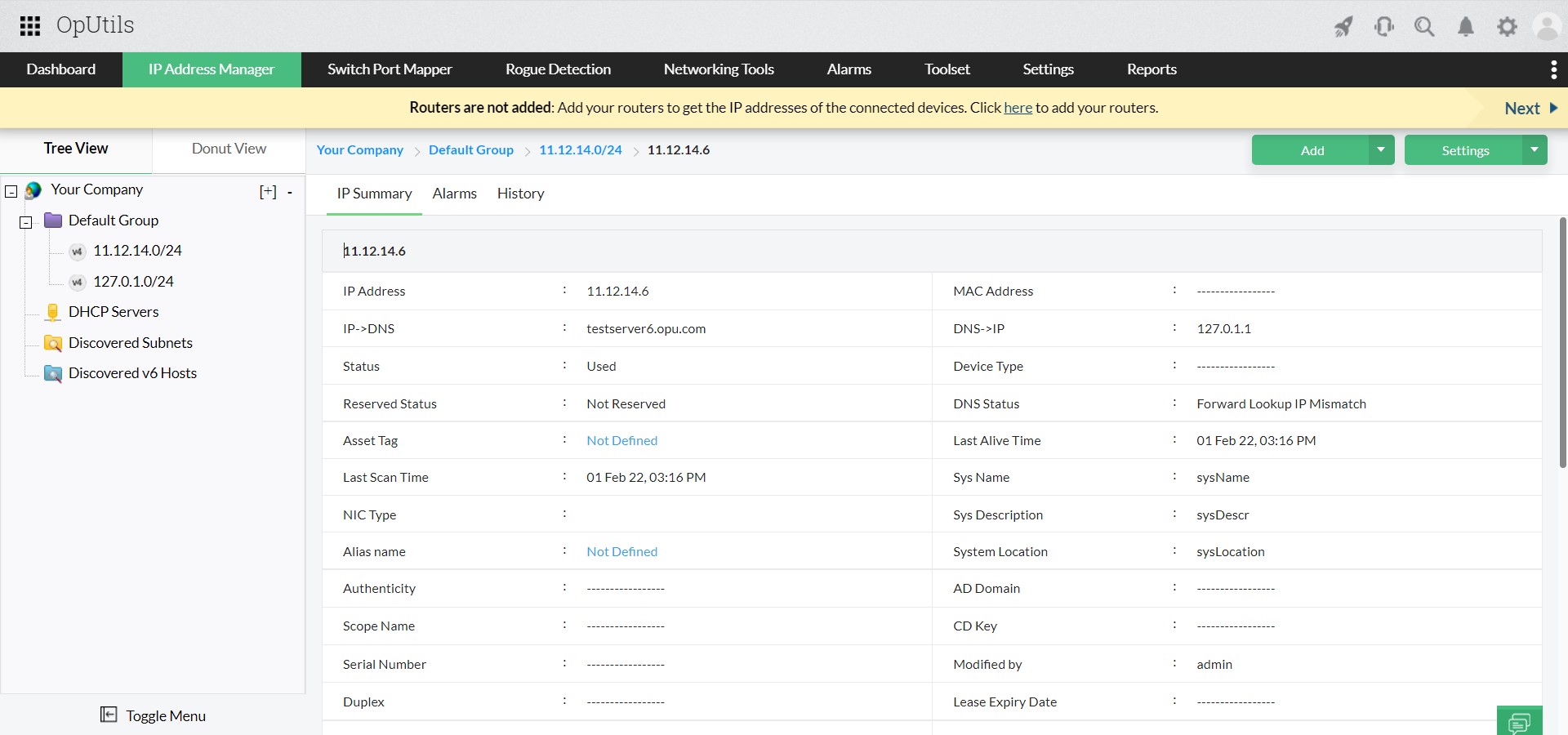
OpUtils’ network scanner performs real-time IP scans to determine the status of every IP address. It supports both IPv4 and IPv6, detecting internal and external IPs along with MAC details, OS hints, ping status, response time, and DNS status. All scan insights are consolidated into the OpUtils console for smarter troubleshooting and faster inventory updates.

Network Scanner - ManageEngine OpUtils

Manage subnets with agile subnet-based hierarchies

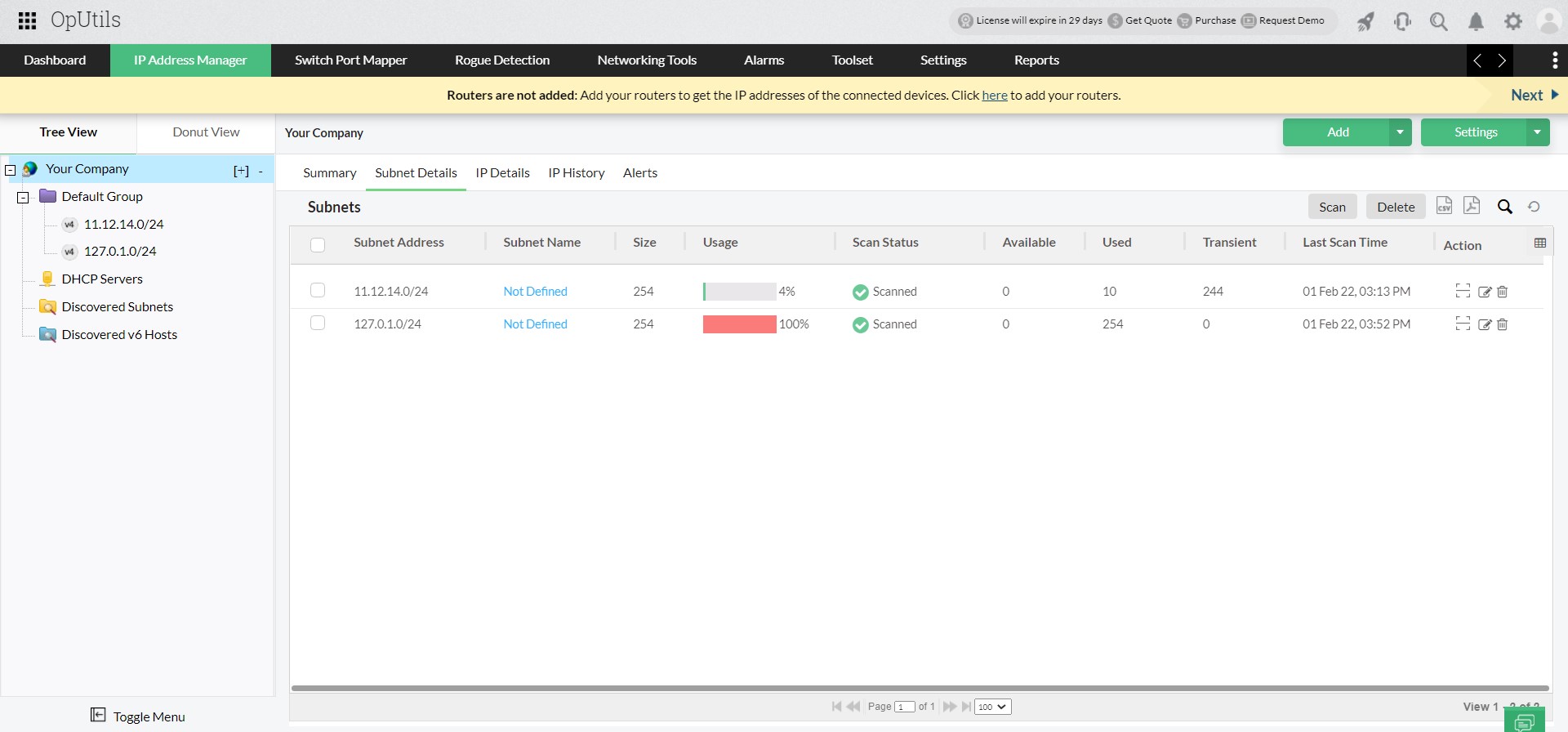
OpUtils enables you to create and manage multiple IP subnets and flexible subnet hierarchies without switching views. Scheduled scans help you track subnet size, usage, status, and available IPs to maintain accurate utilization data. You can add subnets manually, import via CSV, or auto-discover via routers and Meraki controllers for easier onboarding.

Network Scanner Tool - ManageEngine OpUtils

Scan end-to-end network device connectivity

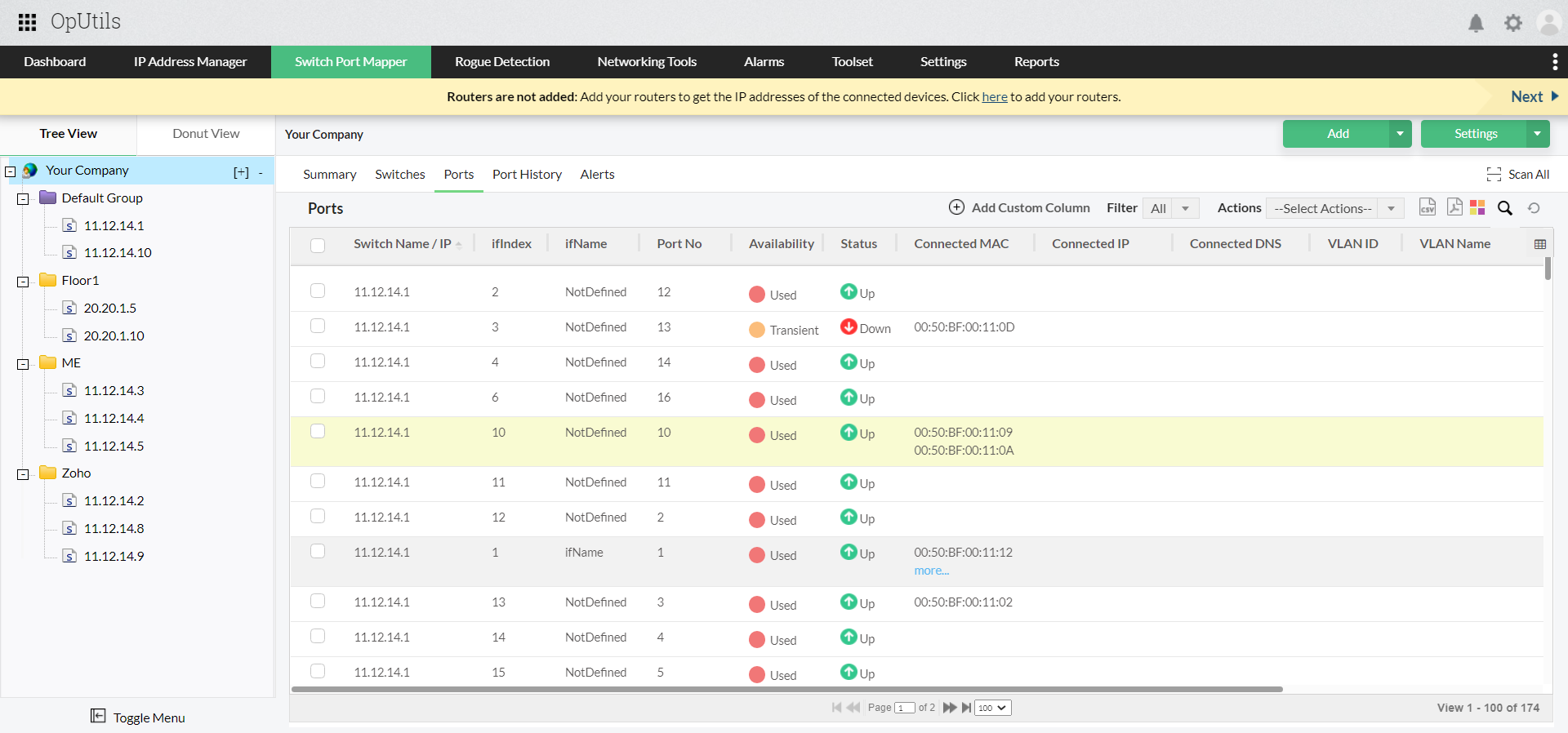
Using ICMP sweeps and SNMP polling, OpUtils maps device-to-port and port-to-switch relationships for complete connectivity visibility. It supports multi-vendor switch environments, automatically retrieving VLAN details and virtual IP address information. This makes it easier to track device movement and troubleshoot connectivity issues.

Network Scanning Software - ManageEngine OpUtils

DHCP scope correlation

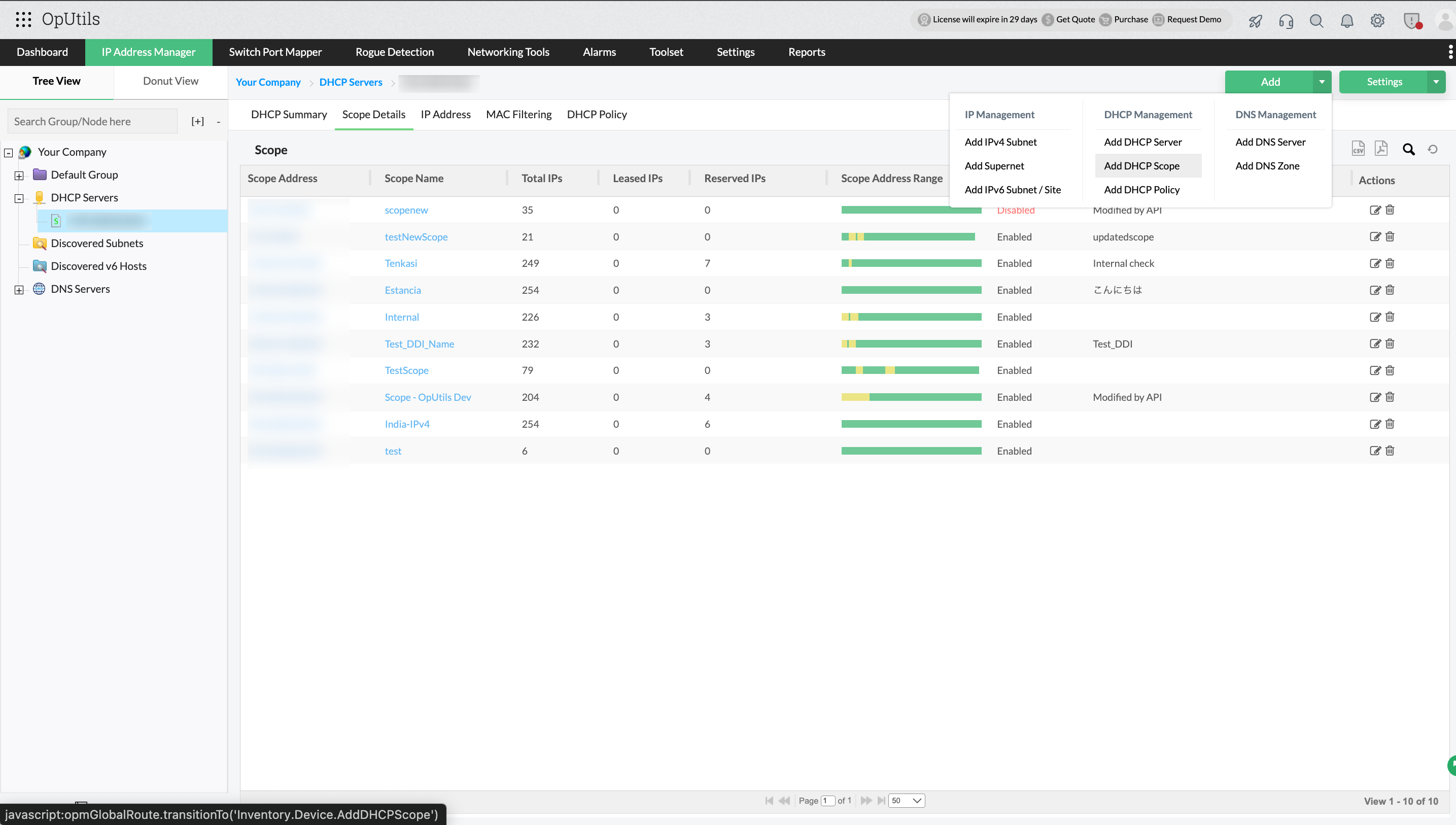
OpUtils correlates IP scan data with DHCP scopes to provide real-time usage and lease visibility. By tracking leased vs. available addresses, creating policies, manage reservations, and utilization trends, OpUtils' network scanner helps prevent scope exhaustion and improves capacity planning. This integration ensures accurate reporting across dynamic addressing environments.

DHCP Scope Management - ManageEngine OpUtils

DNS hostname resolution & record management

OpUtils automatically resolves DNS names through forward and reverse lookups to enrich scan results with host identities. This helps admins quickly trace devices, troubleshoot outages, and validate asset ownership without manual DNS queries.

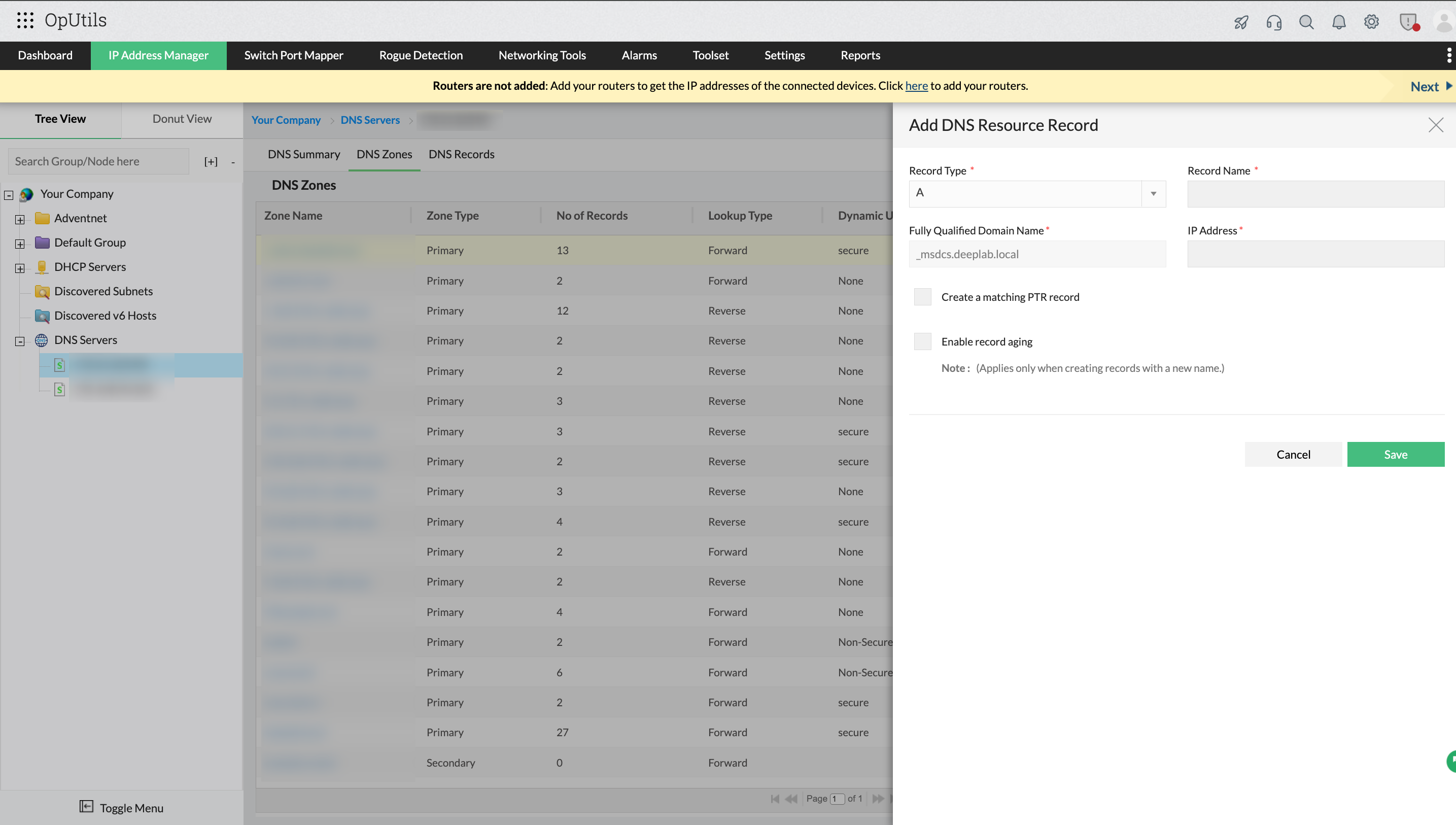
For environments using Microsoft DNS, OpUtils goes a step further by allowing you to create DNS zones and manage DNS records directly from the console. Whether you’re adding, editing, or deleting A/PTR records, OpUtils keeps DNS data synchronized with real-world IP usage, reducing configuration drift and ensuring clean, reliable DNS resolution.

DNS Management - ManageEngine OpUtils

Switch-port correlation

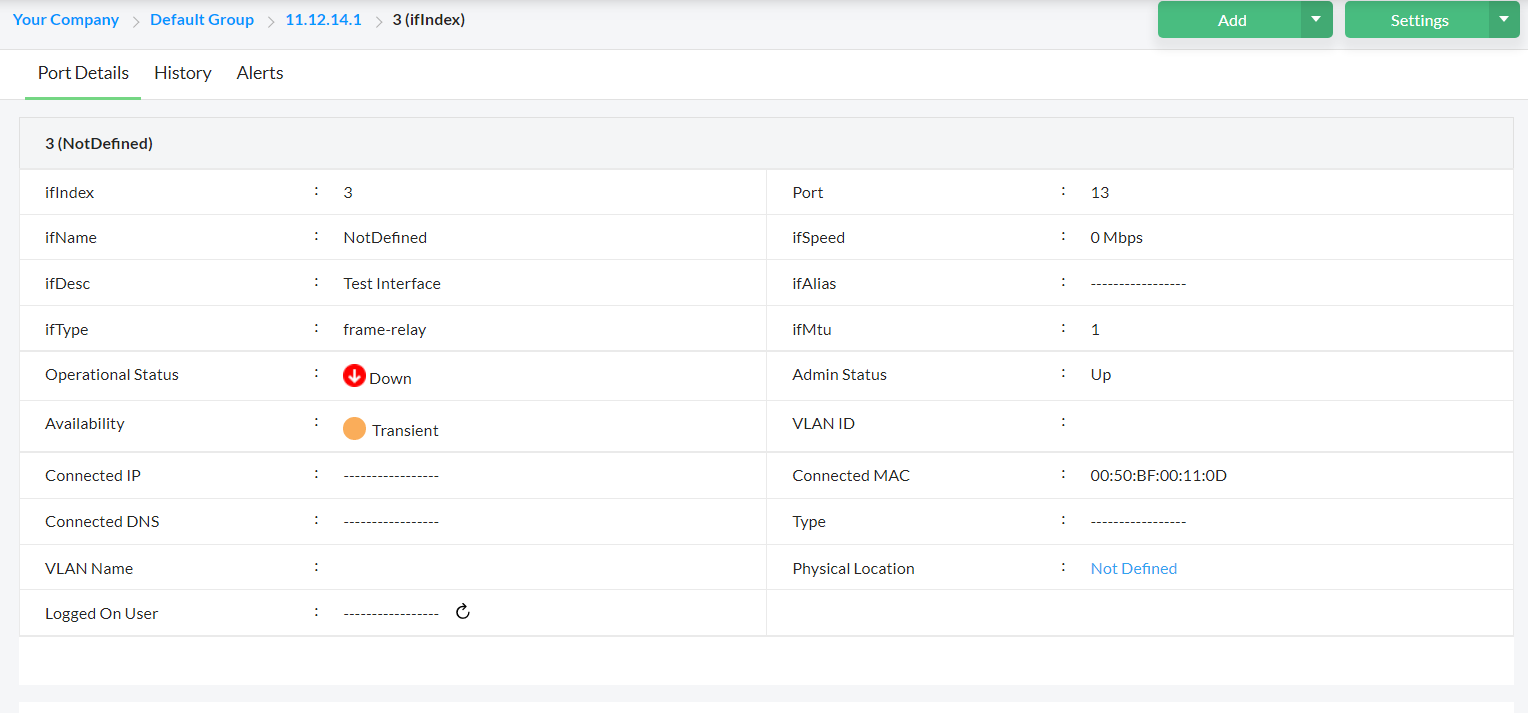
OpUtils maps each detected device to the exact physical switch port using ICMP, SNMP, and ARP. This allows technicians to trace endpoints instantly, detect abandoned or misused ports, and validate VLAN assignments. Detailed port-level visibility significantly reduces time spent troubleshooting connectivity issues.

Switch Port Details - ManageEngine OpUtils

Detect rogue devices and strengthen network security

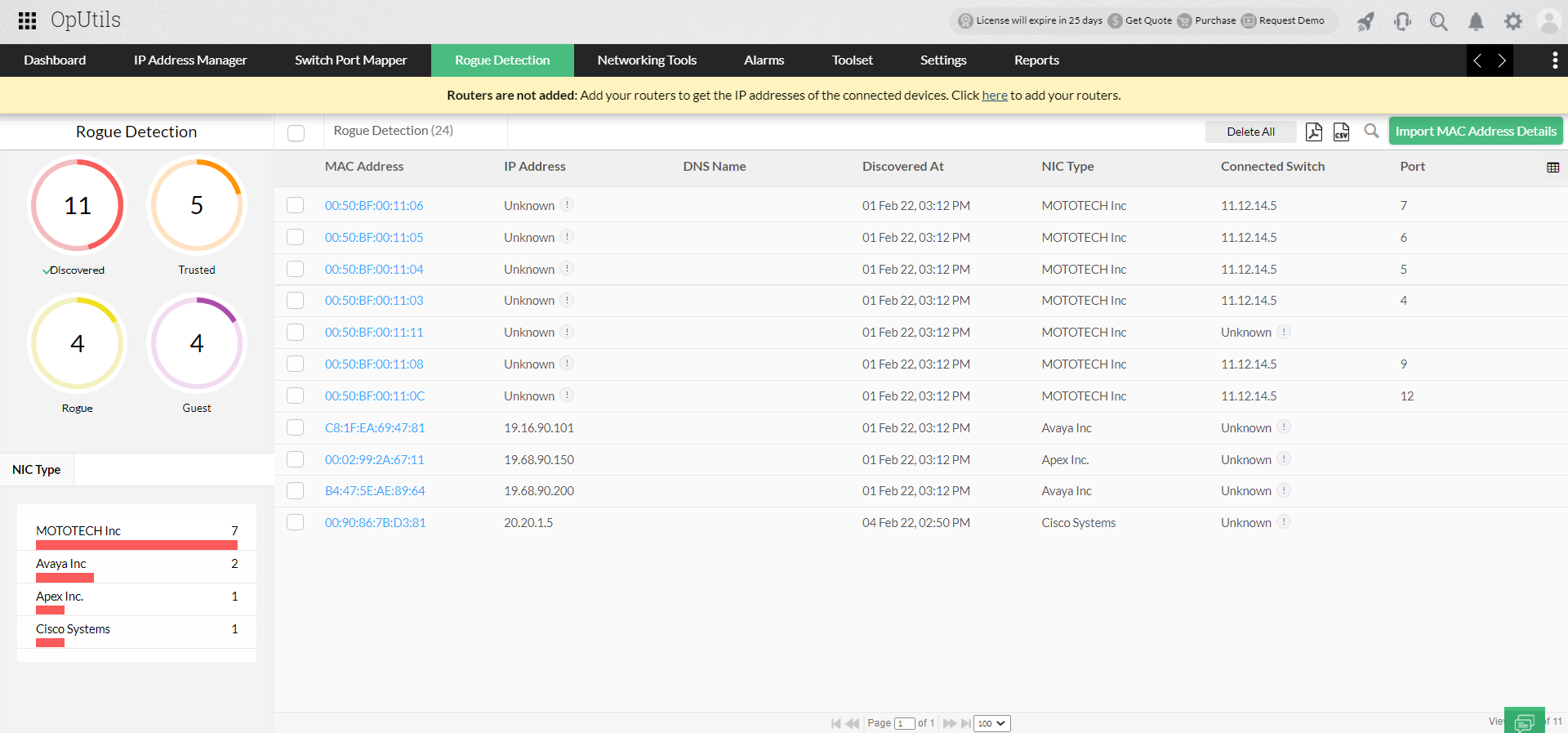
With periodic scanning, OpUtils identifies unknown or suspicious devices attempting to access your network. It alerts you on the discovery of rogue endpoints such as unauthorized access points, bots, or sniffers, helping prevent security breaches. Automated monitoring ensures proactive detection and remediation before risks escalate.

Network Scan Tool - ManageEngine OpUtils

Scheduled scanning & notifications

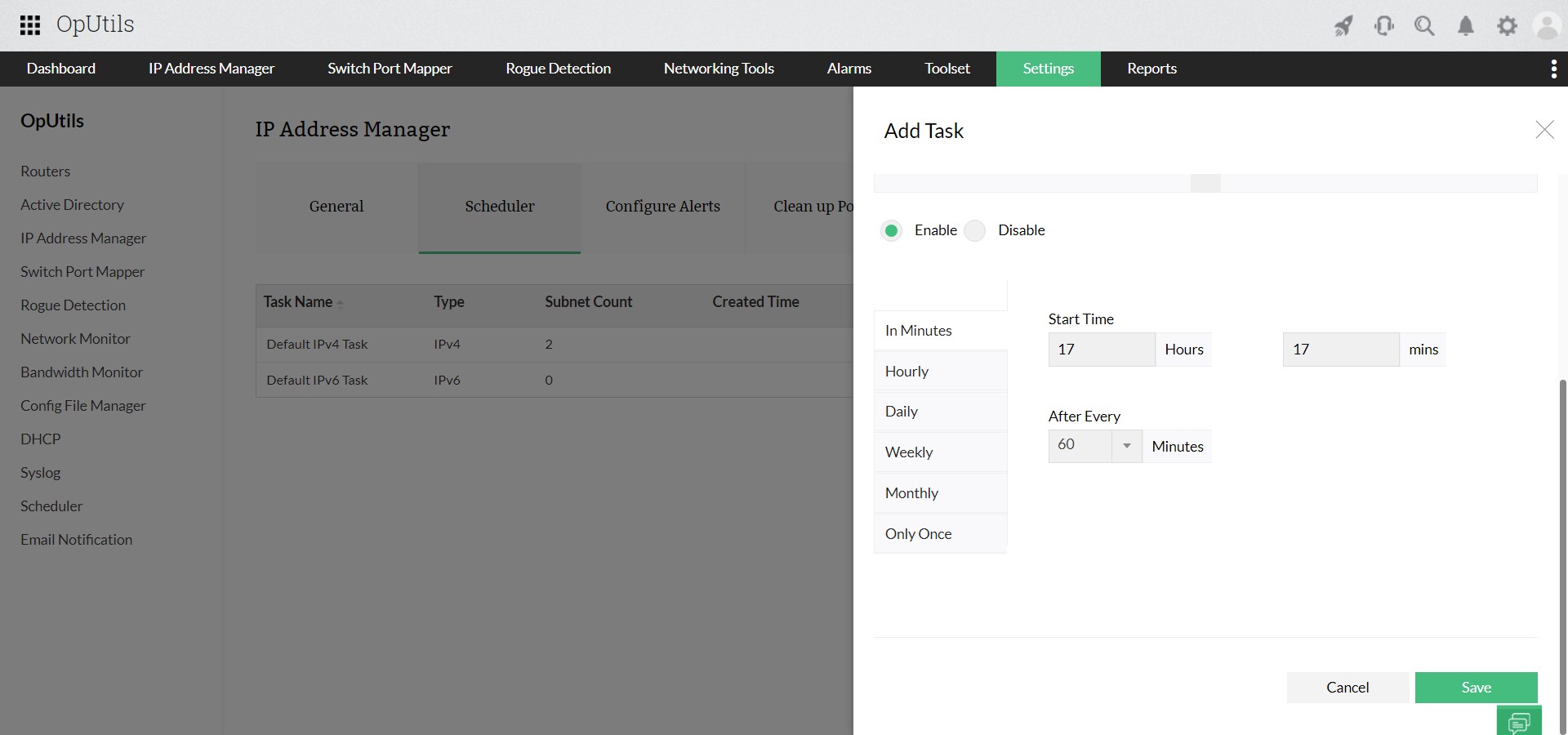
You can automate subnet and switch scans at scheduled intervals to keep IP and device inventories accurate. Customizable threshold alerts notify you when availability changes, rogue devices appear, or IP utilization crosses limits. This supports proactive management and reduces operational overhead.

IP Scheduler - ManageEngine OpUtils

Set role-based access controls for secure operations

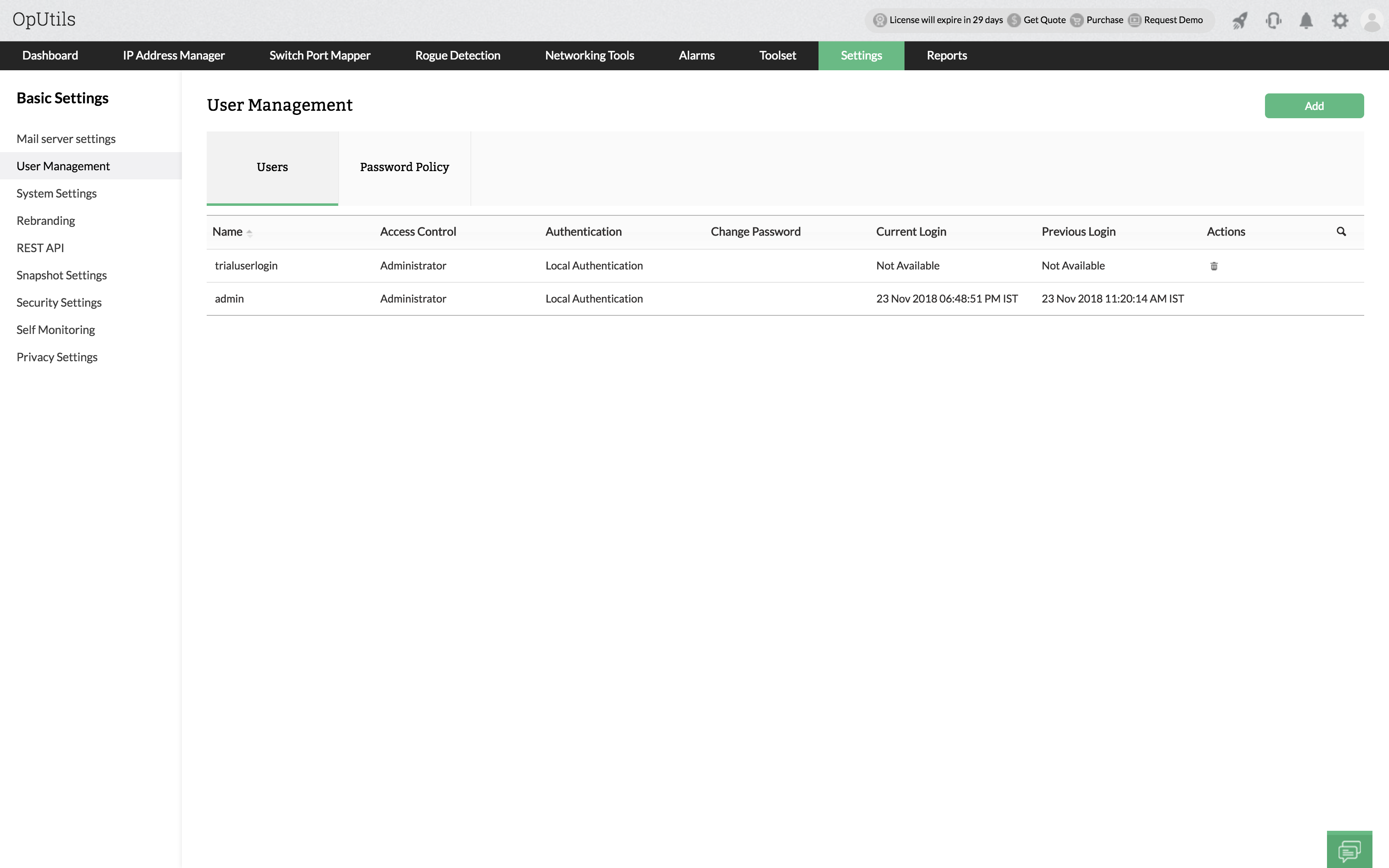
OpUtils helps enforce secure network management through role-based access. Administrators receive full control over configuration and scanning, while Operators are granted restricted or read-only access. This minimizes unauthorized changes, improves auditability, and ensures only qualified stakeholders can modify network settings.

Best Network Scanning Software - ManageEngine OpUtils

Getting started with OpUtils network scanner

Getting started with OpUtils is simple. If you’re exploring its unified DDI and Switch Port Management capabilities for the first time, you can schedule a live demo with a product expert to walk through key workflows, advanced scanning features, and deployment best practices.

Wanted to try it yourself? Download the 30-day free trial and begin scanning in under an hour. OpUtils deploys seamlessly within existing network environments, requiring minimal configuration while delivering immediate visibility into your IP space, devices, and switch ports.

Frequently asked questions on network scanner

What is a network scanner?


A network scanner is a tool that automatically discovers devices connected to a network and collects details such as IP address, MAC address, hostname, open ports, and operating system hints. It helps IT teams maintain visibility and control over network assets.

What is network scanning used for?


Network scanning is used to identify active devices, detect unauthorized or rogue systems, map open ports and services, track IP address usage, and support troubleshooting and capacity planning. It helps maintain secure, organized, and well-managed networks.

Why is network scanning important?


Network scanning is important because it provides real-time visibility into devices and traffic, helps detect security risks such as rogue hosts or open ports, keeps IP allocation updated, supports compliance and audit readiness, and reduces manual effort by automating discovery and documentation.

How is network scanning done?


Network scanning is typically done by probing IP ranges or subnets, checking responses via ICMP, ARP, SNMP, and TCP/UDP, collecting endpoint details such as hostname, MAC, vendor, and ports, and compiling results into dashboards or reports. Tools may scan periodically or continuously to keep inventory updated.

How does the network scanner work?


A network scanner sends requests to a defined IP range, identifies live hosts based on responses, performs enrichment such as DNS lookup, port scan, OS hints, and MAC vendor match, maps devices to subnets, VLANs, and switch ports, and displays results for monitoring, reporting, and troubleshooting. Advanced scanners integrate with DNS, DHCP, and IPAM to maintain accurate inventory.

What are the benefits of a network scanner tool?


Key benefits include automated device discovery and inventory, faster troubleshooting, increased security by detecting unauthorized hosts, easier capacity and IP utilization planning, reduced manual effort, and improved compliance reporting.

How to choose the right network scanner software?


Look for a network scanner that offers multi-layer discovery (IP, DNS, MAC, ports, OS), automated and scheduled scanning, IPv4 and IPv6 support, switch-port mapping, alerting for unknown devices, integration with IPAM, DHCP, and DNS, reporting and dashboards, and scalability for large networks. Ensure it fits your environment and security requirements.

Enhance network visibility with OpUtils' network scanner

Try OpUtils for free today
OpUtils IP Scanner