- Help documents
- Collaterals
- E-books & whitepapers
- Knowledge base
- Admin playbooks
- Blogs
- Video zone
- Success stories
- Battlecards
- Getting started
- Security guides
- Integration guides
- Login agent guides
Admin guide
Provides details on system requirements, installation, and startup. Guides users in configuring ADSelfService Plus and using its features.
User guide
Provides comprehensive instructions on navigating ADSelfService Plus' self-service actions—such as password resets, MFA enrollment, account unlocks, and more.
Failover guide
Explains how to configure failover for ADSelfService Plus to ensure reliability and failover support.
Reverse Proxy setup using AD360
Describes how to configure reverse proxy for ADSelfService Plus using AD360.
Reverse Proxy setup using Apache HTTP
Describes how to configure reverse proxy for ADSelfService Plus using Apache HTTP Server.
Reverse Proxy setup using IIS
Describes how to configure reverse proxy for ADSelfService Plus using Microsoft IIS.
NPS configuration guide for Endpoint MFA
Explains how to configure Network Policy Server (NPS) to enable MFA and secure your endpoints and VPNs.
Permissions guide
Details the minimum permissions required by ADSelfService Plus for seamless functioning.
Architecture guide
Describes the architecture of ADSelfService Plus and how its components interact with Active Directory.
FIDO2 Authentication with ADSelfService Plus
Describes how ADSelfService Plus' architecture works with FIDO2 authentication to enable secure phishing-resistant MFA.
Deployment best practices guide
Lists recommended best practices for deploying ADSelfService Plus in production environments.
Guide to securing server-MSSQL connection
Describes how to enable a secure (SSL/TLS-encrypted) connection between the ADSelfService Plus server and the Microsoft SQL Server database.
Encryption and data storage in database
Details the encryption mechanisms used and the types of data stored in the ADSelfService Plus database.
Securing installation folder
Provides steps to protect the installation directory and prevent unauthorized access.
Guide to install macOS X Login agent
Details how to install the ADSelfService Plus login agent on macOS systems.
Guide to install Login agent using GPO
Explains how to deploy the login agent using Group Policy Objects.
Guide to install Login agent via web Portal
Describes how users can install the login agent through the ADSelfService Plus portal.
Guide to install Login agent via ManageEngine Endpoint Central
Explains how to deploy the login agent using Endpoint Central.
- Brochure
- Datasheet
- Slide decks
- Use cases









- E-books
- Whitepapers
Proof of Concept guide
Evaluates the feasibility and effectiveness of implementing ADSelfService Plus in an organizational environment.
Maximizing ROI on ADSelfService Plus using its enrollment options
Explains how to configure enrollment features and use them to maximize return on investment (ROI).
Secure single sign-on for cloud applications
Explains the benefits of using ADSelfService Plus for secure single sign-on to cloud applications.
Maximize Endpoint Security with adaptive MFA
Describes how adaptive multi-factor authentication enhances endpoint security.
Guide to keeping Active Directory user attributes up-to-date
Explains how self-service directory updates help keep Active Directory user attributes up to date.
Self-Service Approval Workflow
Describes how the self-service approval workflow feature functions.
Extending password support through cached credential update
Explains how cached credential updates extend password support for offline or remote users.
Buyer's guide to self-service password reset solution
Details key factors to consider when selecting a self-service password reset solution.
NIST password guidelines vs current industry practices
Compares NIST password guidelines with standard enterprise password practices.
Thwarting common password attack methods
Describes common password-based attacks and their mitigation strategies.
The essential guide to securing RDP and VPN access to sensitive resources
Describes how to implement advanced authentication methods to secure RDP and VPN access.
Single sign-on and how it helps meet regulatory compliance
Explains how single sign-on (SSO) helps organizations meet regulatory compliance requirements.
Making IT more efficient, with Active directory and cloud based services' password management
Describes how self-service password reset, single sign-on, and password synchronization enhance IT efficiency across Active Directory and cloud environments.
Reinventing cybersecurity for government organizations
Describes key cybersecurity challenges faced by government organizations and approaches to address them.
- Active Directory Issues
- AD Attributes
- Password security
- Powershell
- Capabilities in focus
- Technical walkthroughs
- Webinar videos
- Workshop videos

Tighten security against cyberthreats with multi-factor authentication
Explains how to enforce two-factor authentication (2FA) at the Windows logon screen to prevent unauthorized access even if a password is compromised
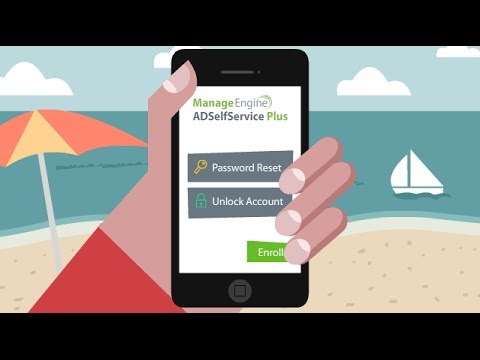
Self-service password reset through mobile app
Highlights the native iOS and Android apps that allow employees to reset Windows passwords and sync changes with cloud applications directly from their smartphones

Reset Active Directory passwords from the Windows login screen — without the help desk
ADSelfService Plus lets users reset Active Directory passwords from the Windows login screen using a logon agent, eliminating help desk dependency. Users verify identity with CAPTCHA and MFA, create policy-compliant passwords, and regain access instantly. It also supports SSO, password sync, notifications, and endpoint MFA.

Secure self-service password reset for remote users
Focuses on the "Remote Reset" feature, which allows users outside the office or off-domain to reset their passwords from the Windows login screen without needing to be connected to the corporate network

End-user self-service password reset tutorial from Windows 10 logon screen using ADSelfService Plus
A step-by-step guide showing how users can click a "Reset Password" link on the Windows 10 login screen, verify their identity via MFA (like Microsoft Authenticator), and set a new password

Robust password solutions for Active Directory
Derek Melber (Active Directory MVP) discusses the limitations of default Microsoft password policies and how ADSelfService Plus adds a layer to prevent dictionary attacks and enforce stronger requirements like special character positioning.
Tighten security against cyberthreats with MFA
Demonstrates how to use ADSelfService Plus to secure Windows logons and cloud applications using Multi-Factor Authentication (MFA).
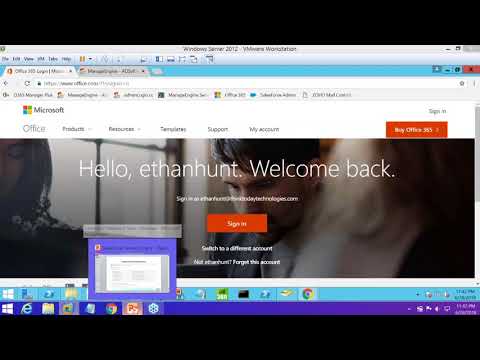
Enterprise Single Sign-on for 100+ enterprise applications
Explains how to centralize identity management by providing SSO for 100+ cloud applications (like Microsoft 365, Google WorkSpace, and Salesforce) using Active Directory credentials.

Modernize password self-service with latest authentication techniques
ADSelfService Plus secures SSPR with 21 MFA authenticators—FIDO passkeys, biometrics, YubiKey, Microsoft/Duo/Google Authenticator, TOTP, SMS/email, security questions—triggered via policy after enrollment check.

Granular password policies
Demonstrates how to create different password complexity rules for specific OUs or groups—for example, requiring longer, more complex passwords for IT Admins while keeping them simpler for general staff.

Alert end-users about their impending password and account expirations
Shows how to automate email, SMS, and push notifications to remind users that their passwords are about to expire, effectively reducing lockout-related help desk tickets.

Keycloak alternative
Replace complex identity workflows with ready-to-deploy risk-based and context-aware authentication.

Silverfort alternative
Integrate MFA effortlessly with Active Directory environments and protect critical access points.

PortalGuard alternative
Streamline MFA enrollment with flexible authenticator options and reduce password-related help desk load.