
Chat with end users and seamlessly convert every conversation into a ticket

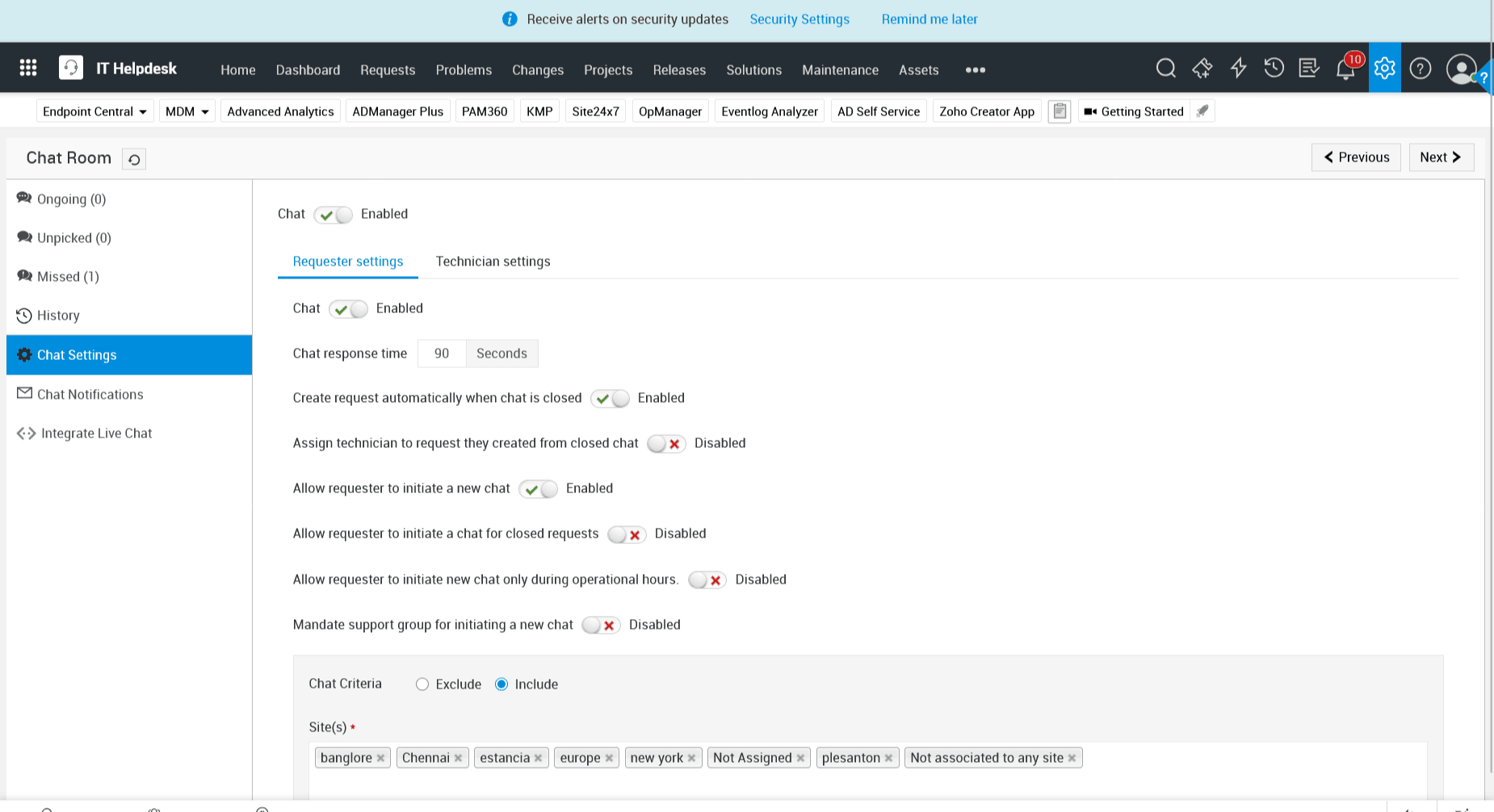
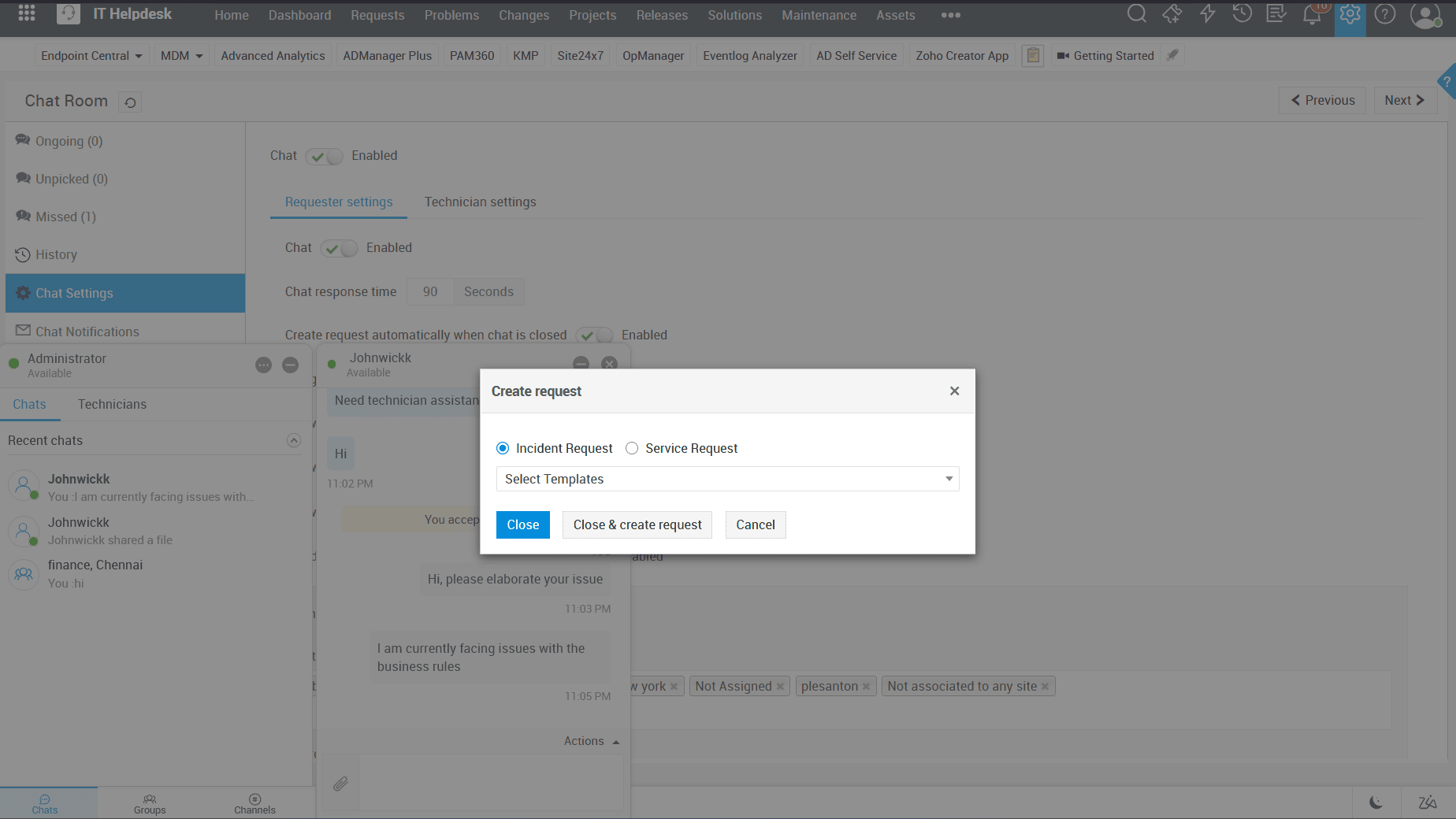
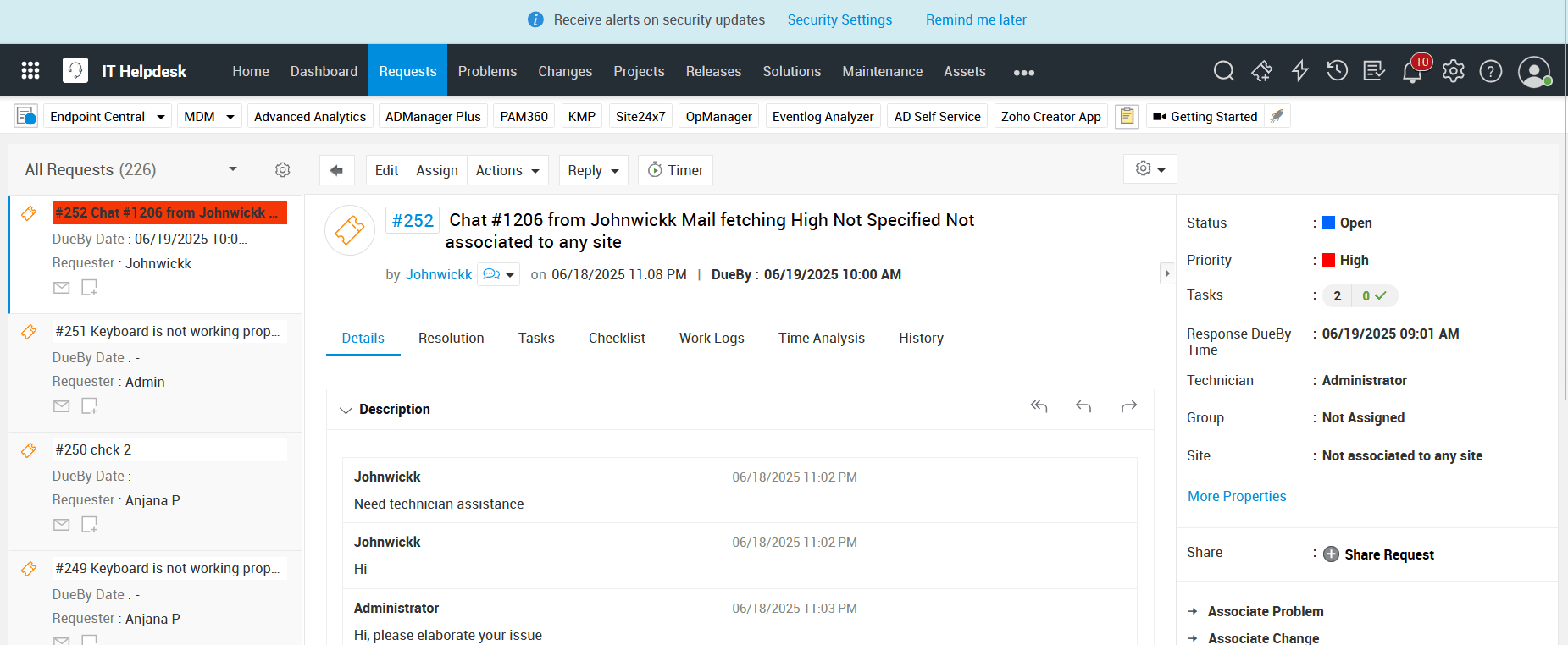
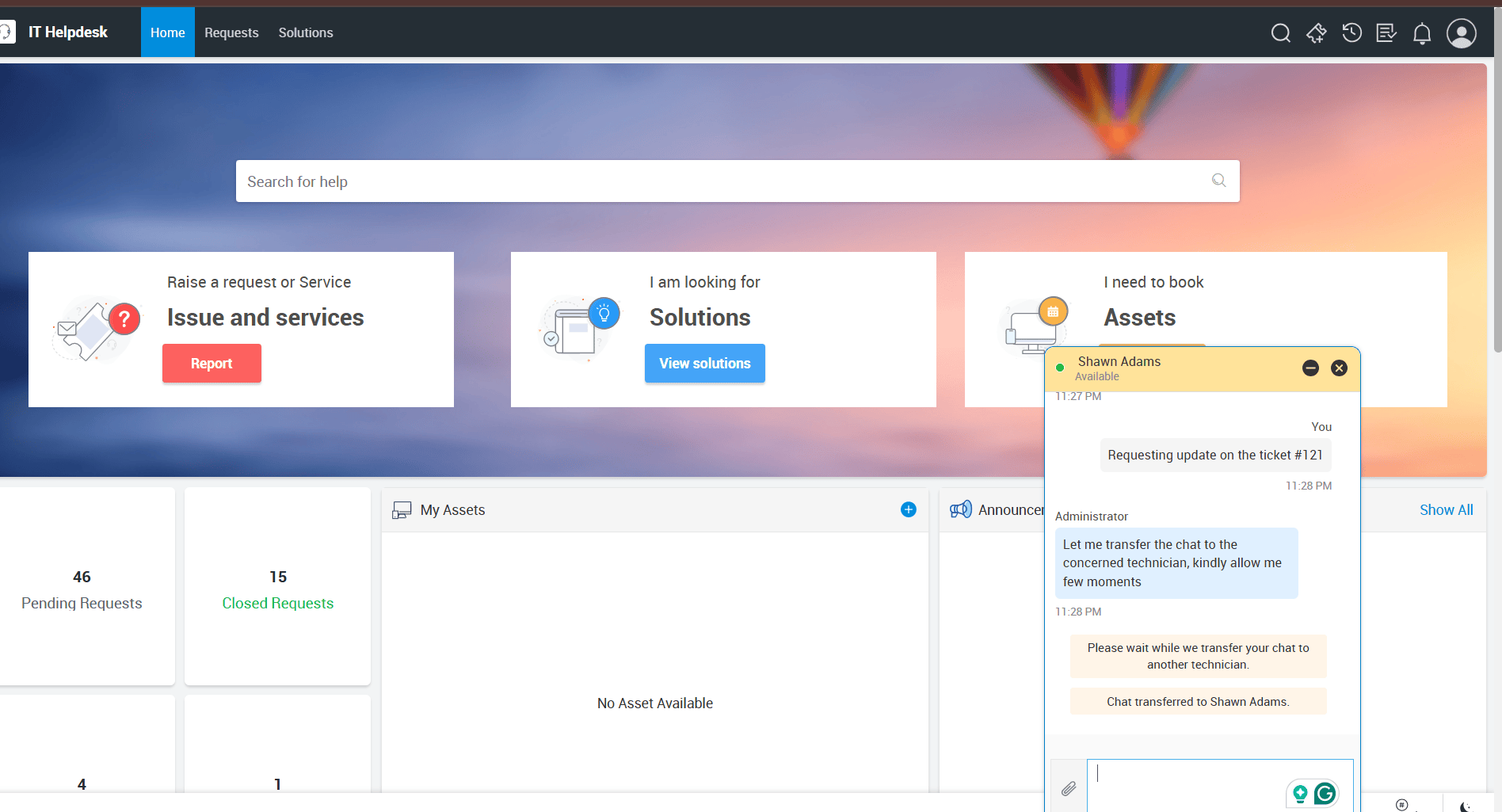
Turn every interaction into valuable context. Empower end users to follow up on existing tickets or raise new ones to suit their requirements. Automate ticket creation at the end of every chat session while appending the conversation history to the ticket, maintaining context. This way, connecting the dots becomes effortless for fast-tracking IT service delivery.

Live chat requester settings
Live chat ticketing system
Live chat ticket details

Equip technicians with ticketing data to personalize support experiences

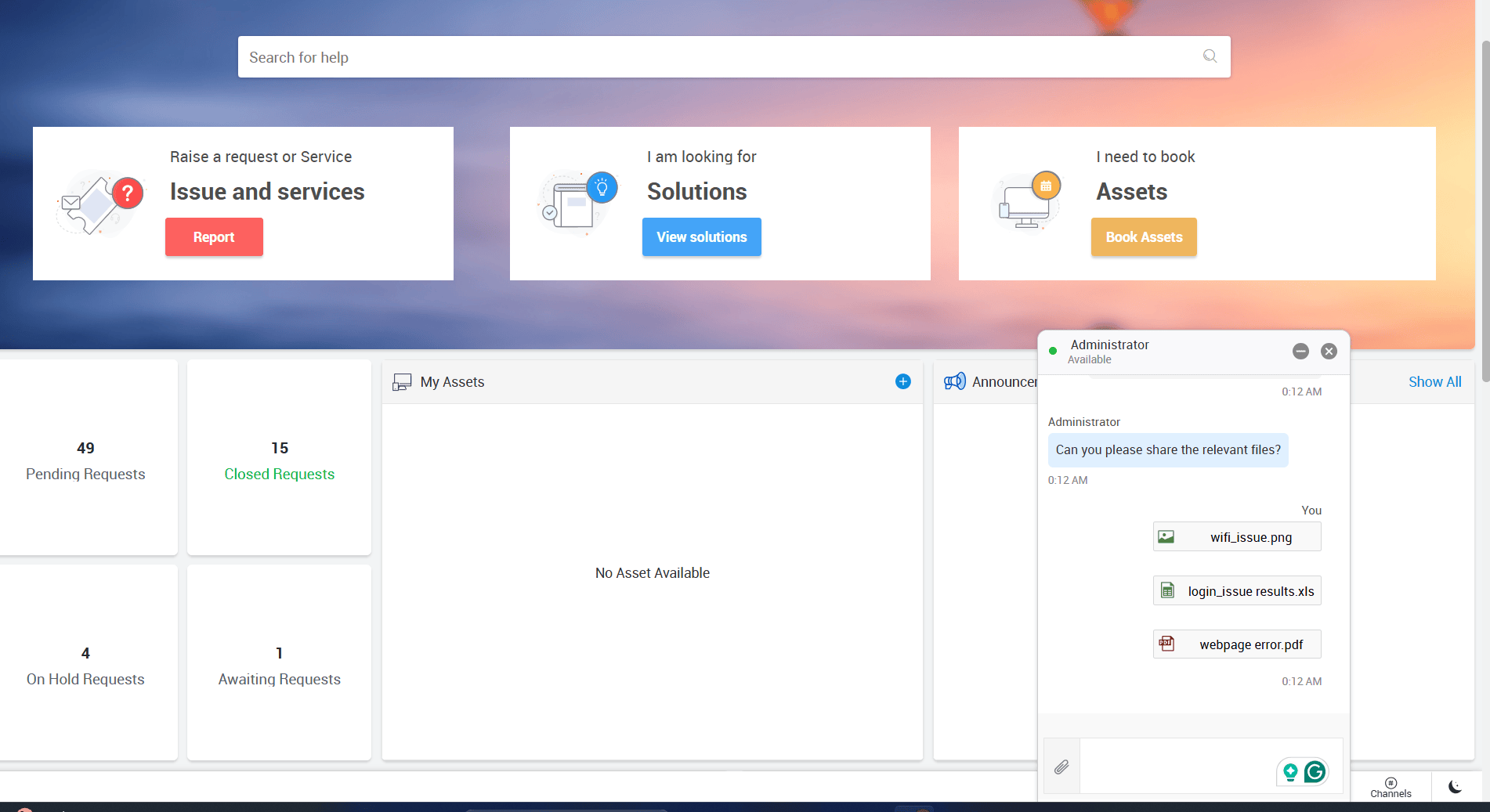
Quickly access ticket details directly from the chat interface without hopping tabs. By enabling end users to share relevant resources, including files, screenshots, and videos, technicians benefit from enriched context. Effortlessly track past conversations to deliver seamless, informed support.

Quickly access tickets in live chat

Bring in your service desk peers or subject matter experts to fast-track resolutions

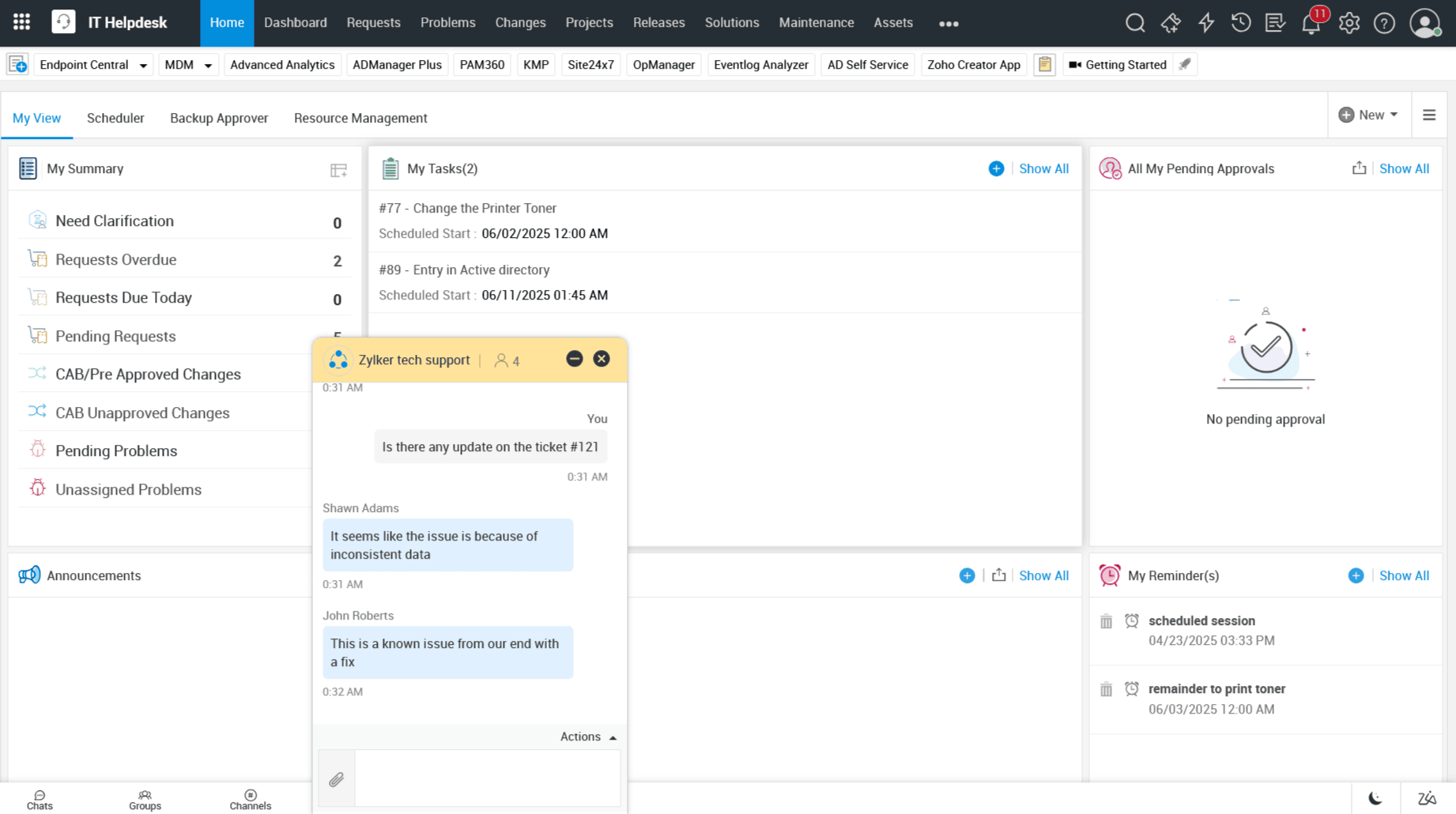
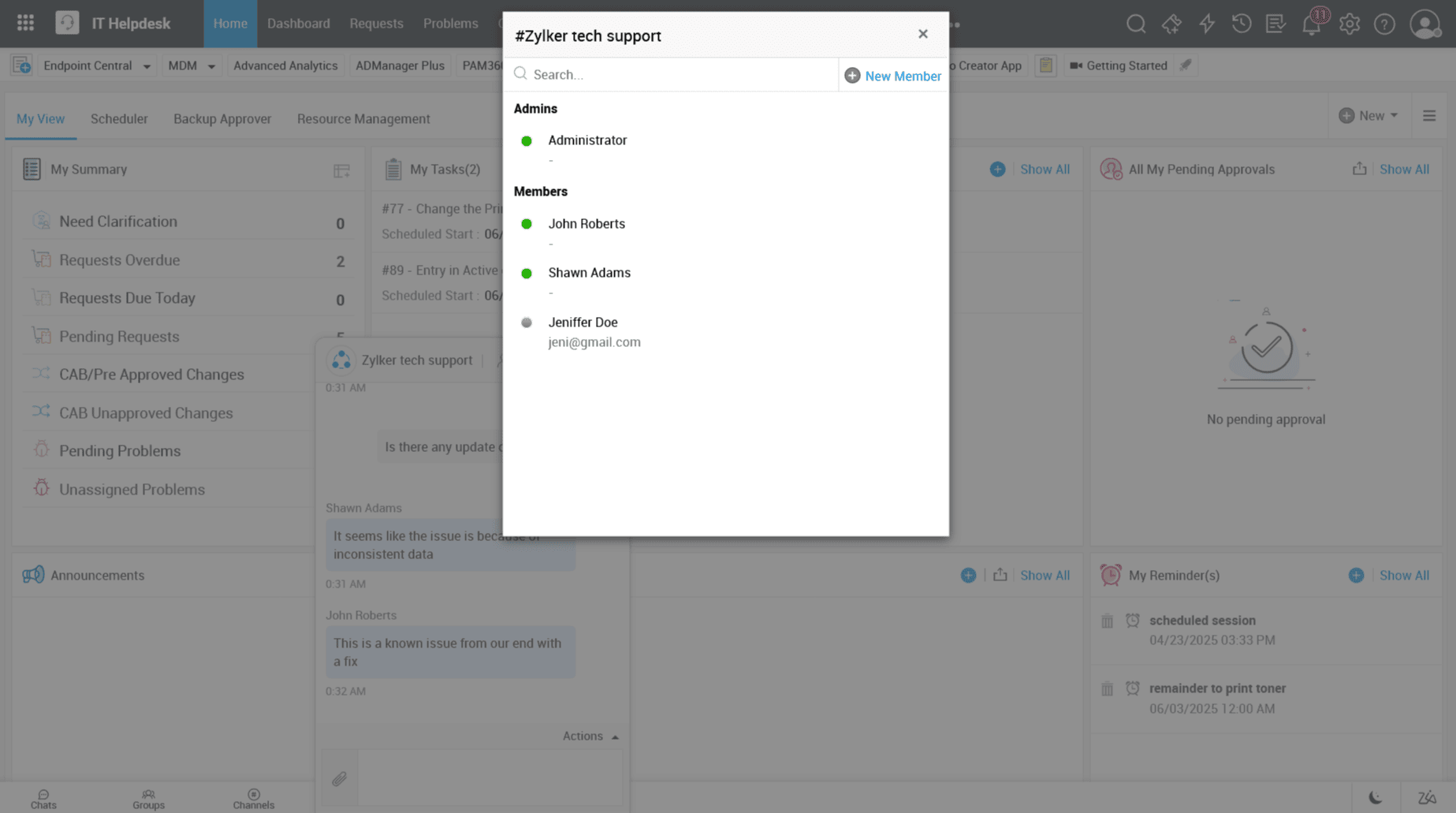
Expert assistance from your peers is always just a chat away. Initiate a conversation with your peers or subject matter experts from relevant sites through individual chats or group chats to deliver lightning-fast support to end users. Foster teamwork among technicians through private and group chats. Also, designate specific technician groups to handle incoming chat requests from end users.

Quick ticket resolutions with external assist
Live chat group for IT support

Use canned responses to ensure a smooth transition while greeting end users or transferring the chat to an expert

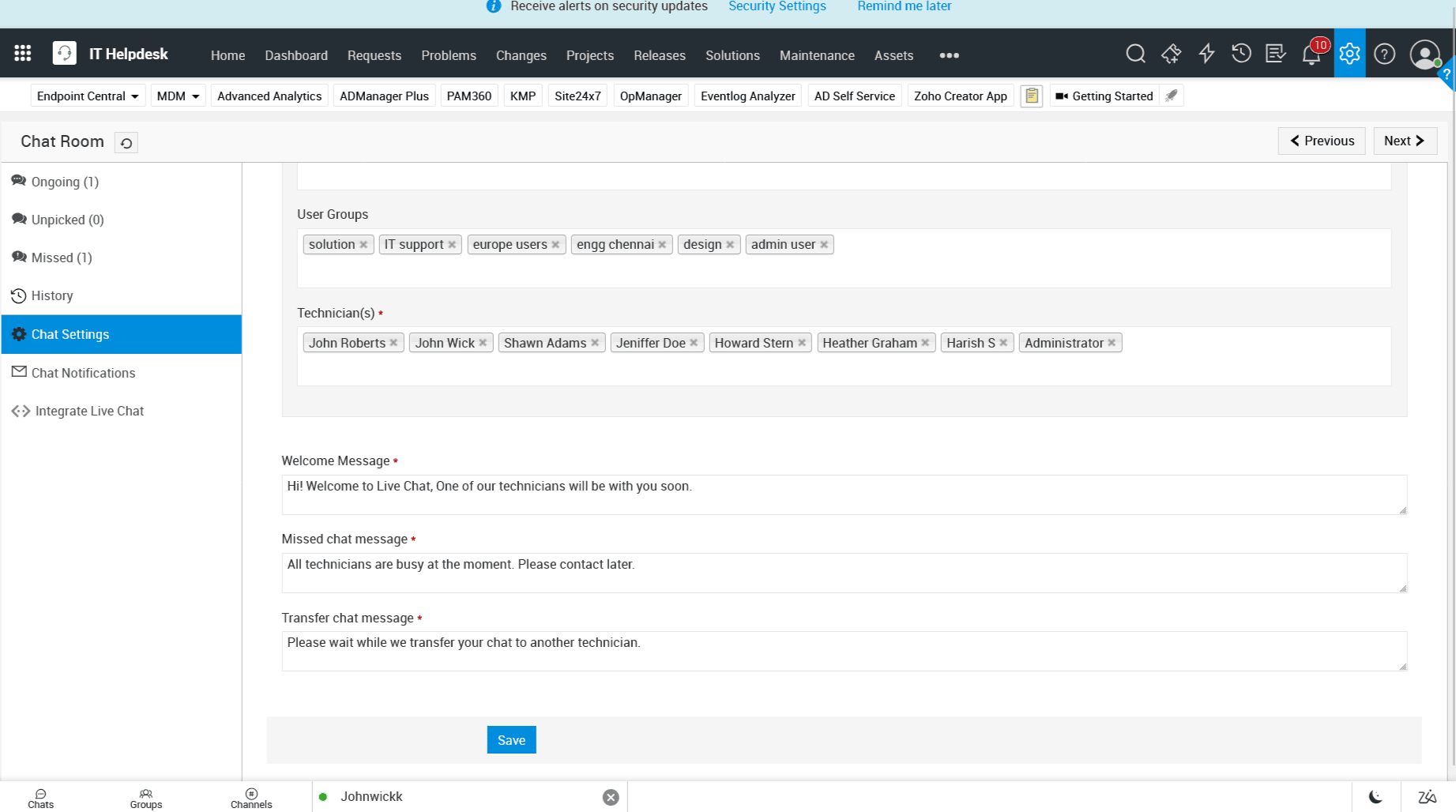
Set the stage for positive interactions with warm welcome messages. Keep users informed with predefined timers when chats are unpicked. Minimize wait times by ensuring technicians pick up chat requests within defined response windows, delivering faster, more efficient support.

Help desk live chat canned response
Help desk live chat example

Make real-time support accessible
to users across touchpoints

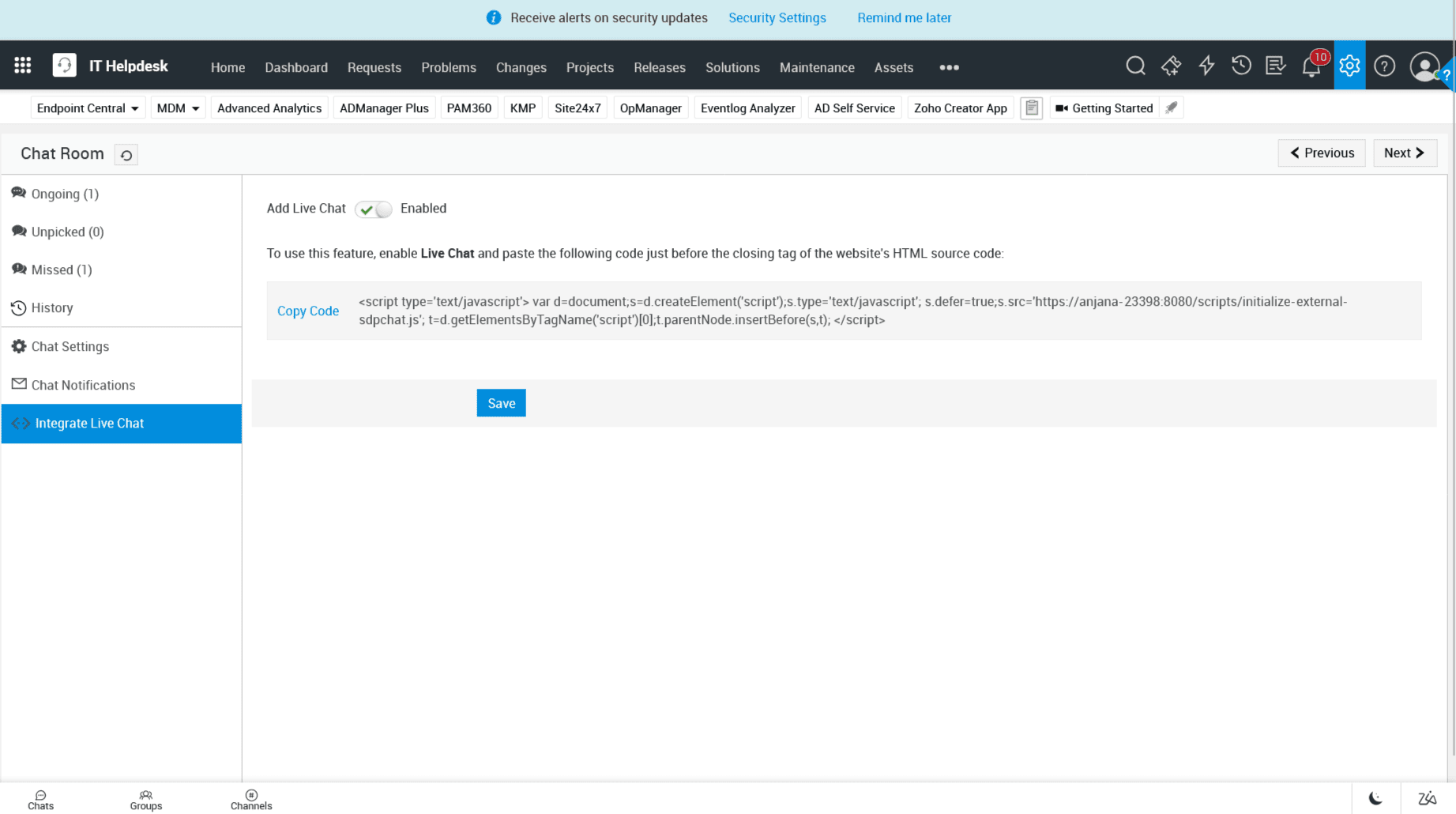
Enable end users to get the help they need without stepping away from their work. Embed the Live Chat widget on additional channels, including intranet portals and external websites, facilitating instant and accessible
support experiences.

Accessible live chat support
Instant help desk live chat

Talk to our experts about ServiceDesk Plus

To learn more about how ServiceDesk Plus helps you deliver smart and superior service experiences in real-time, talk to a product expert today.

Book your slot now

Frequently asked questions

Expand all

1. What is the difference between live chat and AI-powered virtual agents?

AI-powered virtual agents excel at handling routine IT issues like password resets and ticket status inquiries, providing instant, round-the-clock support.

In contrast, live chats connect users with IT experts who can manage complex technical issues with nuanced, real-time conversations. Human agents deliver thoughtful, tailored support, responses, escalate cases, and provide human empathy, ensuring seamless expert handoffs when needed.

For the best support experience, organizations can combine virtual agents with live chat—leveraging AI for efficiency and human expertise for high-touch IT issues.

2. What are some of the essential live chat features that you would need to provide
real-time IT support?

3. How can live chat benefit end users and technicians?

4. Does ServiceDesk Plus support live chat for its users and technicians?