Browser Compliance
Assess reported browser settings against selected security rules and identify computers that need attention. Configure and deploy the corresponding browser policies to remediate failed settings.
Overview
About Browser Compliance
Compliance rules define the settings used to assess reported browser configuration. Selecting a compliance standard does not by itself apply those browser settings.
Assess and remediate browser compliance
The Compliance tab provides a detailed overview of the computers compliant with each compliance policy.
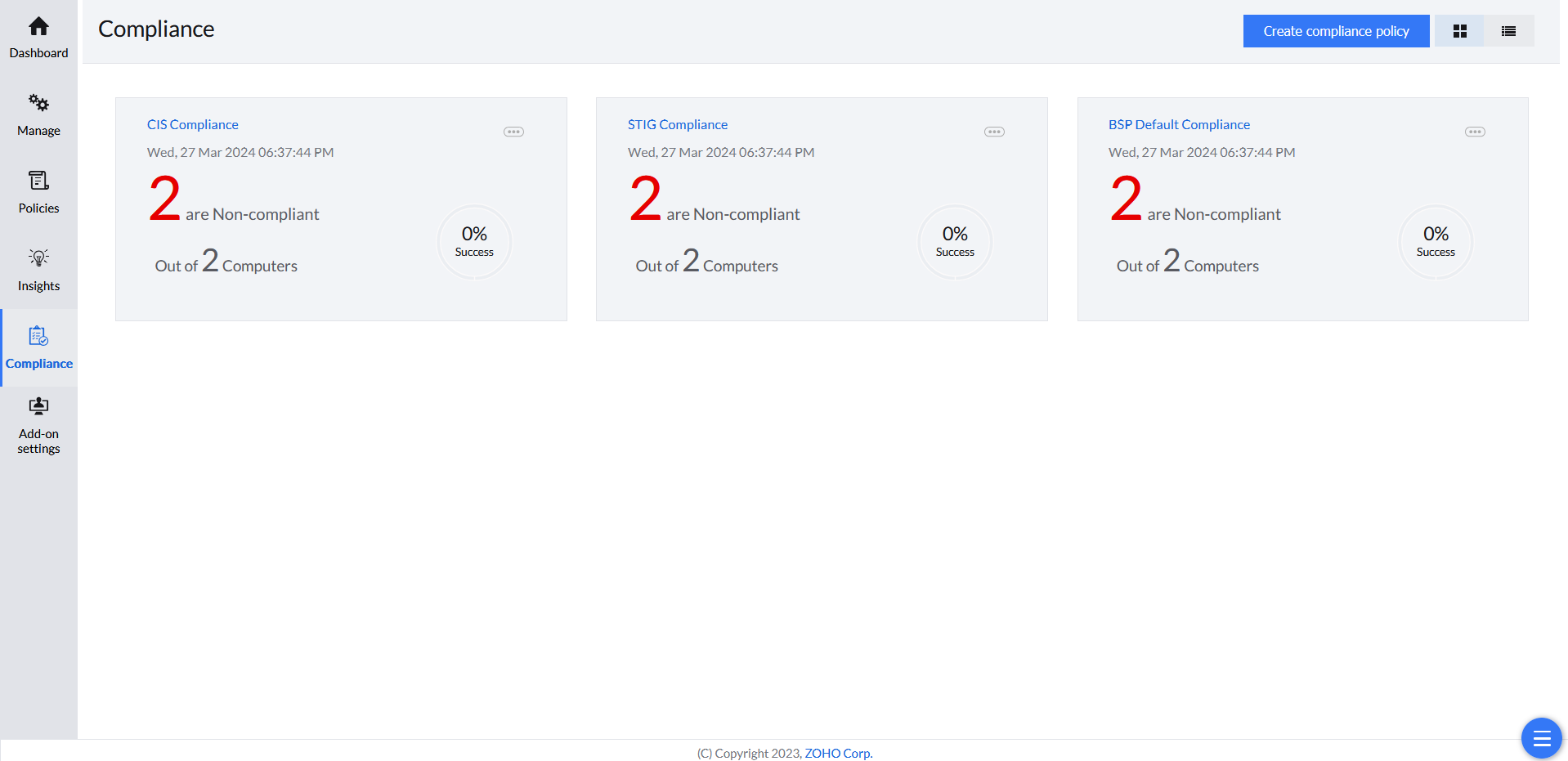
Creating a compliance policy selects the rules included in its report. It is separate from configuring and deploying browser restrictions.
Review the failed rules and configure the corresponding browser policies. Deploy the required settings to the intended computers, then check the next reported compliance result. A setting that already meets the selected rule can be compliant without a newly deployed policy.
Reporting
Compliance Reports
Devices receive a score and category based on the selected compliance criteria.
Risk levels
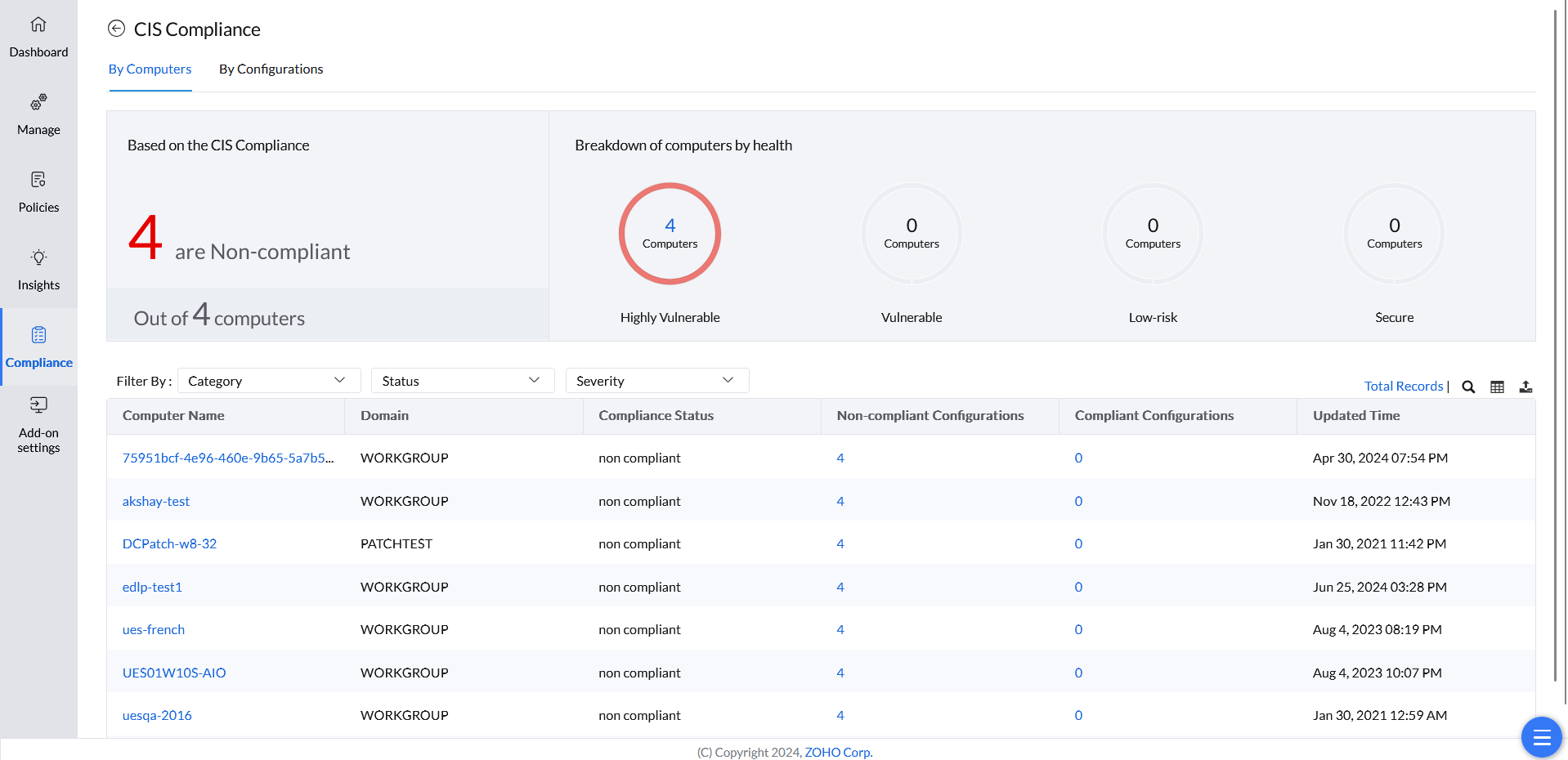
Browser Security Plus generates comprehensive compliance reports based on predefined criteria designed to mitigate security risks. A device's adherence to these criteria is evaluated through a security score, which categorizes devices into risk levels:
- Highly Vulnerable — devices with critical compliance gaps
- Vulnerable — devices with significant compliance deficiencies
- Low-Risk — devices with minor compliance issues
- Secure — devices that fully meet all compliance requirements
Setup
Create Compliance Policy
Reports start from 30 predefined security configurations, which you can customize to fit your organization.
Creating a compliance policy
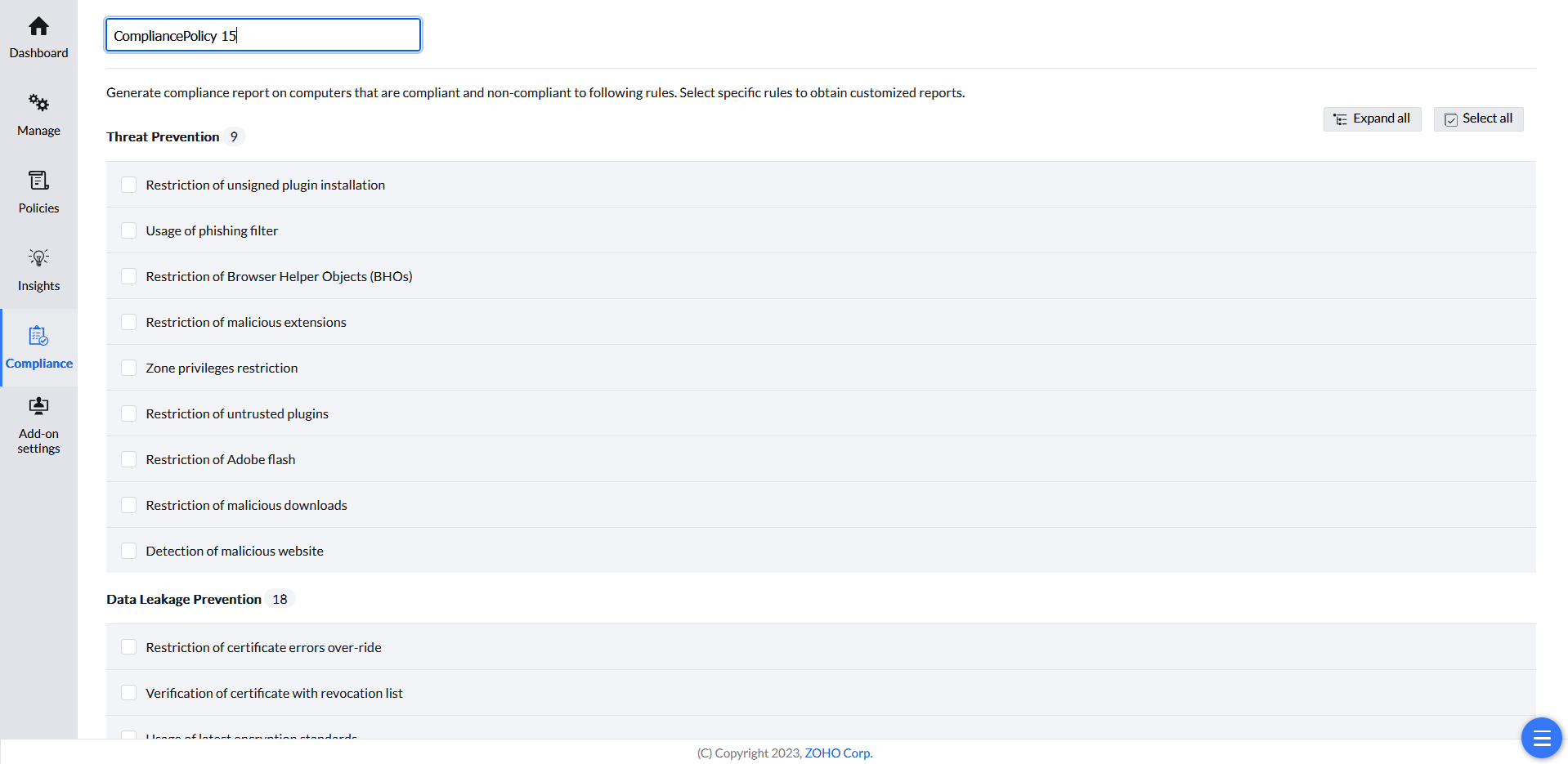
Compliance reports are initially generated based on 30 predefined security configurations. You can customize these reports by removing irrelevant standards and focusing on the specific criteria that align with your organization's unique requirements.
- In the Browser Security Plus console, go to Browsers → Compliance.
- Click Create compliance policy.
- Give the policy a name.
- Select the specific rules to obtain customized reports.
- Click Save.