Add-on Restriction
Configure a policy to block risky browser add-ons and control the permissions the ones you keep can use.
Overview
Browser add-ons
Add-ons boost productivity, but unmanaged ones are also a direct security risk.
What add-ons are, and why they need managing
A browser add-on (plugin or extension) is a software module that adds specific capabilities to a web browser — features like ad blocking, password management, and integration with other applications. They can boost productivity, but they also pose security risks: a malicious add-on can steal personal information and compromise systems.
Unauthorized add-ons can lead to data breaches and non-compliance, so effective add-on management matters for security, compliance, and performance alike. Limiting unnecessary add-ons also improves productivity and browser speed.
Configuration
Managing add-ons
Build a policy that blocks specific add-ons or permissions, then control what the rest can access.
Create an add-on restriction policy
- Open the Browser Security Plus console and go to Browsers → Policies → Add-on Management.
- Click Create Policy and select a browser.
- Give the policy a name.
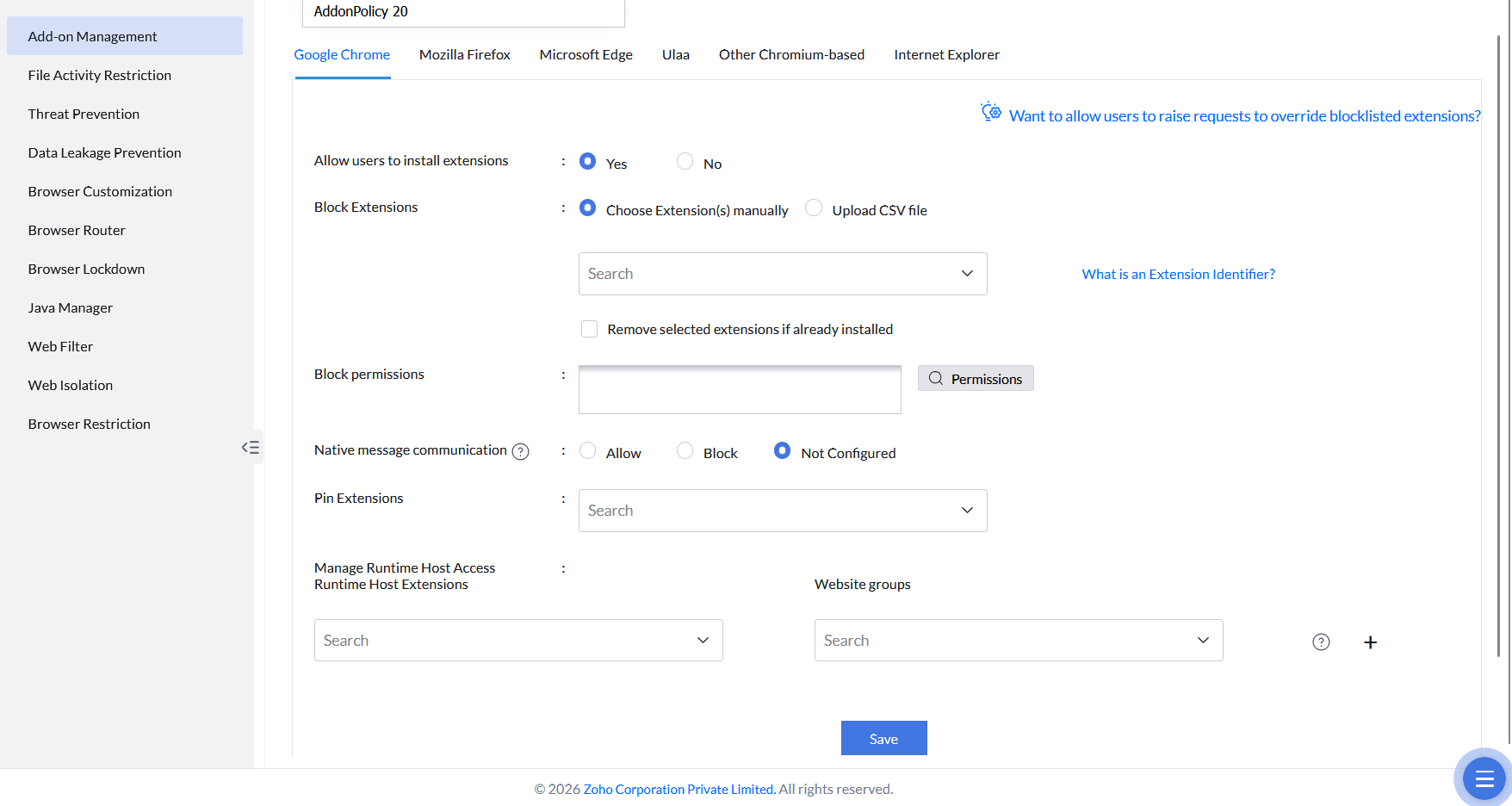
- Choose Yes or No against Allow users to install extensions.
- Block specific add-ons manually or by uploading a CSV file — or block specific permissions used by add-ons, such as Desktop capture.
- Select Remove selected extensions if already installed to automatically remove the specified extensions from devices where they're already present.
- Configure Native Messaging Permissions — allow or block communication between the browser and native applications on Windows devices.
- Configure Pin Extensions to permanently fix add-ons to the browser's toolbar for easy access and visibility.
- Configure Manage Runtime Host Access — allow or block a specific extension from running on specific websites by associating it with a website group.
- Save and publish the policy, then deploy it with the computers or groups it should apply to.