Integrating Endpoint Central MSP with Syslog Server
Endpoint Central MSP supports forwarding audit logs to external Syslog servers using the standardized RFC 5424 format, enabling organizations to centralize audit data in platforms like SIEM tools for enhanced visibility, real-time threat detection, and compliance readiness.
By enabling this integration, IT and security teams can continuously monitor Endpoint Central MSP console activities, respond to incidents more effectively, and maintain comprehensive audit trails.
Note: This feature is available in Endpoint Central version 11.4.2524.01 or later.
Key Benefits of Integration
- Centralized Audit Log Management
Consolidate Endpoint Central MSP audit logs with logs from other systems into a centralized repository, simplifying log analysis, long-term retention, and reporting. - Enhanced Security Monitoring
Streamline near real-time security monitoring by forwarding logs to SIEM tools that support alerting, correlation, and visualization of critical events. - Compliance and Audit Support
Maintain a consistent, tamper-evident record of console activities to support internal audits and meet regulatory compliance standards.
Steps to Integrate Endpoint Central MSP with Syslog Server
- In the Endpoint Central MSP server web console, navigate to: Admin > Integrations > Syslog.
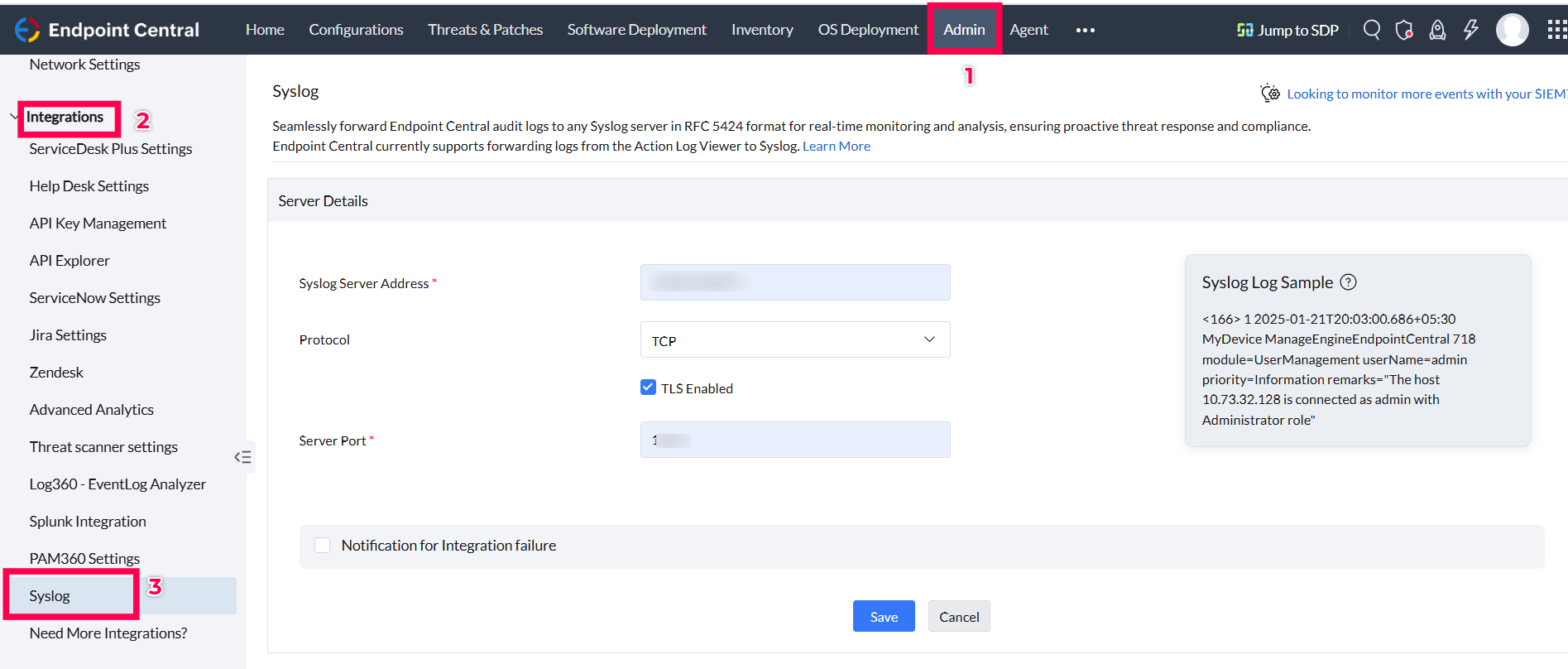
- Enter Syslog server details:
- Syslog Server Address: Enter the IP address or hostname of your Syslog server.
- Protocol: Choose between
TCPorUDP. - TLS Enabled: Enable this only if your Syslog server supports and is configured for TLS to ensure secure communication.
- Server Port: Specify the listening port of the Syslog server.
Note: If FIPS Compliance is enabled, only TLS protocol is permitted for Syslog integration to ensure encrypted communication.
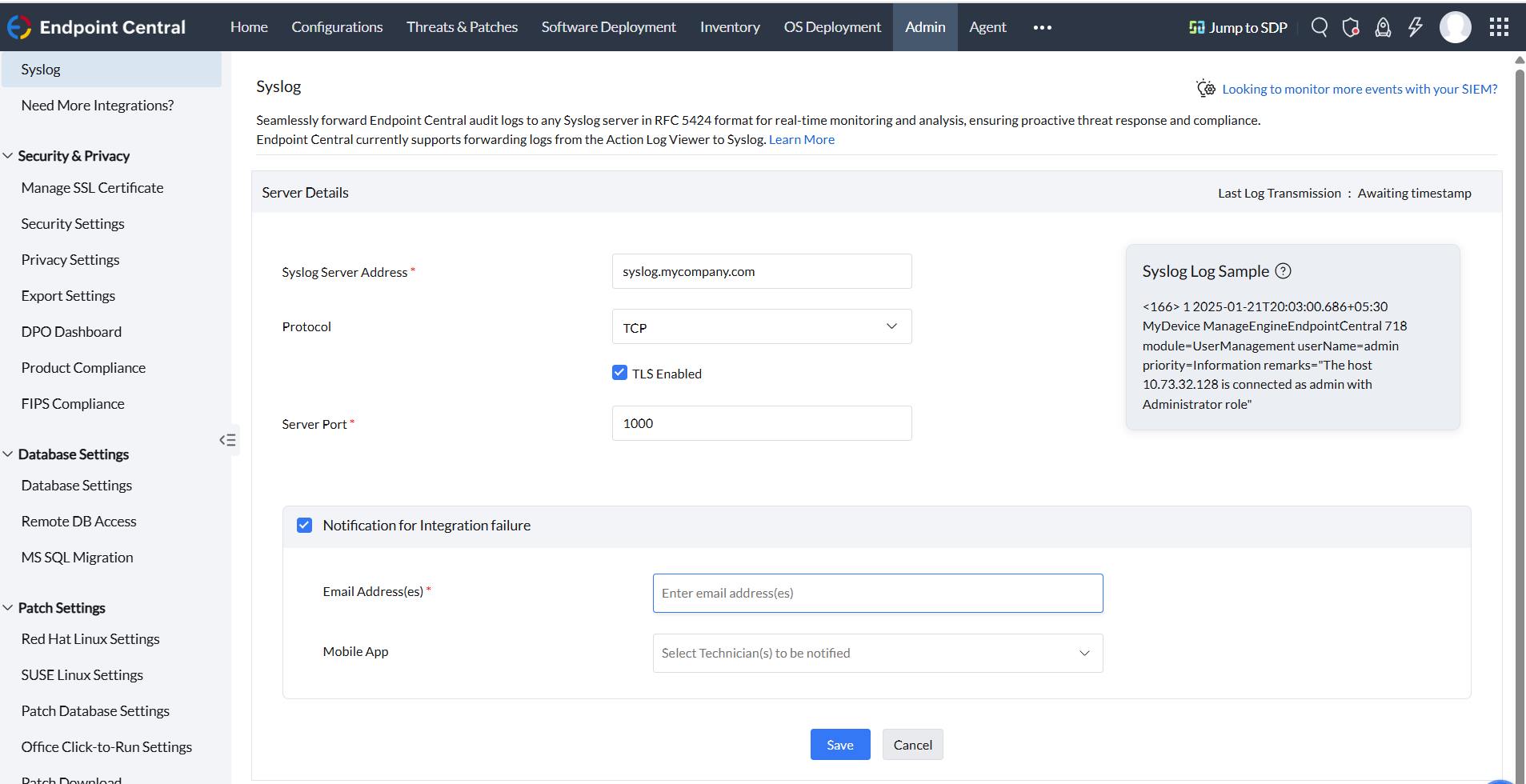
- Optionally, enable notifications for integration failure:
- Email Address: Add email recipients to receive notifications.
- Mobile App: Select technicians to be notified via the mobile app.
- Click Save to complete the integration.
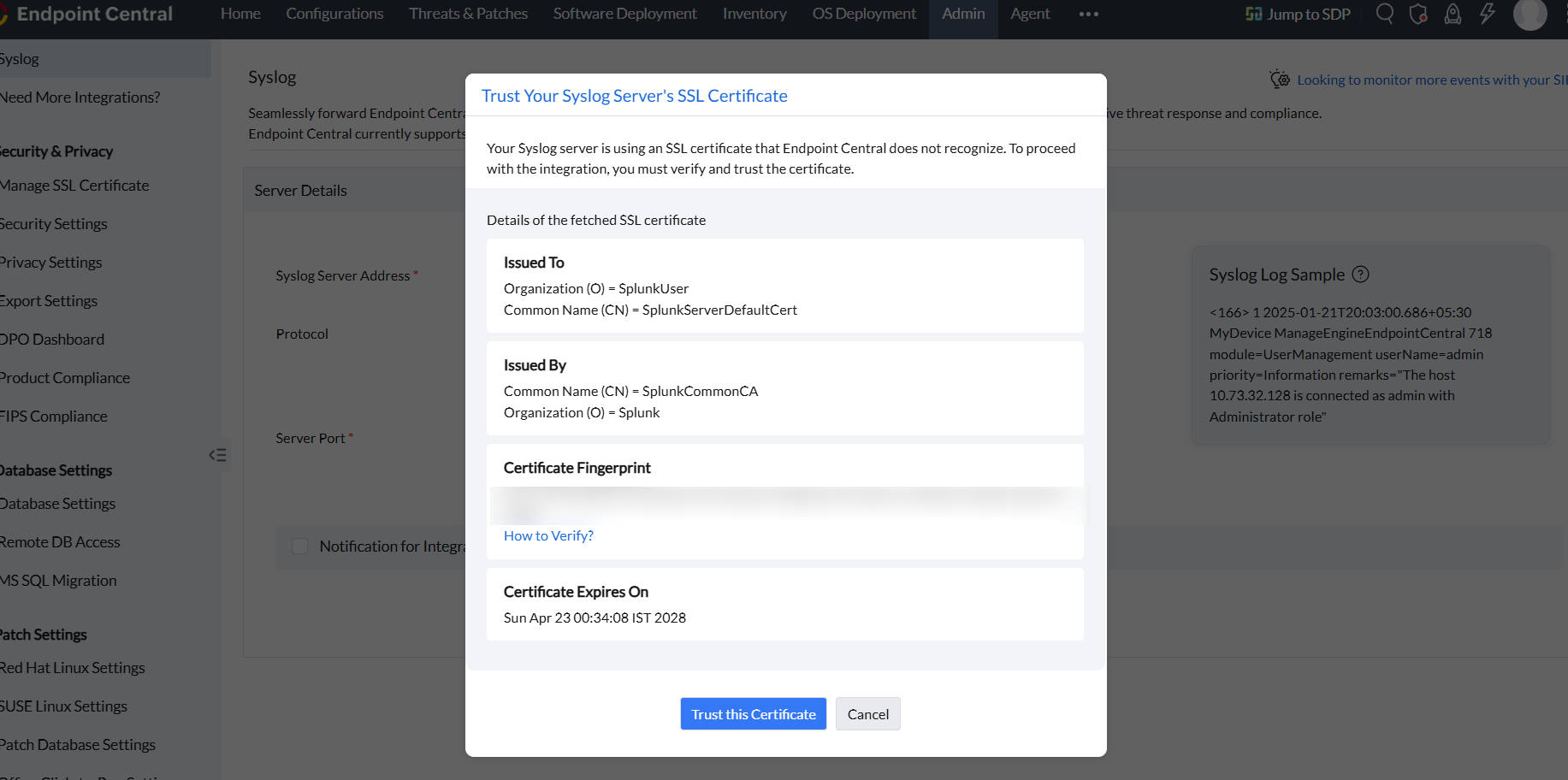
- If your Syslog server is using an SSL certificate that Endpoint Central MSP does not recognize, you must verify and trust the certificate.
- Confirm your consent by clicking Yes, Proceed to allow Endpoint Central MSP to share Action Log Viewer data with your Syslog server.
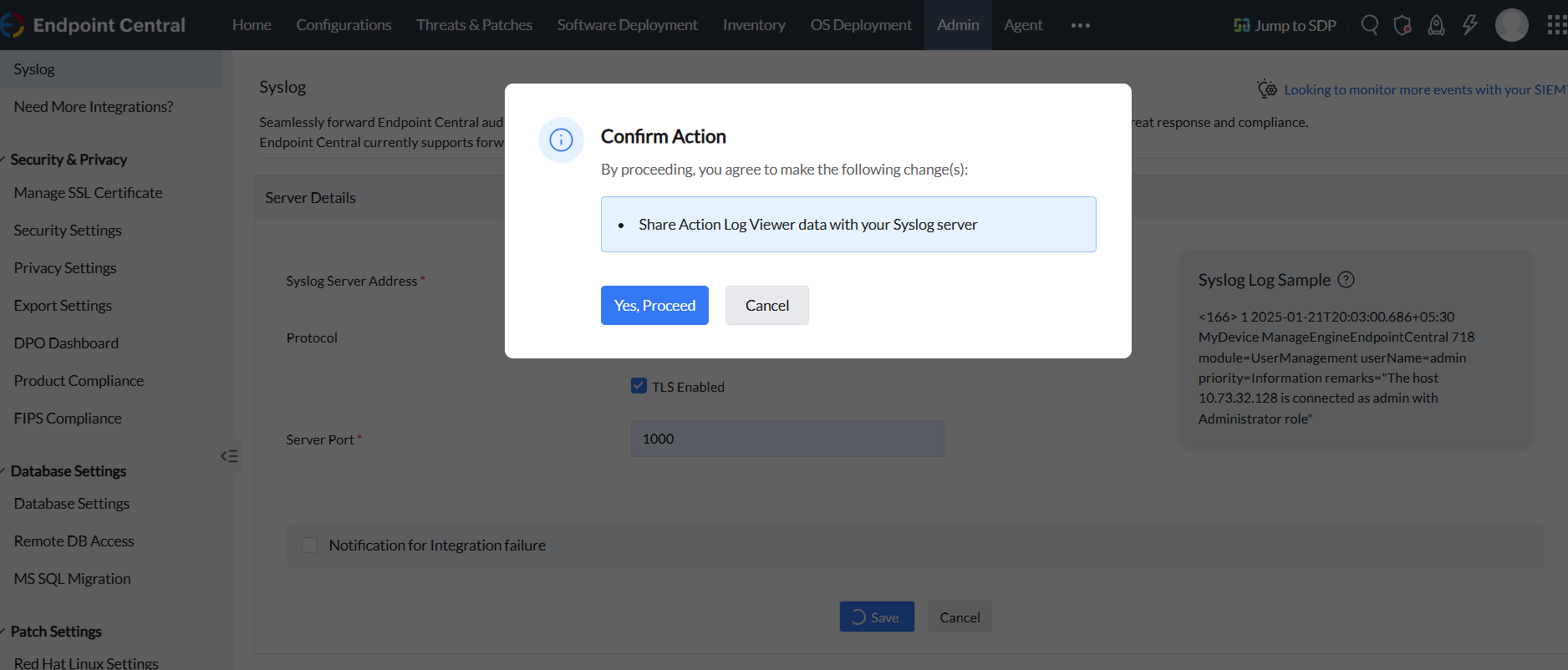
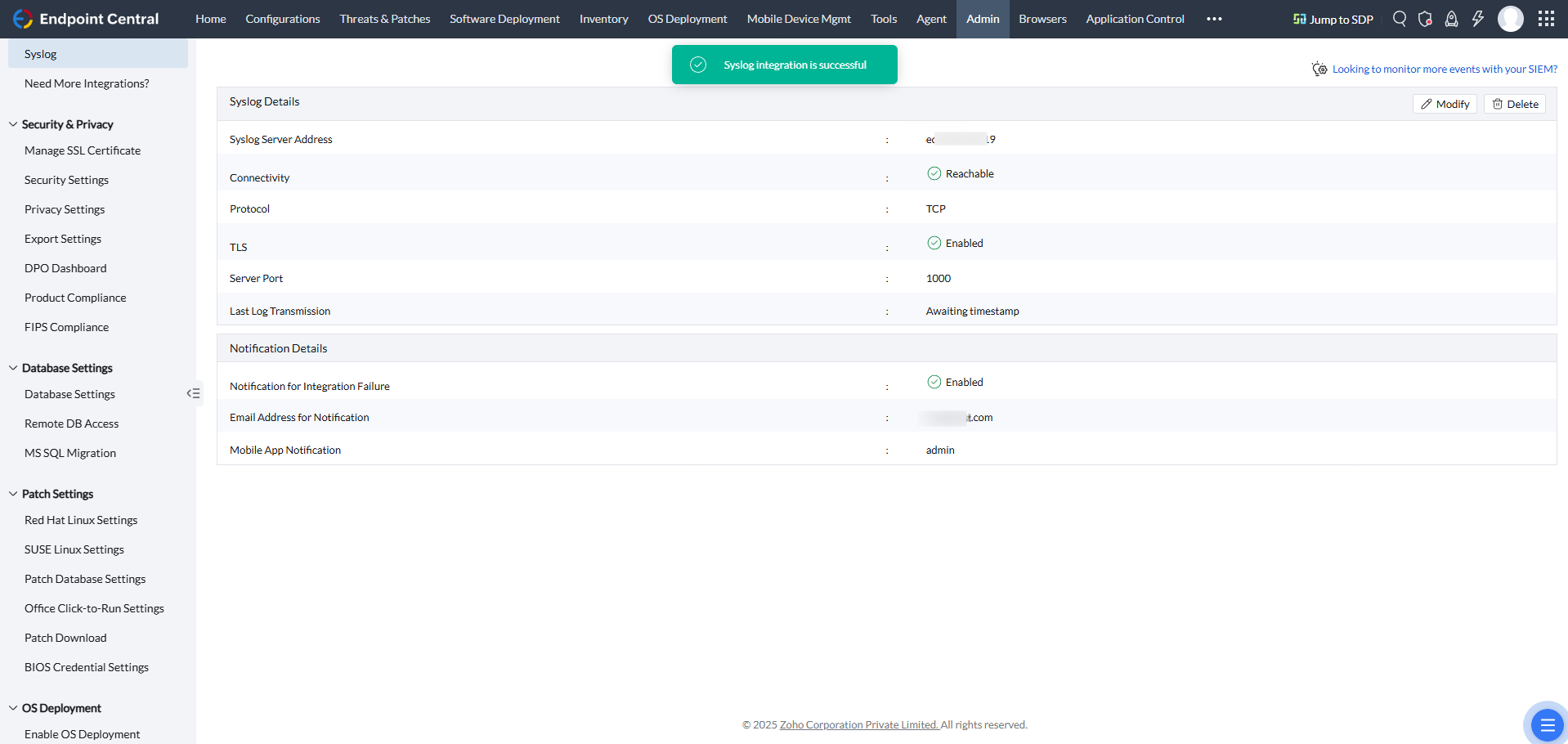
- You have integrated Endpoint Central MSP with your Syslog Server successfully.