HaloPSA Integration Error Codes
This knowledge base article provides troubleshooting steps for common errors that may occur during the integration process between Endpoint Central MSP and Halo PSA. Integration issues can hinder the proper functioning of the system.
Below are the main types of errors and their resolutions:
Table of Contents
Server Not Reachable
Problem
When attempting to connect to Halo PSA, the server may not be reachable, or the server URL may be incorrect.
Resolution
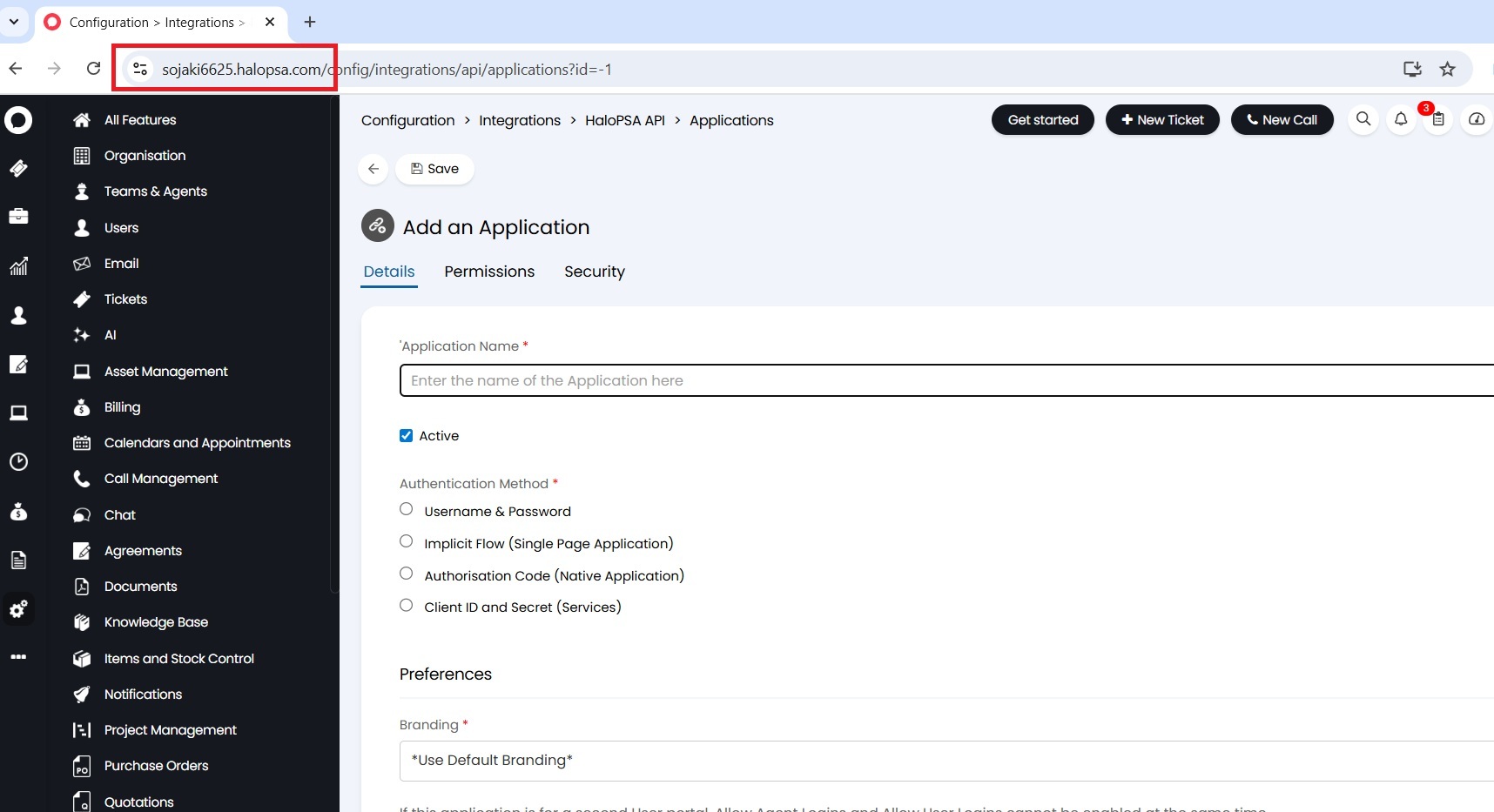
- Ensure that the server URL entered during integration is accurate.
- Double-check for any typos or missing characters in the URL.
Check server URL:
- Confirm that the Halo PSA server is operational and accessible.
- Contact your IT team or Halo support if the server is down.
Server Availability:
Invalid Credentials
Problem
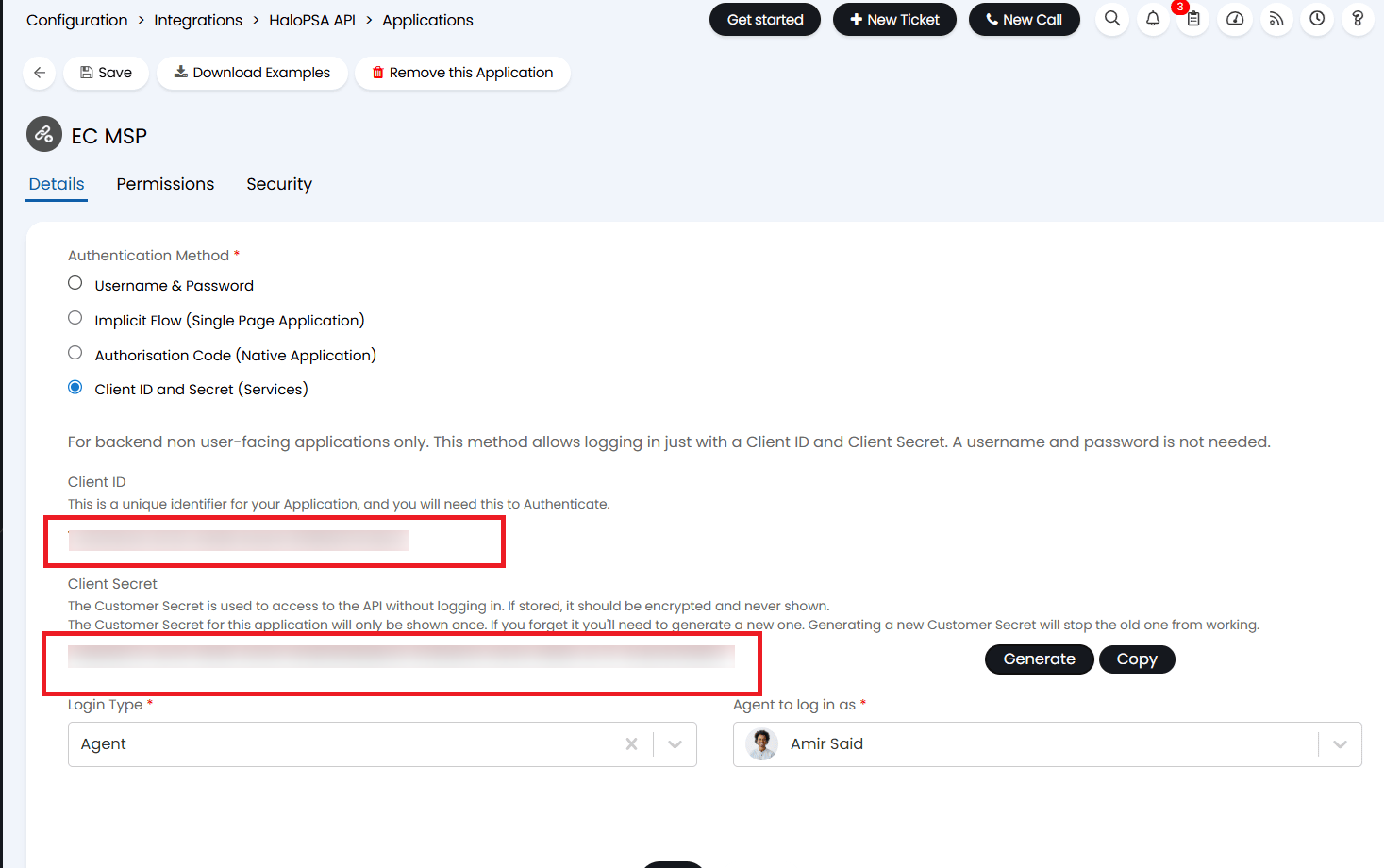
Integration fails due to incorrect incorrect client Secret or an incorrect client ID.
Resolution
- Verify the accuracy of client id and client secret used for integration.
Insufficient Permissions
Problem
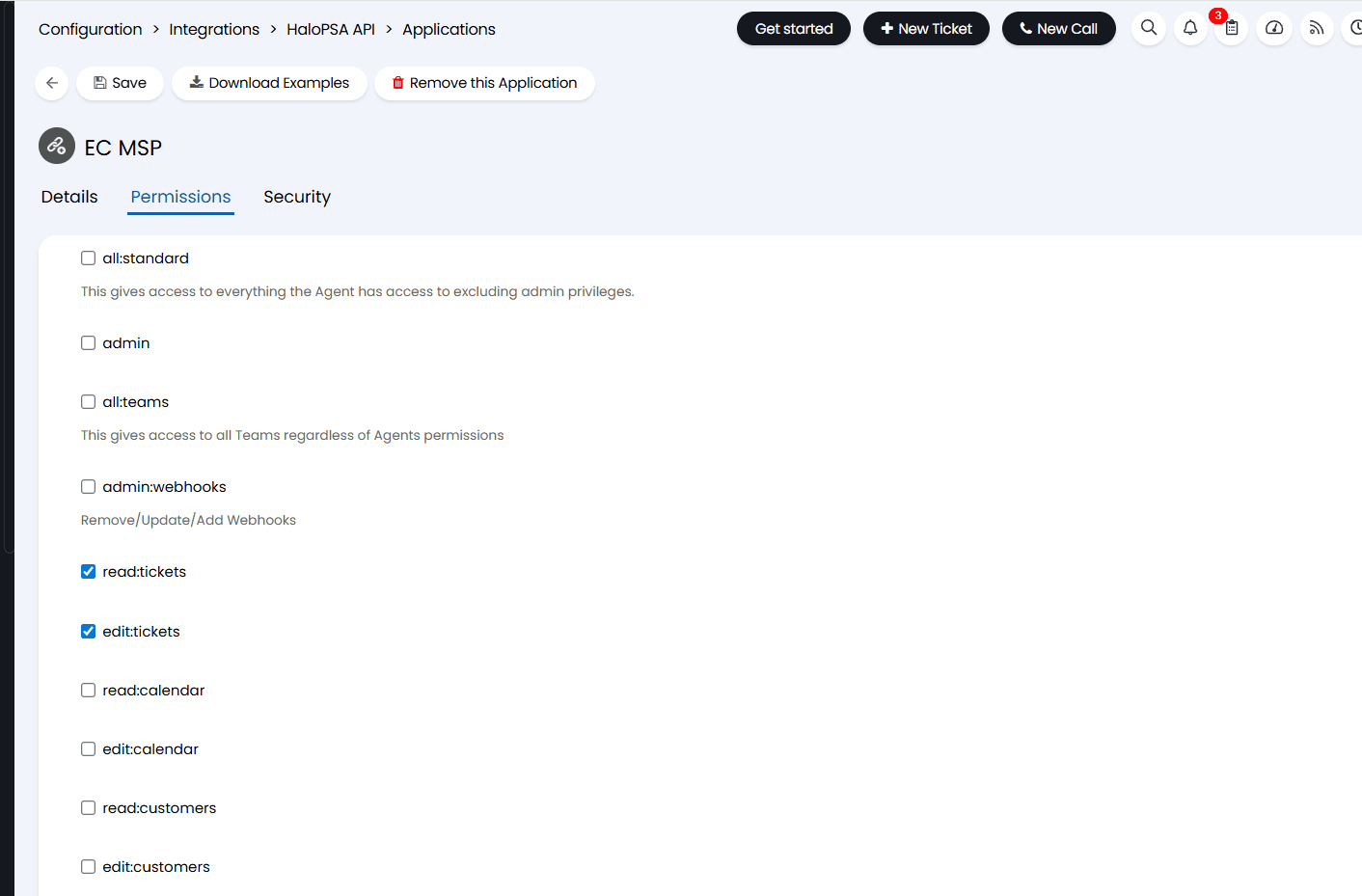
The "insufficient permissions" error occurs when the user configuring the integration between Endpoint Central MSP and Halo PSA lacks the necessary permissions to perform certain actions within the integration.
Resolution
Kindly check given credentials have the following permissions
- Customer Read
- Tickets Read and Write
- Assets Read
For detailed instructions on configuring the correct permissions for the Halo integration, refer to this documentation.
Technical error on HaloPSA server
Problem
An internal error has occurred on the Halo PSA side. This error is beyond the control of Endpoint Central MSP and must be resolved at the HaloPSA end.
Resolution
Try the integration again later, as the issue may be temporary. If the error persists, contact HaloPSA support for assistance in resolving the internal error.