Microsoft 365 Auditing Tool

  • Customizable audit reports for compliance, security, and operational needs.
  • Instant alerts for critical changes, unauthorized access, or suspicious activities.
  • Extended audit log retention beyond the native 180-day limit.
  • Supports Microsoft Entra ID, Exchange Online, Microsoft Teams, SharePoint Online, OneDrive for Business, and more.
Start your free trial
   

Over 280,000 companies trust Manageengine


A unified Microsoft 365 audit dashboard

  • Microsoft Entra ID auditing
  • Exchange Online auditing
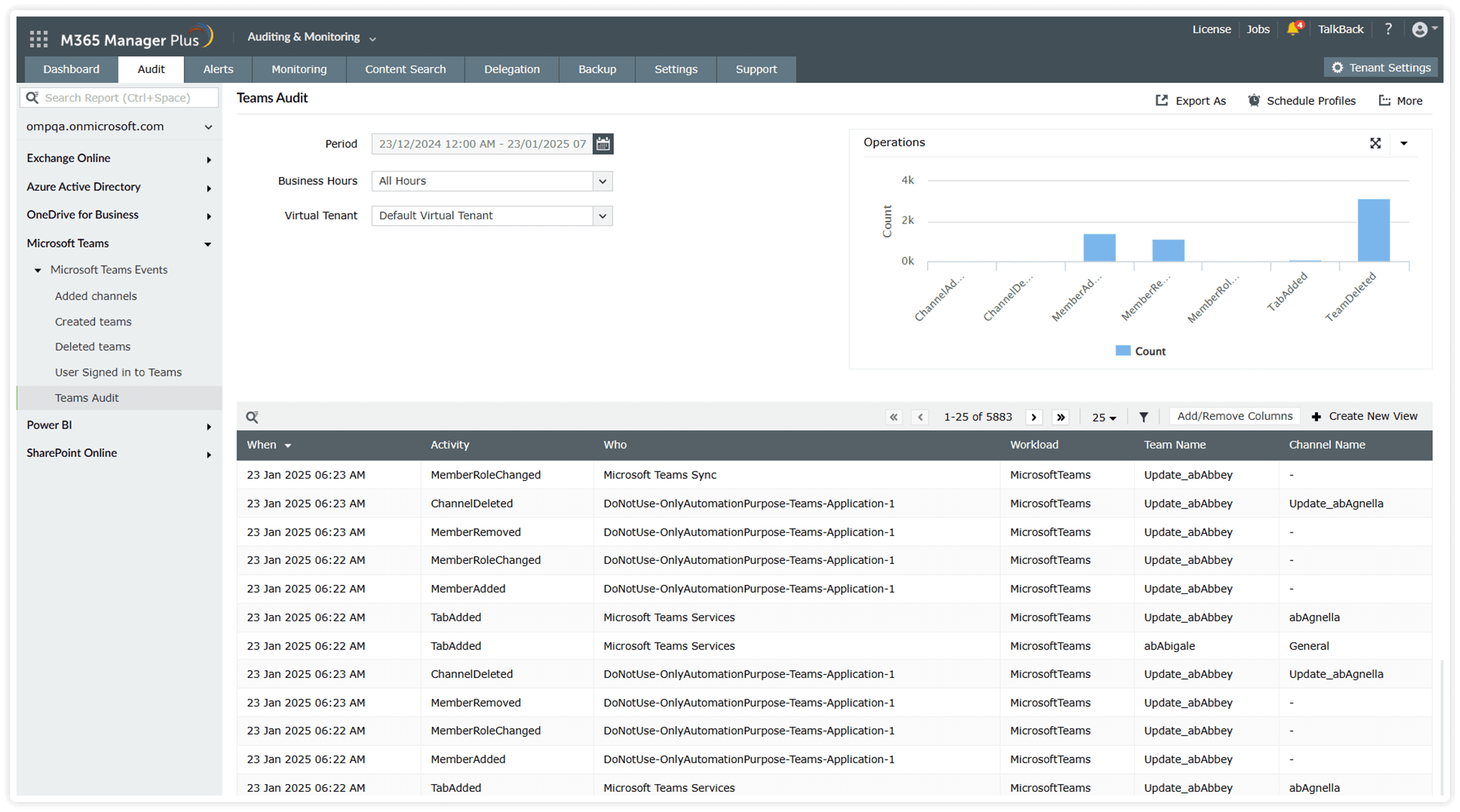
  • Microsoft Teams auditing
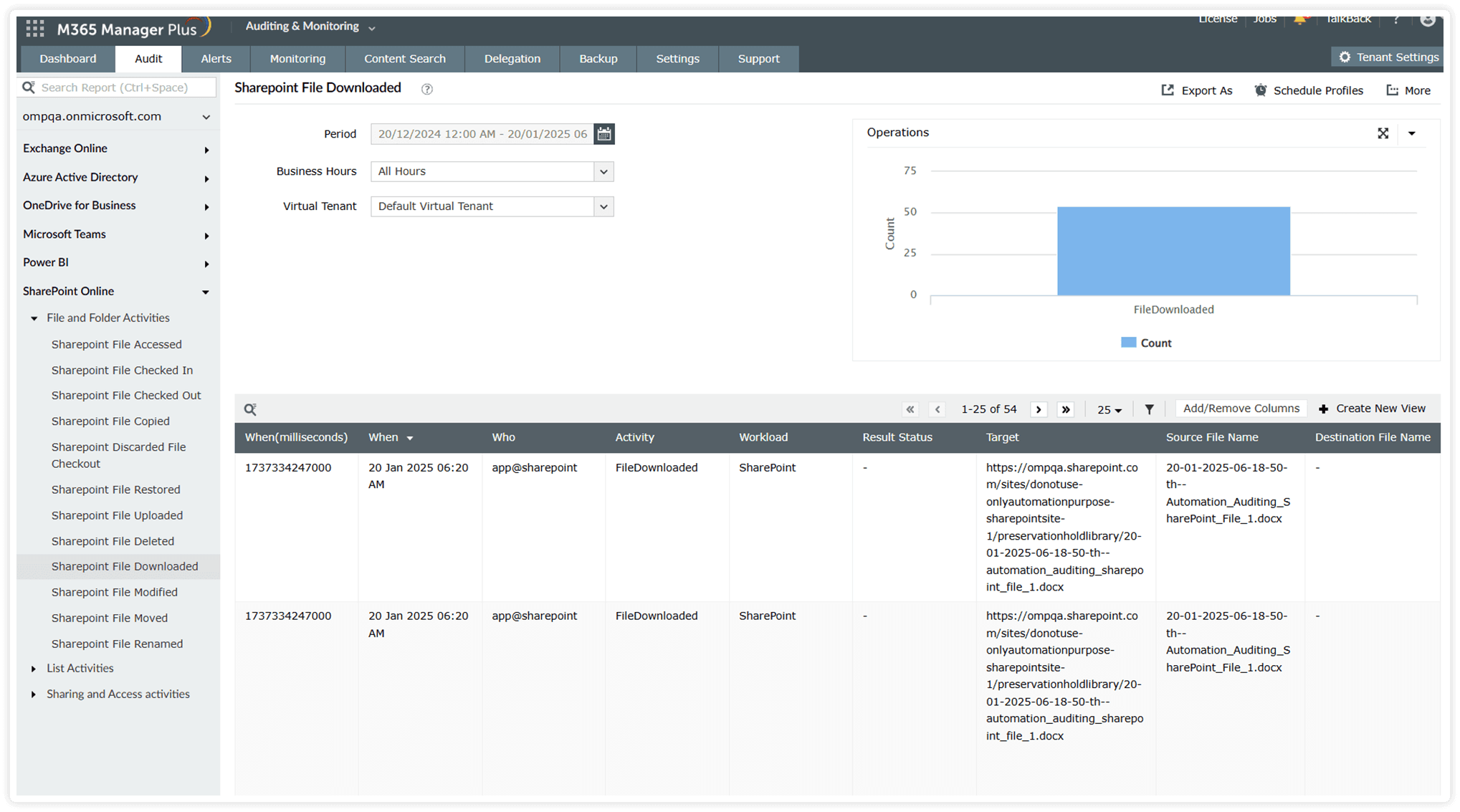
  • SharePoint and OneDrive auditing

Microsoft Entra ID auditing

  • Track user creations, deletions, updates, and account status changes with user audits to simplify user management and identify any suspicious activities.
  • Keep a close eye on your Microsoft 365 sign-in logs with detailed reports on successful and failed logon audits, risky sign-ins, and MFA attempts, empowering proactive security measures.
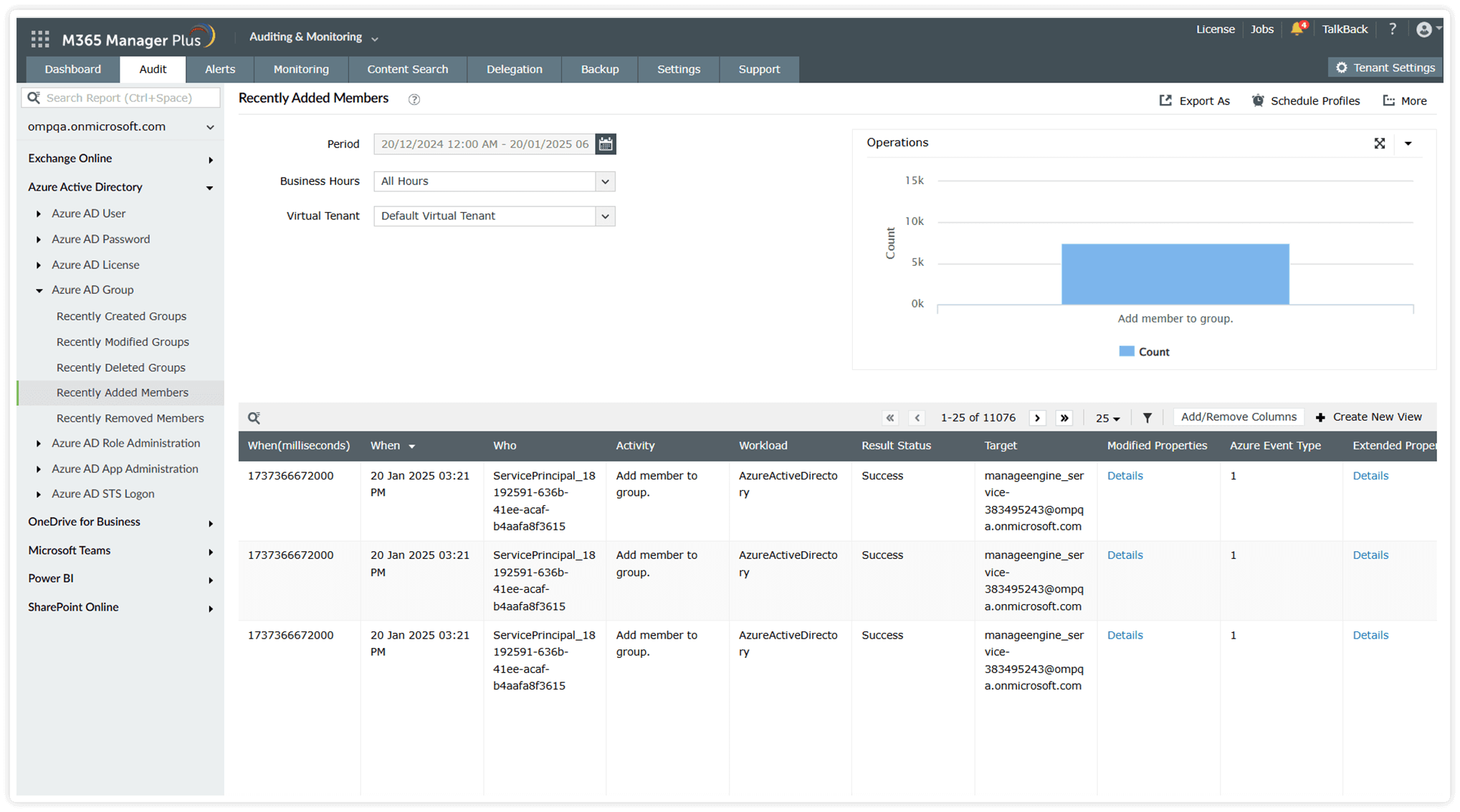
  • View audit details about created, modified, and deleted user groups. Be aware of who makes membership changes in groups
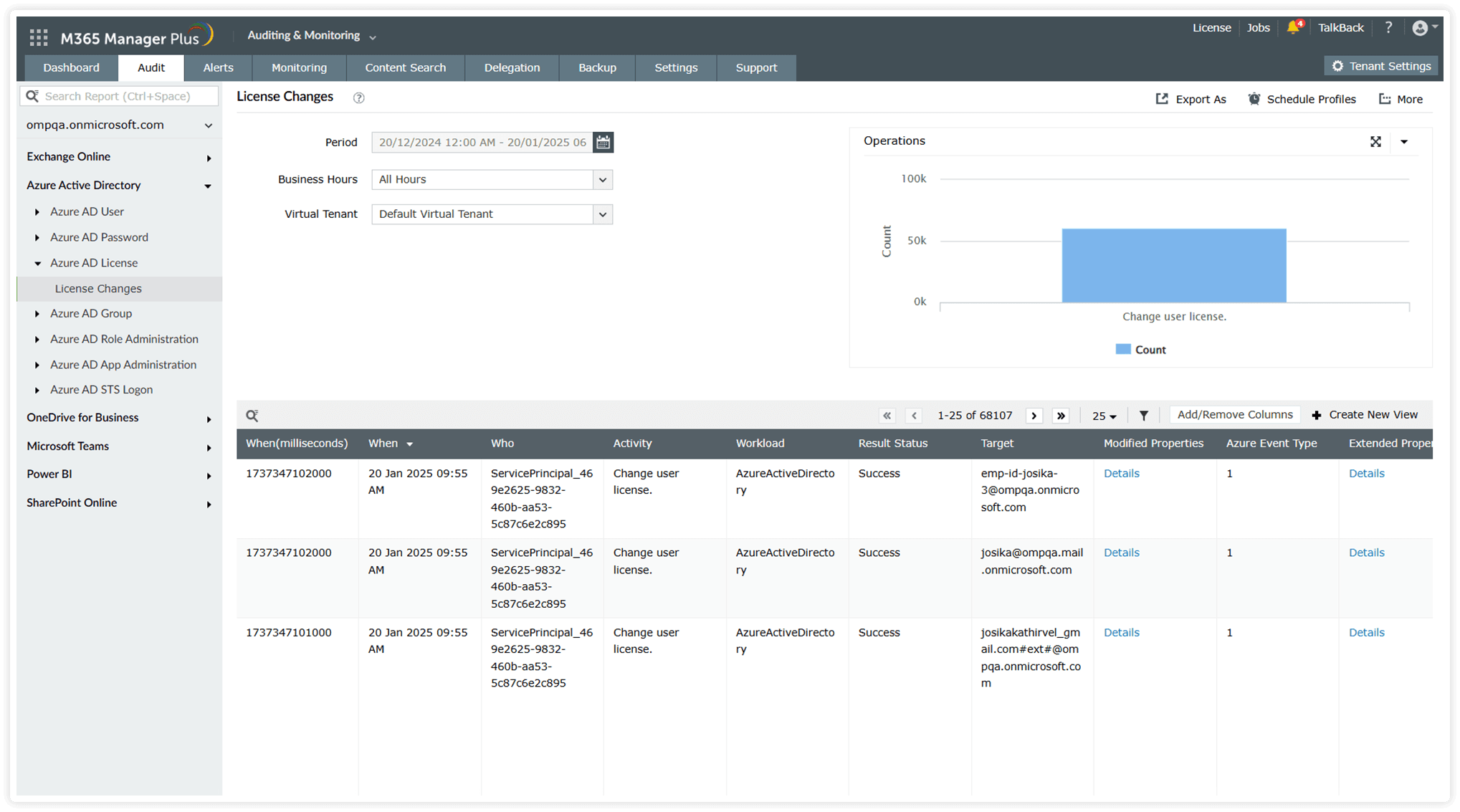
  • Use Microsoft 365 license audits to track license assignments with granular details on the changes made, who modified them, and assigned licenses.
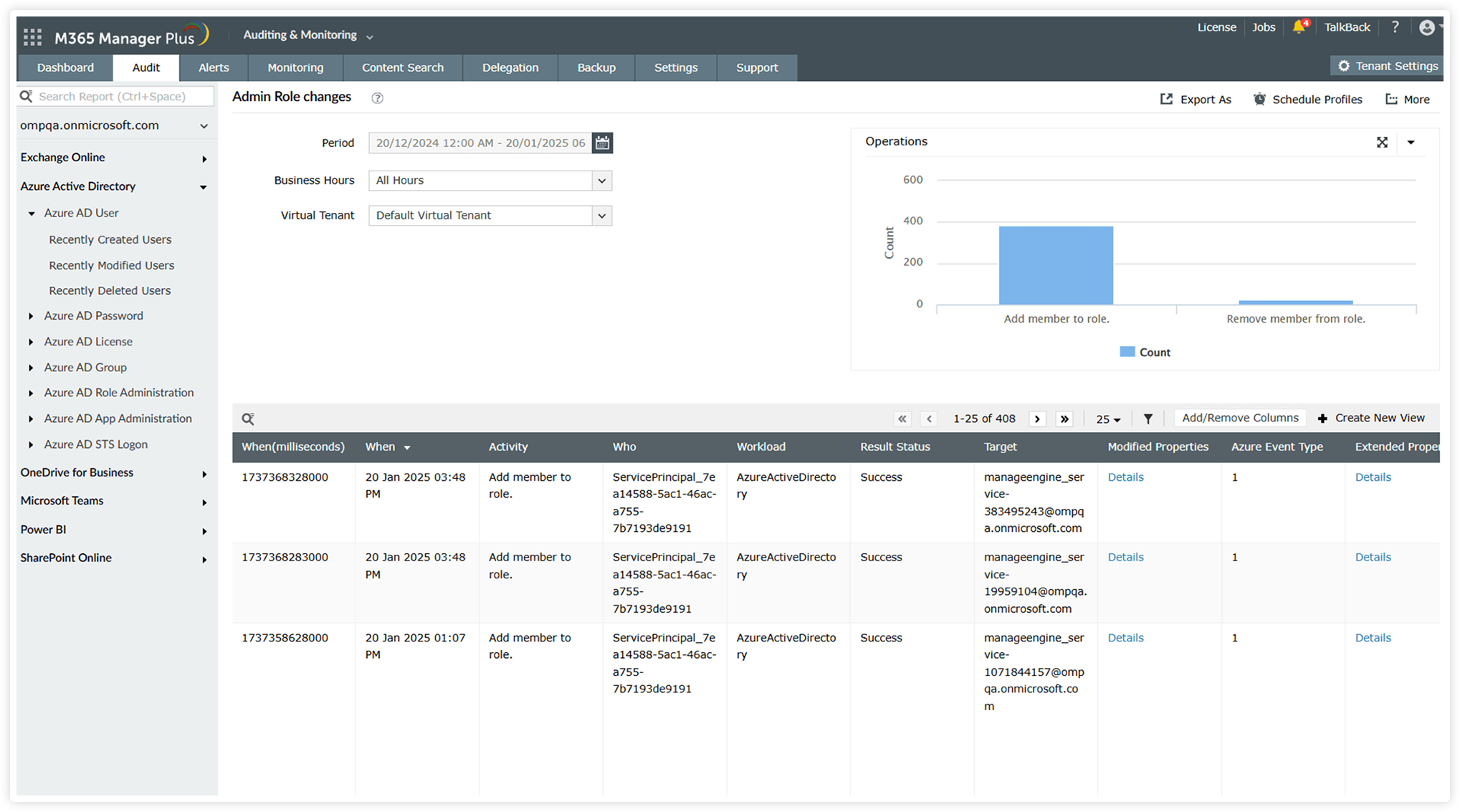
  • Stay informed of your admins’ activities with in-depth analysis of Microsoft 365 admin logs for their actions, role assignments, scope changes, and activity trails—both during and outside working hours.

Exchange Online auditing

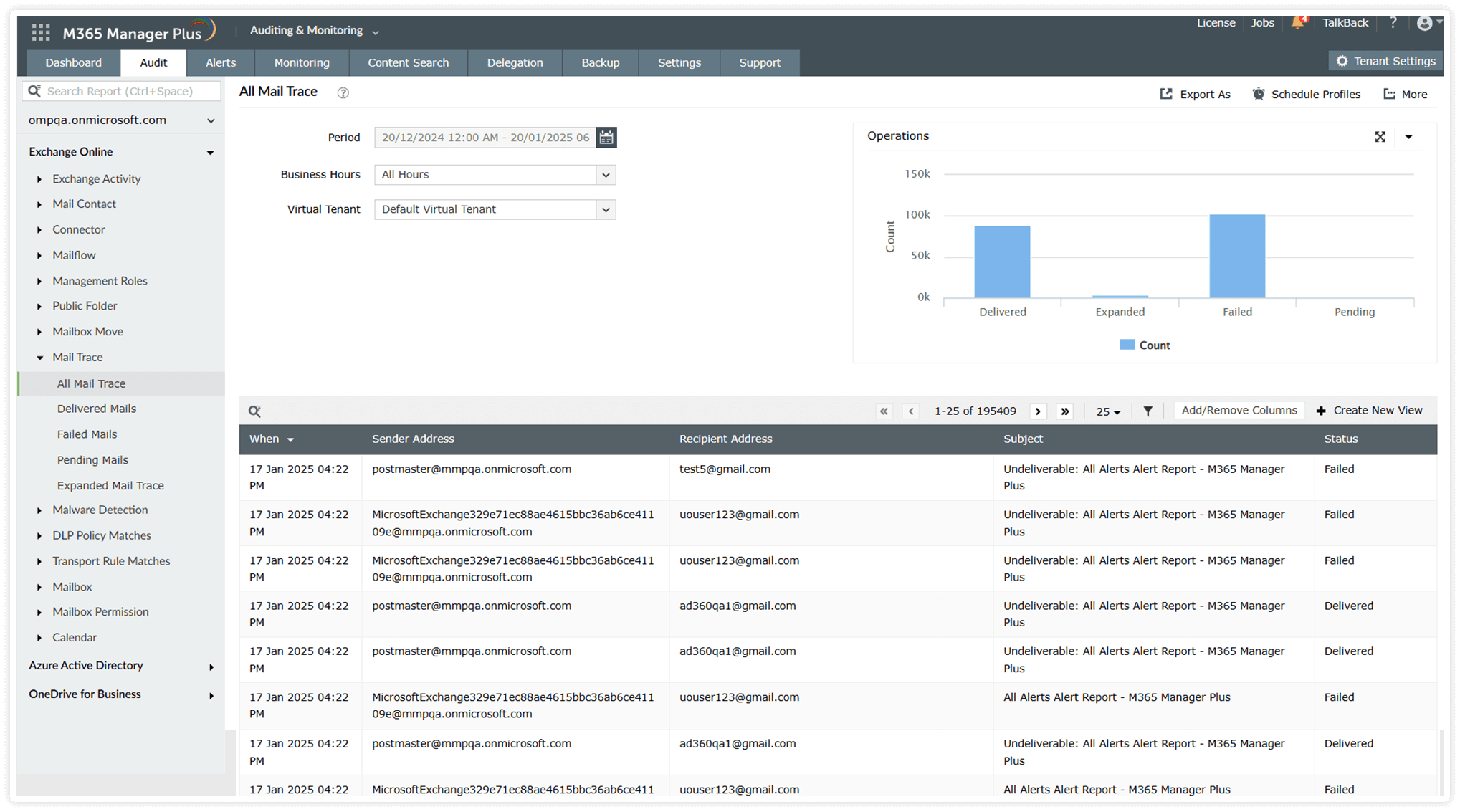
  • Audit shared mailboxes and user mailboxes for every access and change made by administrators, delegates, mailbox owners, and non-owners.
  • Monitor activities within groups, including group delegations, emails sent from shared mailboxes, and configuration changes
  • Gain visibility into activities performed on public folders and contacts, with details on deletion, updates, and activities by individual public folders.
  • Track and monitor all spam-related activities, including messages flagged, quarantined, or falsely marked as spam
  • Secure your Exchange Online audit logs with Log Archival for use in compliance audits and SIEM tools.

Microsoft Teams auditing

  • Audit the creation and deletion of teams, channels, and private channels, as well as ownership changes
  • Track all activity within Teams, including changes to team settings, policies, and configurations
  • Monitor membership changes within Teams and private channels, including additions, removals, and role modifications.
  • Keep track of bots added to or removed from your organization, ensuring only authorized bots are integrated into your Teams environment.
  • Forward your Microsoft Teams audit logs to SIEM tools such as Splunk and Syslog servers.

SharePoint and OneDrive auditing

  • Monitor all file and folder activities, including creations, edits, deletions, and access patterns
  • Track changes in SharePoint Online groups and OneDrive folders, including membership updates and permissions changes
  • Monitor user activities, such as downloaded files, external and internal sharing events, and use of sensitivity labels
  • Keep an eye on sync operations to detect issues or irregularities in syncing files and folders across devices
  • Retain and archive your SharePoint audit logs as long as you wish to, with M365 Manager Plus' log archival.
Start your free trial

Overcome the limitations of native auditing tools.

  • Microsoft 365 user auditingMicrosoft 365 user auditing
  • Microsoft 365 License auditingMicrosoft 365 License auditing
  • Microsoft 365 Group auditingMicrosoft 365 Group auditing
  • Exchange Online auditingExchange Online auditing
  • Microsoft Teams auditingMicrosoft Teams auditing
  • SharePoint and OneDrive auditingSharePoint and OneDrive auditing
1
 

Audit the activities of your admins in Microsoft 365 outside of business hours. 

2
 

Export reports in CSV, XLSX, PDF, or HTML.

Checked-in/checked-out OneDrive files.
1
 

Track the number of Microsoft 365 licenses that have been applied, modified, or revoked for your users

2
 

Export your audits in CSV, XLSX, PDF, or HTML

Auditing changes in Azure AD licenses.
1
 

Gain access to historical audit logs older than the native 180-day limit.

2
 

Filter data based on multiple parameters by adding or removing columns.

Generate the non-owner mailbox access audit report.
1
 

Make use of intuitive graphs to get a quick overview of detailed audit logs.

Help desk audit reports.
1
 

Make use of intuitive graphs to get a quick overview of detailed audit logs.

2
 

Export your audits in CSV, XLSX, PDF, or HTML

Help desk audit reports.
1
 

Schedule your audit reports to be mailed periodically to your admins

Help desk audit reports.

Stay vigilant with streamlined Microsoft 365 auditing

 
  • Dive deep into user activity patterns with detailed user audit reports that include geolocation data.
  • Tailor audit reports to your preference using the custom view option to focus on the metrics that matter most to your organization.
  • Keep a vigilant eye on user behavior outside business hours to identify anomalies and maintain security.
  • Receive customized audit alerts for critical changes and events so you’re always in the loop and ready to act.
  • Create virtual tenants with users based on any specific criteria and delegate access to only the selected users, enabling faster and more secure audits.
  • Store audit logs indefinitely or for a specified period to meet compliance requirements and support retrospective audits.
Start your free trial

Other features offered by M365 Manager Plus

  •  

    Microsoft 365 Reporting

    Actionable insights with detailed, customizable reports and graphs across all Microsoft 365 services

  •  

    Microsoft 365 Management

    Utilize script-free and simplified management with bulk capabilities across major Microsoft 365 services

  •  

    Microsoft 365 Monitoring

    Stay ahead of potential issues with real-time monitoring and alerts for critical Microsoft 365 events with service and endpoint health reports.

  •  

    Microsoft 365 Alerting

    Proactive, customizable alerts to instantly notify you of critical changes, anomalies, or potential threats across your Microsoft 365 environment

  •  

    Microsoft 365 Content Search

    Leverage advanced filters and scheduled search capabilities to automate recurring searches, at custom intervals effortlessly

Why businesses choose M365 Manager Plus


What our
customers say

  • We can now effectively reconcile which licenses we are using in the organization and assign the cost to the business unit. We were also able to identify a number of license changes that could be put in place that reduced our total Microsoft 365 spending.

    Timothy Ransom

    Group IT/IS manager at The Eclipse Group, United Arab Emirates
  • M365 Manager Plus is valuable to our future business and, most importantly it allows me to keep on improving the level of service we provide.

    IT Infrastructure Manager,

    Sunstar Suisse SA
  • Our firm purchased ManageEngine M365 Manager Plus to help us protect our business from email-borne cyberthreats. We are absolutely satisfied with the features and ease of use. It has surpassed our expectations.

    Insurance agent

    Security and risk management Gartner review

Your comprehensive Microsoft 365
security and administration tool

Download now
×

Start your 30-day free trial

  •  
  • *
     
  •  
  • By clicking 'Submit' you agree to processing of personal data according to the Privacy Policy.

Thanks!

Your download is in progress and it will be completed in just a few seconds!
If you face any issues, download manually here

Thanks!

Our Support team will contact you to assist with the download and evaluation.