Last updated: July 24, 2026
How to Integrate MDM with Samsung eFOTA?
This guide explains how to integrate MDM with Samsung eFOTA to centrally manage and automate firmware updates for Samsung devices, requiring Managed Google Playstore to be configured first. It covers adding the Knox Service Plugin app, creating an OEMConfig profile with device policy and firmware update controls enabled, publishing the profile, and distributing the Knox E-FOTA app to target devices.
Integrating MDM with Samsung eFOTA (Enterprise Firmware Over-The-Air) enables businesses to centrally manage and automate firmware updates for Samsung devices, ensuring security, compliance, and optimal performance. This integration allows IT administrators to control update schedules, enforce mandatory patches, and monitor device health remotely. Industries such as healthcare, finance, retail, logistics, government, education, and manufacturing benefit significantly, as they rely on secure, up-to-date devices for sensitive operations, regulatory compliance, and large-scale deployments. Integration is essential during initial device setup, when enforcing security policies, for staged roll-outs, or managing large fleets to prevent vulnerabilities, minimize downtime, and maintain seamless operations. By combining MDM with eFOTA, enterprises can streamline updates, reduce manual intervention, and enhance device security across their Samsung device ecosystem.
Pre-requisites
- Ensure Managed Google Playstore is configured in the MDM Console.
Steps to Integrate Samsung eFOTA with MDM
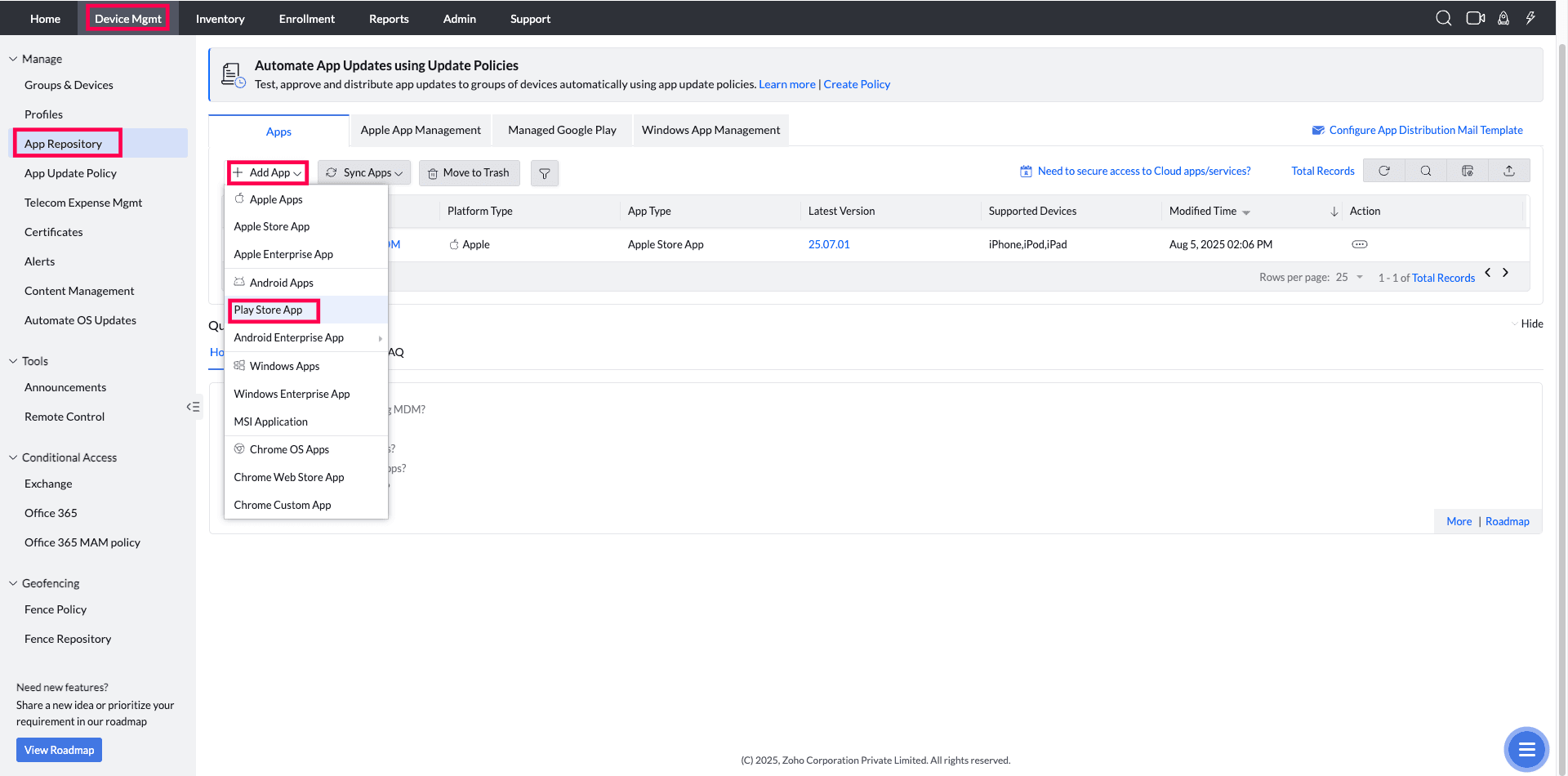
- On the MDM Console navigate to Device Mgmt->App Repository->+Add App->click on the "Play store app".
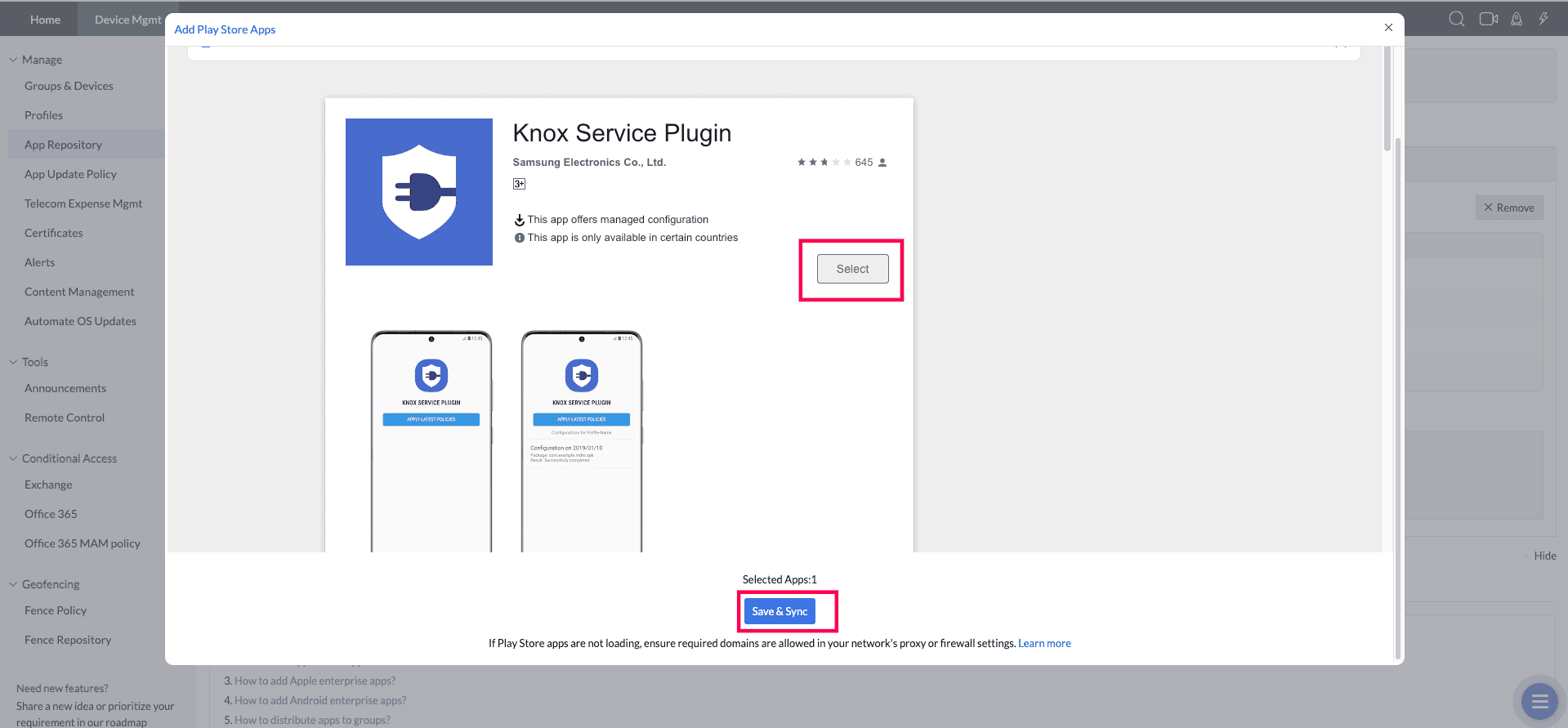
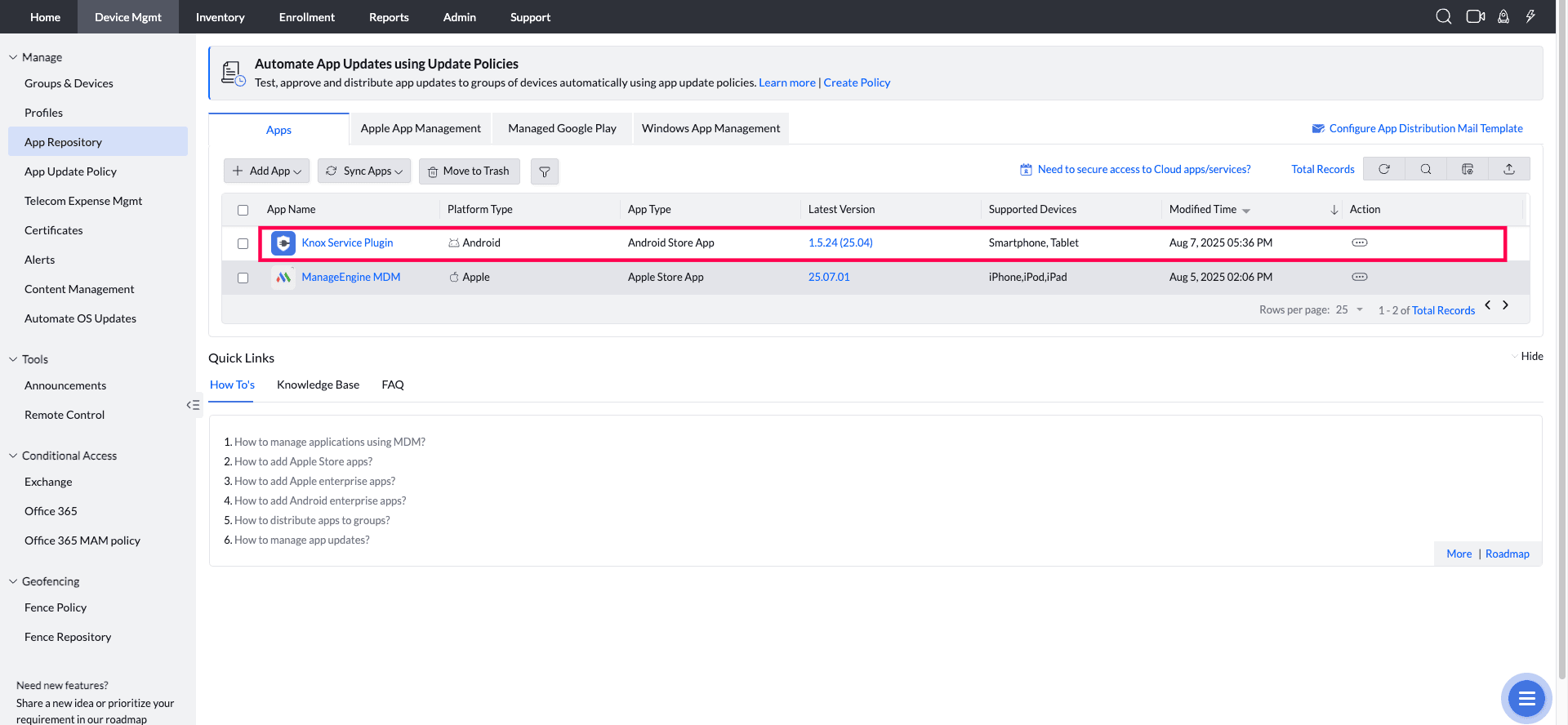
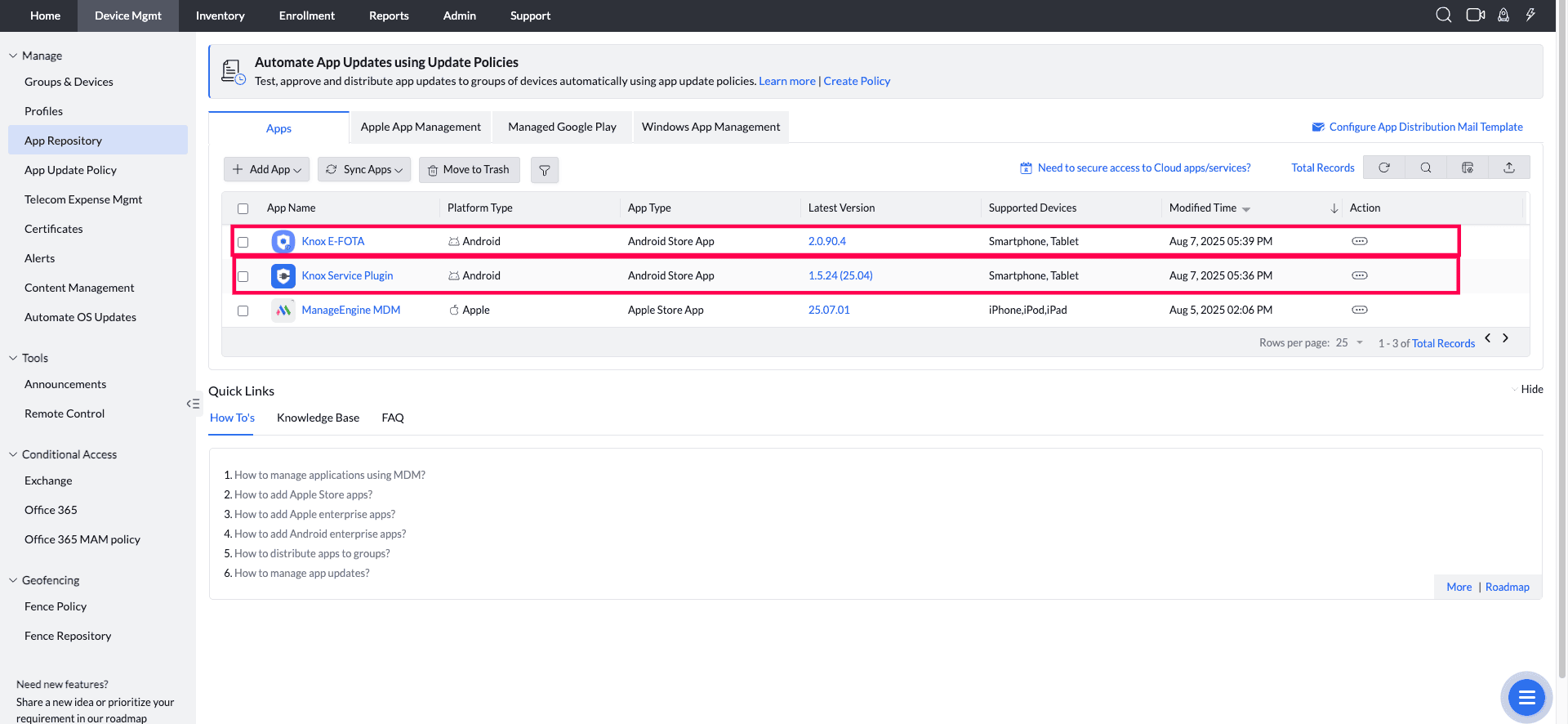
- Search "Knox Service Plugin". Select the app and click on Save & Sync. "Knox Service Plugin" is now listed in the App repository.
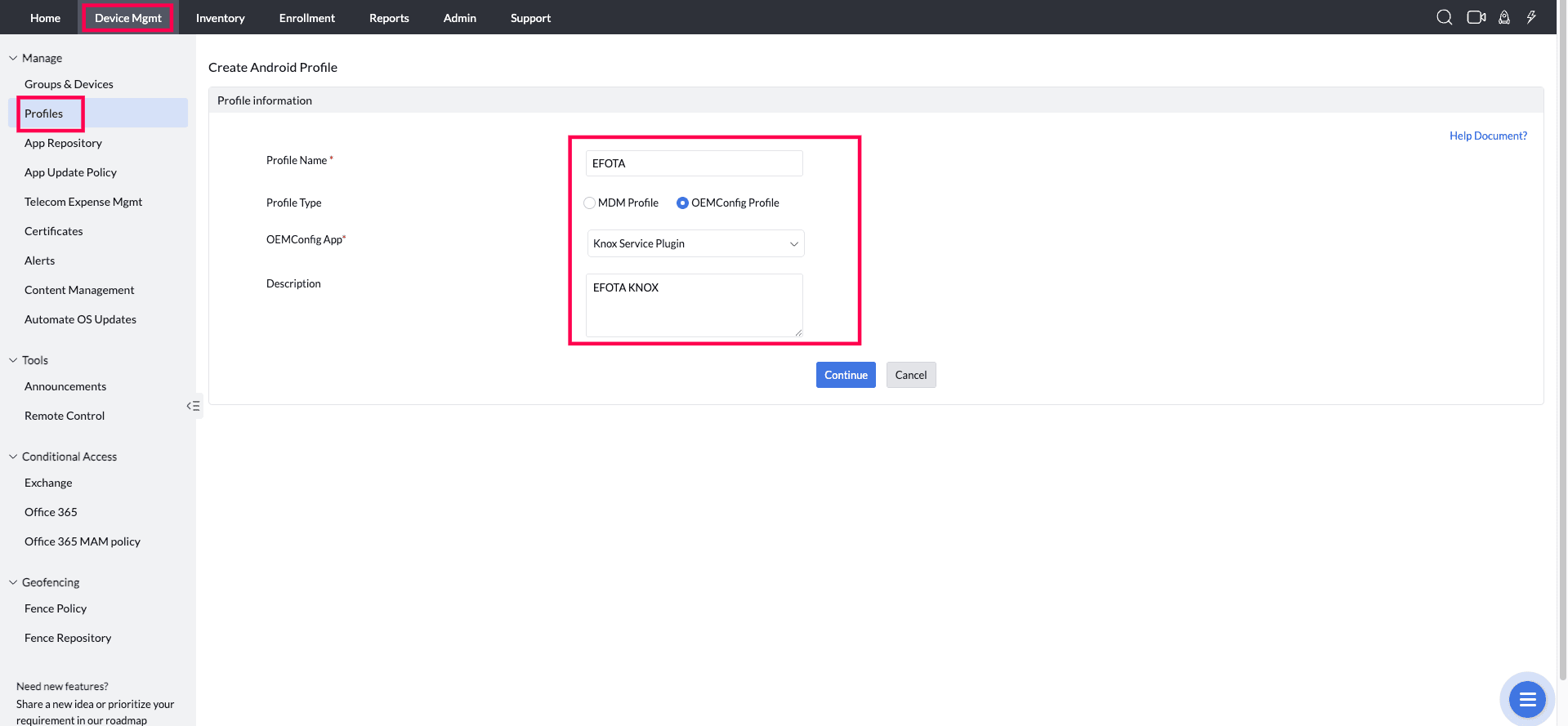
- Navigate to Device Mgmt->Profiles->+Create Profile. Provide the profile name, Choose Profile Type as "OEMConfig Profile". Choose "Knox Service Plugin" in OEMConfig App. Click Continue.
- Click on "Expand All", then go to "Device-wide policies (Selectively applicable to Fully Manage Device (DO) or Work Profile-on company owned devices (WP-C) mode as noted)". Enable the "Enable Device policy control" option.
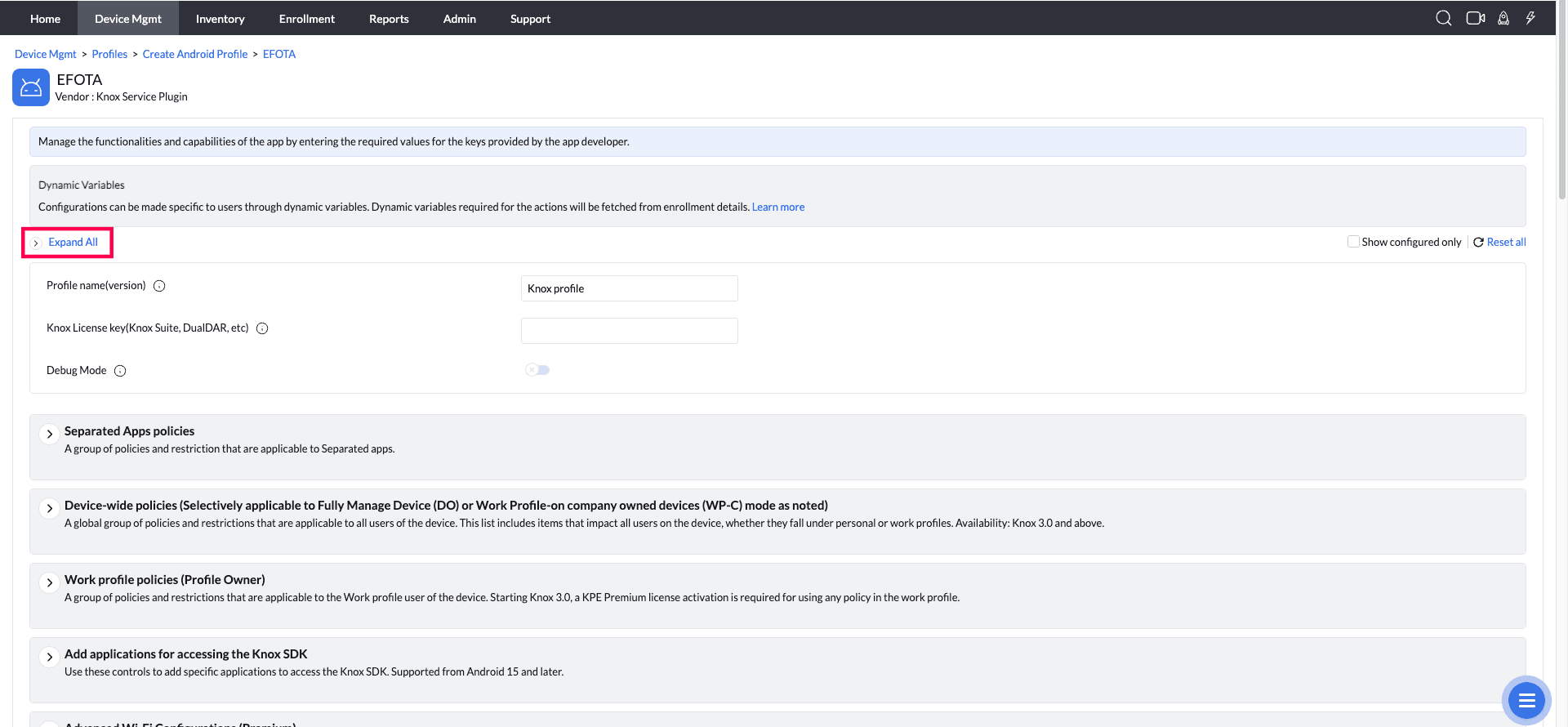
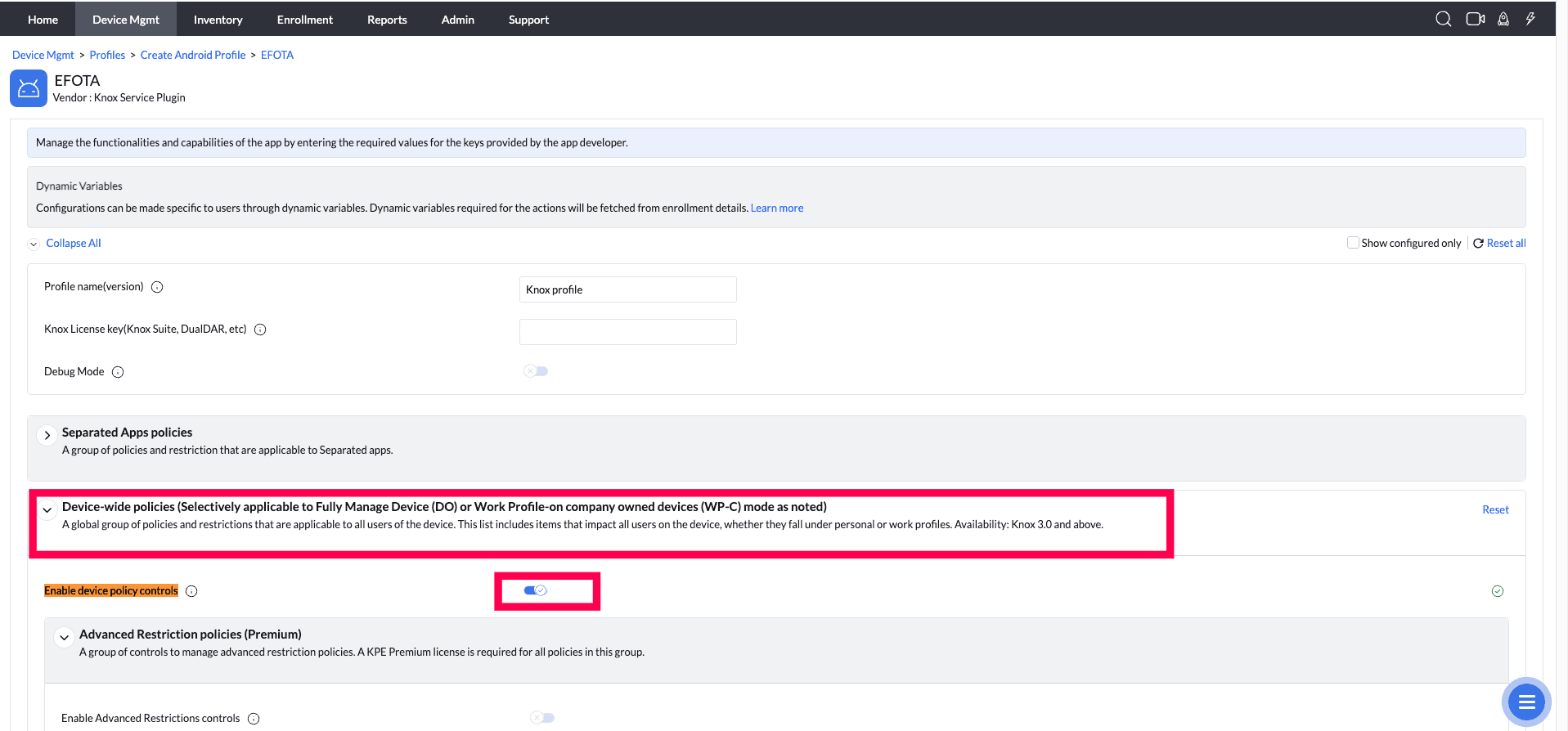
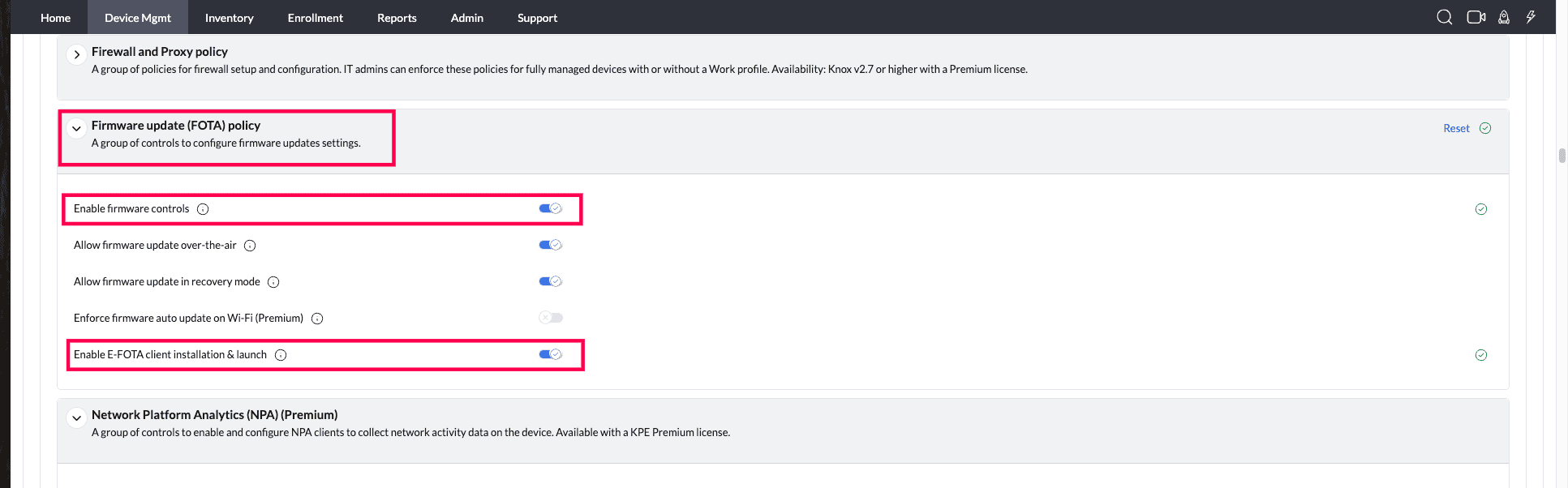
- Click on "Expand All", then go to "Device-wide policies (Selectively applicable to Fully Manage Device (DO) or Work Profile-on company owned devices (WP-C) mode as noted)". Then Firmware update (FOTA) policy. Enable the "Enable Firmware Control" and "Enable E-FOTA client installation & launch" option.
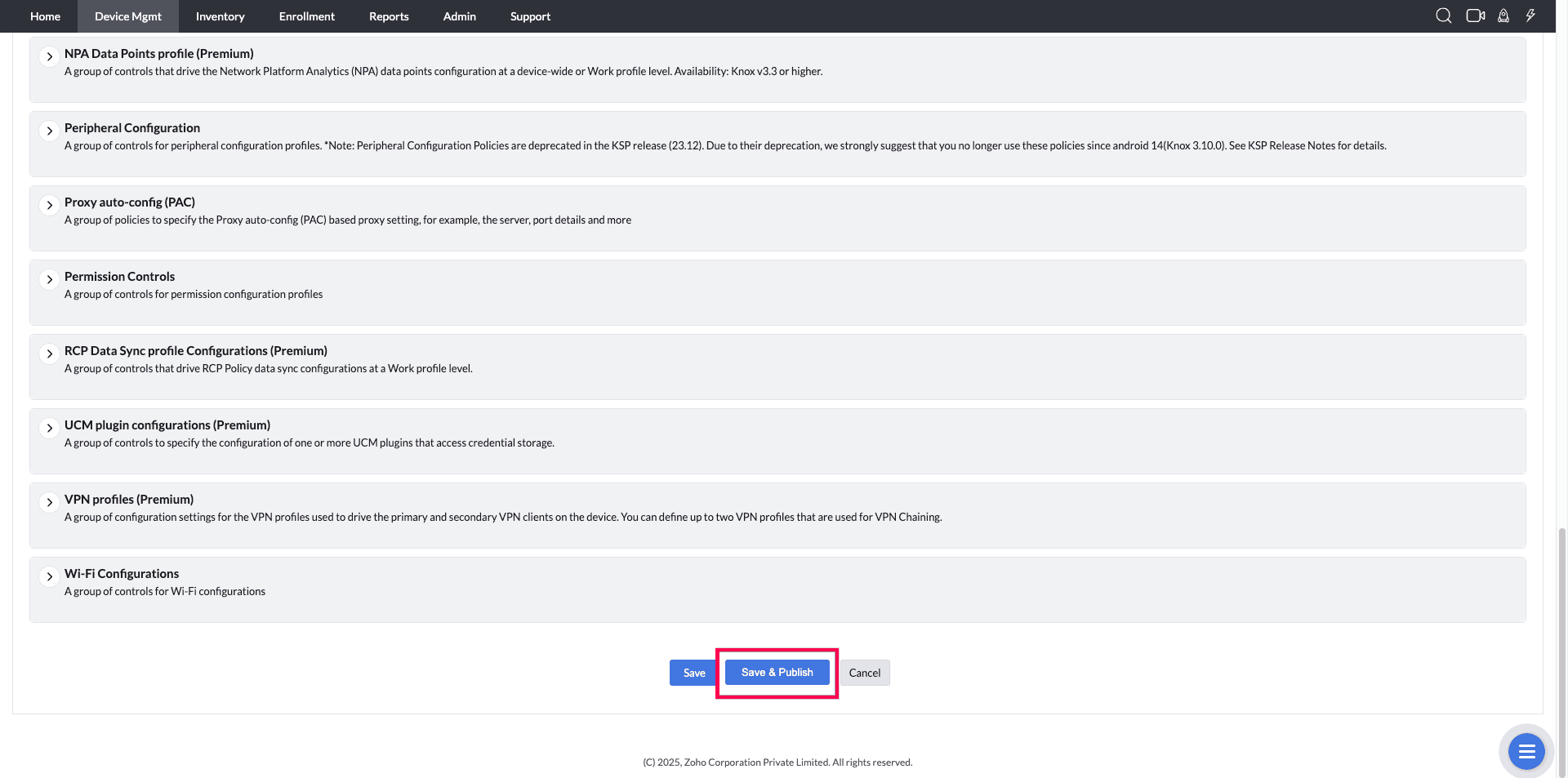
- Click on Save and Publish it.
- Associate the given profile to the target Device/Group.
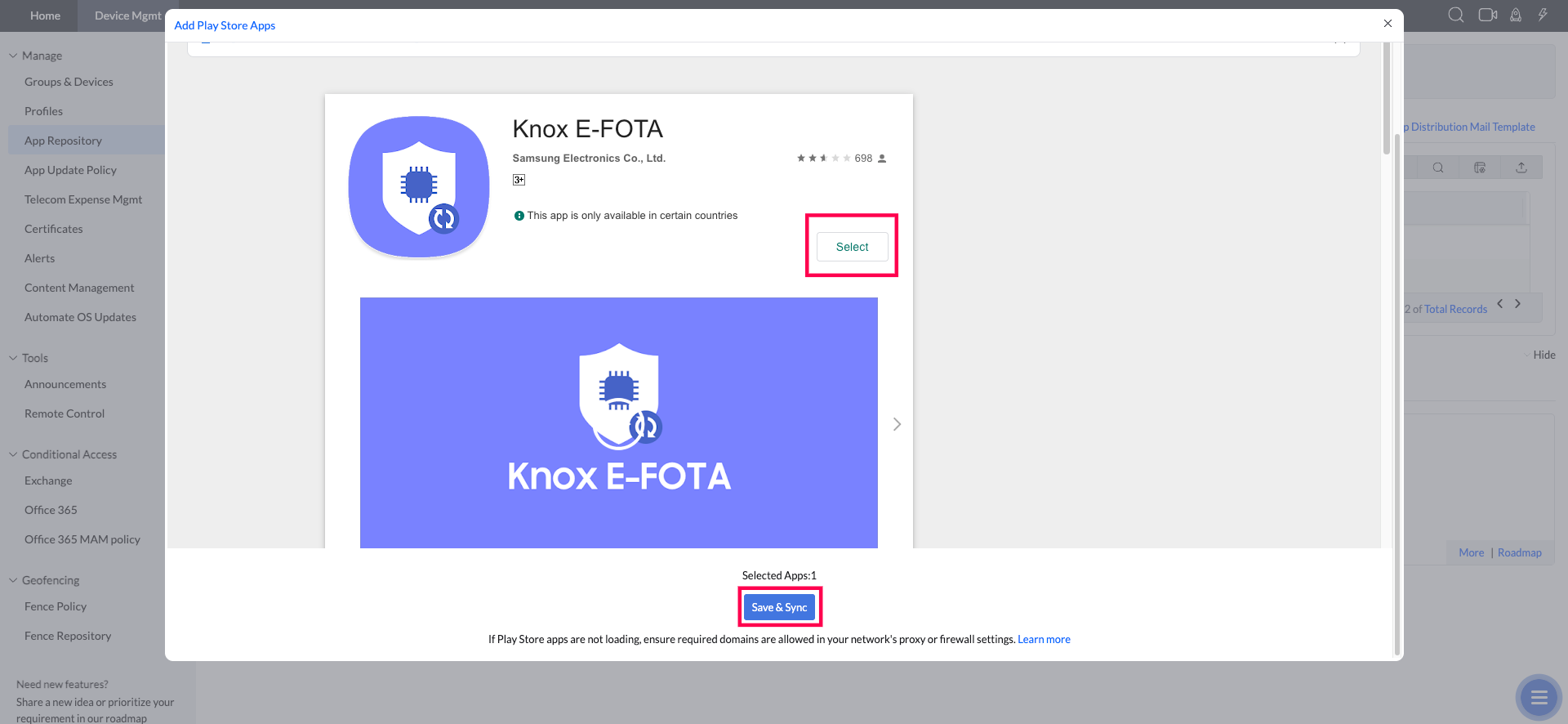
- Navigate to Device Mgmt->App Repository->+Add App->click on the "Play store app"-> search "Knox E-FOTA" . Select the app and click on Save & Sync. "Knox E-FOTA" is now listed in the App repository. Distribute the app to the target group/devices.
Frequently asked questions
What do I need before integrating MDM with Samsung eFOTA?
Managed Google Playstore must be configured in the MDM console before you can add the Knox Service Plugin app and set up the eFOTA integration.
How do I set up the Samsung eFOTA integration in the MDM console?
Add the Knox Service Plugin app from the Play Store, create an OEMConfig profile using it, enable Device Policy Control and Firmware Control (along with E-FOTA client installation and launch), save and publish the profile, associate it with the target devices, then add and distribute the Knox E-FOTA app to those devices.