Last updated: July 24, 2026
How to secure your iOS devices with Cisco Umrella using Custom Configuration profile?
Explains how to secure iOS devices using the Cisco Security Connector app with Cisco Umbrella and a custom configuration profile in MDM. Requires a Cisco Umbrella account, the CSC app installed on supervised iOS devices running iOS 11.3 or later, and an admin email address for diagnostic reports. Administrators distribute the CSC app, edit Umbrella's mobileconfig XML file with the device's dynamic serial number variable, then upload it as a Custom Configuration profile to register devices with Umbrella for DNS-based protection.
Description
The Cisco Security Connector app (CSC) provides visibility and control for enterprise-owned iOS devices, when managed using a mobile device management solution (MDM). The Cisco Security Connector app is powered by Cisco's Umbrella and Clarity components. The Umbrella component acts as a first line of defense by directing DNS traffic to its cloud where filtering against malicious sites takes place.
The Clarity component is that of Cisco's Advanced Malware Protection (AMP) for Endpoints, which provides complete visibility and insights into all network traffic, including HTTPS websites without decryption.
When configured with Mobile Device Manager Plus, this provides complete endpoint protection inclusive of a granular view of application behavior. For more information about the CSC app, click here.
Prerequisites
- A Cisco Umbrella account is required.
- The Cisco Security Connector (CSC) app must be installed in your iOS devices.
- Devices must be running iOS 11.3 or later versions.
- Devices must be supervised.
- Your IT admins E-mail address must be provided to receive diagnostic reports from the managed devices.
Steps
Distribute Cisco Security Connector app to iOS devices
Register your iOS device
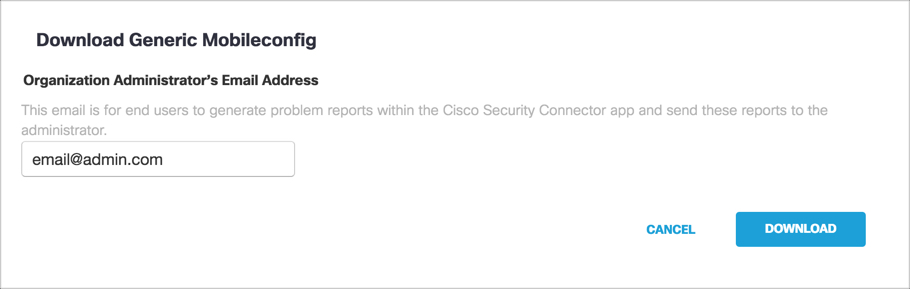
- Log in to your Umbrella dashboard as an administrator and navigate to Deployments -> Core Identities -> Mobile Devices and click on Download our generic mobileconfig file.
- Add an E-mail address to which the end users can send the generated problem reports, which needs to be passed on to Cisco Umbrella.
The diagnostic reports are sent to this E-mail address when the user clicks the i icon from within the iOS device. Then, click on Download. - In the downloaded XML file, update the line <string>%serialnumber%</string> to fetch the iOS device's serial number. Since MDM facilitates the usage of dynamic variables, you need not manually provide the serial number for every iOS device. MDM automatically fetches it from the enrollment details. Click here to know more about dynamic variables.
- Upload this configured XML file on MDM as a custom configuration. To do so,
- Go to Device Mgmt -> Profiles -> Create Profile and click on Apple.
- Provide the requisite details for the profile and click on Continue.
- On the left pane, click on Custom Configuration.
- Drag and drop the configured XML file or click on upload and select the file.
- After uploading the file, save and publish it. This can later be associated with supervised iOS devices, which are managed by MDM.
With MDM, you can silently distribute apps to your managed iOS devices, without any user intervention. Click here for the detailed procedure.
NOTE: Ensure you are logged into your Umbrella dashboard as an administrator.
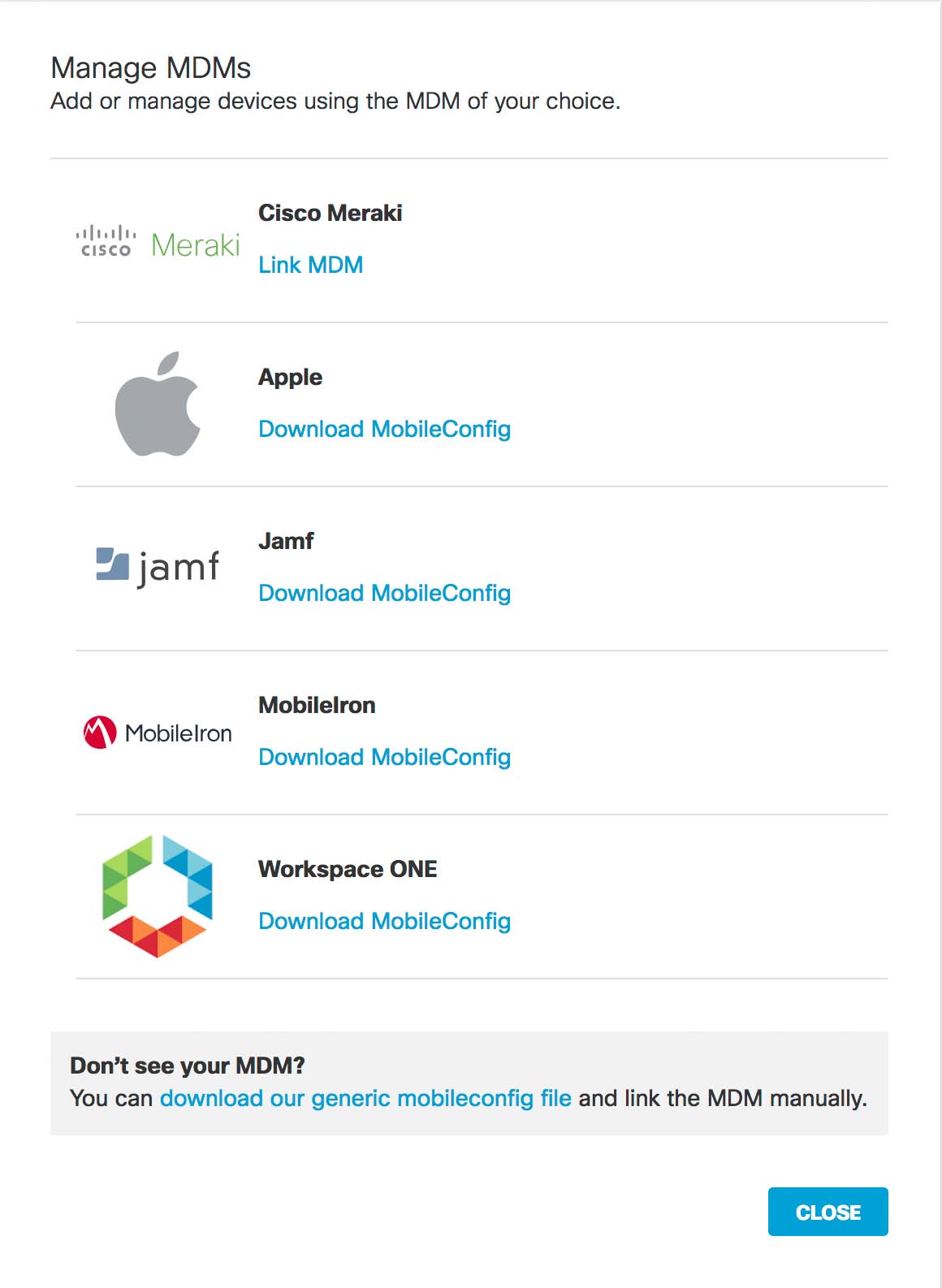
If successful, your mobile device gets registered with Umbrella. On the Umbrella dashboard, navigate to Deployments -> Core Identities -> Manage MDMs. The registered mobile devices will be listed here. The Cisco Security Connector (CSC) app in the iOS device updates to connect to Umbrella so that your iOS device is protected by Umbrella.
Anonymization
Umbrella provides you with the option of anonymizing mobile devices for reporting and administration purposes. The label of the device is hidden and replaced by the device's serial number, both in the Umrella dashboard and in the Cisco Security Connector (CSC) app UI. Click here for more information.
Frequently asked questions
What do I need before I start securing iOS devices with Cisco Umbrella?
You need a Cisco Umbrella account, the Cisco Security Connector (CSC) app installed on your iOS devices, devices running iOS 11.3 or later and supervised, and an admin email address to receive diagnostic reports from the managed devices.
Do I need to manually enter each device's serial number in the Umbrella configuration file?
No — MDM uses a dynamic variable (%serialnumber%) in the downloaded XML file to automatically fetch each device's serial number from its enrollment details, so you don't need to enter it manually.
Can device labels be hidden in the Umbrella dashboard and CSC app?
Yes, Umbrella lets you anonymize mobile devices for reporting and administration — the device label is replaced with its serial number in both the Umbrella dashboard and the CSC app UI.