Last updated: July 24, 2026
New MDM payload does not match with the old one
When an iOS device is being enrolled, sometimes the error message "The new MDM Payload does not match with the old one" pops up on the device. This can interrupt the device's enrollment, making it impossible to proceed further. Read below to find out how to resolve this issue and successfully enroll your iOS device.
Problem
You are trying to enroll an iOS device and get the error message "New MDM Payload does not match with the old one".
Cause
This error occurs when the device is already enrolled with MDM.
Resolution
If this error is displayed, you need to perform the below steps on the device:
- Navigate to Settings -> General -> Profiles & Device Management.
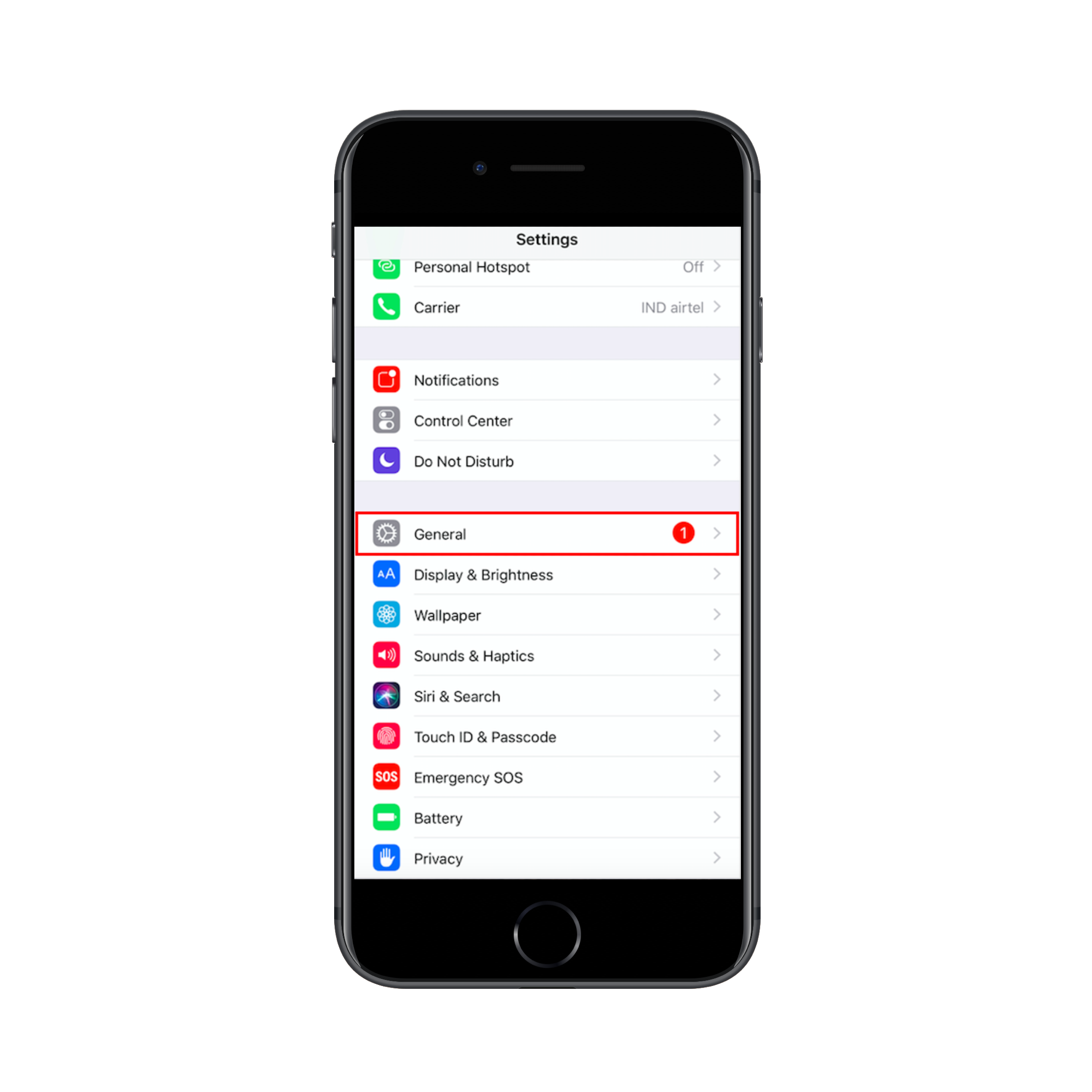
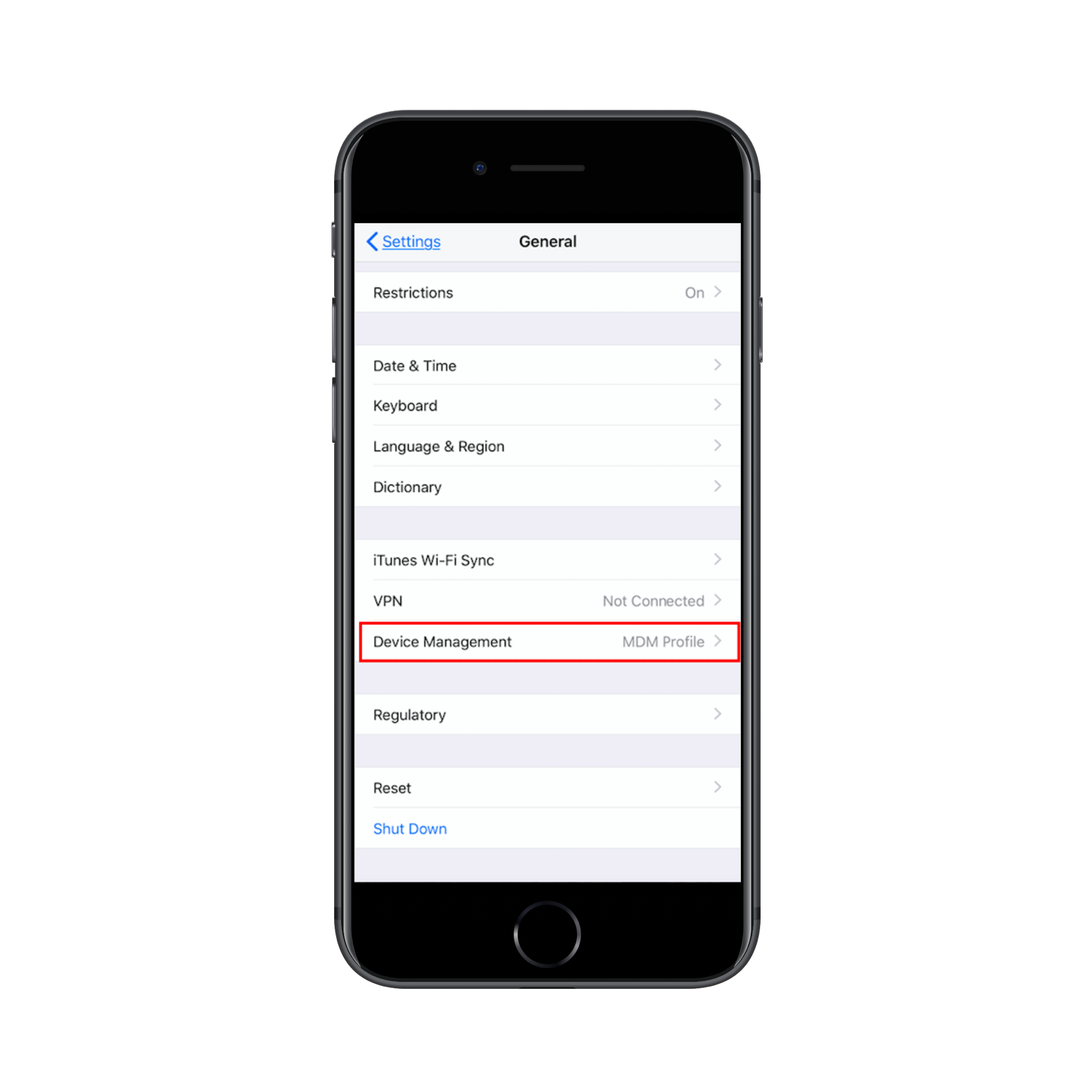
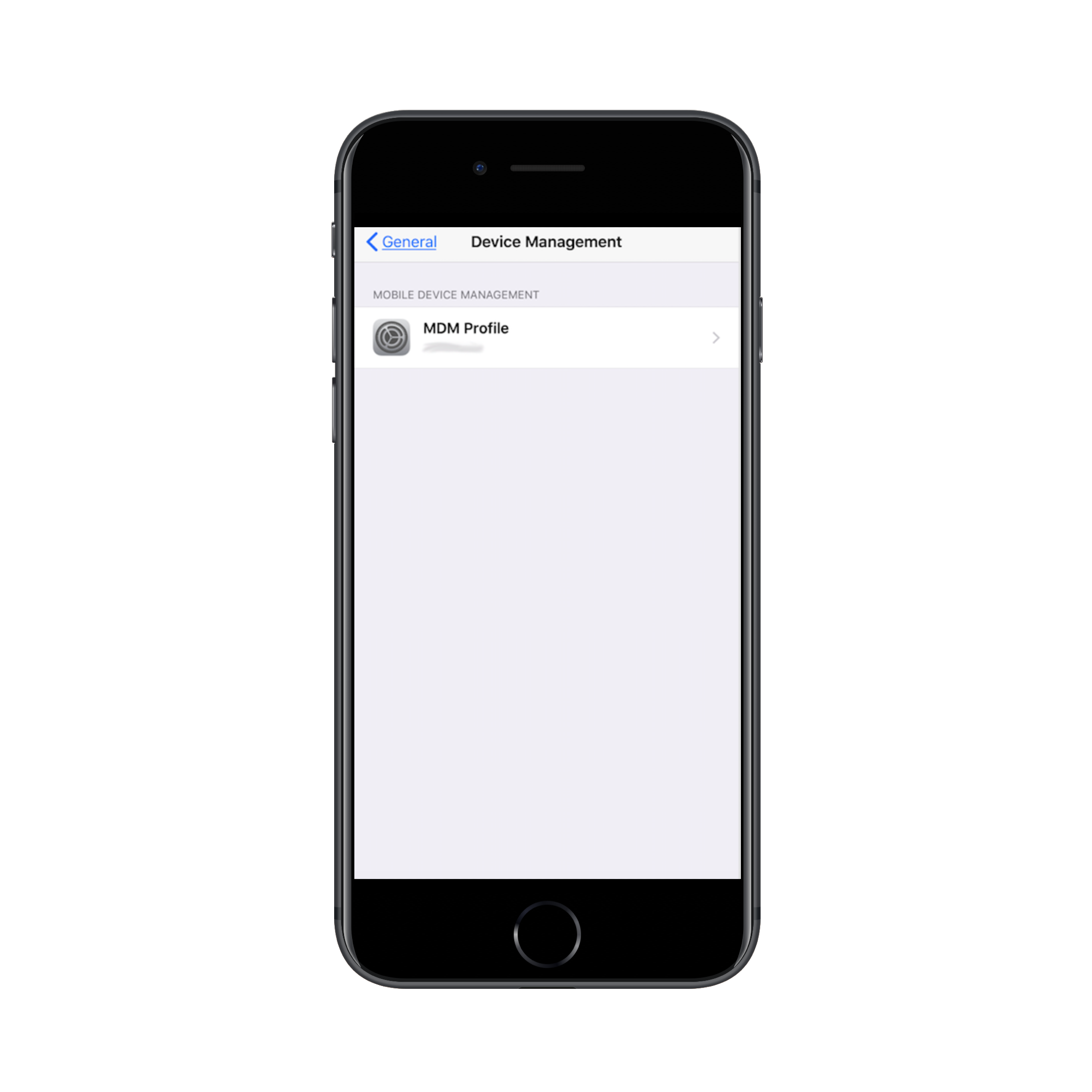
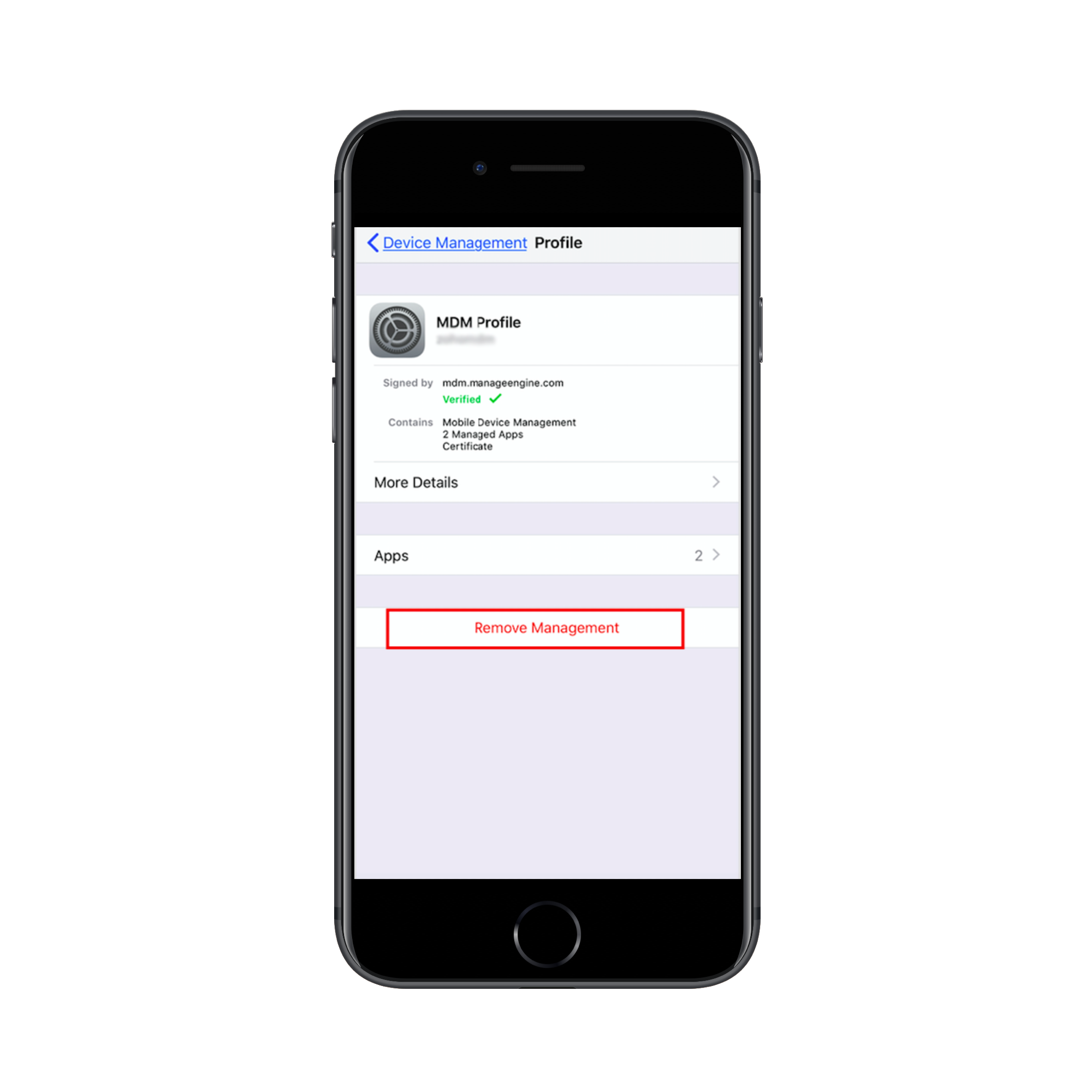
- Remove the existing MDM Profile.
- Enroll the device again.
Applies to: iOS Enrollment, Device Enrollment, Managing Mobile Devices
Keywords: Enrollment failure, Mobile Device Management, Managing iOS Devices