Automated Configuration Backup
Any change made to the device configuration in a network carries the possibility of an error. An erroneous configuration change can cause network issues ranging from performance degradation to network outage. This is particularly true for those network devices that are crucial for the infrastructure. Any change in such devices should be detected and the configuration file of the device has to be backed up.
Such provision of automated configuration backup enables change detection and triggers configuration backup. This is performed hassle-free with a network backup software that has an in-built syslog configuration management. Network Configuration Manager detects the changes through the syslog messages received from the devices.
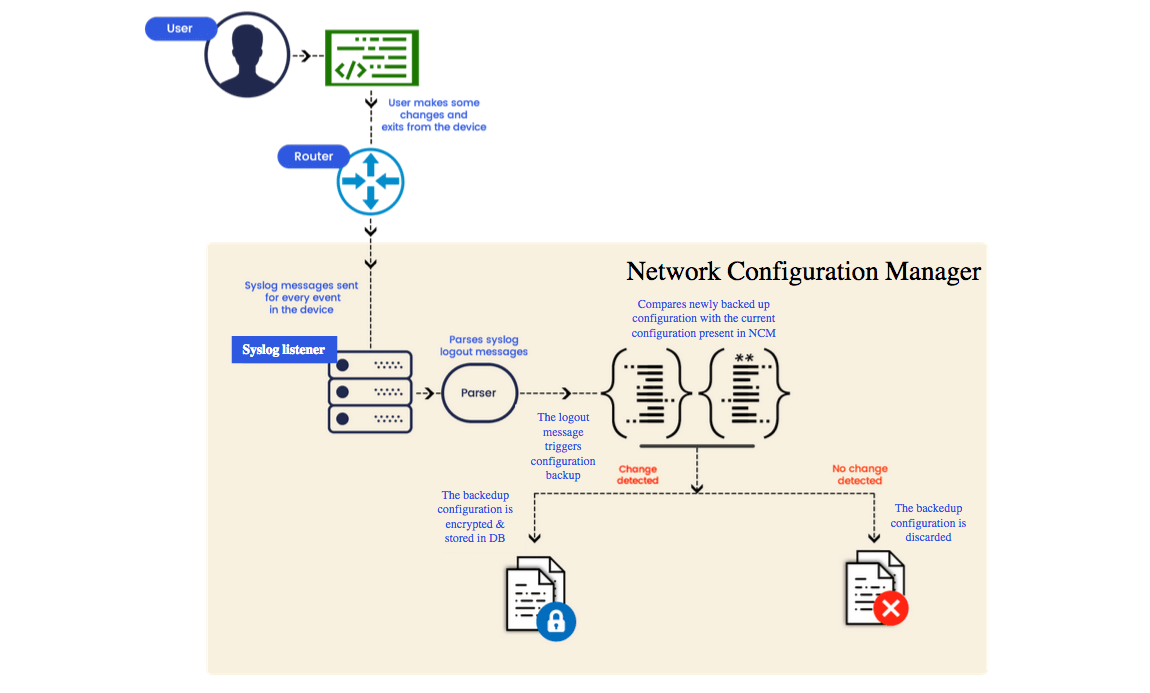
- When an admin, operator or user logs in and out of a network device, the device generates a syslog message.
- These syslog messages reach the built-in syslog server in NCM which looks out for the 'log out' message.
- Upon receiving a log out message, NCM triggers the configuration backup of that network device. This is because whenever someone logs out of a device, there is a possibility that person has made a change in the config file of that device.
- This backed up configuration file is then compared to the latest config version of that device in NCM and is checked for any new changes.
- If any change is detected, the backed up configuration file is encrypted and stored in NCM's database.
- If no change is detected, the backed up file is discarded.
Syslog Flood Prevention
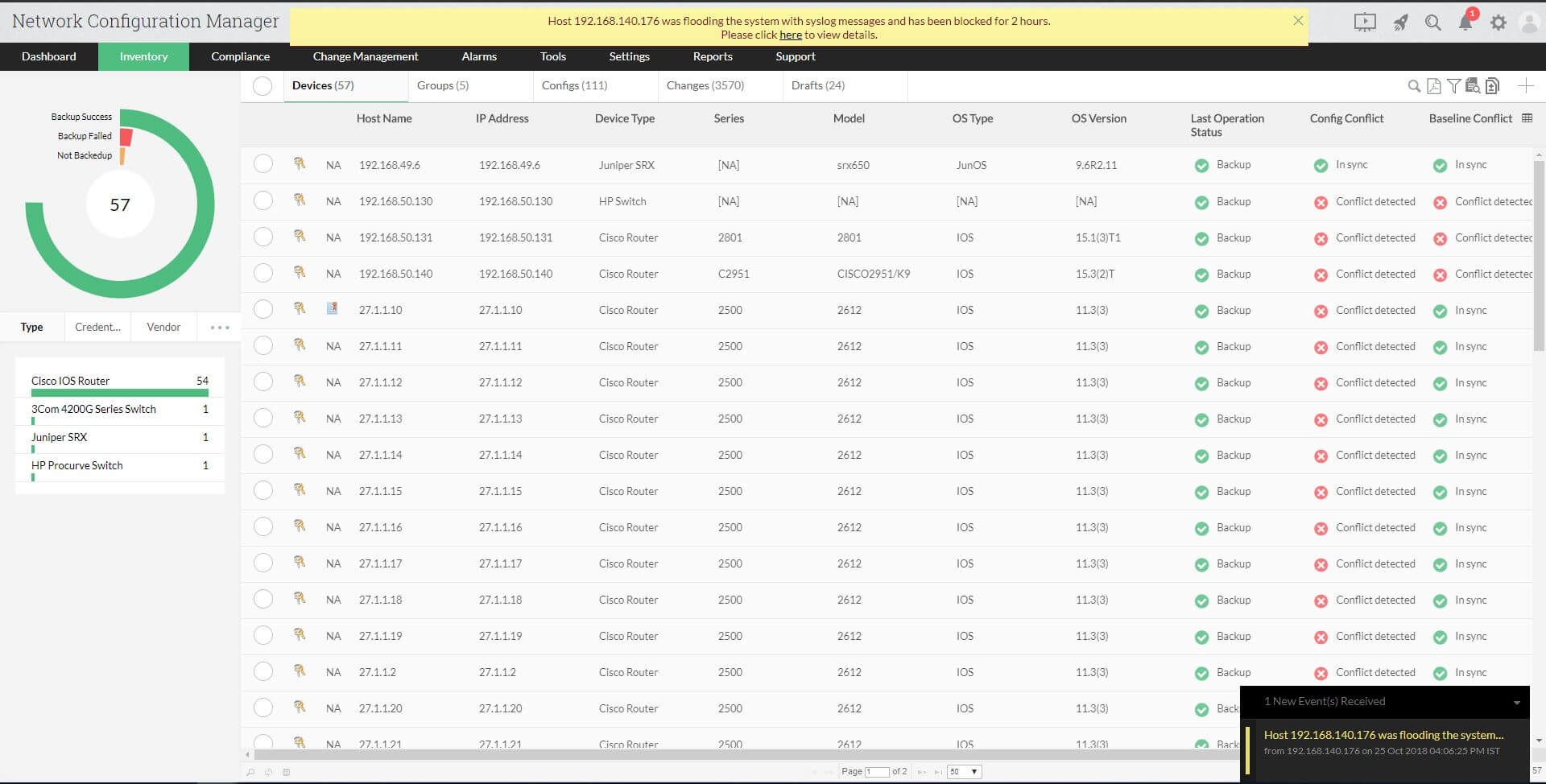
In an environment where the users login and logout of devices more frequently, flooding of Syslog messages tend to occur. This leads to increased CPU usage of the NCM server which in turn affects the performance of the machine. To prevent this, NCM blocks the syslog messages from that device and notifies the user about the device that has been blocked.
Here is a sample of the notification:
The blocked devices are listed in Settings >> Device Management>> SysLog Blocked Hosts.
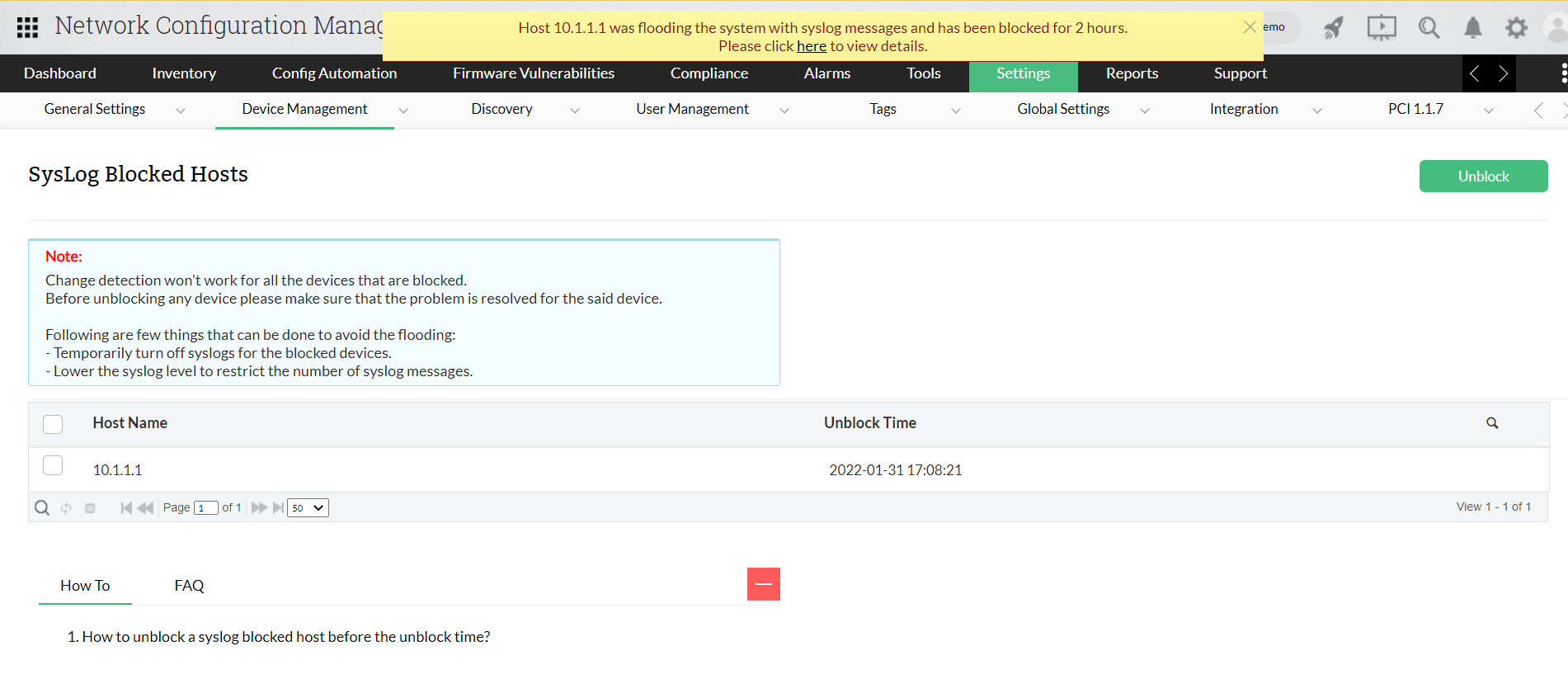
Since backup automation relies on syslog messages, NCM does not detect changes automatically for the blocked devices until the devices are unblocked.
You can unblock the devices at any point of time from the blocked list and before unblocking any device please make sure that the problem is resolved for that particular device.
In case you want to unblock devices real quick, there are two methods:
1. Temporarily turn off syslogs for the blocked devices.
2. Restrict the number of syslog messages by lowering the Syslog level.