Lite devices in OpManager
The Lite Device license in OpManager allows administrators to monitor devices only for availability, without consuming a full device license. Users can generate insightful reports and customize dashboards for Lite devices based on monitored data. This provides a cost-effective option for expanding your monitoring scope while preserving standard device licenses for more critical infrastructure.
Which devices are considered Lite devices?
- Devices with IP addresses
- URLs
- Wireless Access Points (thin)
- WAN IP monitors
- Network Path nodes
Adding and managing Lite devices
To add devices as a lite device:
- Go to Settings → Discovery → Add Device
- Enter the IP address and required credentials.
- You can also add devices in bulk using the Network Discovery option.
- Enable the checkbox labeled Monitor only availability (Lite Device) to mark the device as Lite.
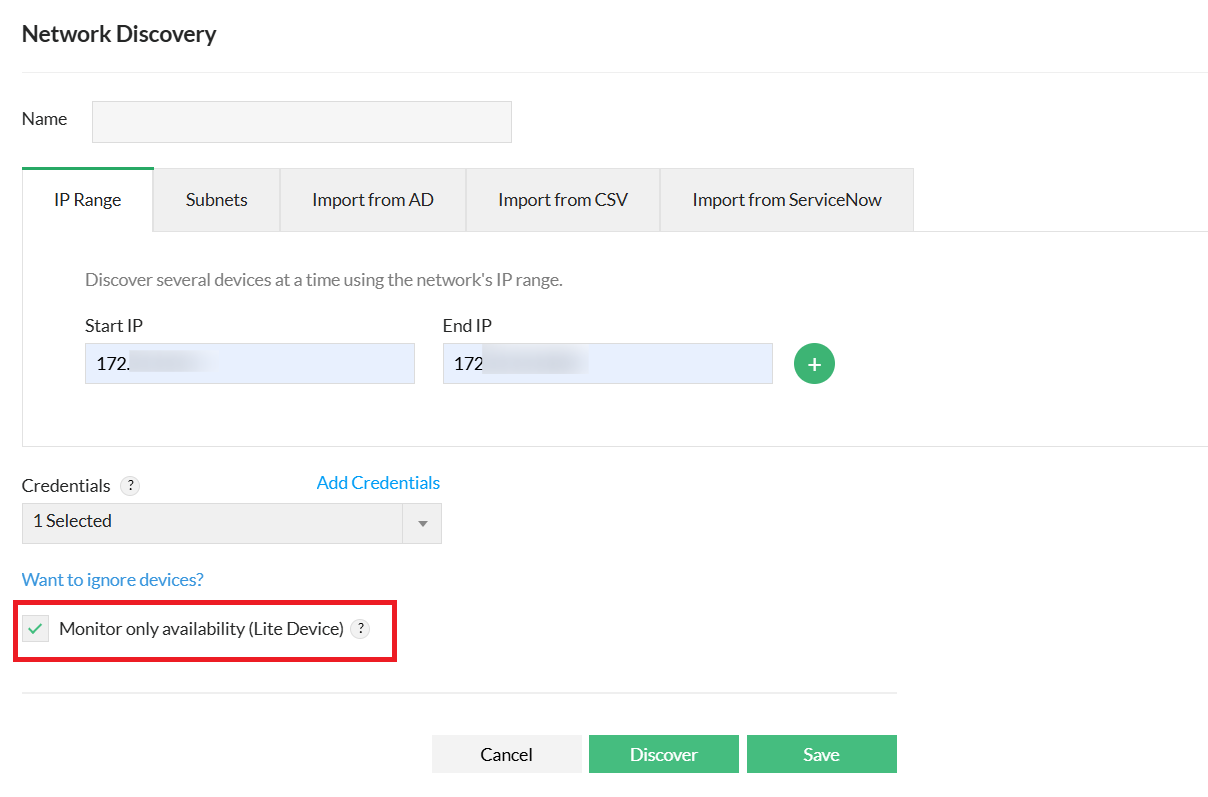
- Once you click Discover, the device will be added to the inventory as a Lite device.
To view and manage Lite devices, navigate to Inventory → Lite Devices.
Converting a Lite device to advanced monitoring
Lite devices can be upgraded to extensive monitoring mode if needed. Enabling advanced monitoring will consume one device license and unlock additional features such as, Performance monitoring, Service and process monitoring, etc.
To convert a Lite device to advanced monitoring
- Go to Inventory and open the snapshot page of the device.
- In the Custom Dials section, locate the option Enable Advanced Monitoring.
- Click Enable to convert the device to advanced monitoring mode.
To convert devices in bulk,
- Go to inventory, and select the required devices using the checkbox on the left.
- Click the three dot icon on the top right, select Enable Advanced Monitoring option.
Converting a licensed device to a Lite device
Administrators can convert a fully licensed device to Lite mode when only availability monitoring is required. This action will disable all performance monitors associated with the device.
To convert a licensed device to a lite device:
- Go to Inventory.
- Use the Select Device option on the left-hand panel to choose one or more devices.
- Click the three-dot icon at the top right.
- Select Mark as Lite Device from the dropdown.
- The selected devices will be reclassified as Lite and monitored only for availability.
Note:
- For monitoring up to 5,000 Lite devices, it is recommended to install OpManager agent for better performance and scalability.
- Converting a Lite device to advanced monitoring mode will consume one full device license. The previously used Lite license will be released, allowing you to assign it to another device.
- Conversely, converting a fully licensed device to Lite mode will release the full device license and consume a Lite license instead.
- When upgrading from an older version, all previously discovered and managed Access points, URL monitors, WAN IP monitors, and Network Path Nodes are automatically designated as lite devices.
Devices that cannot be converted as lite devices
The following devices cannot be converted as Lite devices because availability monitoring alone does not provide meaningful insights for their management.
- VMware vCenter
- VMware Host
- Hyper-V Host
- Nutanix Host
- Xen Host
- Wireless LAN Controller (WLC)
- Cisco Meraki Organization
- Cisco ACI
- SD-WAN
- Storage devices
FAQs on Lite devices
In which version was the Lite device license introduced?
+
Error: "The license version you are trying to apply does not support Lite Devices. Please try applying version 12.8 or later. Kindly contact support for a valid license." Why does this error appear?
+
Can devices with heavy monitoring requirements, like routers or servers, be monitored with the Lite license?
+
When upgrading to version 12.8.581, do users need to purchase new Lite licenses if access points, URLs,
and network paths are already being monitored in their OpManager setup?
+
How does Lite licensing impact OpManager Nexus' licensing?
+
What editions of OpManager does the Lite license apply to?
+
What happens when you convert a Lite device to advanced monitoring?
+
What happens when you convert a licensed device to Lite?
+