Rebranding OpManager
Rebranding helps you customize OpManager by replacing the OpManager Logo that is displayed in the OpManager web client as well as in the downloaded reports, with your company's logo.
OpManager gives you the flexibility to change the product name, company name and copyright details and also allows you to customize the appearence of your OpManager login page.
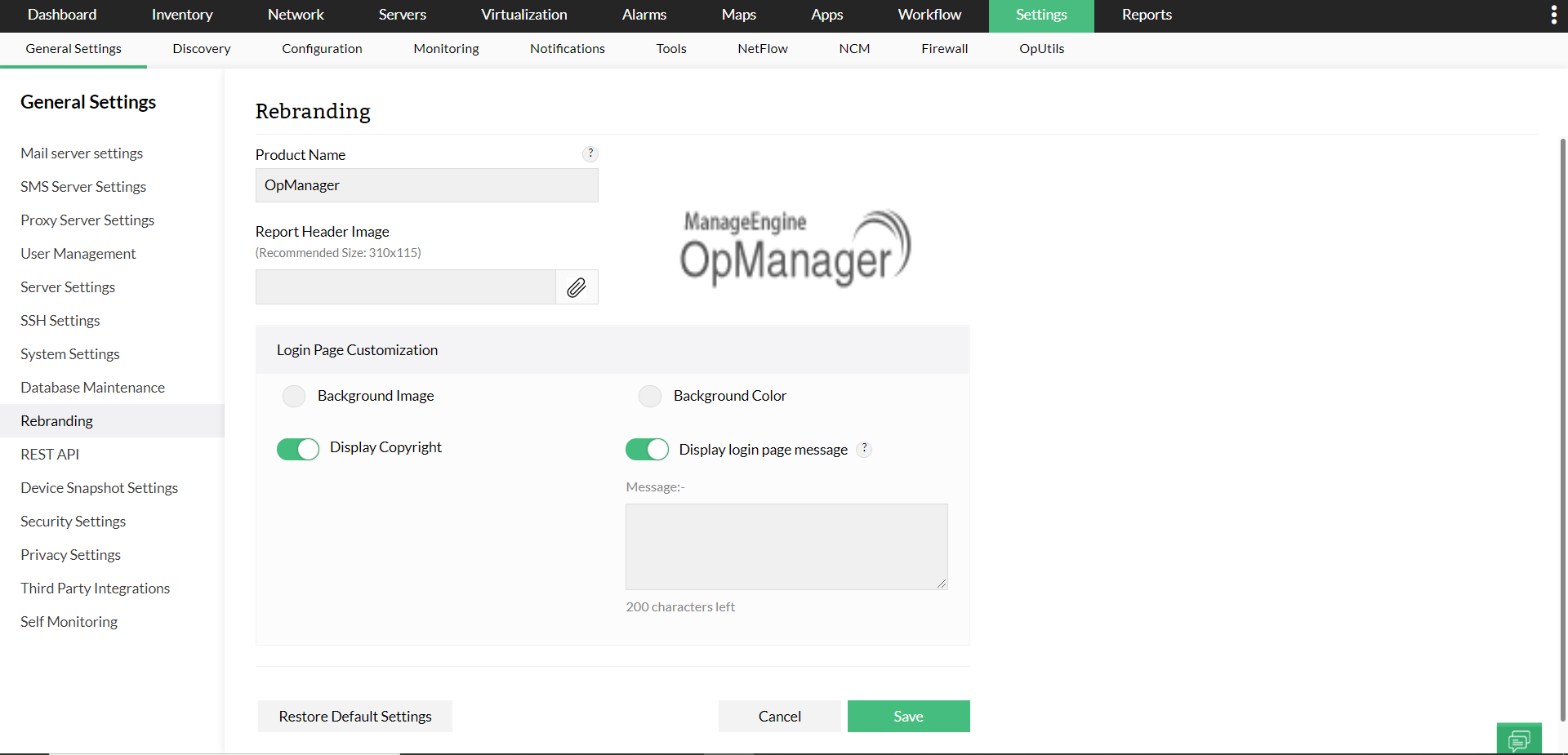
- Enter the desired product name (e.g., "My Company IT Monitor")in the "Product Name" field. This name will be displayed throughout the interface, in window titles, and on generated reports.
- Next, scroll to the "Report Header Image" section to upload a custom logo for use in downloaded reports. Click the paperclip icon to attach an image file from your computer. For best results, use an image sized at 310x115 pixels.
- To customize the login page, choose either a Background Image or Background Color.
- If you select an image, click the upload control to browse and select a background image from your computer.
- If you opt for a color instead, select a swatch from the Recommended Colors list or click "Custom" to define your own using the color picker tool.
- You can further tailor the login experience by enabling or disabling display elements.
- Use the Display Copyright toggle to show or hide Copyright Information on the login page.
- To include a message for users, toggle ON the Display Login Page Message option and enter your text in the "Message" box (up to 5000 characters). Toggle OFF if no custom message is needed.
Once you've completed your rebranding configurations, click Save at the bottom of the page to apply the changes. If you wish to revert all changes and return to OpManager’s original appearance, use the Restore Default Settings option.